HTML Interview Questions and Answers (2025)

html interview

Table of Contents

1. What is HTML?

HTML (HyperText Markup Language) is the standard language used to create and structure content on the web. It defines the structure of web pages using tags and attributes.

2. What are the different types of HTML elements?

HTML elements can be divided into:

  • Block-level elements: These elements take up the full width and start on a new line (e.g., <div>, <p>, <h1>).
  • Inline elements: These elements take only the necessary width and do not start on a new line (e.g., <span>, <a>, <img>).

3. Explain the structure of an HTML document.

A basic HTML document structure includes:

  • <!DOCTYPE html>: Declaration defining the document type.
  • <html>: Root element.
  • <head>: Contains meta information about the document (e.g., title, character set).
  • <body>: Contains the visible content of the web page (e.g., text, images, links).

4. What is the difference between <div> and <span>?

  • <div> is a block-level element used for grouping and structuring content, and it takes up the full width of its container.
  • <span> is an inline element used for styling small sections of content without disrupting the flow of text.

5. What are HTML attributes?

Attributes provide additional information about an element. They are written inside the opening tag. Examples include href in <a> tags, src in <img>, and alt in <img>.

6. What are semantic HTML tags?

Semantic tags are HTML tags that convey meaning about the content they enclose. These help search engines and developers understand the structure of a web page. Examples include <header>, <footer>, <article>, and <section>.

7. What is the purpose of the <meta> tag?

The <meta> tag provides metadata about the HTML document, such as character encoding, author, viewport settings, and SEO-related information (e.g., description, keywords).

Use the <a> tag with the href attribute to create a hyperlink

<a href="https://example.com">Visit Example</a>

9. What is the difference between GET and POST methods in forms?

  • GET: Sends form data as part of the URL (visible in the browser’s address bar). Suitable for retrieving data.
  • POST: Sends form data in the HTTP request body (not visible in the address bar). Suitable for submitting sensitive data.

10. What is the <picture> element in HTML5?

The <picture> element allows you to define multiple image sources based on different conditions, such as screen width or image resolution, helping to create responsive images. Example:

<picture>
  <source srcset="image-small.jpg" media="(max-width: 600px)">
  <img src="image-large.jpg" alt="Responsive Image">
</picture>

11. What is the <canvas> element in HTML5?

The <canvas> element is used for drawing graphics, animations, and other visual content using JavaScript. Example:

<canvas id="myCanvas" width="200" height="200"></canvas>
<script>
  var canvas = document.getElementById("myCanvas");
  var ctx = canvas.getContext("2d");
  ctx.fillStyle = "blue";
  ctx.fillRect(20, 20, 150, 100);
</script>

12. What is the purpose of the alt attribute in the <img> tag?

The alt attribute provides alternative text for an image if it cannot be displayed. It also helps with SEO and accessibility for screen readers. Example:

<img src="logo.jpg" alt="Company Logo">

13. What are ARIA roles in HTML?

ARIA (Accessible Rich Internet Applications) roles help improve web accessibility for users with disabilities. They describe the role of an element to assistive technologies. Example:

<div role="alert">This is an important message</div>

14. How do you create a form in HTML?

A form is created using the <form> tag, with various input elements like <input>, <textarea>, and <button>. Example:

<form action="/submit" method="post">
  <label for="name">Name:</label>
  <input type="text" id="name" name="name">
  <input type="submit" value="Submit">
</form>

15. What are the new input types introduced in HTML5?

HTML5 introduced several new input types, such as:

  • email: For email addresses.
  • url: For URLs.
  • date: For date input.
  • tel: For telephone numbers.
  • range: For numeric ranges.

16. What is the difference between class and id attributes?

  • class: Used to assign styles or group elements, and can be used multiple times in a document.
  • id: Used to uniquely identify a single element, and should only be used once per page.

17. What are the benefits of using semantic tags for SEO?

Semantic tags help search engines understand the content structure of a page. They also improve the accessibility of a website by clearly defining different sections, leading to better indexing and ranking.

18. What is the <!DOCTYPE> declaration in HTML?

The <!DOCTYPE> declaration tells the browser which version of HTML to use for rendering the document. For HTML5, it’s <!DOCTYPE html>.

19. What are HTML Data Attributes (data-*)?

HTML data attributes allow you to store custom data on any element. The data can be accessed via JavaScript. Example:

<div data-user-id="12345">User Info</div>

20. What is the role of the <meta charset="UTF-8"> tag?

The <meta charset="UTF-8"> tag specifies the character encoding for the document. UTF-8 is a common encoding that supports many languages and special characters.

21. What is the difference between the <script> and <noscript> tags in HTML?

  • <script>: Used to include or reference JavaScript code. It can be placed in the <head> or <body> section.
  • <noscript>: Used to define content that is displayed if the browser does not support JavaScript or if it’s disabled by the user.

22. How can you include an external CSS file in an HTML document?

Use the <link> tag in the <head> section to include an external CSS file

<link rel="stylesheet" href="styles.css">

The target="_blank" attribute opens the linked document in a new tab or window. Example:

<a href="https://example.com" target="_blank">Open in new tab</a>

24. What is the rel="noopener noreferrer" attribute, and why is it used with target="_blank"?

The rel="noopener noreferrer" attribute ensures better security by preventing the new tab from gaining access to the originating page’s window object and stopping the referrer from being sent to the linked page. It’s important when using target="_blank" to avoid security risks.

25. What is the use of the <base> tag in HTML?

The <base> tag specifies the base URL for all relative URLs in a document. It is placed inside the <head> section.

<base href="https://www.example.com/">

26. Explain the concept of the “Document Object Model (DOM)” in relation to HTML.

The DOM represents the HTML document as a tree structure, where each HTML element is a node. It allows JavaScript to access and manipulate the structure, style, and content of the web page dynamically.

27. What is the role of the <iframe> tag in HTML?

The <iframe> tag is used to embed another HTML page within the current page. Example:

<iframe src="https://example.com" width="600" height="400"></iframe>

28. What are the new input attributes in HTML5 that help with form validation?

HTML5 introduced several input attributes for form validation:

  • required: Ensures the user cannot submit the form without filling in the field.
  • pattern: Specifies a regular expression to validate the input.
  • min and max: Defines the range for input values.
  • maxlength: Limits the number of characters that can be entered.

29. What is the difference between the <b> and <strong> tags in HTML?

  • <b>: Represents bold text purely for styling purposes.
  • <strong>: Represents text with strong emphasis, and it is typically displayed as bold. It also conveys meaning to assistive technologies, improving accessibility.

30. What is the viewport meta tag and how does it affect responsive design?

The viewport meta tag defines the visible area of a webpage on different devices. It is essential for responsive web design and allows the page to scale appropriately on mobile devices:

<meta name="viewport" content="width=device-width, initial-scale=1.0">

31. What are HTML entities and why are they used?

HTML entities are special codes used to represent characters that cannot be typed directly in HTML (e.g., <, >, &, ", etc.). They are written as &name; or &#code;. Example: &lt; for <, &gt; for >, &amp; for &.

32. What is the <head> section in HTML and what elements can it contain?

The <head> section contains meta-information about the HTML document, such as:

  • <title>: Specifies the title of the document.
  • <meta>: Provides metadata like character set, author, and viewport settings.
  • <link>: Used to link external resources (e.g., CSS files).
  • <style>: Contains internal CSS styles.
  • <script>: Used to include or reference JavaScript files.

33. What is the difference between the <ol> and <ul> tags?

  • <ol>: Represents an ordered (numbered) list.
  • <ul>: Represents an unordered (bulleted) list.

Example:

<ol>
  <li>First item</li>
  <li>Second item</li>
</ol>
<ul>
  <li>First item</li>
  <li>Second item</li>
</ol>

34. What are HTML global attributes?

Global attributes can be applied to most HTML elements. Common global attributes include:

  • id: Specifies a unique identifier for the element.
  • class: Specifies one or more class names for the element.
  • style: Specifies inline CSS styles.
  • title: Provides additional information about an element, usually displayed as a tooltip.
  • data-*: Used for custom data attributes.

35. What is the <mark> element in HTML?

The <mark> tag is used to highlight text, indicating that it has special relevance or matches a search term. Example:

<p>This is <mark>important</mark> text.</p>

36. What is the loading="lazy" attribute in HTML?

The loading="lazy" attribute enables lazy loading of images, iframes, and other media, meaning they are only loaded when they enter the viewport, improving page performance. Example:

<img src="image.jpg" loading="lazy" alt="Lazy loaded image">

37. What is the <template> tag used for in HTML?

The <template> tag is used to define a block of HTML that is not rendered immediately but can be cloned and inserted into the document later via JavaScript. It’s useful for client-side templating.

38. What is the <progress> element in HTML?

The <progress> element represents the progress of a task. It is typically used for displaying a progress bar. Example:

<progress value="70" max="100">70%</progress>

39. What are the advantages of using the <aside> tag in HTML?

The <aside> tag is used for content that is related to the main content but could be considered separate, such as sidebars, pull quotes, or additional information. It helps with page organization and semantic meaning.

40. What is the <footer> tag used for in HTML?

The <footer> tag defines the footer of a webpage or section. It typically contains copyright information, contact links, and other metadata relevant to the content.

Additional Resources

For those interested in expanding their skills with APIs, check out our Top 10 Free APIs for Practice in 2025 and improve your JavaScript mastery with our Master ES6 JavaScript – Complete Guide at Master ES6 JavaScript – Complete Guide.
Exploring the Latest PHP Features: What’s New?

PHP Features image

PHP is one of the most popular server-side scripting languages, and it continues to evolve with every version, introducing PHP features that enhance performance, simplify development, and ensure better security. In this blog, we will explore the key features introduced from PHP 7 to PHP 8.3, complete with simple explanations and code examples.

PHP 7: Setting the Stage for Performance

PHP 7 brought massive improvements in speed and memory usage, making it a game-changer for developers. Here are the standout features:

1. Scalar Type Declarations

This feature allows developers to specify the type of parameters and return values for functions.

function addNumbers(int $a, int $b): int {
    return $a + $b;
}

echo addNumbers(5, 10); // Output: 15

2. Null Coalescing Operator (??)

This operator simplifies null checks by providing a default value when a variable is null or undefined.

$username = $_GET['user'] ?? 'Guest';
echo $username; // Outputs 'Guest' if 'user' is not set.

3. Spaceship Operator (<=>)

The spaceship operator is a shorthand for comparing two values, returning -1, 0, or 1.

echo 1 <=> 2; // Outputs -1 (less than)
echo 2 <=> 2; // Outputs 0 (equal)
echo 3 <=> 2; // Outputs 1 (greater than)

PHP 7.4: Developer-Friendly Enhancements

PHP 7.4 introduced several features aimed at improving productivity:

1. Arrow Functions (fn())

This syntax allows for cleaner and shorter anonymous functions.

$numbers = [1, 2, 3];
$squared = array_map(fn($n) => $n * $n, $numbers);
print_r($squared); // Output: [1, 4, 9]

2. Typed Properties

Properties can now have a specific type, ensuring consistency in class design.

class User {
    public string $name;
}

$user = new User();
$user->name = "John";

3. Nullsafe Operator (?->)

This operator allows you to safely call a method or access a property on an object that might be null.

$user = null;
echo $user?->profile?->getName() ?? 'No profile available';

PHP 8.0: Pioneering Modern PHP Features

PHP 8.0 introduced powerful features that transformed coding practices:

1. Named Arguments

You can now specify function arguments by name, improving code readability.

function greet(string $name, string $greeting): string {
    return "$greeting, $name!";
}

echo greet(greeting: "Hello", name: "Alice"); // Output: Hello, Alice!

2. Union Types

This feature allows parameters or return values to accept multiple types.

function printValue(int|string $value): void {
    echo $value;
}

printValue(42);
printValue("Hello");

3. Match Expression

A concise alternative to the switch statement.

$status = 200;

echo match ($status) {
    200 => "OK",
    404 => "Not Found",
    500 => "Internal Server Error",
    default => "Unknown Status",
};

PHP 8.1: Enhancing Usability and Flexibility

1. Enums

Enums provide a way to define a set of constant values with strict type safety.

enum Status {
    case Active;
    case Inactive;
    case Pending;
}

$status = Status::Active;
echo $status->name; // Output: Active

2. Readonly Properties

Readonly properties can only be set once, ensuring immutability.

class User {
    public readonly string $id;

    public function __construct(string $id) {
        $this->id = $id;
    }
}

PHP 8.2: Refining Modern Practices

1. Readonly Classes

All properties in a readonly class are automatically readonly.

readonly class Config {
    public string $database;
}

$config = new Config();
$config->database = "MySQL"; // Allowed only during initialization

2. Deprecation of Dynamic Properties

Dynamic properties, i.e., properties not explicitly declared, are deprecated in PHP 8.2.

class Post {
    public string $title;
}

$post = new Post();
$post->title = "New Blog"; // Valid
// $post->author = "John"; // Throws error

PHP 8.3: Pushing Boundaries

1. Typed Class Constants

Class constants can now have types, improving type safety.

interface ConstTest {
    const string VERSION = "PHP 8.3";
}

2. Dynamic Class Constant Fetch

Access class constants dynamically using the C::{$name} syntax.

class Foo {
    const PHP = 'PHP 8.3';
}

$searchableConstant = 'PHP';
echo Foo::{$searchableConstant}; // Outputs: PHP 8.3

3. #[\Override] Attribute

Ensures that a method overrides a parent class or interface method.

class Base {
    public function display(): void {}
}

class Derived extends Base {
    #[\Override]
    public function display(): void {}
}

4. json_validate() Function

Checks if a string contains valid JSON.

$json = '{"name": "John", "age": 30}';
if (json_validate($json)) {
    echo "Valid JSON";
} else {
    echo "Invalid JSON";
}

Conclusion

PHP continues to grow with features that improve performance, security, and coding practices. Whether you’re upgrading an existing project or starting a new one, leveraging these features can make your code cleaner, faster, and more robust. Stay updated and take advantage of the latest improvements in PHP!

Additional Resources

For those interested in expanding their skills with APIs, check out our Top 10 Free APIs for Practice in 2025 and improve your JavaScript mastery with our Master ES6 JavaScript – Complete Guide at Master ES6 JavaScript – Complete Guide.
Top 10 React Libraries and Tools Every Developer Must Know in 2025

Top 10 React Libraries feature

React, a popular JavaScript library for building user interfaces, has a rich ecosystem of libraries and tools that enhance development efficiency and provide essential features for modern web applications. Every developer should know the top React libraries to streamline development and create powerful web applications. In this guide, we’ll explore key React libraries and tools to help you build efficient and robust solutions.

1. React Router

React libraries reactjs router

React Router, a leading React library, is essential for implementing routing in single-page applications (SPAs). It enables seamless navigation between views with features like nested routes, dynamic routing, and lazy loading, making it indispensable for React development.

Approximate Downloads: 200M+

Features:

  • Dynamic and nested routing.
  • Declarative API for better readability.
  • Lazy loading support for optimizing performance.
npm install react-router-dom

2. Redux Toolkit

React libraries redux toolkit

Redux Toolkit is the best solution for global state management in React projects. This React state management tool simplifies Redux implementation by reducing boilerplate and offering utilities like createSlice and createAsyncThunk, making it developer-friendly.

Approximate Downloads: 100M+

Features:

  • Simplified state management.
  • Built-in tools for handling async operations.
  • Immutability enforcement with Immer.
npm install @reduxjs/toolkit react-redux

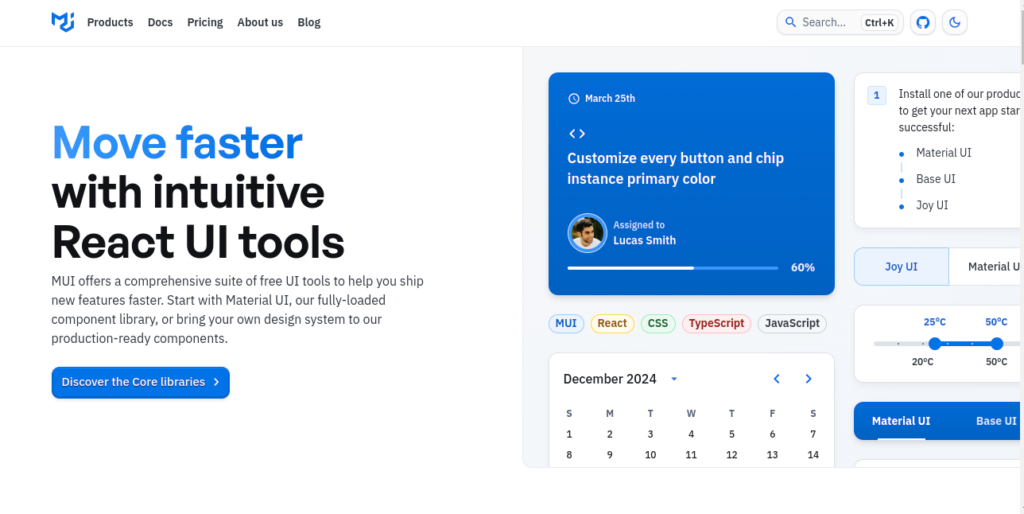
3. Material-UI (MUI)

React libraries mui

MUI is one of the top React UI frameworks, offering pre-designed components adhering to Material Design. It streamlines the creation of professional and modern user interfaces in React projects.

Approximate Downloads: 150M+

Features:

  • Comprehensive suite of components.
  • Customizable themes for brand consistency.
  • Excellent documentation and community support.
npm install @mui/material @emotion/react @emotion/styled

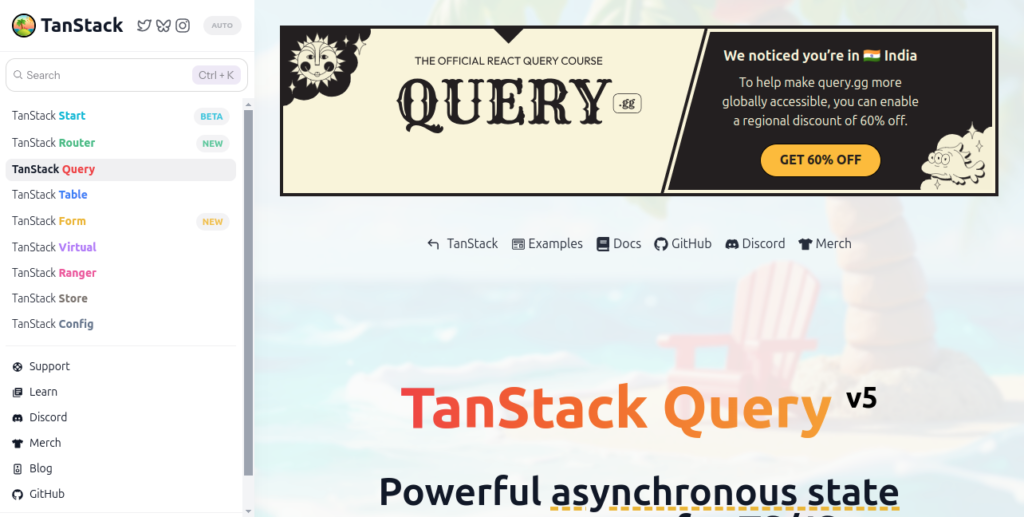
4. React Query

React libraries react query

React Query is a popular React data-fetching library that excels at managing server-state. Its caching, synchronization, and automatic updates make it a must-have tool for apps requiring frequent API communication.

Approximate Downloads: 50M+

Features:

  • Built-in caching and refetching strategies.
  • Simplified API for data fetching.
  • Automatic background updates for stale data.
npm install @tanstack/react-query

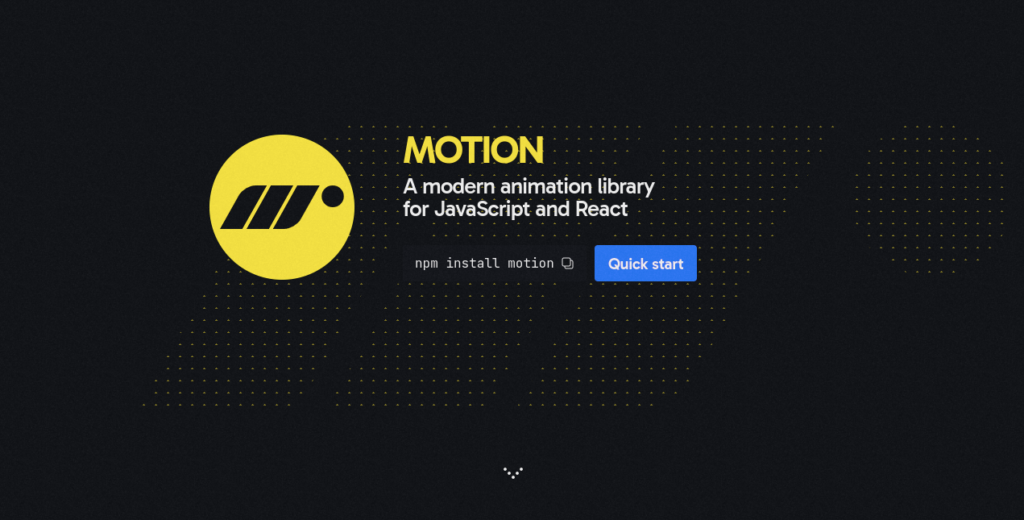
5. Framer Motion

Framer Motion leads the way in React animation libraries, offering a seamless approach to creating stunning animations. With advanced features like gestures and drag support, it’s ideal for enhancing user interactivity.

Approximate Downloads: 20M+

Features:

  • Intuitive syntax for creating animations.
  • Supports drag-and-drop interactions.
  • Customizable animation controls.
npm install framer-motion

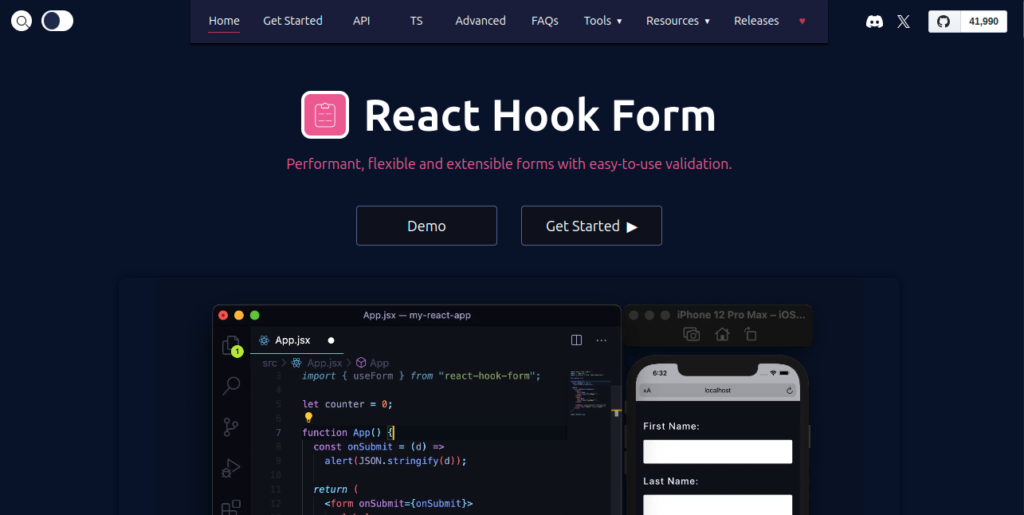
6. React Hook Form

React libraries react hook form

React Hook Form is a top-rated React form management library. It leverages uncontrolled components to enhance performance and integrates effortlessly with validation libraries like Yup, making it a preferred choice for form-heavy applications.

Approximate Downloads: 50M+

Features:

  • Built-in validation support.
  • Minimal re-renders for performance optimization.
  • Integrates with popular validation libraries like Yup.
npm install react-hook-form

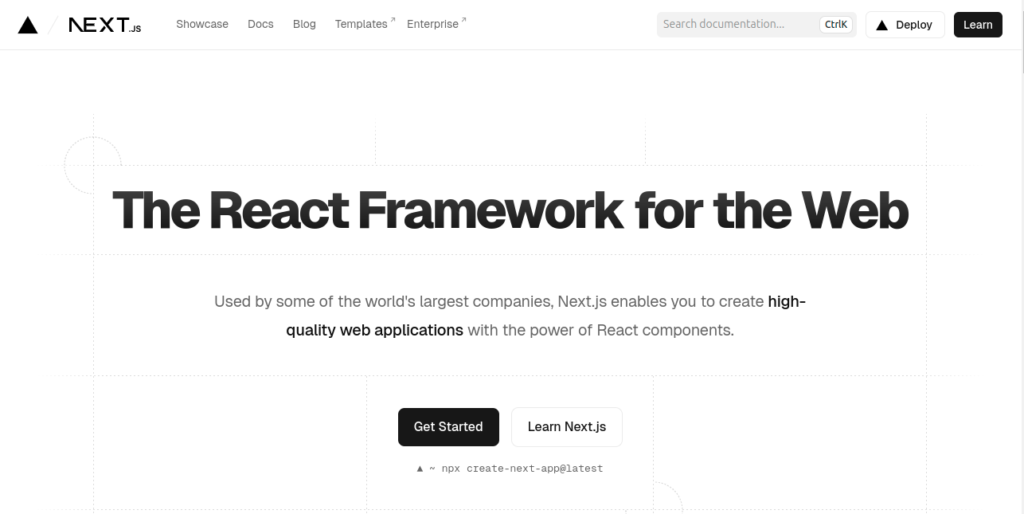
7. Next.js

React libraries nextjs

Next.js is a leading React framework for building server-rendered applications. Its robust features, including static site generation (SSG), server-side rendering (SSR), and API routes, make it a go-to tool for fast, SEO-friendly web apps.

Approximate Downloads: 80M+

Features:

  • Server-side rendering and static site generation.
  • Built-in routing and API support.
  • Automatic code-splitting for performance.
npx create-next-app@latest

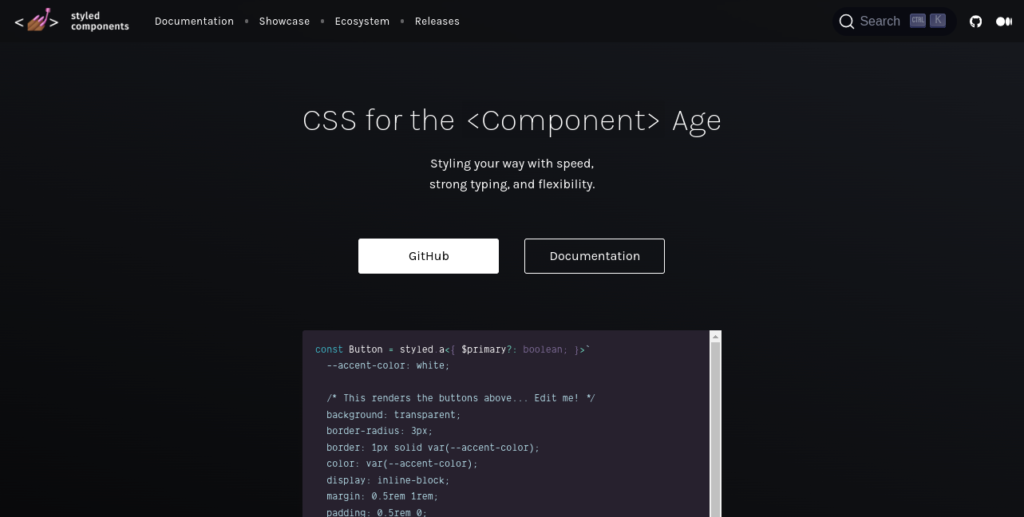
8. Styled Components

Styled Components is a popular choice for React CSS-in-JS libraries, providing scoped styles through template literals. This approach enhances maintainability and ensures class name conflict-free styling in React applications.

Approximate Downloads: 100M+

Features:

  • Scoped styles prevent class name conflicts.
  • Dynamic styling using props.
  • Improved maintainability for large projects.
npm install styled-components

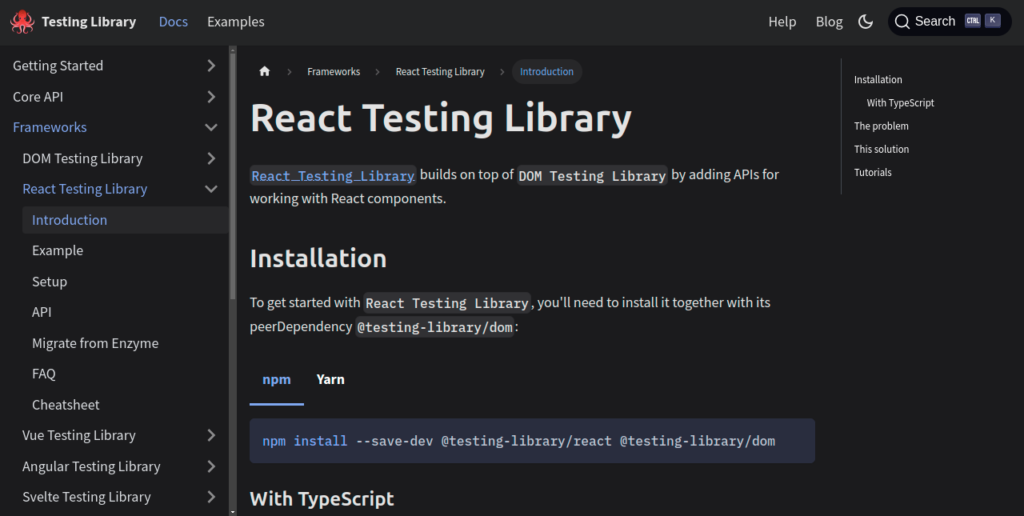
9. React Testing Library

React libraries react testing

React Testing Library remains the standard for testing. This React testing tool emphasizes user-centric testing, helping developers ensure UI components behave as expected by simulating real user interactions.

Approximate Downloads: 60M+

Features:

  • User-centric testing approach.
  • Built-in queries for finding elements.
  • Works seamlessly with Jest.
npm install @testing-library/react

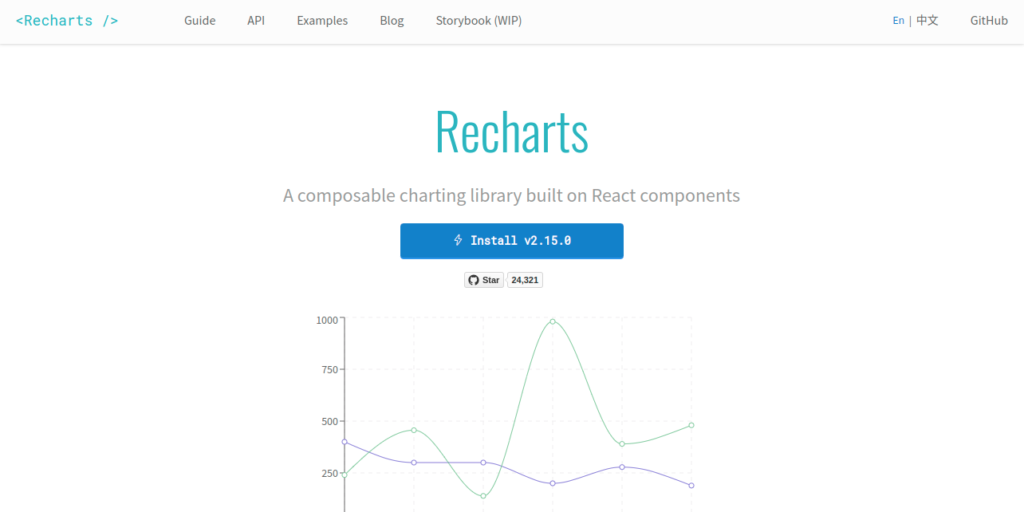
10. Recharts

React libraries recharts

Recharts is the top React charting library for creating data visualizations. Built on D3, it simplifies chart creation with reusable components, making it perfect for analytics and dashboard projects.

Approximate Downloads: 20M+

Features:

  • Customizable chart components.
  • Responsive design support.
  • Easy integration with real-time data sources.
npm install recharts

Additional Resources

For those interested in expanding their skills with APIs, check out our Top 10 Free APIs for Practice in 2025 and improve your JavaScript mastery with our Master ES6 JavaScript – Complete Guide at Master ES6 JavaScript – Complete Guide.
Top 10 Free APIs for Practice in 2025

Free APIs for practice

Free APIs for practice are an excellent resource for developers, whether beginners or experienced, to enhance their skills and work on real-world projects. APIs (Application Programming Interfaces) allow you to fetch data and integrate it into your applications, making them more dynamic and interactive. In this guide, we’ll explore the top 10 free APIs for practice in 2025 and how you can use them to build exciting projects.

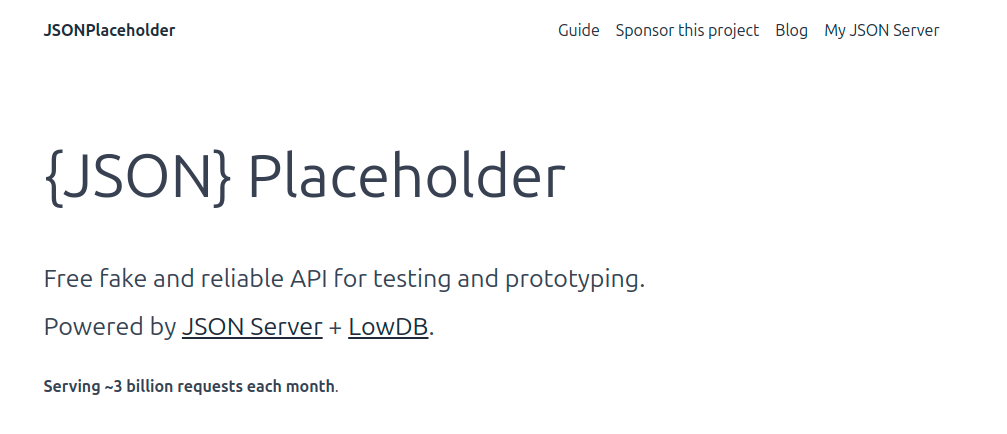
1. JSONPlaceholder

Free APIs for Practice json placeholder

Description: A free fake online REST API for testing and prototyping. Ideal for learning CRUD operations.

  • Base URL: https://jsonplaceholder.typicode.com
  • Features:
    • Endpoints for posts, comments, albums, photos, todos, and users.
    • Supports GET, POST, PUT, and DELETE methods.
  • Why Use It: Simple and easy to use for beginners practicing basic API integration.

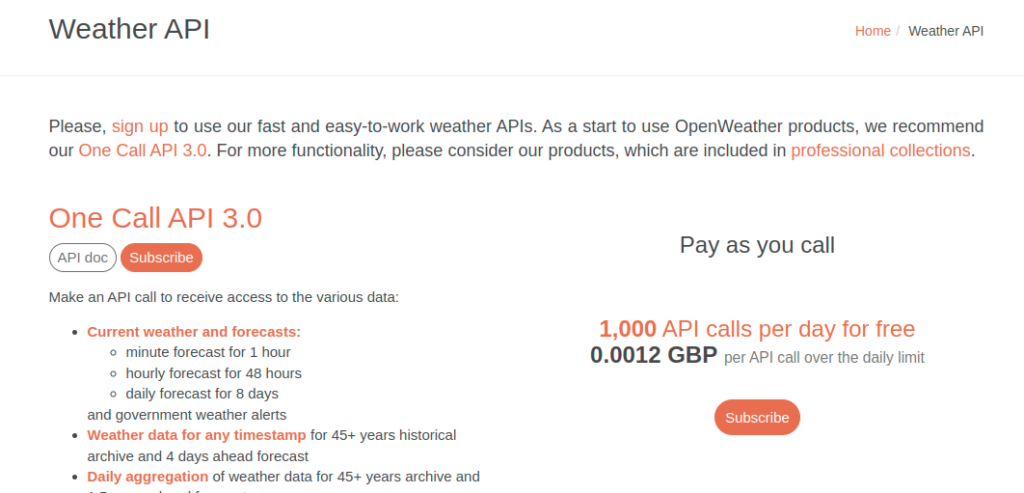
2. OpenWeatherMap API

Free APIs for Practice wheather api

Description: Provides weather data for any location worldwide.
  • Base URL: https://api.openweathermap.org
  • Features:
    • Current weather, forecasts, and historical data.
    • Supports city, zip code, and geographic coordinates.
    • Free tier allows up to 60 calls/minute.
  • Why Use It: Perfect for projects involving real-time weather updates or dashboards.

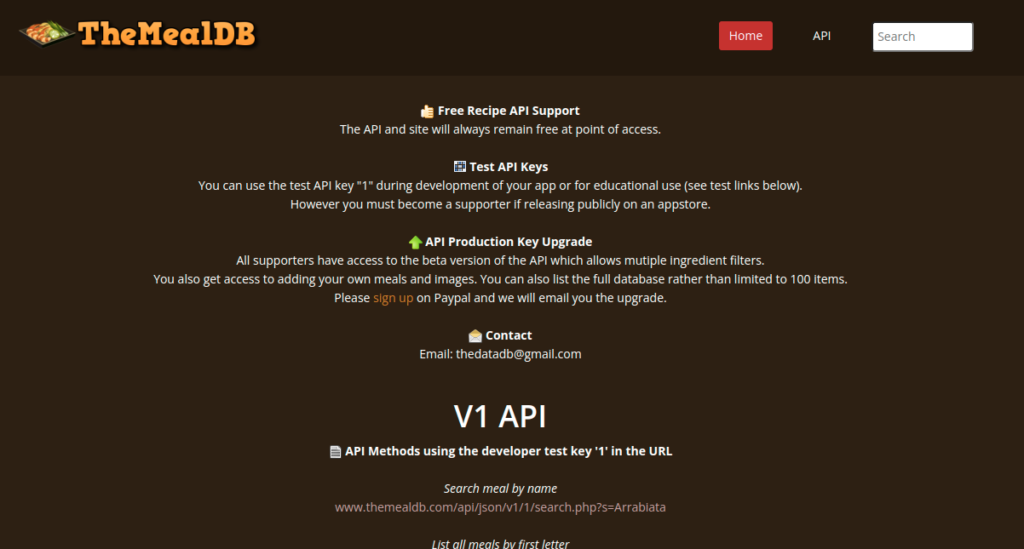
3. The Meal DB API

Free APIs for Practice The MealDB

Description: A database of meals and recipes from around the world.

  • Base URL: https://www.themealdb.com/api.php
  • Features:
    • Search meals by name or ingredient.
    • Explore random recipes.
    • Includes detailed instructions and images.
  • Why Use It: Great for learning API integration with apps like meal planners or recipe search engines.

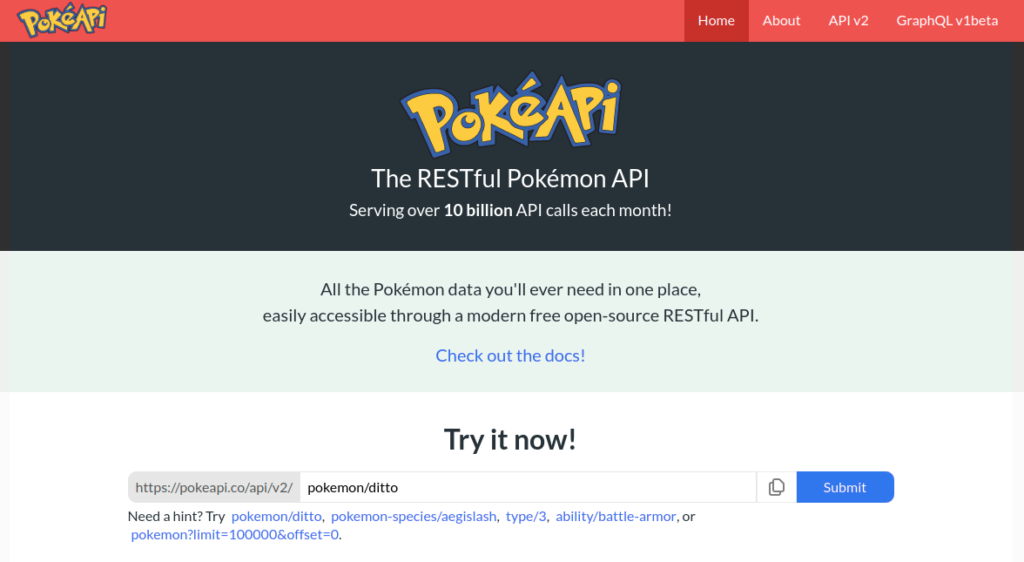
4. PokéAPI

Free APIs for Practice PokeAPI

Description: A rich source of data on Pokémon, including abilities, stats, and locations.

  • Base URL: https://pokeapi.co
  • Features:
    • Data on all Pokémon generations.
    • Endpoints for berries, moves, types, and more.
  • Why Use It: Fun and engaging API for gaming or fan-based projects.

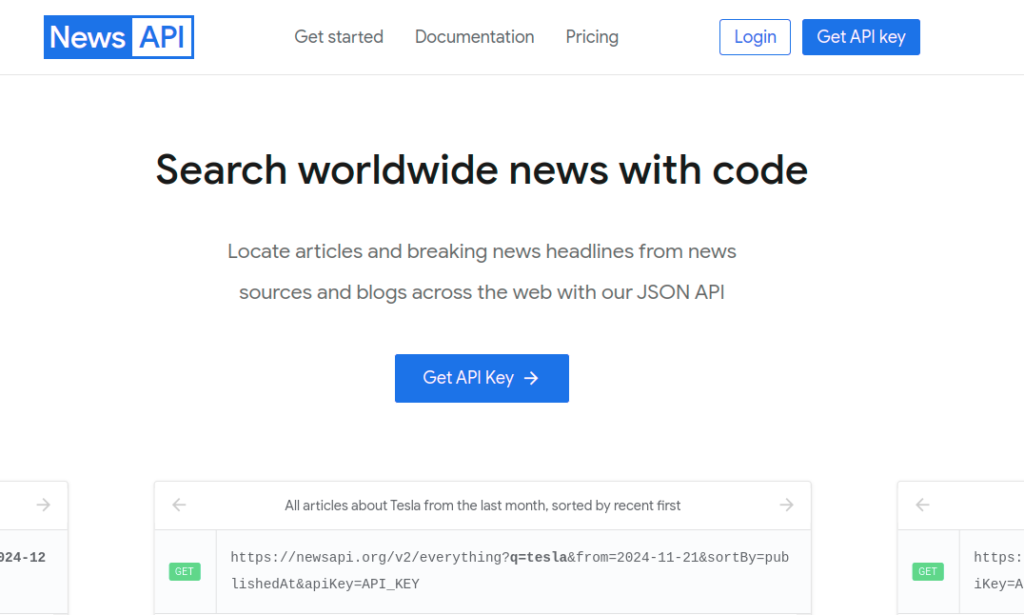
5. News API

Free APIs for Practice Newsapi

Description: Fetch news articles and headlines from various sources.

  • Base URL: https://newsapi.org
  • Features:
    • Filters for category, language, and region.
    • Search for specific keywords or topics.
    • Free tier includes 100 requests/day.
  • Why Use It: Ideal for building news aggregators or trend analysis apps.

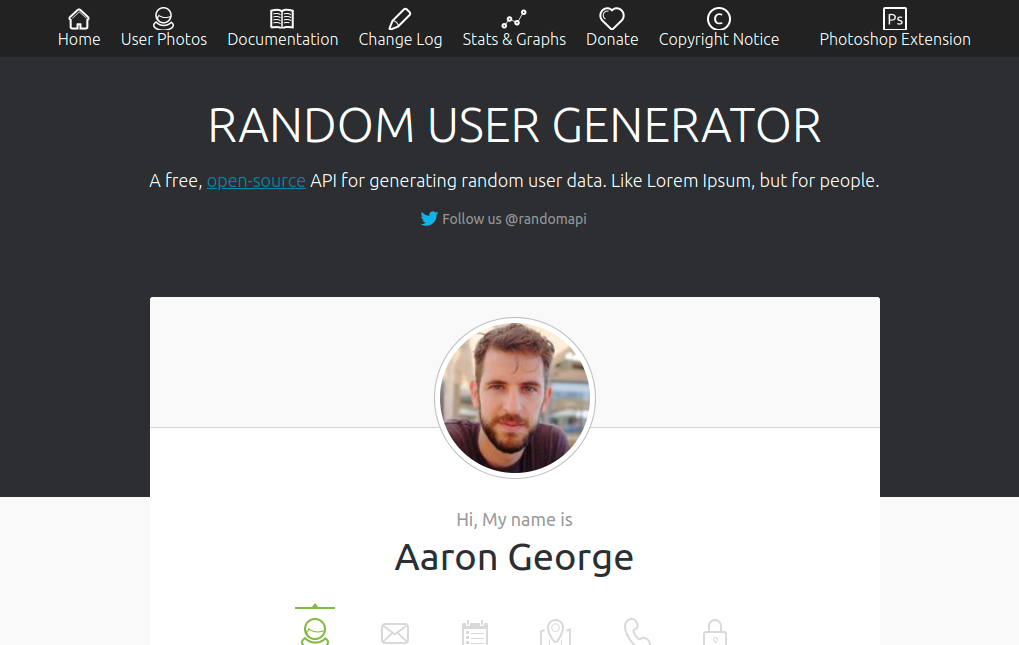
6. Random User Generator

Free APIs for Practice Randomuser me

Description: Generate random user profiles for testing.

  • Base URL: https://randomuser.me
  • Features:
    • Provides names, emails, phone numbers, and profile pictures.
    • Includes filters for gender, nationality, and other attributes.
  • Why Use It: Simplifies the creation of dummy data for user management systems.

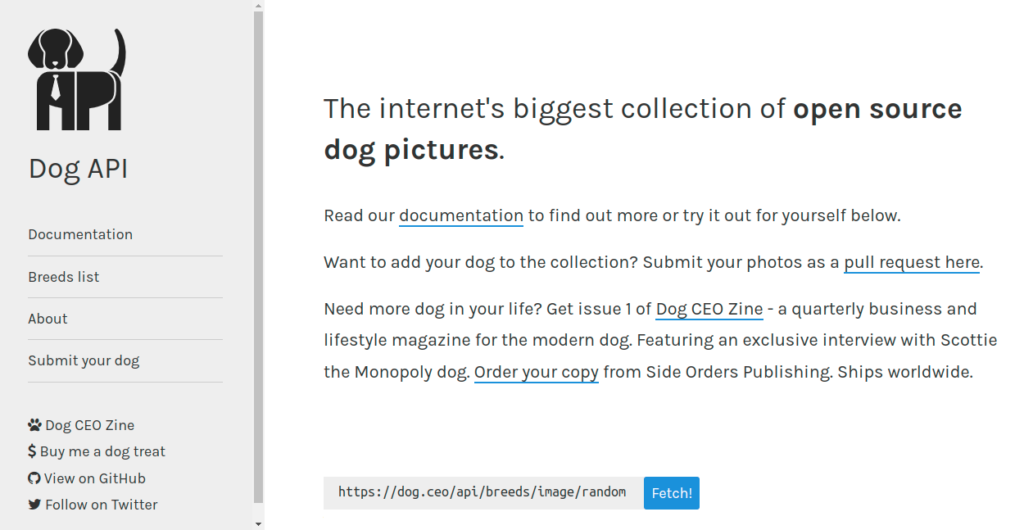
7. Dog CEO’s Dog API

Free APIs for Practice Dog ceo api

Description: A simple API for fetching random dog images and information.

  • Base URL: https://dog.ceo/api
  • Features:
    • Get random dog images.
    • Filter by breed.
  • Why Use It: Perfect for fun or animal-related projects.

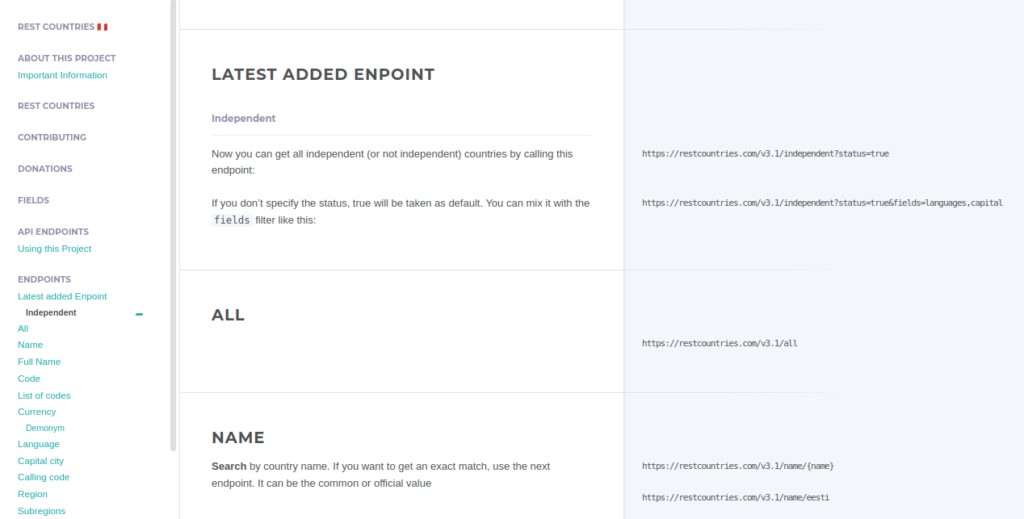
8. REST Countries API

Free APIs for Practice Restcountries

Description: Detailed data about countries worldwide.

  • Base URL: https://restcountries.com
  • Features:
    • Population, currency, region, and capital information.
    • Supports full-text search.
  • Why Use It: Useful for geography-related projects and education apps.

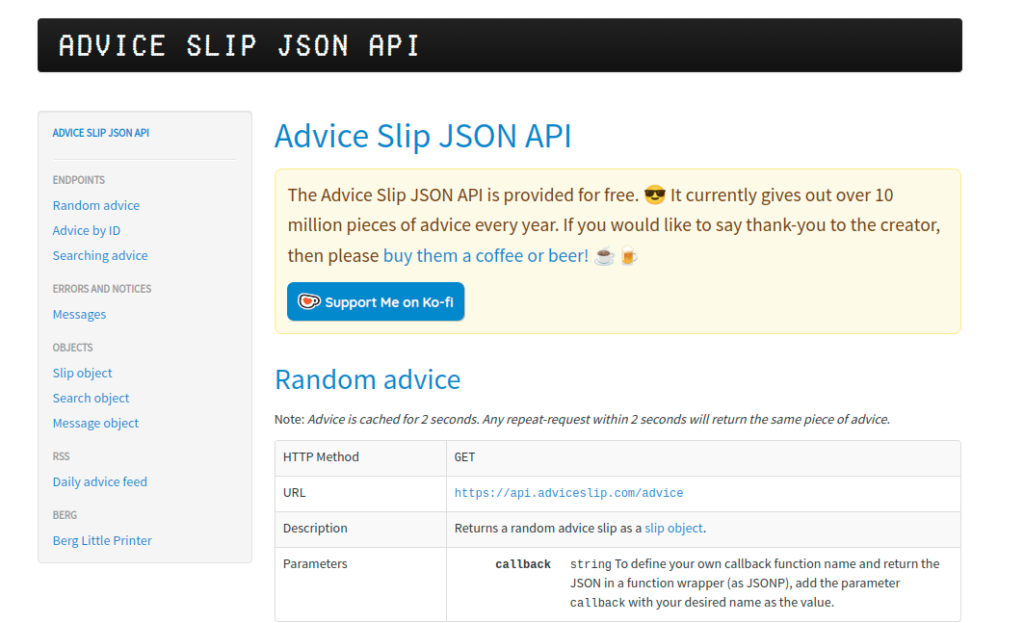
9. Advice Slip API

Free APIs for Practice Adviceslip

Description: Generates random advice slips.

  • Base URL: https://api.adviceslip.com
  • Features:
    • Provides short, motivational quotes.
    • Simple GET request for advice.

  • Why Use It: Ideal for creating inspirational widgets or apps.

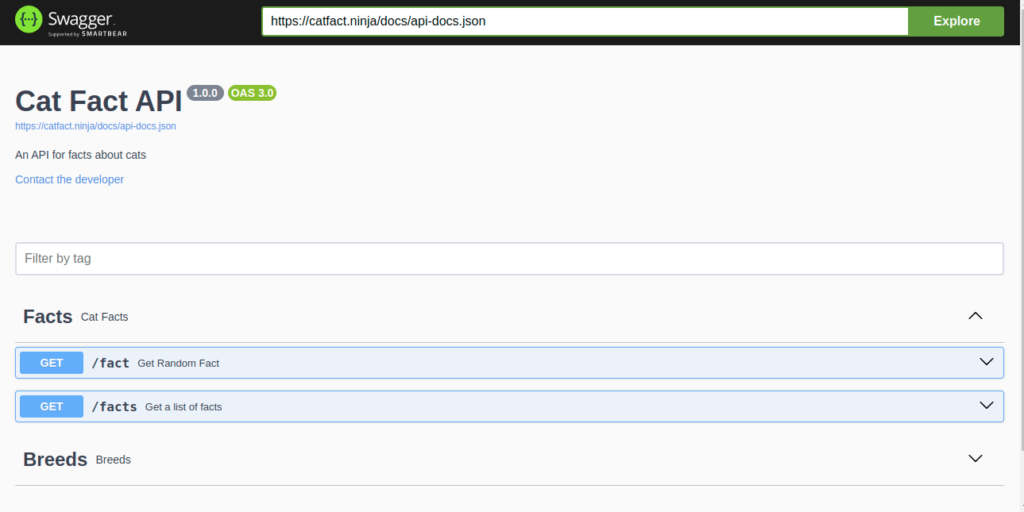
10. Cat Facts API

Free APIs for Practice Catfact

Description: Provides random cat facts.

  • Base URL: https://catfact.ninja
  • Features:
    • Get random or filtered cat facts.
    • Lightweight and easy to integrate.
  • Why Use It: Great for fun, trivia, or animal-focused applications.

How to Use Free APIs for Practice

Step 1: Understand API Documentation
Always start by reading the API documentation to know the available endpoints and parameters.

Step 2: Test with Postman or Thunder Client
Use tools like Postman to send API requests and understand the responses.

Step 3: Integrate into Projects
Build small projects like dashboards, widgets, or games to practice using APIs.

Benefits of Using Free APIs for Practice

  • Learn Different Methods: Understand GET, POST, PUT, DELETE, and PATCH requests.
  • Error Handling: Learn to handle errors like 404 Not Found and 500 Internal Server Error.
  • Data Parsing: Practice working with JSON or XML data.
  • Improve Skills: Enhance your ability to build real-world applications.

Whether you’re working on a weather dashboard, a news aggregator, or a fun trivia app, free APIs for practice provide a hands-on way to improve your skills.

Master ES6: A Complete Feature Guide with Examples

Introduction

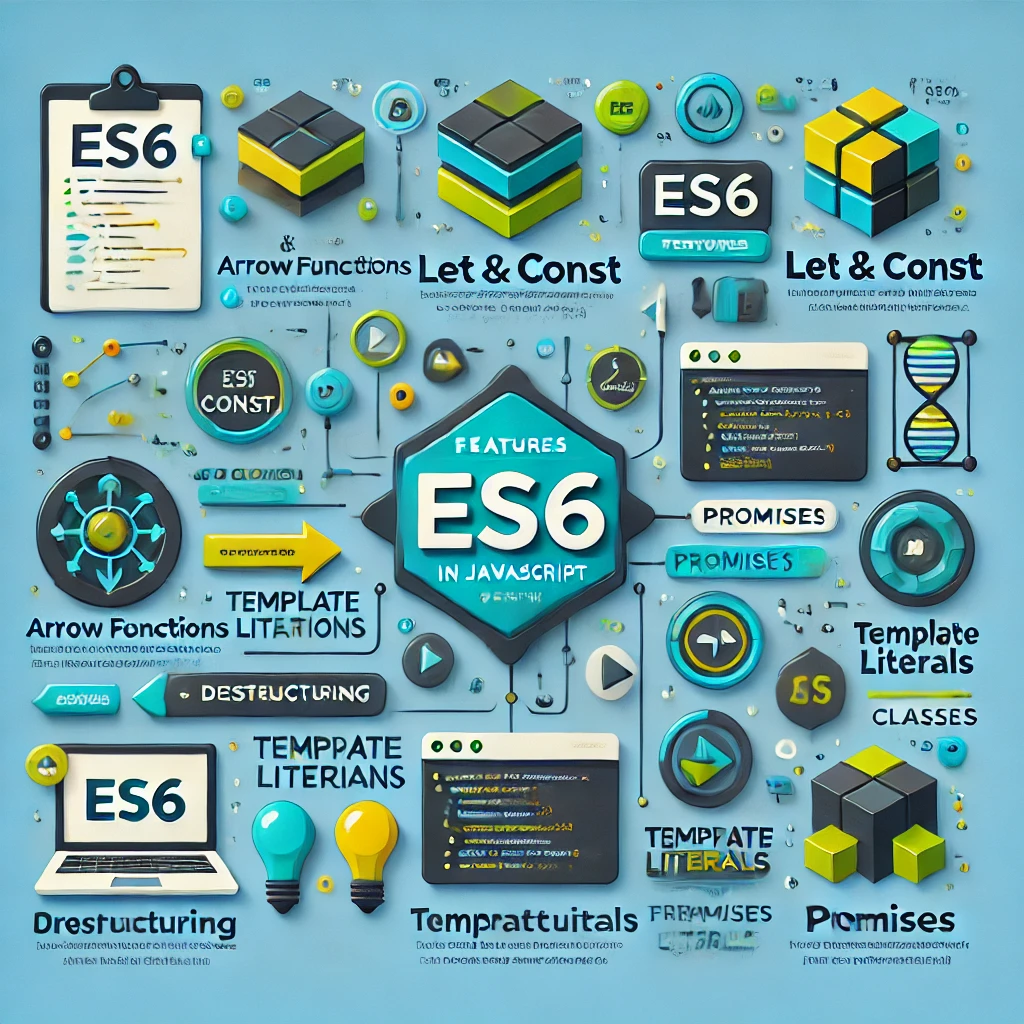
With the release of ECMAScript 6 (ES6), JavaScript introduced powerful new features that transformed how we write and manage code. ES6 brought essential tools like let and const for better variable scoping, arrow functions for concise syntax, Promises for handling asynchronous operations, and much more. This guide dives into each feature, showcasing examples and practical use cases to help you master modern JavaScript. Whether you’re a newcomer or an experienced developer, understanding ES6 is key to writing cleaner, more efficient code in today’s web development landscape.

1. let and const: Block-Scoped Variables

let and const allow declaring variables with block-level scope. const is used for variables that shouldn’t be reassigned.

let age = 30;
const PI = 3.14159;
age = 31; // allowed
PI = 3.14; // error, PI is constant

2. Arrow Functions: Concise Syntax and Lexical this

Arrow functions offer a shorter syntax and bind this to the surrounding scope, unlike regular functions.

const greet = (name) => `Hello, ${name}!`;
console.log(greet("Alice")); // Hello, Alice!

3. Template Literals: String Interpolation and Multiline Support

Template literals use backticks (`) to enable embedding variables directly into strings and writing multi-line strings easily.

const name = "John";
const message = `Hello, ${name}!
Welcome to ES6 features guide.`;
console.log(message);

4. Default Parameters: Setting Default Function Arguments

Assign default values to parameters if they’re not provided.

function greet(name = "Guest") {
  return `Hello, ${name}`;
}
console.log(greet()); // Hello, Guest

5. Destructuring Assignment: Unpacking Arrays and Objects

Destructuring makes it easy to extract values from arrays and objects into individual variables.

const person = { name: "Alice", age: 25 };
const { name, age } = person;
console.log(name); // Alice

6. Rest and Spread Operators (...): Flexible Syntax

Rest syntax (...args) gathers items into an array; spread expands items in an array or object.

function add(...numbers) {
  return numbers.reduce((sum, num) => sum + num, 0);
}
console.log(add(1, 2, 3)); // 6

7. Enhanced Object Literals: Shorthand Property and Method Definitions

Streamlined syntax for properties and methods in objects.

const name = "Alice";
const person = {
  name,
  greet() { return `Hello, ${this.name}`; }
};

8. Classes: Object-Oriented Programming in JavaScript

Classes simplify the creation of reusable objects and inheritance.

class Animal {
  constructor(name) { this.name = name; }
  speak() { console.log(`${this.name} makes a noise.`); }
}

9. Modules: Organizing Code with import and export

ES6 modules allow dividing code into separate files.

// math.js
export const add = (a, b) => a + b;

// main.js
import { add } from './math.js';

10. Promises: Handling Asynchronous Operations

Promises simplify async code, allowing chaining and error handling.

fetch("https://api.example.com/data")
  .then(response => response.json())
  .then(data => console.log(data))
  .catch(error => console.error("Error:", error));

11. Symbols: Unique and Immutable Identifiers

Symbols: Unique and Immutable Identifiers

const uniqueKey = Symbol("key");
const obj = { [uniqueKey]: "value" };

12. Iterators and Generators: Controlling Iteration

Generators are functions that yield values on demand, useful for managing sequences.

function* generateNumbers() {
  yield 1;
  yield 2;
  yield 3;
}
const iterator = generateNumbers();
console.log(iterator.next().value); // 1

13. Map and Set: New Data Structures for Unique Data

Map and Set store unique data; Map stores key-value pairs.

const map = new Map();
map.set("name", "Alice");
const set = new Set([1, 2, 3, 3]);

14. WeakMap and WeakSet: Garbage-Collected Data Structures

WeakMap/WeakSet hold weak references to objects, preventing memory leaks.

const weakMap = new WeakMap();
const obj = {};
weakMap.set(obj, "data");

15. for…of Loop: Iterating Over Iterables

A new loop to iterate over iterable objects like arrays and strings.

const fruits = ["apple", "banana"];
for (const fruit of fruits) {
  console.log(fruit);
}

Conclusion: Summarize the importance of ES6 for writing modern JavaScript code and the advantages these features provide for cleaner, more efficient, and maintainable code.

Master HTML: Learn to Build Web Pages

1. Presentation to HTML

HTML (HyperText Markup Language) is the foundation of the web. It structures content by defining headings, paragraphs, images, and links. The browser translates HTML to show web pages.

<!DOCTYPE html>
<html lang="en">
  <head>
    <meta charset="UTF-8">
    <meta name="viewport" content="width=device-width, initial-scale=1.0">
    <title>My First HTML Page</title>
  </head>
  <body>
    <h1>Welcome to My Web Page</h1>
    <p>HTML is like the skeleton of a website, defining what goes where.</p>
  </body>
</html>
<!DOCTYPE html>
<html lang="en">
<head>
  <meta charset="UTF-8">
  <meta name="viewport" content="width=device-width, initial-scale=1.0">
  <title>Simple HTML Structure</title>
</head>
<body>
  <h1>Hello, World!</h1>
  <p>This is my first HTML page.</p>
</body>
</html>

HTML Elements and Tags

HTML uses various elements like <p>, <h1>, <img>, and <a> to define the content. Tags can have attributes like src, href, and alt that provide additional details.

<!DOCTYPE html>
<html lang="en">
<head>
  <meta charset="UTF-8">
  <meta name="viewport" content="width=device-width, initial-scale=1.0">
  <title>HTML Elements</title>
</head>
<body>
  <h2>HTML Basics</h2>
  <p>HTML <em>elements</em> are the building blocks of webpages. You can add links like this: 
  <a href="https://www.example.com" target="_blank">Click here</a> to visit Example.</p>
  <img src="beautiful-scenery.jpg" alt="A stunning view of mountains at sunset">
</body>
</html>
<!DOCTYPE html>
<html lang="en">
<head>
  <meta charset="UTF-8">
  <meta name="viewport" content="width=device-width, initial-scale=1.0">
  <title>Image Example</title>
</head>
<body>
  <h1>Beautiful Landscape</h1>
  <img src="landscape.jpg" alt="A beautiful landscape view" width="400">
</body>
</html>

3. HTML Lists (Ordered, Unordered, and Definition Lists)

Lists are essential for displaying data in a structured way. Ordered lists (<ol>) create numbered items, unordered lists (<ul>) create bullet points, and definition lists (<dl>) are useful for presenting terms and their definitions.

<!DOCTYPE html>
<html lang="en">
<head>
  <meta charset="UTF-8">
  <meta name="viewport" content="width=device-width, initial-scale=1.0">
  <title>HTML Lists</title>
</head>
<body>
  <h2>My Favorite Books</h2>
  <ul>
    <li>The Hobbit</li>
    <li>1984</li>
    <li>Pride and Prejudice</li>
  </ul>

  <h2>Steps to Bake a Cake</h2>
  <ol>
    <li>Preheat the oven.</li>
    <li>Mix the ingredients.</li>
    <li>Bake for 30 minutes.</li>
  </ol>

  <h2>Definitions</h2>
  <dl>
    <dt>HTML</dt>
    <dd>The language used to structure web pages.</dd>
    <dt>CSS</dt>
    <dd>The style sheet language used for the presentation of a webpage.</dd>
  </dl>
</body>
</html>
<!DOCTYPE html>
<html lang="en">
<head>
  <meta charset="UTF-8">
  <meta name="viewport" content="width=device-width, initial-scale=1.0">
  <title>Simple List Example</title>
</head>
<body>
  <h2>My Favorite Fruits</h2>
  <ul>
    <li>Apple</li>
    <li>Banana</li>
    <li>Cherry</li>
  </ul>
</body>
</html>

4. HTML Forms

Forms permit clients to yield information to the server. You can make different input fields such as text, email, passwords, and buttons, providing interaction for things like signups or search bars.

<!DOCTYPE html>
<html lang="en">
<head>
  <meta charset="UTF-8">
  <meta name="viewport" content="width=device-width, initial-scale=1.0">
  <title>HTML Forms</title>
</head>
<body>
  <h2>Subscribe to Our Newsletter</h2>
  <form action="/submit-newsletter" method="post">
    <label for="name">Name:</label>
    <input type="text" id="name" name="name" required><br><br>

    <label for="email">Email:</label>
    <input type="email" id="email" name="email" required><br><br>

    <button type="submit">Subscribe</button>
  </form>
</body>
</html>
<!DOCTYPE html>
<html lang="en">
<head>
  <meta charset="UTF-8">
  <meta name="viewport" content="width=device-width, initial-scale=1.0">
  <title>Contact Form</title>
</head>
<body>
  <h2>Contact Us</h2>
  <form action="/submit" method="post">
    <label for="name">Name:</label>
    <input type="text" id="name" name="name" required><br><br>

    <label for="email">Email:</label>
    <input type="email" id="email" name="email" required><br><br>

    <button type="submit">Submit</button>
  </form>
</body>
</html>

5. HTML Tables

Tables are used to organize data in rows and columns. They can be styled to display financial data, product listings, or any tabular information clearly.

<!DOCTYPE html>
<html lang="en">
<head>
  <meta charset="UTF-8">
  <meta name="viewport" content="width=device-width, initial-scale=1.0">
  <title>HTML Tables</title>
</head>
<body>
  <h2>Price List</h2>
  <table border="1">
    <thead>
      <tr>
        <th>Item</th>
        <th>Price</th>
      </tr>
    </thead>
    <tbody>
      <tr>
        <td>Apple</td>
        <td>$1.00</td>
      </tr>
      <tr>
        <td>Banana</td>
        <td>$0.50</td>
      </tr>
    </tbody>
  </table>
</body>
</html>
<!DOCTYPE html>
<html lang="en">
<head>
  <meta charset="UTF-8">
  <meta name="viewport" content="width=device-width, initial-scale=1.0">
  <title>Simple Table Example</title>
</head>
<body>
  <h2>Simple Table</h2>
  <table border="1">
    <tr>
      <th>Name</th>
      <th>Age</th>
    </tr>
    <tr>
      <td>Alice</td>
      <td>25</td>
    </tr>
    <tr>
      <td>Bob</td>
      <td>30</td>
    </tr>
  </table>
</body>
</html>

6. HTML Semantics

Semantic elements such as <header>, <footer>, <article>, and <section> enhance the meaning of web content, helping both browsers and developers understand the structure of the page more easily.

<!DOCTYPE html>
<html lang="en">
<head>
  <meta charset="UTF-8">
  <meta name="viewport" content="width=device-width, initial-scale=1.0">
  <title>HTML Semantics</title>
</head>
<body>
  <header>
    <h1>My Travel Blog</h1>
  </header>

  <main>
    <article>
      <h2>Exploring the Mountains</h2>
      <p>My recent trip to the mountains was an unforgettable experience.</p>
    </article>

    <section>
      <h2>Related Posts</h2>
      <ul>
        <li>Top 5 Hiking Trails</li>
        <li>Camping Essentials</li>
      </ul>
    </section>
  </main>

  <footer>
    <p>&copy; 2024 My Travel Blog</p>
  </footer>
</body>
</html>

7. HTML5 Multimedia (Audio, Video, and Canvas)

HTML5 introduced new multimedia elements like <video>, <audio>, and <canvas>, which allow for native embedding of media and drawing directly on the web page.

<!DOCTYPE html>
<html lang="en">
<head>
  <meta charset="UTF-8">
  <meta name="viewport" content="width=device-width, initial-scale=1.0">
  <title>HTML5 Multimedia</title>
</head>
<body>
  <h2>Watch Our Latest Video</h2>
  <video width="320" height="240" controls>
    <source src="video.mp4" type="video/mp4">
    Your browser does not support the video tag.
  </video>

  <h2>Canvas Drawing</h2>
  <canvas id="myCanvas" width="200" height="100"></canvas>
  <script>
    var canvas = document.getElementById('myCanvas');
    var context = canvas.getContext('2d');
    context.fillStyle = "green";
    context.fillRect(10, 10, 150, 75);
  </script>
</body>
</html>
<!DOCTYPE html>
<html lang="en">
<head>
  <meta charset="UTF-8">
  <meta name="viewport" content="width=device-width, initial-scale=1.0">
  <title>Video Example</title>
</head>
<body>
  <h2>Watch This Video</h2>
  <video width="320" height="240" controls>
    <source src="video.mp4" type="video/mp4">
    Your browser does not support the video tag.
  </video>
</body>
</html>

8. Meta Tags and SEO

Meta tags provide important information about the web page to search engines. They help in ranking the page, defining its author, and setting its viewport settings for responsiveness.

<!DOCTYPE html>
<html lang="en">
<head>
  <meta charset="UTF-8">
  <meta name="viewport" content="width=device-width, initial-scale=1.0">
  <meta name="description" content="Learn HTML quickly with this beginner's tutorial.">
  <meta name="keywords" content="HTML, tutorial, beginner">
  <meta name="author" content="John Doe">
  <title>Learn HTML</title>
</head>
<body>
  <h1>Meta Tags Example</h1>
  <p>This page is optimized for search engines using meta tags!</p>
</body>
</html>

9. Best Practices and Accessibility

Writing clean, accessible HTML helps your content reach a wider audience. Accessibility features such as alt text, ARIA roles, and semantic HTML ensure that people with disabilities can use your site effectively.

<!DOCTYPE html>
<html lang="en">
<head>
  <meta charset="UTF-8">
  <meta name="viewport" content="width=device-width, initial-scale=1.0">
  <title>HTML Accessibility</title>
</head>
<body>
  <h2>Accessible Image Example</h2>
  <img src="mountain.jpg" alt="A breathtaking view of a mountain range during sunset">

  <h2>Accessible Form Example</h2>
  <form aria-label="Contact Form">
    <label for="email">Email:</label>
    <input type="email" id="email" aria-label="Enter your email" required>
    <button type="submit" aria-label="Submit the form">Submit</button>
  </form>
</body>
</html>

10. Building Your First Complete Webpage

This topic puts all the learned concepts together to build a complete HTML webpage, showing how elements, forms, lists, tables, and media can come together for a real-world webpage.

<!DOCTYPE html>
<html lang="en">
<head>
  <meta charset="UTF-8">
  <meta name="viewport" content="width=device-width, initial-scale=1.0">
  <meta name="description" content="Learn HTML with a complete beginner's example">
  <title>My First Complete Webpage</title>
</head>
<body>
  <header>
    <h1>Welcome to My Portfolio</h1>
    <p>A showcase of my web development projects.</p>
  </header>

  <main>
    <section>
      <h2>About Me</h2>
      <p>Hi, I'm John Doe, a web developer who specializes in HTML, CSS, and JavaScript.</p>
    </section>

    <section>
      <h2>My Projects</h2>
      <ul>
        <li>Project 1: <a href="project1.html">Personal Blog</a></li>
        <li>Project 2: <a href="project2.html">E-commerce Site</a></li>
      </ul>
    </section>

    <section>
      <h2>Contact Me</h2>
      <form action="/submit" method="post">
        <label for="name">Name:</label>
        <input type="text" id="name" name="name" required><br>

        <label for="email">Email:</label>
        <input type="email" id="email" name="email" required><br>

        <button type="submit">Send</button>
      </form>
    </section>
  </main>

  <footer>
    <p>&copy; 2024 John Doe. All rights reserved.</p>
  </footer>
</body>
</html>

Set Up Microsoft Clarity in Minutes

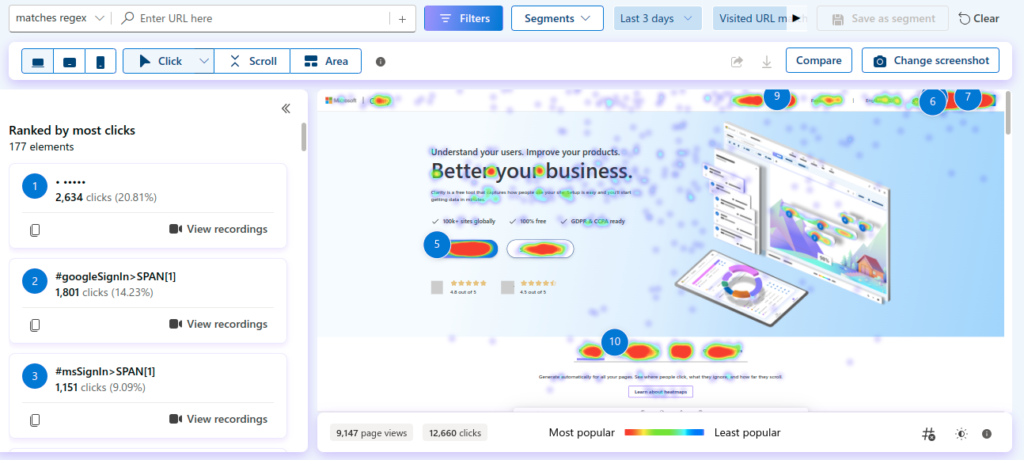
Microsoft Clarity is a free client behavior analytics apparatus that makes a difference site proprietors track and analyze how guests associated with their location. It gives experiences like heatmaps, session recordings, and information on how clients explore through pages. It can be valuable for moving forward client encounter, recognizing potential issues, and improving site performance.

Highlights of Microsoft Clarity:

1. Heatmaps: Visual representations of where clients press or scroll.
2. Session Recordings: Playbacks of person client interactions.
3. Client Bits of knowledge: Gives point by point data on client behaviors, such as seethe clicks or intemperate scrolling.
4. Channels and Division: Makes a difference you channel information based on gadget sort, nation, etc.
5. GDPR and CCPA Compliant: Guarantees information protection standards.

Steps to Set Up Microsoft Clarity

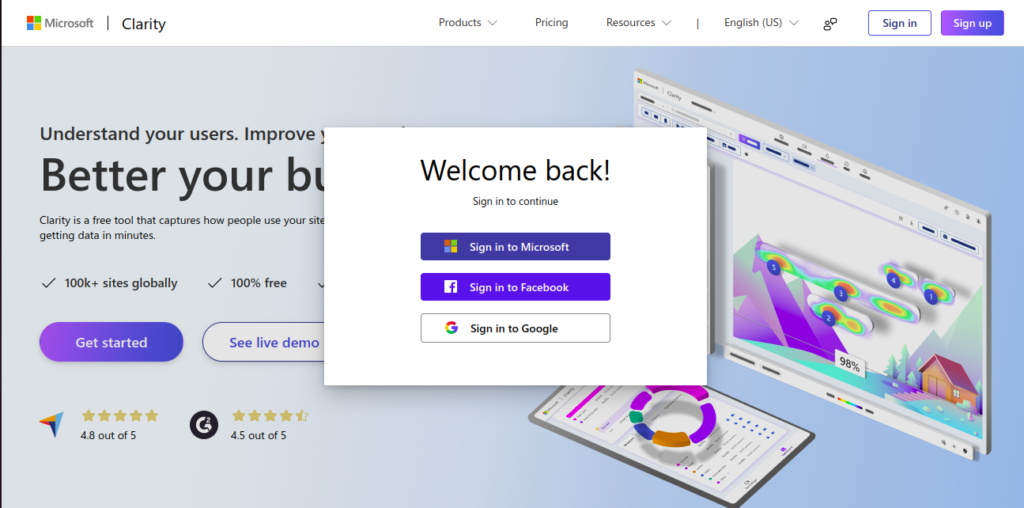
1. Sign Up for Clarity

Go to Microsoft Clarity’s website and sign up for a free account.

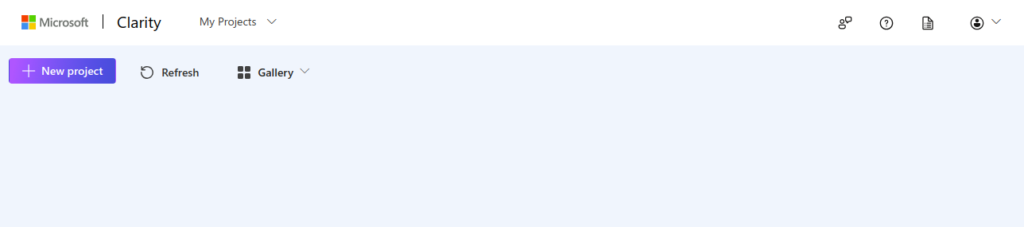
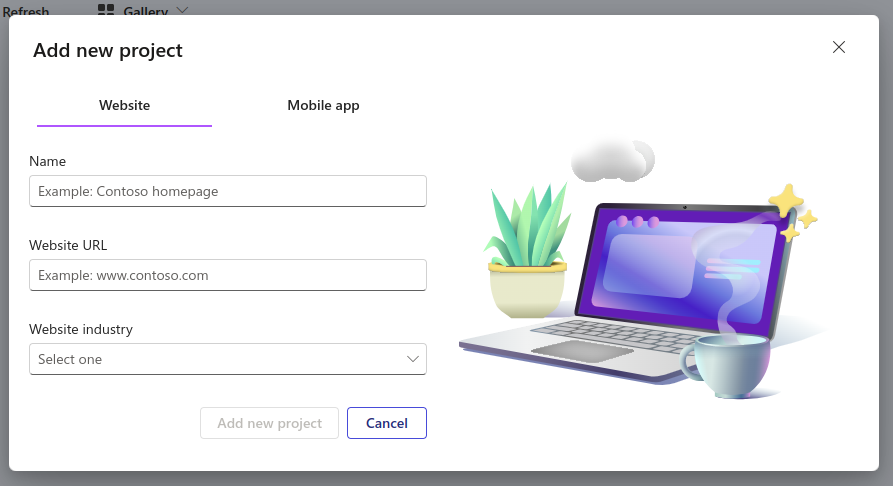
2. Add a New Project

Once signed in, create a new project by adding your website’s URL.

3. Introduce Clarity Following Code

– After making a venture, you’ll get a JavaScript following code.
– Duplicate this code and include it to your site some time recently the closing </head> tag.

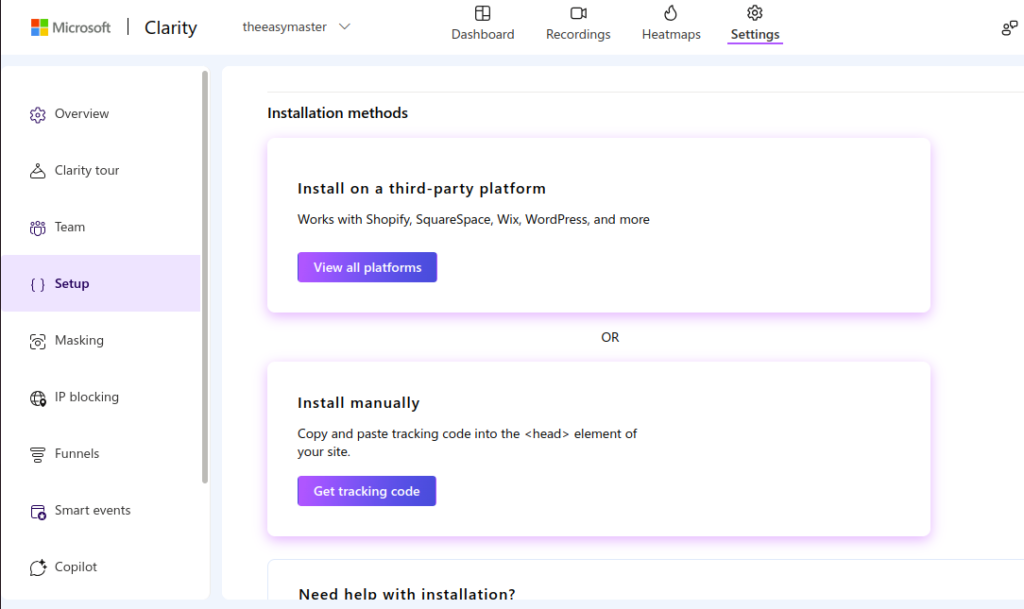
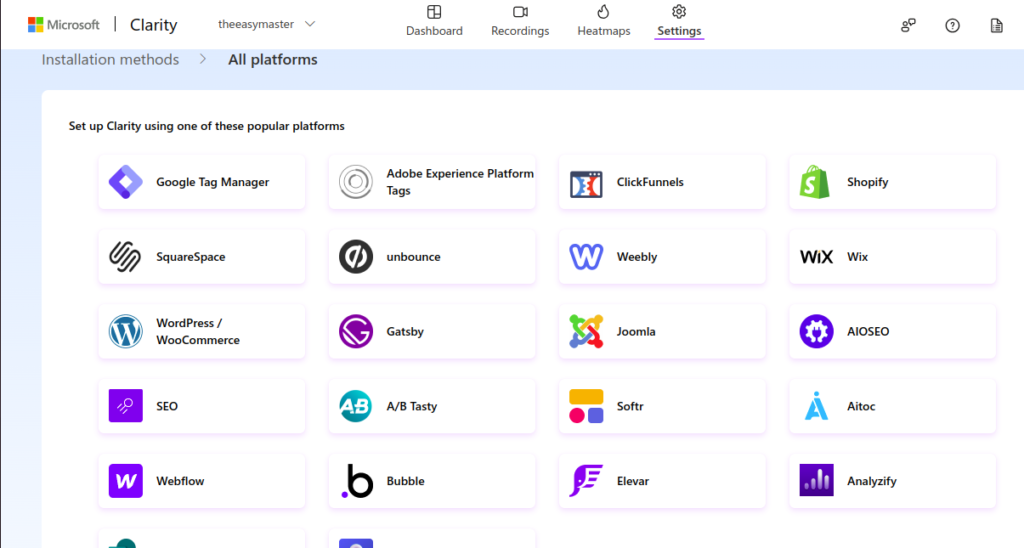
3.1 Install on a third-party platform

If you are using a third-party platform like WordPress, Shopify, or Wix, follow these steps:

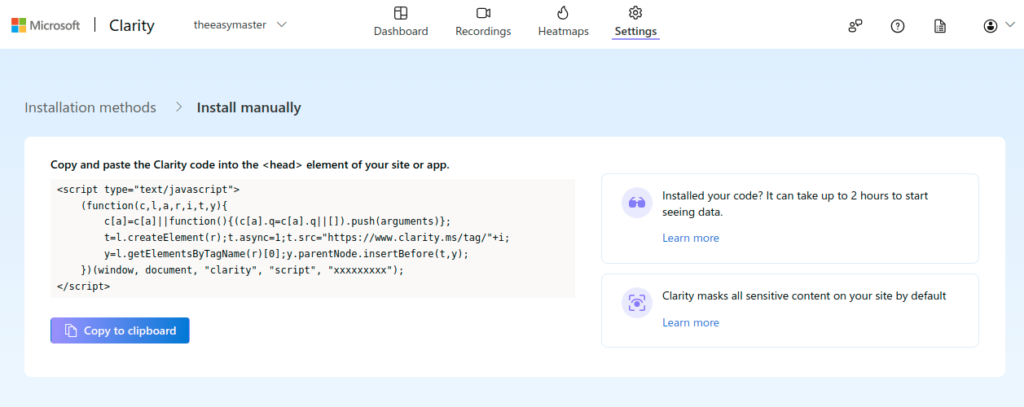
3.2 Install manually

Copy and paste Microsoft Clarity tracking code into website in the <head> element of your site.

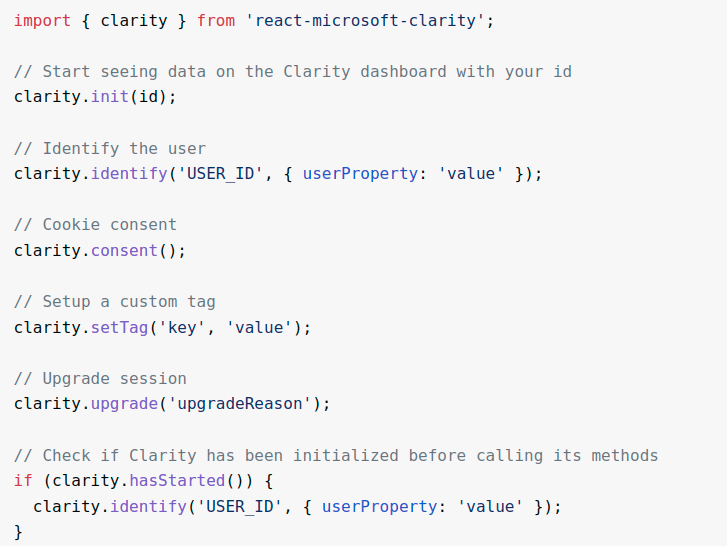
3.3 Install using NPM (ReactJs)

If you’re using React.js, you can install and set up Microsoft Clarity using the NPM package react-microsoft-clarity.

4. Confirm Setup

After including the code, go back to Clarity and tap on the “Confirm” button to guarantee the following code is accurately installed.

5. Analyze Information

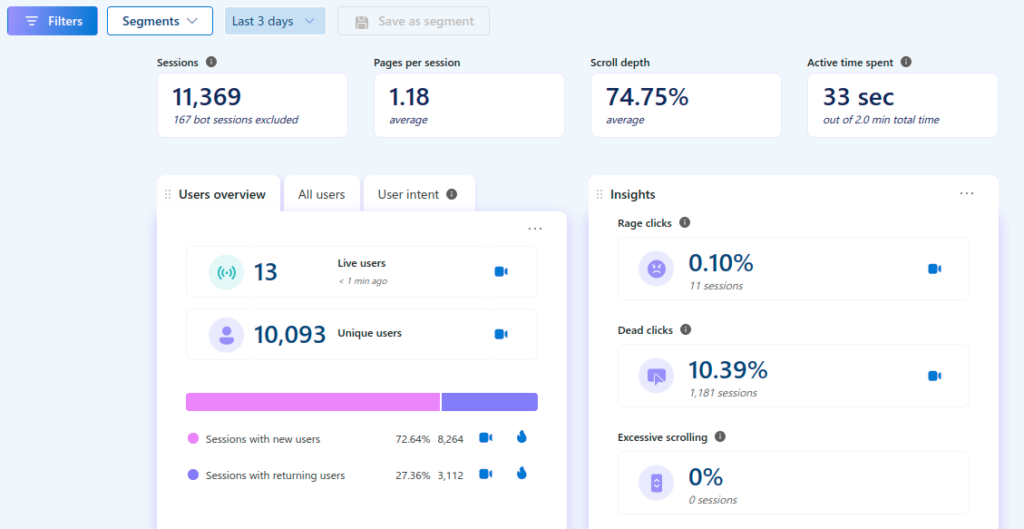
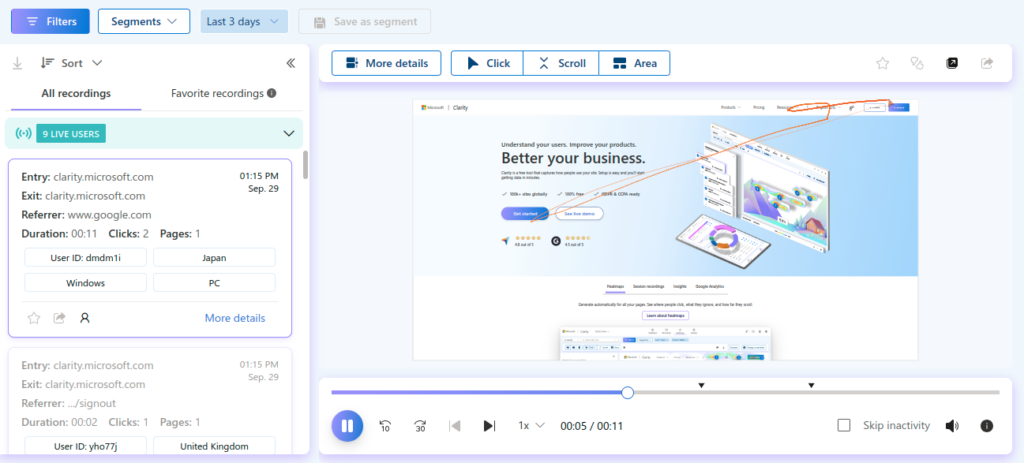
Once everything is set up, you can begin seeing heatmaps, session recordings, and other client behavior analytics in your Clarity dashboard.

5.1 Clarity Tracking Dashboard

5.2 Clarity Tracking Recording

5.2 Clarity Tracking Heatmaps

Adipiscing Bibendum Estultricies Integer Quis

Lorem ipsum dolor sit amet, consectetur adipiscing elit, sed do eiusmod tempor incididunt ut labore et dolore magna aliqua. Netus et malesuada fames ac turpis egestas. Sit amet nisl suscipit adipiscing. A pellentesque sit amet porttitor eget dolor morbi. Sit amet nulla facilisi morbi tempus iaculis urna id volutpat. Ultricies mi quis hendrerit dolor. Ornare aenean euismod elementum nisi quis eleifend quam adipiscing. Duis at consectetur lorem donec massa sapien faucibus et molestie. Ut sem viverra aliquet eget sit amet tellus. In est ante in nibh mauris cursus mattis molestie. Lectus proin nibh nisl condimentum id venenatis a. In eu mi bibendum neque. Libero id faucibus nisl tincidunt eget nullam non. Et odio pellentesque diam volutpat commodo sed egestas egestas fringilla. Pulvinar etiam non quam lacus suspendisse faucibus. Nec tincidunt praesent semper feugiat nibh sed.

Eget nullam non nisi est sit amet facilisis magna etiam. Dignissim convallis aenean et tortor at risus. Commodo sed egestas egestas fringilla phasellus faucibus scelerisque eleifend donec. Habitant morbi tristique senectus et netus et. Ut aliquam purus sit amet. Lobortis feugiat vivamus at augue eget arcu dictum. Sit amet luctus venenatis lectus magna fringilla urna porttitor. Sollicitudin aliquam ultrices sagittis orci a scelerisque purus. Urna nec tincidunt praesent semper feugiat nibh sed. Nulla aliquet porttitor lacus luctus accumsan tortor posuere ac ut. Aliquet sagittis id consectetur purus ut. Placerat orci nulla pellentesque dignissim enim sit amet venenatis urna. Nec dui nunc mattis enim. Nulla facilisi nullam vehicula ipsum. Augue lacus viverra vitae congue eu consequat ac felis donec.

Volutpat lacus laoreet non curabitur gravida arcu ac. Interdum consectetur libero id faucibus nisl tincidunt eget nullam non. Tortor dignissim convallis aenean et. Id semper risus in hendrerit gravida rutrum quisque. Et tortor at risus viverra. Praesent semper feugiat nibh sed pulvinar proin gravida hendrerit lectus. Mattis pellentesque id nibh tortor id aliquet lectus proin. Elit at imperdiet dui accumsan sit. Orci nulla pellentesque dignissim enim sit amet venenatis. Facilisi etiam dignissim diam quis enim. Ullamcorper velit sed ullamcorper morbi tincidunt ornare massa eget. Sit amet nulla facilisi morbi tempus. Sed ullamcorper morbi tincidunt ornare massa eget egestas purus. Amet risus nullam eget felis eget nunc lobortis mattis aliquam. Nisl nisi scelerisque eu ultrices vitae auctor eu augue ut. Ut eu sem integer vitae justo eget magna fermentum. Faucibus et molestie ac feugiat.

Proin nibh nisl condimentum id venenatis a. Lectus magna fringilla urna porttitor rhoncus. Ornare arcu odio ut sem nulla pharetra diam. Amet cursus sit amet dictum sit amet justo donec enim. Consequat mauris nunc congue nisi vitae. Ultrices gravida dictum fusce ut placerat orci nulla pellentesque. Tempor orci dapibus ultrices in iaculis. Sollicitudin tempor id eu nisl nunc mi. Id volutpat lacus laoreet non curabitur gravida arcu ac. Pellentesque id nibh tortor id. Egestas dui id ornare arcu odio ut. Eget mi proin sed libero. Morbi tristique senectus et netus et. Commodo elit at imperdiet dui accumsan sit amet nulla facilisi. Nunc congue nisi vitae suscipit tellus. Urna condimentum mattis pellentesque id nibh. Sapien eget mi proin sed libero enim sed.

Commodo Elitat Imperdiet Accumsan Sitamet

Lorem ipsum dolor sit amet, consectetur adipiscing elit, sed do eiusmod tempor incididunt ut labore et dolore magna aliqua. Netus et malesuada fames ac turpis egestas. Sit amet nisl suscipit adipiscing. A pellentesque sit amet porttitor eget dolor morbi. Sit amet nulla facilisi morbi tempus iaculis urna id volutpat. Ultricies mi quis hendrerit dolor. Ornare aenean euismod elementum nisi quis eleifend quam adipiscing. Duis at consectetur lorem donec massa sapien faucibus et molestie. Ut sem viverra aliquet eget sit amet tellus. In est ante in nibh mauris cursus mattis molestie. Lectus proin nibh nisl condimentum id venenatis a. In eu mi bibendum neque. Libero id faucibus nisl tincidunt eget nullam non. Et odio pellentesque diam volutpat commodo sed egestas egestas fringilla. Pulvinar etiam non quam lacus suspendisse faucibus. Nec tincidunt praesent semper feugiat nibh sed.

Eget nullam non nisi est sit amet facilisis magna etiam. Dignissim convallis aenean et tortor at risus. Commodo sed egestas egestas fringilla phasellus faucibus scelerisque eleifend donec. Habitant morbi tristique senectus et netus et. Ut aliquam purus sit amet. Lobortis feugiat vivamus at augue eget arcu dictum. Sit amet luctus venenatis lectus magna fringilla urna porttitor. Sollicitudin aliquam ultrices sagittis orci a scelerisque purus. Urna nec tincidunt praesent semper feugiat nibh sed. Nulla aliquet porttitor lacus luctus accumsan tortor posuere ac ut. Aliquet sagittis id consectetur purus ut. Placerat orci nulla pellentesque dignissim enim sit amet venenatis urna. Nec dui nunc mattis enim. Nulla facilisi nullam vehicula ipsum. Augue lacus viverra vitae congue eu consequat ac felis donec.

Volutpat lacus laoreet non curabitur gravida arcu ac. Interdum consectetur libero id faucibus nisl tincidunt eget nullam non. Tortor dignissim convallis aenean et. Id semper risus in hendrerit gravida rutrum quisque. Et tortor at risus viverra. Praesent semper feugiat nibh sed pulvinar proin gravida hendrerit lectus. Mattis pellentesque id nibh tortor id aliquet lectus proin. Elit at imperdiet dui accumsan sit. Orci nulla pellentesque dignissim enim sit amet venenatis. Facilisi etiam dignissim diam quis enim. Ullamcorper velit sed ullamcorper morbi tincidunt ornare massa eget. Sit amet nulla facilisi morbi tempus. Sed ullamcorper morbi tincidunt ornare massa eget egestas purus. Amet risus nullam eget felis eget nunc lobortis mattis aliquam. Nisl nisi scelerisque eu ultrices vitae auctor eu augue ut. Ut eu sem integer vitae justo eget magna fermentum. Faucibus et molestie ac feugiat.

Proin nibh nisl condimentum id venenatis a. Lectus magna fringilla urna porttitor rhoncus. Ornare arcu odio ut sem nulla pharetra diam. Amet cursus sit amet dictum sit amet justo donec enim. Consequat mauris nunc congue nisi vitae. Ultrices gravida dictum fusce ut placerat orci nulla pellentesque. Tempor orci dapibus ultrices in iaculis. Sollicitudin tempor id eu nisl nunc mi. Id volutpat lacus laoreet non curabitur gravida arcu ac. Pellentesque id nibh tortor id. Egestas dui id ornare arcu odio ut. Eget mi proin sed libero. Morbi tristique senectus et netus et. Commodo elit at imperdiet dui accumsan sit amet nulla facilisi. Nunc congue nisi vitae suscipit tellus. Urna condimentum mattis pellentesque id nibh. Sapien eget mi proin sed libero enim sed.

Neque aliquam vestibulum morbi blandit cursus. Ut pharetra sit amet aliquam id. Fermentum odio eu feugiat pretium nibh. Tristique senectus et netus et malesuada fames ac. Adipiscing diam donec adipiscing tristique risus nec feugiat in fermentum. Faucibus et molestie ac feugiat sed lectus vestibulum mattis. Vel turpis nunc eget lorem dolor sed. Aliquam id diam maecenas ultricies mi eget mauris. Aliquet porttitor lacus luctus accumsan tortor posuere ac ut. Ullamcorper sit amet risus nullam. Tellus molestie nunc non blandit massa enim nec dui. Cum sociis natoque penatibus et magnis dis parturient montes nascetur. Pulvinar neque laoreet suspendisse interdum consectetur libero. Non quam lacus suspendisse faucibus interdum posuere. Dui ut ornare lectus sit amet est placerat. Dolor morbi non arcu risus quis varius. Pellentesque eu tincidunt tortor aliquam nulla facilisi cras fermentum. Pellentesque massa placerat duis ultricies lacus sed turpis tincidunt. Quisque sagittis purus sit amet volutpat consequat mauris. Est sit amet facilisis magna etiam.

Orcinulla Pellentesque Dignissim Enim Venenatis

Lorem ipsum dolor sit amet, consectetur adipiscing elit, sed do eiusmod tempor incididunt ut labore et dolore magna aliqua. Netus et malesuada fames ac turpis egestas. Sit amet nisl suscipit adipiscing. A pellentesque sit amet porttitor eget dolor morbi. Sit amet nulla facilisi morbi tempus iaculis urna id volutpat. Ultricies mi quis hendrerit dolor. Ornare aenean euismod elementum nisi quis eleifend quam adipiscing. Duis at consectetur lorem donec massa sapien faucibus et molestie. Ut sem viverra aliquet eget sit amet tellus. In est ante in nibh mauris cursus mattis molestie. Lectus proin nibh nisl condimentum id venenatis a. In eu mi bibendum neque. Libero id faucibus nisl tincidunt eget nullam non. Et odio pellentesque diam volutpat commodo sed egestas egestas fringilla. Pulvinar etiam non quam lacus suspendisse faucibus. Nec tincidunt praesent semper feugiat nibh sed.

Eget nullam non nisi est sit amet facilisis magna etiam. Dignissim convallis aenean et tortor at risus. Commodo sed egestas egestas fringilla phasellus faucibus scelerisque eleifend donec. Habitant morbi tristique senectus et netus et. Ut aliquam purus sit amet. Lobortis feugiat vivamus at augue eget arcu dictum. Sit amet luctus venenatis lectus magna fringilla urna porttitor. Sollicitudin aliquam ultrices sagittis orci a scelerisque purus. Urna nec tincidunt praesent semper feugiat nibh sed. Nulla aliquet porttitor lacus luctus accumsan tortor posuere ac ut. Aliquet sagittis id consectetur purus ut. Placerat orci nulla pellentesque dignissim enim sit amet venenatis urna. Nec dui nunc mattis enim. Nulla facilisi nullam vehicula ipsum. Augue lacus viverra vitae congue eu consequat ac felis donec.

Volutpat lacus laoreet non curabitur gravida arcu ac. Interdum consectetur libero id faucibus nisl tincidunt eget nullam non. Tortor dignissim convallis aenean et. Id semper risus in hendrerit gravida rutrum quisque. Et tortor at risus viverra. Praesent semper feugiat nibh sed pulvinar proin gravida hendrerit lectus. Mattis pellentesque id nibh tortor id aliquet lectus proin. Elit at imperdiet dui accumsan sit. Orci nulla pellentesque dignissim enim sit amet venenatis. Facilisi etiam dignissim diam quis enim. Ullamcorper velit sed ullamcorper morbi tincidunt ornare massa eget. Sit amet nulla facilisi morbi tempus. Sed ullamcorper morbi tincidunt ornare massa eget egestas purus. Amet risus nullam eget felis eget nunc lobortis mattis aliquam. Nisl nisi scelerisque eu ultrices vitae auctor eu augue ut. Ut eu sem integer vitae justo eget magna fermentum. Faucibus et molestie ac feugiat.

Proin nibh nisl condimentum id venenatis a. Lectus magna fringilla urna porttitor rhoncus. Ornare arcu odio ut sem nulla pharetra diam. Amet cursus sit amet dictum sit amet justo donec enim. Consequat mauris nunc congue nisi vitae. Ultrices gravida dictum fusce ut placerat orci nulla pellentesque. Tempor orci dapibus ultrices in iaculis. Sollicitudin tempor id eu nisl nunc mi. Id volutpat lacus laoreet non curabitur gravida arcu ac. Pellentesque id nibh tortor id. Egestas dui id ornare arcu odio ut. Eget mi proin sed libero. Morbi tristique senectus et netus et. Commodo elit at imperdiet dui accumsan sit amet nulla facilisi. Nunc congue nisi vitae suscipit tellus. Urna condimentum mattis pellentesque id nibh. Sapien eget mi proin sed libero enim sed.