नमस्ते दोस्तों! 🙏
स्वागत है The Easy Master पर!
क्या तुमने कभी सोचा है – Python में API बनाने का modern तरीका क्या है? Flask ya Django ke alawa koi aur option?
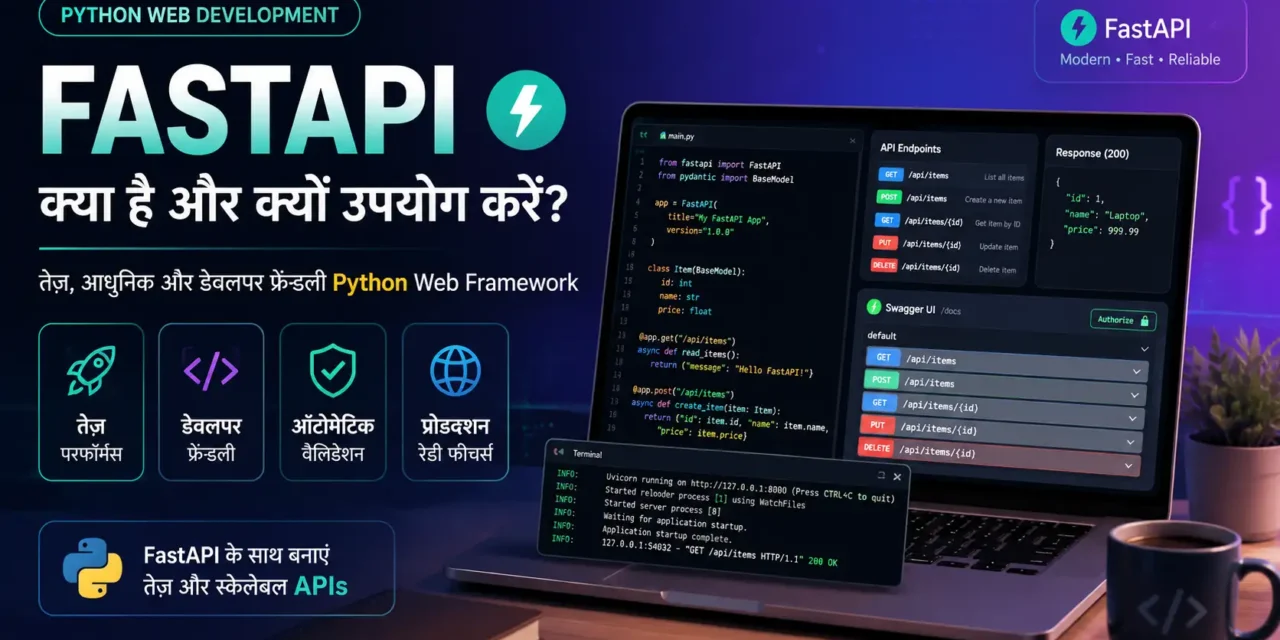
FastAPI ek modern Python web framework hai – fast (high performance), modern (async support), easy (automatic API docs).
FastAPI Python setup aur pehla API Hindi में समझना बहुत जरूरी है क्योंकि:
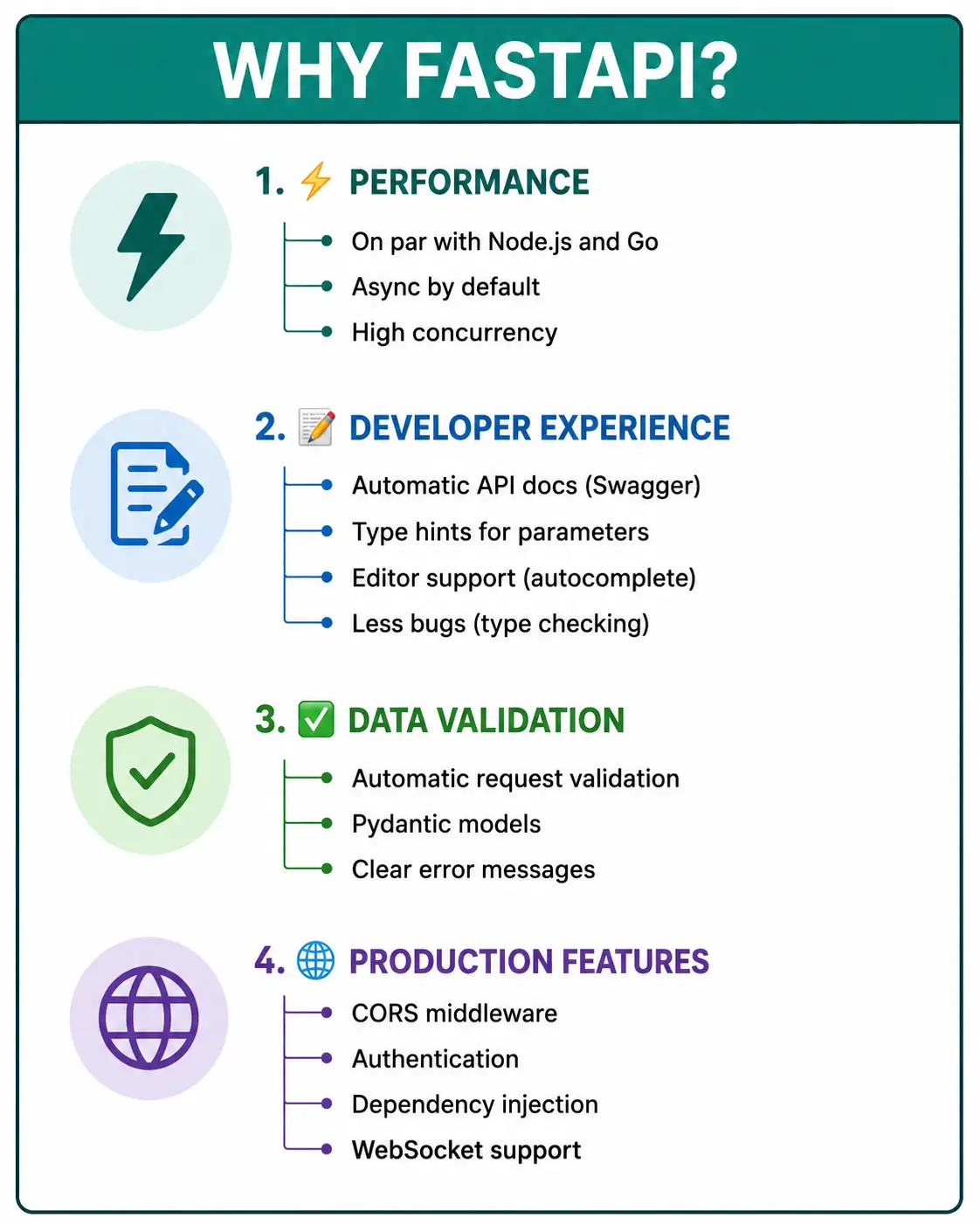
- Performance – Node.js और Go जितना fast
- Automatic docs – Swagger UI and ReDoc built-in
- Type hints – Python type hints use करता है
- Async/await – Native async support
- Data validation – Pydantic based (automatic request/response validation)
- Job market – FastAPI abhi bohot demand mein है
Kya tumhe pata hai?
FastAPI Starlette (web) और Pydantic (data validation) on top built है – एकदम production-ready!
तो चलिए शुरू करते हैं – FastAPI Python setup aur pehla API Hindi सीखने का सफर! 🚀
Table of Contents
1. FastAPI Kya Hai? – Introduction
FastAPI modern Python web framework है – APIs बनाने के लिए।
Features:
| Feature | Description |
|---|---|
| Fast | Node.js/Go comparable performance |
| Modern | Async/await support |
| Type Hints | Python type hints for parameters |
| Automatic Validation | Pydantic based |
| Automatic Docs | Swagger UI + ReDoc |
| Production-ready | Starlette base |
Why FastAPI?
Basic Example:
from fastapi import FastAPI

app = FastAPI()

@app.get("/")
def root():
    return {"message": "Hello World"}

@app.get("/users/{user_id}")
def get_user(user_id: int):
    return {"user_id": user_id}
FastAPI Python setup aur pehla API Hindi में हम complete REST API बनाएंगे।
2. FastAPI vs Flask vs Django – Comparison
Framework Comparison:
| Feature | FastAPI | Flask | Django |
|---|---|---|---|
| Performance | Very High | Low | Medium |
| Async Support | ✅ Native | ❌ Limited | ⚠️ Partial (3.0+) |
| Built-in Admin | ❌ No | ❌ No | ✅ Yes |
| Automatic Docs | ✅ Swagger/ReDoc | ❌ No | ❌ No |
| Data Validation | ✅ Pydantic | ❌ Manual | ✅ Forms/Serializers |
| Type Hints | ✅ Full | ⚠️ Limited | ⚠️ Partial |
| Learning Curve | Easy | Very Easy | Steep |
| Use Case | APIs, Microservices | Small apps, prototypes | Full-stack monolith |
When to Use FastAPI:
| Use Case | Why FastAPI? |
|---|---|
| REST APIs | Automatic docs, validation, async |
| Microservices | Small, fast, easy to deploy |
| Machine Learning APIs | Serve models, async inference |
| Real-time apps | WebSocket support |
| GraphQL | Can integrate with Strawberry/Graphene |
3. Installation – Setup
Step 1: Create Virtual Environment
# Create project directory
mkdir fastapi-demo
cd fastapi-demo

# Create virtual environment
python -m venv venv

# Activate virtual environment
# Windows:
venv\Scripts\activate
# macOS/Linux:
source venv/bin/activate
Step 2: Install FastAPI and Server
# Install FastAPI
pip install fastapi

# Install Uvicorn (ASGI server)
pip install uvicorn

# Optional: for data validation
pip install pydantic

# Optional: for .env support
pip install python-dotenv
Step 3: Verify Installation
python --version  # Python 3.8+
pip list | grep fastapi
Step 4: Project Structure
fastapi-demo/
├── venv/
├── main.py          # Main application
├── requirements.txt # Dependencies
└── .env            # Environment variables
requirements.txt:
fastapi==0.115.0
uvicorn==0.30.0
pydantic==2.7.0
python-dotenv==1.0.0
4. Pehla FastAPI App – Hello World
Basic App:
# main.py
from fastapi import FastAPI

# Create FastAPI instance
app = FastAPI()

# Root endpoint
@app.get("/")
def root():
    return {"message": "Hello World! 🚀"}

# Health check
@app.get("/health")
def health():
    return {"status": "ok", "timestamp": "2026-01-01T10:00:00Z"}
Run the Server:
# Run with uvicorn
uvicorn main:app --reload

# Output:
# INFO:     Uvicorn running on http://127.0.0.1:8000
# INFO:     Application startup complete.
Test the API:
# In browser: http://localhost:8000

# Or curl:
curl http://localhost:8000
# Output: {"message":"Hello World! 🚀"}

curl http://localhost:8000/health
# Output: {"status":"ok","timestamp":"2026-01-01T10:00:00Z"}
5. Path Parameters – Dynamic URLs
Basic Path Parameters:
from fastapi import FastAPI

app = FastAPI()

# Integer parameter
@app.get("/users/{user_id}")
def get_user(user_id: int):
    return {"user_id": user_id, "name": f"User {user_id}"}

# String parameter
@app.get("/items/{item_id}")
def get_item(item_id: str):
    return {"item_id": item_id}

# Multiple parameters
@app.get("/users/{user_id}/items/{item_id}")
def get_user_item(user_id: int, item_id: str):
    return {"user_id": user_id, "item_id": item_id}
Path Parameters with Enum:
from enum import Enum
from fastapi import FastAPI

class ModelName(str, Enum):
    alexnet = "alexnet"
    resnet = "resnet"
    lenet = "lenet"

app = FastAPI()

@app.get("/models/{model_name}")
def get_model(model_name: ModelName):
    if model_name == ModelName.alexnet:
        return {"model_name": model_name, "message": "Deep Learning FTW!"}

    if model_name == ModelName.resnet:
        return {"model_name": model_name, "message": "Residual networks"}

    return {"model_name": model_name, "message": "LeNet"}
Path Parameters with Validation:
from fastapi import FastAPI, Path

app = FastAPI()

@app.get("/products/{product_id}")
def get_product(
    product_id: int = Path(..., title="Product ID", ge=1, le=1000)
):
    return {"product_id": product_id}
6. Query Parameters – Filtering
Basic Query Parameters:
from fastapi import FastAPI

app = FastAPI()

fake_db = [
    {"id": 1, "name": "Item 1", "price": 100},
    {"id": 2, "name": "Item 2", "price": 200},
    {"id": 3, "name": "Item 3", "price": 300},
]

@app.get("/items")
def get_items(skip: int = 0, limit: int = 10):
    return fake_db[skip: skip + limit]

@app.get("/items/search")
def search_items(q: str = None, price_min: float = 0, price_max: float = 1000):
    results = fake_db
    if q:
        results = [item for item in results if q.lower() in item["name"].lower()]
    results = [item for item in results if price_min <= item["price"] <= price_max]
    return results
Optional and Required Query Parameters:
from typing import Union
from fastapi import FastAPI

app = FastAPI()

@app.get("/users")
def get_users(
    name: str = None,              # Optional
    age: int = 0,                  # Optional with default
    city: str,                     # Required (must provide)
    active: bool = True            # Optional with default
):
    return {"name": name, "age": age, "city": city, "active": active}
Multiple Query Parameters:
@app.get("/products")
def list_products(
    category: str = None,
    min_price: float = 0,
    max_price: float = 10000,
    in_stock: bool = True,
    sort_by: str = "name",
    order: str = "asc"
):
    return {
        "filters": {
            "category": category,
            "min_price": min_price,
            "max_price": max_price,
            "in_stock": in_stock
        },
        "sorting": {"sort_by": sort_by, "order": order}
    }
7. Request Body – POST Requests
Basic Request Body:
from fastapi import FastAPI
from pydantic import BaseModel

app = FastAPI()

# Define request body model
class Item(BaseModel):
    name: str
    price: float
    is_offer: bool = False  # Default value

@app.post("/items")
def create_item(item: Item):
    return {
        "message": f"Item {item.name} created",
        "data": item
    }
Nested Request Body:
from pydantic import BaseModel
from typing import List, Optional

class Address(BaseModel):
    street: str
    city: str
    pincode: int

class User(BaseModel):
    name: str
    email: str
    age: Optional[int] = None
    address: Address
    tags: List[str] = []

app = FastAPI()

@app.post("/users")
def create_user(user: User):
    return {
        "message": f"User {user.name} created",
        "user": user
    }
Multiple Body Parameters:
from fastapi import FastAPI
from pydantic import BaseModel

class User(BaseModel):
    name: str
    email: str

class Item(BaseModel):
    name: str
    price: float

app = FastAPI()

@app.post("/orders")
def create_order(user: User, item: Item):
    return {
        "user": user,
        "item": item,
        "total": item.price
    }
8. Pydantic Models – Data Validation
Pydantic FastAPI के data validation का core है।
Basic Model with Validation:
from pydantic import BaseModel, Field, validator
from typing import Optional
from datetime import datetime

class Product(BaseModel):
    id: int
    name: str = Field(..., min_length=3, max_length=100, description="Product name")
    price: float = Field(..., gt=0, le=1000000, description="Price must be positive")
    category: str = Field(default="general", pattern="^[a-z]+$")
    in_stock: bool = True
    created_at: Optional[datetime] = None

    # Custom validator
    @validator('price')
    def price_must_not_be_zero(cls, v):
        if v <= 0:
            raise ValueError('Price must be greater than 0')
        return v

    class Config:
        json_schema_extra = {
            "example": {
                "id": 1,
                "name": "Laptop",
                "price": 999.99,
                "category": "electronics",
                "in_stock": True
            }
        }

@app.post("/products")
def create_product(product: Product):
    return {"product": product}
Path + Query + Body Together:
from fastapi import FastAPI, Path, Query
from pydantic import BaseModel

class UpdateItem(BaseModel):
    name: str
    price: float

app = FastAPI()

@app.put("/items/{item_id}")
def update_item(
    item_id: int = Path(..., title="The ID of the item to update", ge=1),
    q: str = Query(None, max_length=50),
    item: UpdateItem = None
):
    return {"item_id": item_id, "query": q, "item": item}
9. Async Endpoints – Performance Boost
Async vs Sync:
from fastapi import FastAPI
import asyncio

app = FastAPI()

# Sync endpoint (blocking)
@app.get("/sync")
def sync_endpoint():
    return {"message": "This is sync"}

# Async endpoint (non-blocking)
@app.get("/async")
async def async_endpoint():
    await asyncio.sleep(1)  # Simulate async operation
    return {"message": "This is async - Non blocking"}

# Async database call
@app.get("/users/{user_id}")
async def get_user(user_id: int):
    user = await db.get_user(user_id)  # Async database call
    return user
Async Database Example:
import httpx
from fastapi import FastAPI

app = FastAPI()

@app.get("/posts")
async def get_posts():
    async with httpx.AsyncClient() as client:
        response = await client.get("https://jsonplaceholder.typicode.com/posts")
        return response.json()

@app.get("/posts/{post_id}")
async def get_post(post_id: int):
    async with httpx.AsyncClient() as client:
        response = await client.get(f"https://jsonplaceholder.typicode.com/posts/{post_id}")
        return response.json()
10. Automatic API Docs – Swagger and ReDoc
FastAPI automatically generates interactive API documentation.
Swagger UI (Interactive):
URL: http://localhost:8000/docsFeatures:
- Interactive API testing
- Try it out button
- Request/response examples
- Authentication (if configured)
ReDoc (Alternative):
URL: http://localhost:8000/redocFeatures:
- Clean, professional documentation
- Searchable
- Response schemas
Customizing Docs:
from fastapi import FastAPI

app = FastAPI(
    title="My API",
    description="This is my awesome API",
    version="1.0.0",
    docs_url="/swagger",     # Custom Swagger URL
    redoc_url="/docs",        # Custom ReDoc URL
    openapi_url="/openapi.json"
)

@app.get("/")
def root():
    return {"message": "Hello"}
Tagging Endpoints:
from fastapi import FastAPI

app = FastAPI()

@app.get("/users", tags=["users"])
def get_users():
    return [{"id": 1, "name": "Rahul"}]

@app.post("/users", tags=["users"])
def create_user():
    return {"message": "User created"}

@app.get("/products", tags=["products"])
def get_products():
    return [{"id": 1, "name": "Laptop"}]

@app.get("/health", tags=["system"])
def health():
    return {"status": "ok"}
Adding Summary and Description:
@app.get(
    "/users/{user_id}",
    tags=["users"],
    summary="Get a specific user",
    description="Returns user details by ID",
    response_description="User object"
)
def get_user(user_id: int):
    return {"id": user_id, "name": f"User {user_id}"}
11. Complete Example – CRUD API
Complete Todo API:
# main.py
from fastapi import FastAPI, HTTPException, status
from pydantic import BaseModel
from typing import List, Optional
from datetime import datetime

app = FastAPI(title="Todo API", description="Simple Todo API", version="1.0.0")

# Pydantic models (schemas)
class TodoBase(BaseModel):
    title: str
    description: Optional[str] = None
    completed: bool = False

class TodoCreate(TodoBase):
    pass

class TodoUpdate(BaseModel):
    title: Optional[str] = None
    description: Optional[str] = None
    completed: Optional[bool] = None

class Todo(TodoBase):
    id: int
    created_at: datetime

    class Config:
        from_attributes = True

# In-memory database
fake_db = []
counter = 1

# Health check
@app.get("/health")
def health():
    return {"status": "ok", "timestamp": datetime.now()}

# CREATE
@app.post("/todos", response_model=Todo, status_code=status.HTTP_201_CREATED)
def create_todo(todo: TodoCreate):
    global counter
    new_todo = Todo(
        id=counter,
        title=todo.title,
        description=todo.description,
        completed=todo.completed,
        created_at=datetime.now()
    )
    fake_db.append(new_todo)
    counter += 1
    return new_todo

# READ all
@app.get("/todos", response_model=List[Todo])
def get_all_todos(skip: int = 0, limit: int = 10, completed: bool = None):
    todos = fake_db[skip: skip + limit]
    if completed is not None:
        todos = [todo for todo in todos if todo.completed == completed]
    return todos

# READ one
@app.get("/todos/{todo_id}", response_model=Todo)
def get_todo_by_id(todo_id: int):
    todo = next((todo for todo in fake_db if todo.id == todo_id), None)
    if not todo:
        raise HTTPException(status_code=404, detail=f"Todo {todo_id} not found")
    return todo

# UPDATE
@app.put("/todos/{todo_id}", response_model=Todo)
def update_todo(todo_id: int, todo_update: TodoUpdate):
    todo = next((todo for todo in fake_db if todo.id == todo_id), None)
    if not todo:
        raise HTTPException(status_code=404, detail=f"Todo {todo_id} not found")

    if todo_update.title is not None:
        todo.title = todo_update.title
    if todo_update.description is not None:
        todo.description = todo_update.description
    if todo_update.completed is not None:
        todo.completed = todo_update.completed

    return todo

# DELETE
@app.delete("/todos/{todo_id}", status_code=status.HTTP_204_NO_CONTENT)
def delete_todo(todo_id: int):
    global fake_db
    todo = next((todo for todo in fake_db if todo.id == todo_id), None)
    if not todo:
        raise HTTPException(status_code=404, detail=f"Todo {todo_id} not found")

    fake_db = [todo for todo in fake_db if todo.id != todo_id]
    return None
Testing with curl:
# Create todo
curl -X POST http://localhost:8000/todos \
  -H "Content-Type: application/json" \
  -d '{"title": "Learn FastAPI", "description": "Build APIs quickly"}'

# Get all todos
curl http://localhost:8000/todos

# Get todo by ID
curl http://localhost:8000/todos/1

# Update todo
curl -X PUT http://localhost:8000/todos/1 \
  -H "Content-Type: application/json" \
  -d '{"completed": true}'

# Delete todo
curl -X DELETE http://localhost:8000/todos/1
12. Common Mistakes + Solutions
Mistake 1: Not using async for I/O operations
# ❌ Blocking I/O in sync endpoint
@app.get("/data")
def get_data():
    response = requests.get("https://api.example.com/data")  # blocking
    return response.json()

# ✅ Use async with async library
@app.get("/data")
async def get_data():
    async with httpx.AsyncClient() as client:
        response = await client.get("https://api.example.com/data")
        return response.json()
Mistake 2: Wrong parameter order
# ❌ Path params after query params (won't work)
@app.get("/users/{user_id}")
def get_user(limit: int = 10, user_id: int):  # Path param after query
    pass

# ✅ Path params first, then query params
@app.get("/users/{user_id}")
def get_user(user_id: int, limit: int = 10):
    pass
Mistake 3: Missing type hints
# ❌ No type hints (no validation, no docs)
@app.get("/users/{user_id}")
def get_user(user_id):
    return {"id": user_id}

# ✅ With type hints
@app.get("/users/{user_id}")
def get_user(user_id: int):
    return {"id": user_id}
Mistake 4: Not handling 404
# ❌ No 404 check
@app.get("/users/{user_id}")
def get_user(user_id: int):
    user = db.get(user_id)  # Could be None
    return user  # Might return None (200 OK)!

# ✅ Handle 404
@app.get("/users/{user_id}")
def get_user(user_id: int):
    user = db.get(user_id)
    if not user:
        raise HTTPException(status_code=404, detail="User not found")
    return user
13. Quick Cheat Sheet
Installation:
python -m venv venv
source venv/bin/activate  # or venv\Scripts\activate
pip install fastapi uvicorn
Run Server:
uvicorn main:app --reloadBasic App:
from fastapi import FastAPI

app = FastAPI()

@app.get("/")
def root():
    return {"message": "Hello"}
Path Parameters:
@app.get("/users/{user_id}")
def get_user(user_id: int):
    return {"user_id": user_id}
Query Parameters:
@app.get("/items")
def get_items(skip: int = 0, limit: int = 10):
    return {"skip": skip, "limit": limit}
Request Body:
from pydantic import BaseModel

class Item(BaseModel):
    name: str
    price: float

@app.post("/items")
def create_item(item: Item):
    return item
Error Handling:
from fastapi import HTTPException

@app.get("/users/{user_id}")
def get_user(user_id: int):
    if not user_exists(user_id):
        raise HTTPException(status_code=404, detail="User not found")
    return {"user_id": user_id}
14. FAQ
Q1: FastAPI Python setup aur pehla API Hindi में सबसे important kya hai?
Type hints – Pydantic models and path/query parameter types – automatic validation और docs.
Q2: FastAPI vs Flask – kya use karein?
FastAPI – high performance, async, automatic docs. Flask – simple apps, small prototypes.
Q3: Uvicorn vs Gunicorn – kya antar hai?
Uvicorn – ASGI server (for FastAPI). Gunicorn – WSGI server (for Flask), can manage Uvicorn workers.
Q4: Path parameters vs query parameters – kya antar hai?
Path parameters – resource identification (/users/123). Query parameters – filtering/pagination (?page=2).
Q5: Pydantic kya hai?
Data validation library – request/response को validate और serialize करता है।
Q6: FastAPI automatically docs generate kyu karta hai?
OpenAPI specification implement करता है – Swagger UI and ReDoc built-in.
Q7: Async endpoints sync endpoints se better kyun हैं?
Non-blocking – database, network calls के दौरान other requests handle kar सकते हैं।
Q8: response_model kya karta hai?
Response data ko validate और filter करता है – sensitive data hide कर सकते हैं।
Q9: FastAPI production mein deploy kaise karein?
Uvicorn + Gunicorn, Docker, cloud platforms (Railway, Render, AWS).
Q10: FastAPI 2026 mein relevant है?
Bilkul! Most popular Python API framework – performance और developer experience best है।
15. Conclusion
बहुत बढ़िया दोस्तों! आज हमने FastAPI Python setup aur pehla API Hindi को पूरी detail में समझा।
Quick Recap:
| Concept | Key Takeaway |
|---|---|
| FastAPI | Modern, high-performance Python framework |
| Type hints | Automatic validation and docs |
| Pydantic | Request/response validation |
| Uvicorn | ASGI server for FastAPI |
| Swagger UI | Interactive API docs |
Mera personal experience:
FastAPI seekhne के बाद मैंने Flask छोड़ दिया। Type hints से bugs कम हुए, automatic docs से testing easy हुई, async support से performance boost मिला।
Tum bhi ye steps follow karo:
- ✅ Virtual environment बनाओ
- ✅ FastAPI और Uvicorn install करो
- ✅ Pehla GET endpoint बनाओ
- ✅ Path aur query parameters try करो
- ✅ POST endpoint with Pydantic model बनाओ
अब तुम्हारी बारी है!
नीचे comment में बताओ:
- तुमने FastAPI try किया?
- Flask vs FastAPI – क्या use karoge?
- अगला topic क्या चाहिए? (FastAPI Database? Authentication? Middleware?)
The Easy Master पर बने रहो। Happy API Building with FastAPI! 🚀🐍
Resources
Additional Resources
- Express.js Setup – पहला Server कैसे बनाएं (Step-by-Step) 2026
- Express.js Routing – GET POST PUT DELETE Complete Guide
- Express Middleware समझे – Application, Router, Error Middleware
- Express req and res Objects – Query, Params, Body, Headers Explained
- Express Static Files और Templating – EJS से Dynamic HTML Banaye
- Express Router – API Routes को Organize करें (Modular Code)
- Express.js में Environment Variables – .env File कैसे Use करें
- Express File Upload Multer Tutorial | Image PDF Hindi 2026
- Express Security – Helmet, CORS, Rate Limiting, Validation (2026)
- Express + TypeScript – Type-Safe API कैसे बनाएं 2026
- Express MongoDB CRUD – Complete REST API Example 2026
- Express Logging – Morgan और Winston से Debug करें
- Express API Testing – Supertest से Routes Test करें
- MongoDB Setup – CRUD Operations समझे (Beginner Guide) 2026
- MongoDB Compass से GUI Database Manage करने का आसान तरीका | Beginner Tutorial 2026
- Node.js MongoDB Connection – Mongoose Setup समझे 2026
- MongoDB Data Modeling – Embedded Documents vs References 2026
- MongoDB Indexing – Query Speed बढ़ने करने का आसान तरीका
- MongoDB Aggregation Pipeline – Stages समझे | Practical Examples
- Express MongoDB CRUD – Complete REST API Example
- Mongoose ODM – Schema, Model, and Validation समझे 2026
- MongoDB Atlas – Cloud Database Free में Deploy करें 2026
- JWT Authentication MongoDB – User Login System कैसे बनाएं 2026
- Next.js App Router – Pages Router से क्या बदला? Complete Guide 2026
- Next.js Server Components – ‘use client’ कब और कहां Use करें
- Next.js Routing – Layouts, Dynamic Routes and Nested Routes 2026
- Next.js 16 New Features – Turbopack, Cache Components and proxy.ts
- Next.js Partial Prerendering – Static and Dynamic Content साथ में
- Next.js Authentication – JWT Session Management (App Router) 2026
- Next.js SEO – Metadata API and Image Optimization समझे 2026
- Next.js TypeScript – Full-Stack Type-Safe App कैसे बनाएं