नमस्ते दोस्तों!
स्वागत है The Easy Master पर!
क्या आप FastAPI में PostgreSQL database connect करना चाहते हैं? Lekin synchronous SQLAlchemy se performance issues aa rahe hain? या फिर SQLModel naam suna hai lekin samajh nahi aa raha ki async connection kaise karein?
Maine bhi yehi confusion face ki thi.
Jab maine pehli baar PostgreSQL को FastAPI से connect kiya, तो maine normal create_engine use kiya. Lekin jab concurrent requests आने लगीं, तो server slow ho gaya. Kyunki synchronous database calls blocking होती हैं.
तब मैंने async PostgreSQL connection सीखा – और performance 10x better ho gayi.
Aur sabse acchi baat – SQLModel use karke aap ek hi class se database table bhi bana sakte ho, aur Pydantic validation bhi. (Yeh FastAPI के creator ने banaya hai!)
इस FastAPI PostgreSQL SQLModel Hindi article में मैं आपको सब कुछ सिखाऊंगा:
✅ SQLModel kya hai aur kyun use karein
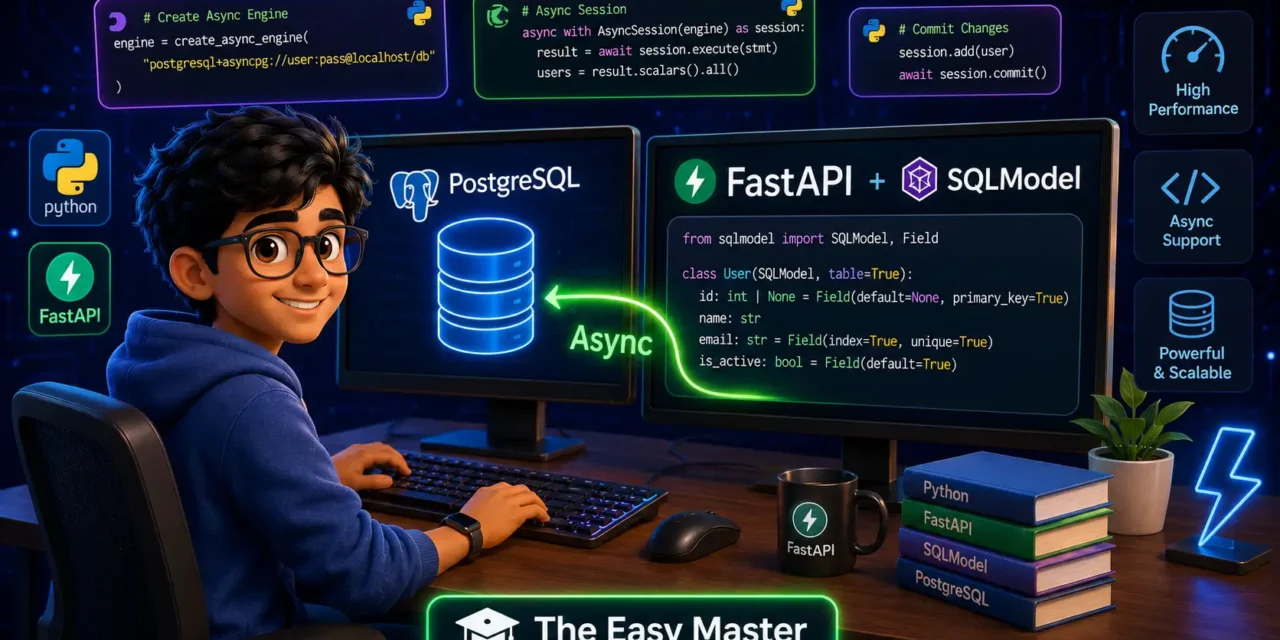
✅ Async PostgreSQL connection – create_async_engine
✅ Database session management with dependency injection
✅ CRUD operations – Create, Read, Update, Delete
✅ SQLModel relationships – One-to-Many, Many-to-Many
✅ Alembic migrations – async ke saath
✅ Common mistakes (async driver error etc.)
✅ Best practices – production-ready setup
✅ Real project example – Blog API with users & posts
End mein cheat sheet, practice prompts, aur feature image prompt bhi milega.
चलिए शुरू करते हैं! 🚀
Table of Contents
1. SQLModel Kya Hai? – FastAPI Ka Best Friend
SQLModel ek Python library hai jo SQLAlchemy (ORM) aur Pydantic (validation) ka perfect combination है।
Kyun use karein?
- ✅ Ek hi class – database table bhi, Pydantic schema bhi
- ✅ Type hints – full IDE autocomplete and type checking
- ✅ Async support – built-in (SQLAlchemy async पर based)
- ✅ FastAPI ke creator ne banaya hai – toh integration seamless है
Example – Dekho kitna clean hai:
from sqlmodel import SQLModel, Field

# Ek class – table bhi, validation bhi!
class User(SQLModel, table=True):
    id: int | None = Field(default=None, primary_key=True)
    name: str = Field(min_length=2, max_length=50)
    email: str = Field(unique=True)

# User table database mein create ho jayegi
# Aur yehi class FastAPI request body validation ke liye bhi use ho sakti hai
SQLModel ke beech main SQLAlchemy hai, jo already async support karta hai (SQLAlchemy 1.4+ से).
2. Project Setup – Dependencies Install Karein
Sabse pehle, ye packages install karo:
# Virtual environment banayein (recommended)
python -m venv venv
source venv/bin/activate  # Windows: venv\Scripts\activate

# Dependencies install karein
pip install fastapi "uvicorn[standard]" sqlmodel asyncpg alembic psycopg2-binary greenlet
Har package kya karta hai:
💡 Note: Aapko both asyncpg and psycopg2-binary install karne honge. SQLModel sync engine use karta hai table create karne ke liye, aur async engine use hota hai runtime database operations ke liye.
3. Async Database Connection – Pehla Step
3.1 Environment Variables
.env file banao:
DATABASE_URL=postgresql+asyncpg://username:password@localhost:5432/mydatabase3.2 Database Configuration (database.py)
import os
from sqlmodel import SQLModel, create_engine
from sqlalchemy.ext.asyncio import create_async_engine, AsyncSession
from sqlalchemy.orm import sessionmaker
from dotenv import load_dotenv

load_dotenv()

# Async connection string – "postgresql+asyncpg://..."
ASYNC_DATABASE_URL = os.getenv("DATABASE_URL", "postgresql+asyncpg://user:pass@localhost/db")

# Sync connection string – table creation ke liye
SYNC_DATABASE_URL = ASYNC_DATABASE_URL.replace("+asyncpg", "")

# 1. Async Engine – runtime database operations ke liye
async_engine = create_async_engine(
    ASYNC_DATABASE_URL,
    echo=True,        # SQL queries console pe dikhegi (production mein False)
    future=True,      # SQLAlchemy 2.0 style
    pool_size=10,     # Connection pool size
    max_overflow=20   # Extra connections if needed
)

# 2. Sync Engine – table creation ke liye (async support nahi hai)
sync_engine = create_engine(SYNC_DATABASE_URL, echo=True)

# 3. Async Session Factory
AsyncSessionLocal = sessionmaker(
    async_engine,
    class_=AsyncSession,
    expire_on_commit=False   # Session close ke baad attributes access kar sakte ho
)

# 4. Function to create tables (sync, startup pe ek baar call karna)
def create_tables():
    """Synchronously create all tables - call during startup only"""
    SQLModel.metadata.create_all(sync_engine)
Async Engine kyun? FastAPI async hai, isliye database calls bhi async hone chahiye – nahi toh event loop block हो जाएगा।
4. Models Banayein – Table + Validation Ek Saath
SQLModel ka sabse powerful feature – ek class mein table bhi, validation schema bhi.
Example – User aur Post models (models.py):
from sqlmodel import SQLModel, Field, Relationship
from typing import Optional, List
from datetime import datetime

# ---------- Base Models (common fields) ----------
class UserBase(SQLModel):
    username: str = Field(min_length=3, max_length=50, unique=True, index=True)
    email: str = Field(unique=True, index=True)
    is_active: bool = Field(default=True)

# ---------- Table Model (database) ----------
class User(UserBase, table=True):
    id: Optional[int] = Field(default=None, primary_key=True)
    created_at: datetime = Field(default_factory=datetime.utcnow)

    # Relationship: ek user ke multiple posts ho sakte hain
    posts: List["Post"] = Relationship(back_populates="author")

# ---------- API Request/Response Models ----------
class UserCreate(UserBase):
    password: str = Field(min_length=6)

class UserResponse(UserBase):
    id: int
    created_at: datetime

class UserUpdate(SQLModel):
    username: Optional[str] = Field(min_length=3, max_length=50)
    email: Optional[str]
    is_active: Optional[bool]

# ---------- Post Models ----------
class PostBase(SQLModel):
    title: str = Field(min_length=1, max_length=200)
    content: str
    published: bool = Field(default=False)

class Post(PostBase, table=True):
    id: Optional[int] = Field(default=None, primary_key=True)
    created_at: datetime = Field(default_factory=datetime.utcnow)
    author_id: int = Field(foreign_key="user.id")

    author: User = Relationship(back_populates="posts")

class PostCreate(PostBase):
    pass

class PostResponse(PostBase):
    id: int
    created_at: datetime
    author_id: int
    author_name: Optional[str] = None  # computed field for response
SQLModel inheritance pattern:
Baseclass → common fieldstable=True→ database table- No
table=True→ Pydantic validation schema only
5. Database Session Dependency – Yield Magic
Har request ke liye ek fresh database session chahiye. FastAPI ka yield dependency pattern perfect है – session automatically close हो जाएगा।
dependencies.py:
from fastapi import Depends
from sqlalchemy.ext.asyncio import AsyncSession
from typing import AsyncGenerator
from .database import AsyncSessionLocal

async def get_db() -> AsyncGenerator[AsyncSession, None]:
    """Dependency that provides an async database session.

    - Request start pe session create hota hai
    - Request ke andar database operations kar sakte ho
    - Request end pe session automatically close ho jata hai
    """
    async with AsyncSessionLocal() as session:
        try:
            yield session
            await session.commit()  # Auto-commit if no exception
        except Exception:
            await session.rollback()  # Rollback on error
            raise
        finally:
            await session.close()  # Ensure cleanup

# Type alias for cleaner endpoint signatures
DbSession = AsyncSession
FastAPI automatically yield के बाद का code चलाएगा (cleanup code)।
6. CRUD Operations – Real Examples
6.1 Main App Setup (main.py)
from fastapi import FastAPI, Depends, HTTPException, status
from sqlmodel import select
from sqlalchemy.ext.asyncio import AsyncSession
from typing import List

from .database import create_tables, async_engine
from .dependencies import get_db
from .models import User, UserCreate, UserResponse, Post, PostCreate, PostResponse

app = FastAPI(title="Blog API with SQLModel + PostgreSQL")

# Startup event: create tables (synchronous)
@app.on_event("startup")
def on_startup():
    create_tables()  # Tables create karo
6.2 Create User – POST Request
@app.post("/users/", response_model=UserResponse, status_code=status.HTTP_201_CREATED)
async def create_user(user_data: UserCreate, db: AsyncSession = Depends(get_db)):
    """Create a new user."""
    # Check if user already exists
    stmt = select(User).where(User.email == user_data.email)
    result = await db.execute(stmt)
    existing_user = result.scalar_one_or_none()

    if existing_user:
        raise HTTPException(status_code=400, detail="Email already registered")

    # Create new user
    # Note: In production, hash the password before saving!
    new_user = User(
        username=user_data.username,
        email=user_data.email,
        is_active=True
    )

    db.add(new_user)
    await db.commit()
    await db.refresh(new_user)  # Get generated ID

    return new_user
6.3 Get All Users – GET Request
@app.get("/users/", response_model=List[UserResponse])
async def get_all_users(
    skip: int = 0,
    limit: int = 10,
    db: AsyncSession = Depends(get_db)
):
    """Get all users with pagination."""
    stmt = select(User).offset(skip).limit(limit)
    result = await db.execute(stmt)
    users = result.scalars().all()
    return users
6.4 Get User by ID – GET Request with Path Parameter
@app.get("/users/{user_id}", response_model=UserResponse)
async def get_user_by_id(user_id: int, db: AsyncSession = Depends(get_db)):
    """Get a specific user by ID."""
    stmt = select(User).where(User.id == user_id)
    result = await db.execute(stmt)
    user = result.scalar_one_or_none()

    if not user:
        raise HTTPException(status_code=404, detail="User not found")
    return user
6.5 Update User – PUT Request
@app.put("/users/{user_id}", response_model=UserResponse)
async def update_user(
    user_id: int,
    user_update: UserUpdate,
    db: AsyncSession = Depends(get_db)
):
    """Update user details."""
    # Find user
    stmt = select(User).where(User.id == user_id)
    result = await db.execute(stmt)
    user = result.scalar_one_or_none()

    if not user:
        raise HTTPException(status_code=404, detail="User not found")

    # Update only provided fields
    update_data = user_update.dict(exclude_unset=True)
    for field, value in update_data.items():
        setattr(user, field, value)

    db.add(user)
    await db.commit()
    await db.refresh(user)
    return user
6.6 Delete User – DELETE Request
@app.delete("/users/{user_id}", status_code=status.HTTP_204_NO_CONTENT)
async def delete_user(user_id: int, db: AsyncSession = Depends(get_db)):
    """Delete a user."""
    stmt = select(User).where(User.id == user_id)
    result = await db.execute(stmt)
    user = result.scalar_one_or_none()

    if not user:
        raise HTTPException(status_code=404, detail="User not found")

    await db.delete(user)
    await db.commit()
    return None  # 204 No Content
6.7 Create Post – With Relationship
@app.post("/users/{user_id}/posts/", response_model=PostResponse)
async def create_post_for_user(
    user_id: int,
    post_data: PostCreate,
    db: AsyncSession = Depends(get_db)
):
    """Create a new post for a specific user."""
    # Verify user exists
    stmt = select(User).where(User.id == user_id)
    result = await db.execute(stmt)
    user = result.scalar_one_or_none()

    if not user:
        raise HTTPException(status_code=404, detail="User not found")

    # Create post
    new_post = Post(
        title=post_data.title,
        content=post_data.content,
        published=post_data.published,
        author_id=user_id
    )

    db.add(new_post)
    await db.commit()
    await db.refresh(new_post)

    # Return with author name
    return PostResponse(
        id=new_post.id,
        title=new_post.title,
        content=new_post.content,
        published=new_post.published,
        created_at=new_post.created_at,
        author_id=new_post.author_id,
        author_name=user.username
    )
Personal Experience:
await db.commit()के बादawait db.refresh(obj)karna mat bhoolna. Nahi toh generatedidaur default values (created_at) access nahi kar paoge!
7. Relationships – One-to-Many aur Many-to-Many
7.1 One-to-Many (User → Posts)
Hum already upar kar chuke hain. Relationship use karo:
class User(SQLModel, table=True):
    # ... fields ...
    posts: List["Post"] = Relationship(back_populates="author")

class Post(SQLModel, table=True):
    # ... fields ...
    author_id: int = Field(foreign_key="user.id")
    author: User = Relationship(back_populates="posts")
7.2 Many-to-Many (Posts ↔ Tags)
# Link table
class PostTagLink(SQLModel, table=True):
    post_id: int = Field(foreign_key="post.id", primary_key=True)
    tag_id: int = Field(foreign_key="tag.id", primary_key=True)

class Tag(SQLModel, table=True):
    id: Optional[int] = Field(default=None, primary_key=True)
    name: str = Field(unique=True, index=True)

    posts: List[Post] = Relationship(back_populates="tags", link_model=PostTagLink)

class Post(PostBase, table=True):
    # ... existing fields ...
    tags: List[Tag] = Relationship(back_populates="posts", link_model=PostTagLink)
8. Alembic Migrations – Async Ke Saath
Jab model change karte ho (new column add karna, etc.), tab migrations chahiye.
Setup:
alembic init migrationsalembic.ini mein URL set karo:
sqlalchemy.url = postgresql+asyncpg://user:pass@localhost/dbmigrations/env.py mein modify karo:
from sqlmodel import SQLModel
from your_app.models import *  # import all models

target_metadata = SQLModel.metadata
Create migration:
alembic revision --autogenerate -m "add bio column to user"
alembic upgrade head
⚠️ Note: Alembic async URL support limited hai. Best practice – sync URL use karo migrations ke liye, aur runtime mein async URL.
9. Real Project – Complete Blog API
Yeh poora example hai – copy-paste karke seedha use kar sakte ho:<details> <summary>📁 Click to see full project structure and code</summary>
blog_api/
├── app/
│   ├── __init__.py
│   ├── main.py
│   ├── database.py
│   ├── models.py
│   ├── dependencies.py
│   ├── schemas.py
│   └── routes/
│       ├── users.py
│       └── posts.py
├── .env
└── requirements.txt
app/database.py – Setup from section 3
app/models.py – Models from section 4
app/dependencies.py – get_db() from section 5
app/main.py:
from fastapi import FastAPI
from app.database import create_tables
from app.routes import users, posts

app = FastAPI(title="Blog API")

@app.on_event("startup")
def startup():
    create_tables()

app.include_router(users.router, prefix="/api", tags=["Users"])
app.include_router(posts.router, prefix="/api", tags=["Posts"])
app/routes/users.py – CRUD endpoints from section 6</details>
10. Common Mistakes (aur Unka Solution!)
Personal Mistake: Maine ek baar await session.refresh() karna bhool gaya, aur user create करने के बाद user.id access kar raha tha – hamesha None aata tha. 2 hours lag gaye debug karne mein! Ab mujhe refresh() muscle memory ban gayi hai.
11. Best Practices – Production Ready Code
✅ Use environment variables for DATABASE_URL – Never hardcode
✅ Connection pooling – pool_size=10, max_overflow=20
✅ Use expire_on_commit=False – Session close ke baad bhi attributes access kar sakte ho
✅ Always use select() with where() – Avoid raw SQL strings
✅ Use response models – Hide sensitive fields (password, etc.)
✅ Handle exceptions properly – Use try-except with rollback
✅ Use Alembic for migrations – Don’t manually alter tables
✅ For production: Set echo=False and pool_pre_ping=True
# Production-ready engine
async_engine = create_async_engine(
    ASYNC_DATABASE_URL,
    echo=False,
    future=True,
    pool_size=20,
    max_overflow=40,
    pool_pre_ping=True  # Check connection before using
)
✅ Use .env file for secrets – Never commit to git!
12. Resources – Cheat Sheet + Practice Prompts
Cheat Sheet (Copy-Paste Ready)
# ---------- DATABASE SETUP ----------
# Async engine
from sqlalchemy.ext.asyncio import create_async_engine, AsyncSession
from sqlalchemy.orm import sessionmaker

engine = create_async_engine("postgresql+asyncpg://...")
async_session = sessionmaker(engine, class_=AsyncSession, expire_on_commit=False)

# ---------- MODEL ----------
class User(SQLModel, table=True):
    id: int | None = Field(default=None, primary_key=True)
    name: str

# ---------- CRUD PATTERNS ----------
# CREATE
db.add(user); await db.commit(); await db.refresh(user)

# READ (one)
stmt = select(User).where(User.id == id)
result = await db.execute(stmt)
user = result.scalar_one_or_none()

# READ (all)
stmt = select(User).offset(0).limit(10)
result = await db.execute(stmt)
users = result.scalars().all()

# UPDATE
user.name = "new"; db.add(user); await db.commit()

# DELETE
await db.delete(user); await db.commit()
Practice Prompts
- Beginner: Ek
Productmodel banao with fields (name, price, stock_quantity). CRUD endpoints implement karo. - Intermediate: Ek
Ordermodel +OrderItemmodel (many-to-many relationship with quantity field). Order create karte waqt automatically stock quantity check karo and reduce karo. - Advanced: Soft delete implement karo –
deleted_attimestamp field. Get endpoints mein sirf non-deleted records show karo.
13. FAQ
Q1: SQLModel vs SQLAlchemy – better kya hai?
SQLModel SQLAlchemy par based hai but Pydantic integration provide karta hai. FastAPI projects ke liye SQLModel recommended hai – less boilerplate, same power.
Q2: Async database calls really faster hai kya?
Haan – I/O-bound operations ke liye definitely. Jab database query chal rahi hoti hai, event loop dusre requests handle kar sakta hai. Synchronous mein sab wait karte hain.
Q3: session.commit() aur session.refresh() mein kya antar hai?
commit() changes permanently save karta hai. refresh() object ko database se reload karta hai – useful for getting auto-generated fields like id, created_at.
Q4: Production mein echo=True kyun nahi set karna chahiye?
echo=True har SQL query console pe print karta hai – logs bloat करता है and performance hit karta hai. Debugging ke liye useful hai, but production mein hamesha echo=False.
Q5: greenlet package kyun chahiye?
SQLAlchemy internally greenlets use karta hai async operations ke liye. Without greenlet, async session kaam nahi karega.
Q6: Kya SQLModel SQLite ke saath async work karega?
Haan – but aiosqlite driver use karo: pip install aiosqlite and URL: sqlite+aiosqlite:///./database.db
14. Conclusion – Ab Aapki Baari!
Bahut badhiya! Aapne aaj seekh liya:
✅ FastAPI PostgreSQL SQLModel Hindi mein – async connection ka setup
✅ SQLModel models – ek class mein table + validation
✅ CRUD operations with async sessions
✅ Relationships (one-to-many, many-to-many)
✅ Alembic migrations for schema changes
✅ Common mistakes aur best practices
SQLModel + async PostgreSQL = production-ready, high-performance APIs!
Aapki aaj ki challenge: Upar diye practice prompts mein se koi ek implement karo. Apna code comment mein share karo – main review karunga.
Next topic kya chahiye?
- FastAPI WebSockets (Real-time chat)?
- FastAPI + Redis Caching?
- FastAPI Background Tasks + Celery?
Comment mein batao!
The Easy Master ke saath database coding ka maza lo. Happy coding! 🚀
Resources
- SQLModel Official Documentation
- FastAPI with Async SQLAlchemy (TestDriven.io)
- Asyncpg Documentation
- Alembic Migration Guide
Additional Resources
- MongoDB Setup – CRUD Operations समझे (Beginner Guide) 2026
- MongoDB Compass से GUI Database Manage करने का आसान तरीका | Beginner Tutorial 2026
- Node.js MongoDB Connection – Mongoose Setup समझे 2026
- MongoDB Data Modeling – Embedded Documents vs References 2026
- MongoDB Indexing – Query Speed बढ़ने करने का आसान तरीका
- MongoDB Aggregation Pipeline – Stages समझे | Practical Examples
- Express MongoDB CRUD – Complete REST API Example
- Mongoose ODM – Schema, Model, and Validation समझे 2026
- MongoDB Atlas – Cloud Database Free में Deploy करें 2026
- JWT Authentication MongoDB – User Login System कैसे बनाएं 2026
- Next.js App Router – Pages Router से क्या बदला? Complete Guide 2026
- Next.js Server Components – ‘use client’ कब और कहां Use करें
- Next.js Routing – Layouts, Dynamic Routes and Nested Routes 2026
- Next.js 16 New Features – Turbopack, Cache Components and proxy.ts
- Next.js Partial Prerendering – Static and Dynamic Content साथ में
- Next.js Authentication – JWT Session Management (App Router) 2026
- Next.js SEO – Metadata API and Image Optimization समझे 2026
- Next.js TypeScript – Full-Stack Type-Safe App कैसे बनाएं
- FastAPI Kya Hai? FastAPI Python Setup Aur Pehla API Hindi 2026
- FastAPI Path Parameters Hindi – शून्य से हीरो तक गाइड 2026
- Pydantic v2 Tutorial Hindi – Data Validation Master 2026
- FastAPI dependency injection Hindi – Code Reuse Ka Magic
- FastAPI Async Await Hindi – Non-Blocking Code 2026
Views: 396