नमस्ते दोस्तों! 🙏
स्वागत है The Easy Master पर!
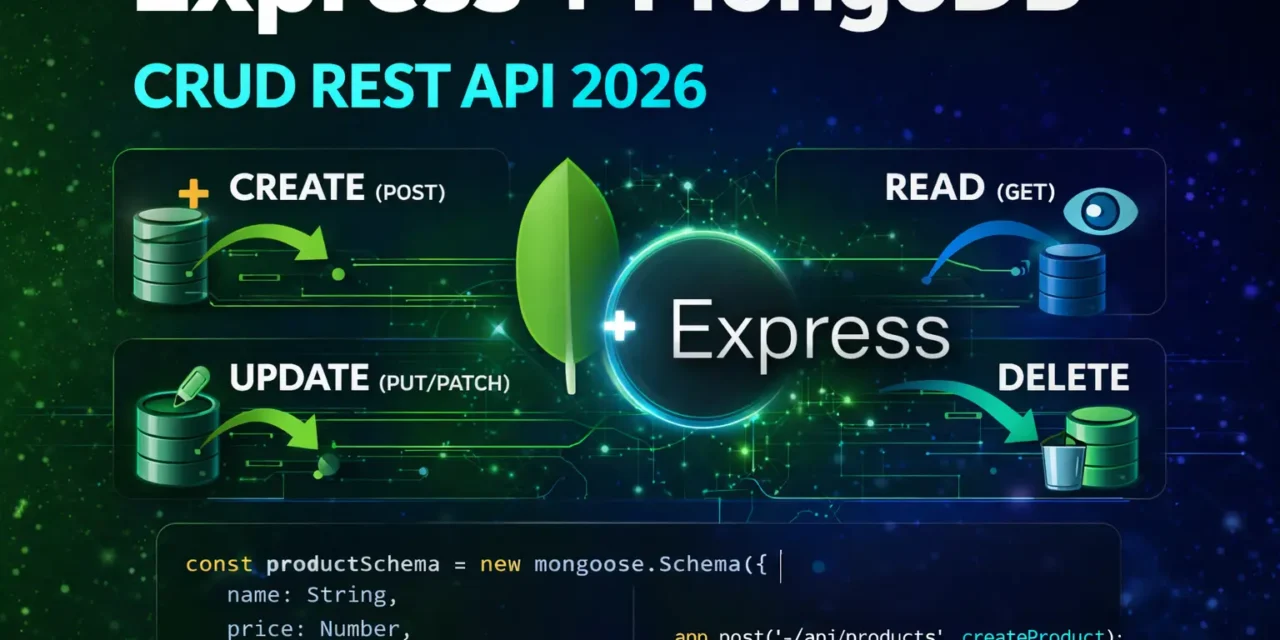
क्या तुमने कभी सोचा है – Express.js and MongoDB se complete CRUD API कैसे बनाएं? Create, Read, Update, Delete – ye sab database ke saath कैसे implement करें?
MongoDB एक NoSQL database है and Express ke saath perfect pair बनता है। Mongoose ODM use करके database operations bohot easy हो जाते हैं।
Express MongoDB CRUD REST API Hindi में समझना बहुत जरूरी है क्योंकि:
- MERN stack ka core part है
- Every real-world app mein CRUD operations होते हैं
- Interview mein pakka CRUD API questions puche jayenge
- Production-ready API banane ka तरीका सीखोगे
आज क्या सीखोगे?
| Topic | क्या सीखेगा? |
|---|---|
| MongoDB Setup | Atlas ya local connection |
| Mongoose Setup | Schema and Model |
| Create (POST) | Database mein data insert |
| Read (GET) | Data fetch (single + all) |
| Update (PUT/PATCH) | Data modify |
| Delete (DELETE) | Data remove |
| Filtering | Query parameters |
| Pagination | Limit, skip, sort |
| Complete API | Production-ready example |
Kya tumhe pata hai?
Mongoose schema validation automatically handle करता है – tumhe manual validation nahi karni padti!
तो चलिए शुरू करते हैं – Express MongoDB CRUD REST API Hindi सीखने का सफर! 🚀
Table of Contents
1. MongoDB & Mongoose – Introduction
MongoDB एक NoSQL document database है – data JSON-like documents में store होता है।
Mongoose एक ODM (Object Data Modeling) library है MongoDB के लिए – schema validation, relationships, queries को easy बनाता है।
MongoDB Document Example:
{
  "_id": "65f1a2b3c4d5e6f7g8h9i0j1",
  "name": "Laptop",
  "price": 50000,
  "category": "electronics",
  "inStock": true,
  "createdAt": "2024-01-15T10:30:00.000Z"
}
Why Mongoose?
| Feature | Benefit |
|---|---|
| Schema | Define data structure |
| Validation | Auto data validation |
| Query Building | Easy MongoDB queries |
| Middleware | Pre/post hooks |
| Relationships | Populate references |
| Type Casting | Automatic type conversion |
Express MongoDB CRUD REST API Hindi में हम complete product management API बनाएंगे।
2. Project Setup – Installation
Step 1: Create Project
mkdir express-mongodb-crud
cd express-mongodb-crud
npm init -y
Step 2: Install Dependencies
# Core dependencies
npm install express mongoose dotenv

# Development dependencies
npm install -D nodemon

# Optional (security & utilities)
npm install cors helmet morgan
Step 3: Project Structure
express-mongodb-crud/
├── src/
│   ├── models/
│   │   └── Product.js
│   ├── routes/
│   │   └── products.js
│   ├── controllers/
│   │   └── productController.js
│   ├── middleware/
│   │   └── errorHandler.js
│   ├── config/
│   │   └── database.js
│   └── app.js
├── .env
├── .gitignore
├── package.json
└── server.js
Step 4: package.json Scripts
{
  "scripts": {
    "start": "node server.js",
    "dev": "nodemon server.js"
  }
}
Step 5: Environment Variables (.env)
# .env
PORT=5000
NODE_ENV=development
MONGODB_URI=mongodb+srv://username:password@cluster.mongodb.net/productdb?retryWrites=true&w=majority
3. Database Connection – MongoDB Atlas
MongoDB Atlas Setup:
- Sign up at mongodb.com/atlas
- Create free cluster
- Get connection string
- Add IP whitelist (0.0.0.0/0 for development)
Database Connection Code:
// src/config/database.js
const mongoose = require('mongoose');

const connectDB = async () => {
  try {
    const conn = await mongoose.connect(process.env.MONGODB_URI);
    console.log(`✅ MongoDB Connected: ${conn.connection.host}`);
    console.log(`📦 Database: ${conn.connection.name}`);
  } catch (error) {
    console.error(`❌ MongoDB Connection Error: ${error.message}`);
    process.exit(1);
  }
};

module.exports = connectDB;
Main Server File:
// server.js
require('dotenv').config();
const express = require('express');
const cors = require('cors');
const helmet = require('helmet');
const morgan = require('morgan');
const connectDB = require('./src/config/database');
const productRoutes = require('./src/routes/products');
const errorHandler = require('./src/middleware/errorHandler');

// Connect to database
connectDB();

const app = express();
const PORT = process.env.PORT || 5000;

// Middleware
app.use(helmet());
app.use(cors());
app.use(morgan('dev'));
app.use(express.json());
app.use(express.urlencoded({ extended: true }));

// Routes
app.use('/api/products', productRoutes);

// Health check
app.get('/health', (req, res) => {
  res.status(200).json({
    status: 'OK',
    timestamp: new Date().toISOString(),
    uptime: process.uptime(),
    database: mongoose.connection.readyState === 1 ? 'Connected' : 'Disconnected'
  });
});

// 404 handler
app.use('*', (req, res) => {
  res.status(404).json({
    success: false,
    error: `Cannot ${req.method} ${req.originalUrl}`
  });
});

// Global error handler
app.use(errorHandler);

// Start server
app.listen(PORT, () => {
  console.log(`🚀 Server running on http://localhost:${PORT}`);
  console.log(`📝 Environment: ${process.env.NODE_ENV}`);
});
4. Mongoose Schema – Product Model
Product Schema:
// src/models/Product.js
const mongoose = require('mongoose');

const productSchema = new mongoose.Schema({
  name: {
    type: String,
    required: [true, 'Product name is required'],
    trim: true,
    minlength: [3, 'Product name must be at least 3 characters'],
    maxlength: [100, 'Product name cannot exceed 100 characters']
  },
  description: {
    type: String,
    required: [true, 'Product description is required'],
    trim: true,
    minlength: [10, 'Description must be at least 10 characters'],
    maxlength: [1000, 'Description cannot exceed 1000 characters']
  },
  price: {
    type: Number,
    required: [true, 'Product price is required'],
    min: [0, 'Price cannot be negative'],
    max: [10000000, 'Price cannot exceed 10,000,000']
  },
  category: {
    type: String,
    required: [true, 'Product category is required'],
    enum: {
      values: ['electronics', 'clothing', 'books', 'home', 'beauty', 'sports', 'toys', 'other'],
      message: '{VALUE} is not a valid category'
    },
    default: 'other'
  },
  brand: {
    type: String,
    trim: true,
    maxlength: [50, 'Brand name cannot exceed 50 characters']
  },
  stock: {
    type: Number,
    required: [true, 'Stock quantity is required'],
    min: [0, 'Stock cannot be negative'],
    default: 0
  },
  rating: {
    type: Number,
    min: [0, 'Rating cannot be less than 0'],
    max: [5, 'Rating cannot exceed 5'],
    default: 0
  },
  images: [{
    type: String,
    url: String,
    publicId: String
  }],
  isActive: {
    type: Boolean,
    default: true
  },
  tags: [{
    type: String,
    trim: true
  }],
  createdBy: {
    type: mongoose.Schema.Types.ObjectId,
    ref: 'User'
  }
}, {
  timestamps: true // Adds createdAt and updatedAt automatically
});

// Indexes for better query performance
productSchema.index({ name: 'text', description: 'text' });
productSchema.index({ category: 1 });
productSchema.index({ price: 1 });
productSchema.index({ createdAt: -1 });

// Virtual for discounted price
productSchema.virtual('discountedPrice').get(function() {
  if (this.discount) {
    return this.price * (1 - this.discount / 100);
  }
  return this.price;
});

// Middleware: Before saving
productSchema.pre('save', function(next) {
  // Convert name to title case
  if (this.name) {
    this.name = this.name.split(' ')
      .map(word => word.charAt(0).toUpperCase() + word.slice(1).toLowerCase())
      .join(' ');
  }
  next();
});

// Instance method
productSchema.methods.updateStock = async function(quantity) {
  this.stock += quantity;
  return await this.save();
};

// Static method
productSchema.statics.findByCategory = function(category) {
  return this.find({ category, isActive: true });
};

// To JSON transform (remove __v, etc.)
productSchema.set('toJSON', {
  transform: (doc, ret) => {
    ret.id = ret._id;
    delete ret._id;
    delete ret.__v;
    return ret;
  }
});

const Product = mongoose.model('Product', productSchema);

module.exports = Product;
5. Create (POST) – Product Create API
Product Controller:
// src/controllers/productController.js
const Product = require('../models/Product');

// @desc    Create a new product
// @route   POST /api/products
// @access  Public (or Private with auth)
const createProduct = async (req, res, next) => {
  try {
    const { name, description, price, category, brand, stock, tags } = req.body;

    // Check if product with same name exists
    const existingProduct = await Product.findOne({ name });
    if (existingProduct) {
      return res.status(409).json({
        success: false,
        error: `Product with name "${name}" already exists`
      });
    }

    const product = await Product.create({
      name,
      description,
      price,
      category,
      brand,
      stock: stock || 0,
      tags: tags || []
    });

    res.status(201).json({
      success: true,
      message: 'Product created successfully',
      data: product
    });
  } catch (error) {
    next(error);
  }
};

// @desc    Create multiple products (bulk)
// @route   POST /api/products/bulk
// @access  Public
const createBulkProducts = async (req, res, next) => {
  try {
    const products = req.body.products;

    if (!Array.isArray(products) || products.length === 0) {
      return res.status(400).json({
        success: false,
        error: 'Products array is required'
      });
    }

    const createdProducts = await Product.insertMany(products);

    res.status(201).json({
      success: true,
      message: `${createdProducts.length} products created successfully`,
      data: createdProducts
    });
  } catch (error) {
    next(error);
  }
};

module.exports = {
  createProduct,
  createBulkProducts
};
Product Routes:
// src/routes/products.js
const express = require('express');
const router = express.Router();
const {
  createProduct,
  createBulkProducts
} = require('../controllers/productController');

// POST /api/products - Create single product
router.post('/', createProduct);

// POST /api/products/bulk - Create multiple products
router.post('/bulk', createBulkProducts);

module.exports = router;
6. Read (GET) – Get Products API
Get All Products with Filtering:
// src/controllers/productController.js (continued)

// @desc    Get all products with filtering, sorting, pagination
// @route   GET /api/products
// @access  Public
const getAllProducts = async (req, res, next) => {
  try {
    const {
      category,
      minPrice,
      maxPrice,
      brand,
      inStock,
      minRating,
      search,
      sortBy = 'createdAt',
      order = 'desc',
      page = 1,
      limit = 10
    } = req.query;

    // Build filter object
    const filter = {};

    if (category) {
      filter.category = category;
    }

    if (brand) {
      filter.brand = brand;
    }

    if (minPrice || maxPrice) {
      filter.price = {};
      if (minPrice) filter.price.$gte = Number(minPrice);
      if (maxPrice) filter.price.$lte = Number(maxPrice);
    }

    if (inStock === 'true') {
      filter.stock = { $gt: 0 };
    } else if (inStock === 'false') {
      filter.stock = 0;
    }

    if (minRating) {
      filter.rating = { $gte: Number(minRating) };
    }

    if (search) {
      filter.$or = [
        { name: { $regex: search, $options: 'i' } },
        { description: { $regex: search, $options: 'i' } },
        { tags: { $in: [new RegExp(search, 'i')] } }
      ];
    }

    // Pagination
    const pageNum = parseInt(page);
    const limitNum = parseInt(limit);
    const skip = (pageNum - 1) * limitNum;

    // Sorting
    const sort = {};
    sort[sortBy] = order === 'desc' ? -1 : 1;

    // Execute query
    const [products, total] = await Promise.all([
      Product.find(filter)
        .sort(sort)
        .skip(skip)
        .limit(limitNum)
        .select('-__v'),
      Product.countDocuments(filter)
    ]);

    res.status(200).json({
      success: true,
      count: products.length,
      total,
      pagination: {
        page: pageNum,
        limit: limitNum,
        totalPages: Math.ceil(total / limitNum),
        hasNext: pageNum * limitNum < total,
        hasPrev: pageNum > 1
      },
      data: products
    });
  } catch (error) {
    next(error);
  }
};

// @desc    Get product by ID
// @route   GET /api/products/:id
// @access  Public
const getProductById = async (req, res, next) => {
  try {
    const { id } = req.params;

    // Check if ID is valid MongoDB ObjectId
    if (!mongoose.Types.ObjectId.isValid(id)) {
      return res.status(400).json({
        success: false,
        error: 'Invalid product ID format'
      });
    }

    const product = await Product.findById(id).select('-__v');

    if (!product) {
      return res.status(404).json({
        success: false,
        error: `Product with ID ${id} not found`
      });
    }

    res.status(200).json({
      success: true,
      data: product
    });
  } catch (error) {
    next(error);
  }
};

// @desc    Get products by category
// @route   GET /api/products/category/:category
// @access  Public
const getProductsByCategory = async (req, res, next) => {
  try {
    const { category } = req.params;
    const { limit = 20 } = req.query;

    const products = await Product.findByCategory(category)
      .limit(parseInt(limit))
      .select('-__v');

    res.status(200).json({
      success: true,
      count: products.length,
      category,
      data: products
    });
  } catch (error) {
    next(error);
  }
};

// @desc    Get all unique categories
// @route   GET /api/products/categories/all
// @access  Public
const getCategories = async (req, res, next) => {
  try {
    const categories = await Product.distinct('category');

    res.status(200).json({
      success: true,
      count: categories.length,
      data: categories
    });
  } catch (error) {
    next(error);
  }
};

module.exports = {
  createProduct,
  createBulkProducts,
  getAllProducts,
  getProductById,
  getProductsByCategory,
  getCategories
};
Update Routes:
// src/routes/products.js (updated)
const express = require('express');
const router = express.Router();
const {
  createProduct,
  createBulkProducts,
  getAllProducts,
  getProductById,
  getProductsByCategory,
  getCategories
} = require('../controllers/productController');

// GET routes
router.get('/', getAllProducts);
router.get('/categories', getCategories);
router.get('/category/:category', getProductsByCategory);
router.get('/:id', getProductById);

// POST routes
router.post('/', createProduct);
router.post('/bulk', createBulkProducts);

module.exports = router;
7. Read Single (GET) – Get Product by ID
(Already covered in section above)
8. Update (PUT/PATCH) – Update Product
Update Controllers:
// src/controllers/productController.js (continued)

// @desc    Update product (full update - PUT)
// @route   PUT /api/products/:id
// @access  Public
const updateProductFull = async (req, res, next) => {
  try {
    const { id } = req.params;
    const { name, description, price, category, brand, stock, rating, tags } = req.body;

    // Check if ID is valid
    if (!mongoose.Types.ObjectId.isValid(id)) {
      return res.status(400).json({
        success: false,
        error: 'Invalid product ID format'
      });
    }

    // Full update requires all fields
    if (!name || !description || !price || !category) {
      return res.status(400).json({
        success: false,
        error: 'Name, description, price, and category are required for full update'
      });
    }

    const product = await Product.findByIdAndUpdate(
      id,
      {
        name,
        description,
        price,
        category,
        brand,
        stock: stock || 0,
        rating: rating || 0,
        tags: tags || []
      },
      {
        new: true,      // Return updated document
        runValidators: true,  // Run schema validation
        context: 'query'
      }
    ).select('-__v');

    if (!product) {
      return res.status(404).json({
        success: false,
        error: `Product with ID ${id} not found`
      });
    }

    res.status(200).json({
      success: true,
      message: 'Product updated successfully',
      data: product
    });
  } catch (error) {
    next(error);
  }
};

// @desc    Update product (partial update - PATCH)
// @route   PATCH /api/products/:id
// @access  Public
const updateProductPartial = async (req, res, next) => {
  try {
    const { id } = req.params;
    const updates = req.body;

    // Check if ID is valid
    if (!mongoose.Types.ObjectId.isValid(id)) {
      return res.status(400).json({
        success: false,
        error: 'Invalid product ID format'
      });
    }

    // Remove fields that shouldn't be updated
    delete updates._id;
    delete updates.__v;
    delete updates.createdAt;

    const product = await Product.findByIdAndUpdate(
      id,
      updates,
      {
        new: true,
        runValidators: true,
        context: 'query'
      }
    ).select('-__v');

    if (!product) {
      return res.status(404).json({
        success: false,
        error: `Product with ID ${id} not found`
      });
    }

    res.status(200).json({
      success: true,
      message: 'Product updated successfully',
      data: product
    });
  } catch (error) {
    next(error);
  }
};

// @desc    Update product stock
// @route   PATCH /api/products/:id/stock
// @access  Public
const updateStock = async (req, res, next) => {
  try {
    const { id } = req.params;
    const { quantity } = req.body;

    if (quantity === undefined) {
      return res.status(400).json({
        success: false,
        error: 'Quantity is required'
      });
    }

    const product = await Product.findById(id);

    if (!product) {
      return res.status(404).json({
        success: false,
        error: `Product with ID ${id} not found`
      });
    }

    await product.updateStock(quantity);

    res.status(200).json({
      success: true,
      message: 'Stock updated successfully',
      data: product
    });
  } catch (error) {
    next(error);
  }
};

module.exports = {
  // ... previous exports
  updateProductFull,
  updateProductPartial,
  updateStock
};
Update Routes:
// src/routes/products.js (updated)
const express = require('express');
const router = express.Router();
const {
  createProduct,
  createBulkProducts,
  getAllProducts,
  getProductById,
  getProductsByCategory,
  getCategories,
  updateProductFull,
  updateProductPartial,
  updateStock
} = require('../controllers/productController');

// GET routes
router.get('/', getAllProducts);
router.get('/categories', getCategories);
router.get('/category/:category', getProductsByCategory);
router.get('/:id', getProductById);

// POST routes
router.post('/', createProduct);
router.post('/bulk', createBulkProducts);

// PUT routes (full update)
router.put('/:id', updateProductFull);

// PATCH routes (partial update)
router.patch('/:id', updateProductPartial);
router.patch('/:id/stock', updateStock);

module.exports = router;
9. Delete (DELETE) – Remove Product
Delete Controllers:
// src/controllers/productController.js (continued)

// @desc    Delete product (hard delete)
// @route   DELETE /api/products/:id
// @access  Public
const deleteProduct = async (req, res, next) => {
  try {
    const { id } = req.params;

    // Check if ID is valid
    if (!mongoose.Types.ObjectId.isValid(id)) {
      return res.status(400).json({
        success: false,
        error: 'Invalid product ID format'
      });
    }

    const product = await Product.findByIdAndDelete(id);

    if (!product) {
      return res.status(404).json({
        success: false,
        error: `Product with ID ${id} not found`
      });
    }

    res.status(200).json({
      success: true,
      message: 'Product deleted successfully',
      data: {
        id: product._id,
        name: product.name
      }
    });
  } catch (error) {
    next(error);
  }
};

// @desc    Delete multiple products (bulk)
// @route   DELETE /api/products/bulk
// @access  Public
const deleteBulkProducts = async (req, res, next) => {
  try {
    const { ids } = req.body;

    if (!Array.isArray(ids) || ids.length === 0) {
      return res.status(400).json({
        success: false,
        error: 'Products IDs array is required'
      });
    }

    const result = await Product.deleteMany({ _id: { $in: ids } });

    res.status(200).json({
      success: true,
      message: `${result.deletedCount} products deleted successfully`,
      data: {
        deletedCount: result.deletedCount
      }
    });
  } catch (error) {
    next(error);
  }
};

// @desc    Soft delete (set isActive to false)
// @route   PATCH /api/products/:id/soft-delete
// @access  Public
const softDeleteProduct = async (req, res, next) => {
  try {
    const { id } = req.params;

    const product = await Product.findByIdAndUpdate(
      id,
      { isActive: false },
      { new: true }
    ).select('-__v');

    if (!product) {
      return res.status(404).json({
        success: false,
        error: `Product with ID ${id} not found`
      });
    }

    res.status(200).json({
      success: true,
      message: 'Product soft deleted successfully',
      data: product
    });
  } catch (error) {
    next(error);
  }
};

// @desc    Restore soft deleted product
// @route   PATCH /api/products/:id/restore
// @access  Public
const restoreProduct = async (req, res, next) => {
  try {
    const { id } = req.params;

    const product = await Product.findByIdAndUpdate(
      id,
      { isActive: true },
      { new: true }
    ).select('-__v');

    if (!product) {
      return res.status(404).json({
        success: false,
        error: `Product with ID ${id} not found`
      });
    }

    res.status(200).json({
      success: true,
      message: 'Product restored successfully',
      data: product
    });
  } catch (error) {
    next(error);
  }
};

module.exports = {
  // ... previous exports
  deleteProduct,
  deleteBulkProducts,
  softDeleteProduct,
  restoreProduct
};
Complete Routes:
// src/routes/products.js (complete)
const express = require('express');
const router = express.Router();
const {
  // Create
  createProduct,
  createBulkProducts,

  // Read
  getAllProducts,
  getProductById,
  getProductsByCategory,
  getCategories,

  // Update
  updateProductFull,
  updateProductPartial,
  updateStock,

  // Delete
  deleteProduct,
  deleteBulkProducts,
  softDeleteProduct,
  restoreProduct
} = require('../controllers/productController');

// ============ GET Routes ============
router.get('/', getAllProducts);
router.get('/categories', getCategories);
router.get('/category/:category', getProductsByCategory);
router.get('/:id', getProductById);

// ============ POST Routes ============
router.post('/', createProduct);
router.post('/bulk', createBulkProducts);

// ============ PUT Routes ============
router.put('/:id', updateProductFull);

// ============ PATCH Routes ============
router.patch('/:id', updateProductPartial);
router.patch('/:id/stock', updateStock);
router.patch('/:id/soft-delete', softDeleteProduct);
router.patch('/:id/restore', restoreProduct);

// ============ DELETE Routes ============
router.delete('/:id', deleteProduct);
router.delete('/bulk/delete', deleteBulkProducts);

module.exports = router;
10. Filtering & Pagination
Advanced Query Features:
// src/controllers/productController.js - Enhanced getAllProducts

const getAllProductsAdvanced = async (req, res, next) => {
  try {
    // 1. Filtering
    const queryObj = { ...req.query };
    const excludedFields = ['page', 'sort', 'limit', 'fields', 'search'];
    excludedFields.forEach(field => delete queryObj[field]);

    // 2. Advanced filtering (gte, gt, lte, lt)
    let queryStr = JSON.stringify(queryObj);
    queryStr = queryStr.replace(/\b(gte|gt|lte|lt)\b/g, match => `$${match}`);

    let query = Product.find(JSON.parse(queryStr));

    // 3. Search (text search)
    if (req.query.search) {
      query = query.find({
        $text: { $search: req.query.search }
      });
    }

    // 4. Sorting
    if (req.query.sort) {
      const sortBy = req.query.sort.split(',').join(' ');
      query = query.sort(sortBy);
    } else {
      query = query.sort('-createdAt');
    }

    // 5. Field limiting
    if (req.query.fields) {
      const fields = req.query.fields.split(',').join(' ');
      query = query.select(fields);
    } else {
      query = query.select('-__v');
    }

    // 6. Pagination
    const page = parseInt(req.query.page) || 1;
    const limit = parseInt(req.query.limit) || 10;
    const skip = (page - 1) * limit;

    query = query.skip(skip).limit(limit);

    // Execute query
    const products = await query;
    const total = await Product.countDocuments(JSON.parse(queryStr));

    res.status(200).json({
      success: true,
      count: products.length,
      total,
      pagination: {
        page,
        limit,
        totalPages: Math.ceil(total / limit),
        hasNext: page * limit < total,
        hasPrev: page > 1
      },
      data: products
    });
  } catch (error) {
    next(error);
  }
};
11. Complete Product API
Error Handler Middleware:
// src/middleware/errorHandler.js
const mongoose = require('mongoose');

const errorHandler = (err, req, res, next) => {
  let error = { ...err };
  error.message = err.message;

  // Log error
  console.error('Error:', err);

  // Mongoose bad ObjectId
  if (err.name === 'CastError') {
    const message = `Resource not found with id of ${err.value}`;
    error = { message, statusCode: 404 };
  }

  // Mongoose duplicate key
  if (err.code === 11000) {
    const field = Object.keys(err.keyPattern)[0];
    const message = `Duplicate field value: ${field}. Please use another value`;
    error = { message, statusCode: 409 };
  }

  // Mongoose validation error
  if (err.name === 'ValidationError') {
    const messages = Object.values(err.errors).map(val => val.message);
    const message = `Invalid input data: ${messages.join('. ')}`;
    error = { message, statusCode: 400 };
  }

  res.status(error.statusCode || 500).json({
    success: false,
    error: error.message || 'Server Error',
    stack: process.env.NODE_ENV === 'development' ? err.stack : undefined
  });
};

module.exports = errorHandler;
12. Testing with Postman
API Endpoints:
| Method | Endpoint | Description |
|---|---|---|
| POST | /api/products | Create product |
| POST | /api/products/bulk | Create multiple products |
| GET | /api/products | Get all products |
| GET | /api/products/:id | Get product by ID |
| GET | /api/products/category/:category | Get by category |
| GET | /api/products/categories | Get all categories |
| PUT | /api/products/:id | Full update |
| PATCH | /api/products/:id | Partial update |
| PATCH | /api/products/:id/stock | Update stock |
| PATCH | /api/products/:id/soft-delete | Soft delete |
| PATCH | /api/products/:id/restore | Restore product |
| DELETE | /api/products/:id | Hard delete |
| DELETE | /api/products/bulk/delete | Bulk delete |
Test Examples:
# Create product
curl -X POST http://localhost:5000/api/products \
  -H "Content-Type: application/json" \
  -d '{
    "name": "MacBook Pro",
    "description": "Apple M3 chip, 16GB RAM, 512GB SSD",
    "price": 150000,
    "category": "electronics",
    "brand": "Apple",
    "stock": 10
  }'

# Get all products with filters
curl "http://localhost:5000/api/products?category=electronics&minPrice=50000&sortBy=price&order=desc&page=1&limit=5"

# Get product by ID
curl http://localhost:5000/api/products/65f1a2b3c4d5e6f7g8h9i0j1

# Update product
curl -X PATCH http://localhost:5000/api/products/65f1a2b3c4d5e6f7g8h9i0j1 \
  -H "Content-Type: application/json" \
  -d '{"price": 145000, "stock": 8}'

# Delete product
curl -X DELETE http://localhost:5000/api/products/65f1a2b3c4d5e6f7g8h9i0j1
13. Common Mistakes + Solutions
Mistake 1: Not handling MongoDB connection errors
// ❌ No error handling
mongoose.connect(process.env.MONGODB_URI);

// ✅ Handle connection errors
mongoose.connect(process.env.MONGODB_URI)
  .then(() => console.log('Connected'))
  .catch(err => {
    console.error('Connection failed:', err);
    process.exit(1);
  });
Mistake 2: Not validating ObjectId
// ❌ Invalid ID crashes app
const product = await Product.findById(req.params.id);

// ✅ Validate ID first
if (!mongoose.Types.ObjectId.isValid(req.params.id)) {
  return res.status(400).json({ error: 'Invalid ID format' });
}
Mistake 3: Not using lean() for read-only queries
// ❌ Returns Mongoose documents (heavy)
const products = await Product.find();

// ✅ Use lean() for plain objects (faster)
const products = await Product.find().lean();
Mistake 4: Forgetting to handle duplicate keys
// ❌ Duplicate email crashes
await User.create({ email });

// ✅ Handle duplicate error
try {
  await User.create({ email });
} catch (error) {
  if (error.code === 11000) {
    return res.status(409).json({ error: 'Email already exists' });
  }
}
14. Quick Cheat Sheet
Mongoose CRUD Operations:
// CREATE
const product = new Product(data);
await product.save();
// OR
const product = await Product.create(data);

// READ (all)
const products = await Product.find(filter).sort().skip().limit();

// READ (single)
const product = await Product.findById(id);
// OR
const product = await Product.findOne({ name: 'Laptop' });

// UPDATE
const product = await Product.findByIdAndUpdate(id, updates, { new: true });

// DELETE
await Product.findByIdAndDelete(id);
// OR
await Product.deleteMany({ condition });
Common Filters:
// Comparison operators
{ price: { $gte: 100, $lte: 1000 } }
{ age: { $gt: 18 } }
{ name: { $in: ['John', 'Jane'] } }

// Logical operators
{ $or: [{ price: { $lt: 100 } }, { category: 'sale' }] }
{ $and: [{ price: { $gte: 100 } }, { inStock: true }] }

// Text search
{ $text: { $search: 'laptop' } }

// Array operations
{ tags: { $in: ['electronics'] } }
15. FAQ
Q1: Express MongoDB CRUD REST API Hindi में सबसे important kya hai?
Mongoose schema validation – ye database mein invalid data enter होने से रोकता है।
Q2: MongoDB Atlas vs local – kya use karein?
Development – local, Production – Atlas (managed, scalable, backup)
Q3: findByIdAndUpdate vs updateOne – kya antar hai?findByIdAndUpdate returns updated document, updateOne returns only update result.
Q4: lean() kyun use karein?
Performance के लिए – Mongoose documents के बजाय plain JavaScript objects return करता है।
Q5: Virtual fields kya hote hain?
Schema में define किए गए fields जो database में store नहीं होते – computed properties के लिए।
Q6: Populate kya karta hai?
References को actual documents से replace करता है (joins for MongoDB)।
Q7: Index kyun banayein?
Query performance improve करने के लिए – frequently queried fields पर index banाएं।
Q8: Soft delete क्या होता है?isActive: false mark करना – data delete नहीं होता, बस hidden हो जाता है।
Q9: Bulk operations kaise perform karein?insertMany(), updateMany(), deleteMany() – multiple documents पर operation।
Q10: Production mein connection pool size kitna rakhein?
Default 100 है – जरूरत के according adjust करो।
16. Conclusion
बहुत बढ़िया दोस्तों! आज हमने Express MongoDB CRUD REST API Hindi को पूरी detail में समझा।
Quick Recap:
| Operation | Method | Mongoose Method |
|---|---|---|
| Create | POST | create() or save() |
| Read | GET | find(), findById() |
| Update | PUT/PATCH | findByIdAndUpdate() |
| Delete | DELETE | findByIdAndDelete() |
Mera personal experience:
MongoDB + Express combination bohot powerful है। Mongoose schema validation se data consistency बनी रहती है। Pagination, filtering, sorting – sab easily implement हो जाता है।
Tum bhi ye steps follow karo:
- ✅ MongoDB Atlas account banao
- ✅ Mongoose schema define करो
- ✅ CRUD API implement करो
- ✅ Filtering + pagination add करो
- ✅ Error handling add करो
अब तुम्हारी बारी है!
नीचे comment में बताओ:
- तुम MongoDB use karoge ya SQL?
- कौन सा CRUD operation सबसे easy लगा?
- अगला topic क्या चाहिए? (JWT Authentication? File Upload? Socket.io with MongoDB?)
The Easy Master पर बने रहो। Happy Coding! 🚀💻
Resources
Additional Resources
- React.js Kya Hai? JSX aur Components Samjhe – Beginner Guide 2026
- React Props and State Data Flow Hindi – समझे आसान भाषा में 2026
- React Router v6 – Multi-Page App Banaye (Routing Guide) 2026
- Advanced React Hooks – useContext and useReducer Samjhe 2026
- Redux Toolkit Simplified – State Management Aasaan Tarika 2026
- React API Integration Made Easy with Fetch and Axios
- React Performance Optimization – App Ko Fast कैसे बनाएं 2026
- React 19 New Features – AI Integration with React (2026)
- Node.js क्या है? 2026 में अपना पहला Backend Server बनाएँ
- NPM Packages कैसे इंस्टॉल करें? Modules (ESM vs CommonJS) 2026
- Express.js Tutorial – REST API Routing और Middleware समझे 2026
- Prisma ORM MongoDB से Database Connect कैसे करें – Easy Tutorial Hindi
- JWT Authentication Node.js – Secure Login System बनाए 2026
- WebSockets Node.js – Live Chat App कैसे बनाएं (Socket.io)
- Async Await vs Promises – Node.js में Async Code कैसे सीखें?
- Microservices Architecture node.js आसान हिंदी Explanation 2026
- Docker से Node.js App Production Ready Deploy करें 2026
- Express.js Setup – पहला Server कैसे बनाएं (Step-by-Step) 2026
- Express.js Routing – GET POST PUT DELETE Complete Guide
- Express Middleware समझे – Application, Router, Error Middleware
- Express req and res Objects – Query, Params, Body, Headers Explained
- Express Static Files और Templating – EJS से Dynamic HTML Banaye
- Express Router – API Routes को Organize करें (Modular Code)
- Express.js में Environment Variables – .env File कैसे Use करें
- Express File Upload Multer Tutorial | Image PDF Hindi 2026
- Express Security – Helmet, CORS, Rate Limiting, Validation (2026)
- Express + TypeScript – Type-Safe API कैसे बनाएं 2026
- Express MongoDB CRUD – Complete REST API Example 2026
- Express Logging – Morgan और Winston से Debug करें
- Express API Testing – Supertest से Routes Test करें
- MongoDB Setup – CRUD Operations समझे (Beginner Guide) 2026
- MongoDB Compass से GUI Database Manage करने का आसान तरीका | Beginner Tutorial 2026
- Node.js MongoDB Connection – Mongoose Setup समझे 2026
- MongoDB Data Modeling – Embedded Documents vs References 2026
- MongoDB Indexing – Query Speed बढ़ने करने का आसान तरीका
- MongoDB Aggregation Pipeline – Stages समझे | Practical Examples