
नमस्ते दोस्तों! 🙏
स्वागत है The Easy Master पर!
क्या तुमने कभी सोचा है – Production mein Express app kaise debug karein? Console.log se kaam nahi चलेगा – logs files में save करने होंगे, different levels (info, error, warn) चाहिए।
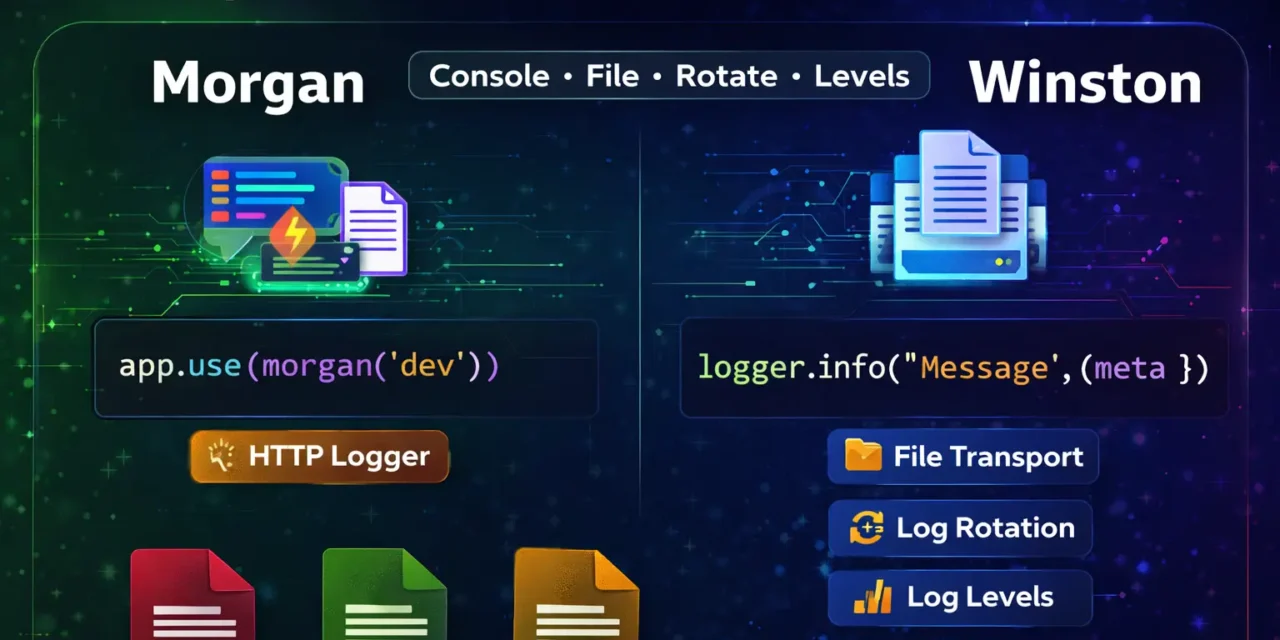
Logging development और production dono mein essential है। Morgan HTTP requests log करता है, Winston advanced logging (files, levels, rotation) provide करता है।
Express logging Morgan Winston Hindi में समझना बहुत जरूरी है क्योंकि:
- Debugging – errors track करना easy
- Monitoring – app ka performance देखना
- Audit – who did what, kab किया
- Production – console.log काम नहीं करता
- Interview mein pakka logging questions puche jayenge
Aaj kya seekhoge?
| Topic | Kya Seekhega? |
|---|---|
| Morgan | HTTP request logger |
| Winston | Advanced logging library |
| Log Levels | error, warn, info, debug |
| Log Files | Files में logs save |
| Log Rotation | Files auto rotate |
| Error Logging | Errors track karna |
| Production Setup | Complete logging system |
Kya tumhe pata hai?
Morgan dev format mein colorful console output देता है – development mein bohot helpful!
तो चलिए शुरू करते हैं – Express logging Morgan Winston Hindi सीखने का सफर! 🚀
Table of Contents
1. Logging क्या Hai? – Introduction
Logging application ke activities को record करने का process है।
Why Logging?
| Benefit | Explanation |
|---|---|
| Debugging | Errors ka pata lagana |
| Monitoring | App performance track |
| Security | Suspicious activities detect |
| Audit | User actions record |
| Analytics | Usage patterns analyze |
Console.log Problems:
// ❌ Console.log problems
console.log('User logged in'); // Only in console
console.log(user); // No log levels
// No file storage
// No log rotation
// No production support
Professional Logging:
// ✅ Professional logging
logger.info('User logged in', { userId: 123 });
logger.error('Database connection failed', { error: err });
logger.warn('Rate limit approaching', { ip: req.ip });
logger.debug('Request body', { body: req.body });
Express logging Morgan Winston Hindi में हम production-ready logging setup बनाएंगे।
2. Morgan – HTTP Request Logger
Morgan Express middleware है जो HTTP requests को log करता है।
Installation:
npm install morganBasic Setup:
// server.js
const express = require('express');
const morgan = require('morgan');

const app = express();

// Use morgan middleware
app.use(morgan('dev'));

app.get('/', (req, res) => {
  res.json({ message: 'Hello World' });
});

app.listen(3000);
Morgan Formats:
| Format | Output | Use Case |
|---|---|---|
dev | GET /api/users 200 5ms | Development |
combined | Apache combined format | Production |
common | Apache common format | Production |
short | Shorter than common | Quick logs |
tiny | Minimal output | Simple logging |
Format Examples:
// dev format (colored, concise)
app.use(morgan('dev'));
// Output: GET /api/users 200 5.123 ms - 234

// combined format (detailed, Apache style)
app.use(morgan('combined'));
// Output: ::1 - - [18/Apr/2026:10:30:00 +0000] "GET / HTTP/1.1" 200 12 "-" "Mozilla/5.0..."

// common format
app.use(morgan('common'));
// Output: ::1 - - [18/Apr/2026:10:30:00 +0000] "GET / HTTP/1.1" 200 12

// short format
app.use(morgan('short'));
// Output: ::1 - GET / HTTP/1.1 200 12 - 5ms

// tiny format
app.use(morgan('tiny'));
// Output: GET / 200 12 - 5ms
Custom Morgan Format:
// Custom token
morgan.token('custom', (req, res) => {
  return req.user ? req.user.id : 'anonymous';
});

morgan.token('body', (req, res) => {
  return JSON.stringify(req.body);
});

// Custom format
app.use(morgan(':method :url :status :response-time ms - User: :custom - Body: :body'));

// Output: POST /api/users 201 15ms - User: anonymous - Body: {"name":"Rahul"}
Morgan with Different Environments:
// server.js
const express = require('express');
const morgan = require('morgan');
const fs = require('fs');
const path = require('path');

const app = express();

// Create log directory
const logDirectory = path.join(__dirname, 'logs');
if (!fs.existsSync(logDirectory)) {
  fs.mkdirSync(logDirectory);
}

// Development logging (console)
if (process.env.NODE_ENV === 'development') {
  app.use(morgan('dev'));
}

// Production logging (file)
if (process.env.NODE_ENV === 'production') {
  const accessLogStream = fs.createWriteStream(
    path.join(logDirectory, 'access.log'),
    { flags: 'a' }
  );
  app.use(morgan('combined', { stream: accessLogStream }));
}

// Always log errors to separate file
const errorLogStream = fs.createWriteStream(
  path.join(logDirectory, 'error.log'),
  { flags: 'a' }
);
app.use(morgan('combined', {
  stream: errorLogStream,
  skip: (req, res) => res.statusCode < 400 // Only log errors
}));
3. Winston – Advanced Logging Library
Winston advanced logging library है – multiple transports, log levels, file rotation।
Installation:
npm install winstonBasic Winston Setup:
// config/logger.js
const winston = require('winston');

const logger = winston.createLogger({
  level: 'info',
  format: winston.format.combine(
    winston.format.timestamp(),
    winston.format.json()
  ),
  transports: [
    new winston.transports.Console(),
    new winston.transports.File({ filename: 'logs/error.log', level: 'error' }),
    new winston.transports.File({ filename: 'logs/combined.log' })
  ]
});

module.exports = logger;
Using Winston:
// app.js
const logger = require('./config/logger');

// Different log levels
logger.error('Database connection failed', { error: err.message });
logger.warn('Rate limit approaching', { ip: '192.168.1.1' });
logger.info('User logged in', { userId: 123, email: 'user@example.com' });
logger.http('API request received', { method: 'GET', url: '/api/users' });
logger.debug('Request body', { body: req.body });
logger.verbose('Verbose details');
Winston Output:
// logs/combined.log
{"level":"info","message":"User logged in","timestamp":"2026-04-18T10:30:00.000Z","userId":123,"email":"user@example.com"}
{"level":"error","message":"Database connection failed","timestamp":"2026-04-18T10:31:00.000Z","error":"Connection timeout"}
4. Log Levels – error, warn, info, debug
Winston Log Levels:
| Level | Priority | Use Case |
|---|---|---|
error | 0 | Application errors, exceptions |
warn | 1 | Warnings, deprecations |
info | 2 | Important events (login, order) |
http | 3 | HTTP requests |
verbose | 4 | Detailed information |
debug | 5 | Debugging information |
silly | 6 | Very detailed (everything) |
Custom Log Levels:
// config/logger.js
const winston = require('winston');

const customLevels = {
  levels: {
    fatal: 0,
    error: 1,
    warn: 2,
    info: 3,
    http: 4,
    debug: 5,
    trace: 6
  },
  colors: {
    fatal: 'red',
    error: 'red',
    warn: 'yellow',
    info: 'green',
    http: 'magenta',
    debug: 'blue',
    trace: 'gray'
  }
};

winston.addColors(customLevels.colors);

const logger = winston.createLogger({
  levels: customLevels.levels,
  format: winston.format.combine(
    winston.format.timestamp(),
    winston.format.colorize(),
    winston.format.printf(({ level, message, timestamp, ...meta }) => {
      return `${timestamp} [${level}]: ${message} ${Object.keys(meta).length ? JSON.stringify(meta) : ''}`;
    })
  ),
  transports: [
    new winston.transports.Console({
      level: process.env.NODE_ENV === 'production' ? 'info' : 'debug'
    }),
    new winston.transports.File({
      filename: 'logs/error.log',
      level: 'error'
    }),
    new winston.transports.File({
      filename: 'logs/combined.log'
    })
  ]
});

module.exports = logger;
5. Winston Transports – Console, File, Combined
Console Transport:
new winston.transports.Console({
  level: 'debug',
  format: winston.format.combine(
    winston.format.colorize(),
    winston.format.simple()
  )
})
File Transport:
new winston.transports.File({
  filename: 'logs/error.log',
  level: 'error',
  maxsize: 5242880, // 5MB
  maxFiles: 5,
  tailable: true,
  format: winston.format.json()
})
Multiple Transports Combined:
// config/logger.js
const winston = require('winston');
const path = require('path');

const logDir = 'logs';

const logger = winston.createLogger({
  level: process.env.LOG_LEVEL || 'info',
  format: winston.format.combine(
    winston.format.timestamp({
      format: 'YYYY-MM-DD HH:mm:ss'
    }),
    winston.format.errors({ stack: true }),
    winston.format.splat(),
    winston.format.json()
  ),
  transports: [
    // Console transport (always on)
    new winston.transports.Console({
      format: winston.format.combine(
        winston.format.colorize(),
        winston.format.printf(({ timestamp, level, message, ...meta }) => {
          return `${timestamp} [${level}]: ${message} ${Object.keys(meta).length ? JSON.stringify(meta) : ''}`;
        })
      )
    }),

    // File transport - all logs
    new winston.transports.File({
      filename: path.join(logDir, 'combined.log'),
      maxsize: 10485760, // 10MB
      maxFiles: 5,
      tailable: true
    }),

    // File transport - only errors
    new winston.transports.File({
      filename: path.join(logDir, 'error.log'),
      level: 'error',
      maxsize: 10485760,
      maxFiles: 5
    })
  ]
});

// Add separate transport for HTTP logs
const httpLogger = winston.createLogger({
  transports: [
    new winston.transports.File({
      filename: path.join(logDir, 'http.log'),
      maxsize: 10485760,
      maxFiles: 5
    })
  ]
});

module.exports = { logger, httpLogger };
6. Log Rotation – Daily Rotate Files
Install Rotation Package:
npm install winston-daily-rotate-fileDaily Rotate Setup:
// config/logger.js
const winston = require('winston');
const DailyRotateFile = require('winston-daily-rotate-file');
const path = require('path');

const logDir = 'logs';

// Daily rotate transport
const dailyRotateTransport = new DailyRotateFile({
  filename: path.join(logDir, 'application-%DATE%.log'),
  datePattern: 'YYYY-MM-DD',
  zippedArchive: true,
  maxSize: '20m',
  maxFiles: '14d',
  format: winston.format.combine(
    winston.format.timestamp(),
    winston.format.json()
  )
});

const errorRotateTransport = new DailyRotateFile({
  filename: path.join(logDir, 'error-%DATE%.log'),
  datePattern: 'YYYY-MM-DD',
  level: 'error',
  zippedArchive: true,
  maxSize: '20m',
  maxFiles: '30d'
});

const logger = winston.createLogger({
  level: process.env.LOG_LEVEL || 'info',
  format: winston.format.combine(
    winston.format.timestamp(),
    winston.format.json()
  ),
  transports: [
    new winston.transports.Console({
      format: winston.format.combine(
        winston.format.colorize(),
        winston.format.simple()
      )
    }),
    dailyRotateTransport,
    errorRotateTransport
  ]
});

module.exports = logger;
7. Morgan + Winston Integration
Combine Morgan with Winston:
// config/logger.js
const winston = require('winston');
const DailyRotateFile = require('winston-daily-rotate-file');
const path = require('path');

const logDir = 'logs';

// Winston logger setup
const logger = winston.createLogger({
  level: 'info',
  format: winston.format.combine(
    winston.format.timestamp(),
    winston.format.json()
  ),
  transports: [
    new winston.transports.Console({
      format: winston.format.combine(
        winston.format.colorize(),
        winston.format.simple()
      )
    }),
    new DailyRotateFile({
      filename: path.join(logDir, 'app-%DATE%.log'),
      datePattern: 'YYYY-MM-DD',
      maxSize: '20m',
      maxFiles: '14d'
    })
  ]
});

// Create stream for morgan
const morganStream = {
  write: (message) => {
    logger.info(message.trim());
  }
};

module.exports = { logger, morganStream };// server.js
const express = require('express');
const morgan = require('morgan');
const { logger, morganStream } = require('./config/logger');
const app = express();
// Use morgan with winston stream
app.use(morgan('combined', { stream: morganStream }));
// Also log to console in development
if (process.env.NODE_ENV === 'development') {
app.use(morgan('dev'));
}
app.get('/', (req, res) => {
logger.info('Home page accessed', { ip: req.ip });
res.json({ message: 'Hello World' });
});
app.listen(3000);Complete Morgan + Winston Integration:
// middleware/logger.js
const morgan = require('morgan');
const { logger } = require('../config/logger');

// Custom morgan token for request ID
morgan.token('id', (req) => req.id);
morgan.token('user', (req) => req.user?.id || 'anonymous');
morgan.token('body', (req) => JSON.stringify(req.body));

// Custom format
const customFormat = ':id :method :url :status :response-time ms - :user - Body: :body';

// Morgan stream for winston
const stream = {
  write: (message) => {
    logger.http(message.trim());
  }
};

// Development morgan (console)
const devMorgan = morgan('dev');

// Production morgan (file)
const prodMorgan = morgan(customFormat, { stream });

// Conditionally export
const morganMiddleware = process.env.NODE_ENV === 'production' ? prodMorgan : devMorgan;

module.exports = morganMiddleware;
8. Error Logging – Errors Track Karna
Error Logging Middleware:
// middleware/errorLogger.js
const { logger } = require('../config/logger');

const errorLogger = (err, req, res, next) => {
  // Log error details
  logger.error({
    message: err.message,
    stack: err.stack,
    url: req.url,
    method: req.method,
    ip: req.ip,
    user: req.user?.id,
    body: req.body,
    query: req.query,
    params: req.params,
    timestamp: new Date().toISOString()
  });

  next(err);
};

module.exports = errorLogger;
Uncaught Exception & Rejection Handling:
// server.js
const { logger } = require('./config/logger');

// Handle uncaught exceptions
process.on('uncaughtException', (error) => {
  logger.error('Uncaught Exception:', { error: error.message, stack: error.stack });
  process.exit(1);
});

// Handle unhandled promise rejections
process.on('unhandledRejection', (reason, promise) => {
  logger.error('Unhandled Rejection:', { reason, promise });
});

// Graceful shutdown
process.on('SIGTERM', () => {
  logger.info('SIGTERM received, shutting down gracefully');
  server.close(() => {
    logger.info('Process terminated');
    process.exit(0);
  });
});
9. Production Logging Setup
Complete Production Logger:
// config/logger.js
const winston = require('winston');
const DailyRotateFile = require('winston-daily-rotate-file');
const path = require('path');
const fs = require('fs');

// Create logs directory
const logDir = 'logs';
if (!fs.existsSync(logDir)) {
  fs.mkdirSync(logDir);
}

// Define log format
const logFormat = winston.format.combine(
  winston.format.timestamp({ format: 'YYYY-MM-DD HH:mm:ss' }),
  winston.format.errors({ stack: true }),
  winston.format.splat(),
  winston.format.json()
);

// Console format (human readable)
const consoleFormat = winston.format.combine(
  winston.format.colorize(),
  winston.format.timestamp({ format: 'YYYY-MM-DD HH:mm:ss' }),
  winston.format.printf(({ timestamp, level, message, ...meta }) => {
    let log = `${timestamp} [${level}]: ${message}`;
    if (Object.keys(meta).length) {
      log += ` ${JSON.stringify(meta)}`;
    }
    return log;
  })
);

// Create logger instance
const logger = winston.createLogger({
  level: process.env.LOG_LEVEL || (process.env.NODE_ENV === 'production' ? 'info' : 'debug'),
  format: logFormat,
  transports: [
    // Error logs
    new DailyRotateFile({
      filename: path.join(logDir, 'error-%DATE%.log'),
      level: 'error',
      datePattern: 'YYYY-MM-DD',
      maxSize: '20m',
      maxFiles: '30d',
      format: logFormat
    }),

    // All logs
    new DailyRotateFile({
      filename: path.join(logDir, 'combined-%DATE%.log'),
      datePattern: 'YYYY-MM-DD',
      maxSize: '20m',
      maxFiles: '14d',
      format: logFormat
    })
  ]
});

// Add console transport in development
if (process.env.NODE_ENV !== 'production') {
  logger.add(new winston.transports.Console({
    format: consoleFormat
  }));
}

// Create HTTP logger separately
const httpLogger = winston.createLogger({
  transports: [
    new DailyRotateFile({
      filename: path.join(logDir, 'http-%DATE%.log'),
      datePattern: 'YYYY-MM-DD',
      maxSize: '20m',
      maxFiles: '7d'
    })
  ]
});

// Helper methods with metadata
const logWithContext = (level, message, meta = {}) => {
  const enhancedMeta = {
    ...meta,
    pid: process.pid,
    hostname: require('os').hostname(),
    environment: process.env.NODE_ENV
  };
  logger[level](message, enhancedMeta);
};

module.exports = {
  logger,
  httpLogger,
  logWithContext
};
Using in Express App:
// server.js
require('dotenv').config();
const express = require('express');
const morgan = require('morgan');
const { logger, httpLogger, logWithContext } = require('./config/logger');

const app = express();

// Morgan stream for HTTP logs
const morganStream = {
  write: (message) => {
    httpLogger.info(message.trim());
  }
};

// Morgan middleware
app.use(morgan('combined', { stream: morganStream }));

// Request logging middleware
app.use((req, res, next) => {
  const start = Date.now();

  res.on('finish', () => {
    const duration = Date.now() - start;
    logger.http(`${req.method} ${req.url} - ${res.statusCode} - ${duration}ms`);
  });

  next();
});

// Routes
app.get('/', (req, res) => {
  logWithContext('info', 'Home page accessed', { ip: req.ip });
  res.json({ message: 'Hello World' });
});

app.get('/api/users', (req, res) => {
  logWithContext('debug', 'Fetching users', { query: req.query });
  res.json([{ id: 1, name: 'Rahul' }]);
});

app.post('/api/users', (req, res) => {
  logWithContext('info', 'Creating user', { body: req.body });
  res.status(201).json({ message: 'User created' });
});

// Error route example
app.get('/api/error', (req, res) => {
  try {
    throw new Error('Something went wrong!');
  } catch (error) {
    logWithContext('error', 'Error occurred', { error: error.message, stack: error.stack });
    res.status(500).json({ error: 'Internal server error' });
  }
});

// 404 handler
app.use('*', (req, res) => {
  logWithContext('warn', 'Route not found', { url: req.originalUrl, method: req.method });
  res.status(404).json({ error: 'Route not found' });
});

// Global error handler
app.use((err, req, res, next) => {
  logWithContext('error', 'Global error handler', {
    error: err.message,
    stack: err.stack,
    url: req.url,
    method: req.method
  });
  res.status(500).json({ error: 'Internal server error' });
});

const PORT = process.env.PORT || 3000;
app.listen(PORT, () => {
  logger.info(`Server started on port ${PORT}`, { environment: process.env.NODE_ENV });
});
10. Real-world Example – Complete Logger
Complete Production-Ready Logging System:
// config/logger.js (Complete)
const winston = require('winston');
const DailyRotateFile = require('winston-daily-rotate-file');
const path = require('path');
const fs = require('fs');

// Ensure log directory exists
const logDir = process.env.LOG_DIR || 'logs';
if (!fs.existsSync(logDir)) {
  fs.mkdirSync(logDir, { recursive: true });
}

// Define log levels
const levels = {
  fatal: 0,
  error: 1,
  warn: 2,
  info: 3,
  http: 4,
  debug: 5
};

// Define level colors
const colors = {
  fatal: 'red',
  error: 'red',
  warn: 'yellow',
  info: 'green',
  http: 'magenta',
  debug: 'blue'
};

winston.addColors(colors);

// JSON format for files
const jsonFormat = winston.format.combine(
  winston.format.timestamp({ format: 'YYYY-MM-DD HH:mm:ss.SSS' }),
  winston.format.errors({ stack: true }),
  winston.format.json()
);

// Human-readable format for console
const consoleFormat = winston.format.combine(
  winston.format.colorize(),
  winston.format.timestamp({ format: 'HH:mm:ss' }),
  winston.format.printf(({ timestamp, level, message, ...meta }) => {
    let log = `${timestamp} ${level}: ${message}`;
    if (Object.keys(meta).length > 0) {
      log += ` ${JSON.stringify(meta)}`;
    }
    return log;
  })
);

// Create logger
const logger = winston.createLogger({
  levels,
  level: process.env.LOG_LEVEL || (process.env.NODE_ENV === 'production' ? 'info' : 'debug'),
  format: jsonFormat,
  transports: [
    // Console transport (development only)
    ...(process.env.NODE_ENV !== 'production' ? [
      new winston.transports.Console({
        format: consoleFormat,
        level: 'debug'
      })
    ] : []),

    // All logs (rotating)
    new DailyRotateFile({
      filename: path.join(logDir, 'app-%DATE%.log'),
      datePattern: 'YYYY-MM-DD',
      maxSize: '20m',
      maxFiles: '14d',
      format: jsonFormat
    }),

    // Error logs only
    new DailyRotateFile({
      filename: path.join(logDir, 'error-%DATE%.log'),
      level: 'error',
      datePattern: 'YYYY-MM-DD',
      maxSize: '20m',
      maxFiles: '30d',
      format: jsonFormat
    })
  ],
  exceptionHandlers: [
    new DailyRotateFile({
      filename: path.join(logDir, 'exceptions.log'),
      datePattern: 'YYYY-MM-DD',
      maxSize: '20m',
      maxFiles: '30d'
    })
  ],
  rejectionHandlers: [
    new DailyRotateFile({
      filename: path.join(logDir, 'rejections.log'),
      datePattern: 'YYYY-MM-DD',
      maxSize: '20m',
      maxFiles: '30d'
    })
  ]
});

// Create HTTP logger (separate)
const httpLogger = winston.createLogger({
  levels,
  format: jsonFormat,
  transports: [
    new DailyRotateFile({
      filename: path.join(logDir, 'http-%DATE%.log'),
      datePattern: 'YYYY-MM-DD',
      maxSize: '20m',
      maxFiles: '7d',
      format: winston.format.combine(
        winston.format.timestamp(),
        winston.format.json()
      )
    })
  ]
});

// Morgan stream for HTTP logs
const morganStream = {
  write: (message) => {
    httpLogger.http(message.trim());
  }
};

// Helper function for request logging
const logRequest = (req, res, next) => {
  const start = Date.now();

  res.on('finish', () => {
    const duration = Date.now() - start;
    const logData = {
      method: req.method,
      url: req.url,
      status: res.statusCode,
      duration: `${duration}ms`,
      ip: req.ip,
      userAgent: req.get('user-agent'),
      userId: req.user?.id || 'anonymous'
    };

    if (res.statusCode >= 500) {
      logger.error('Request failed', logData);
    } else if (res.statusCode >= 400) {
      logger.warn('Client error', logData);
    } else {
      logger.http('Request processed', logData);
    }
  });

  next();
};

module.exports = {
  logger,
  httpLogger,
  morganStream,
  logRequest
};
11. Common Mistakes + Solutions
Mistake 1: Using console.log in production
// ❌ No file storage
console.log('User logged in');

// ✅ Use logger
logger.info('User logged in', { userId: 123 });
Mistake 2: Not handling log rotation
// ❌ Logs keep growing, disk full
new winston.transports.File({ filename: 'app.log' })

// ✅ Use rotation
new DailyRotateFile({
  filename: 'app-%DATE%.log',
  maxSize: '20m',
  maxFiles: '14d'
})
Mistake 3: Logging sensitive data
// ❌ Logging passwords
logger.info('User login', { email, password }); // Password exposed!

// ✅ Don't log sensitive data
logger.info('User login', { email }); // Safe
Mistake 4: Too much logging
// ❌ Logging every iteration
for (let i = 0; i < 10000; i++) {
  logger.debug(`Processing item ${i}`); // 10,000 logs!
}

// ✅ Log summary
logger.debug(`Processing ${items.length} items`);
12. Quick Cheat Sheet
Morgan Formats:
// Development
morgan('dev')

// Production
morgan('combined')

// Custom
morgan(':method :url :status :response-time ms')
Winston Levels:
logger.error('Error message');
logger.warn('Warning message');
logger.info('Info message');
logger.http('HTTP message');
logger.debug('Debug message');
Winston Transports:
// Console
new winston.transports.Console()

// File
new winston.transports.File({ filename: 'app.log' })

// Rotating file
new DailyRotateFile({
  filename: 'app-%DATE%.log',
  maxSize: '20m',
  maxFiles: '14d'
})
13. FAQ
Q1: Express logging Morgan Winston Hindi में सबसे important kya hai?
Log levels (error, warn, info, debug) – different environments के लिए different levels set करना।
Q2: Morgan vs Winston – kya antar hai?
Morgan – HTTP request logger (Express middleware)। Winston – general purpose logging library।
Q3: Production mein kaunsa format use karein?
JSON format (winston.format.json()) – parsing और analysis easy होता है।
Q4: Log rotation kyun chahiye?
Files बहुत बड़ी हो जाती हैं – rotation से auto split और old files delete हो जाती हैं।
Q5: Winston mein multiple transports kyun use karein?
Console (development), File (production), Error file (errors only), HTTP file (requests) – अलग-अलग destinations।
Q6: Morgan stream kya hota है?
Morgan logs को custom destination (jaise Winston) भेजने के लिए stream object।
Q7: Log levels kaise decide karein?
error – app crashes, warn – potential issues, info – important events, debug – development details।
Q8: Sensitive data log कैसे avoid karein?
Passwords, tokens, credit cards – कभी log न करें। Sanitize middleware use करें।
Q9: Production mein log level kya rakhein?info – errors और important events के लिए। debug performance degrade कर सकता है।
Q10: Logs को centralize कैसे करें?
ELK stack (Elasticsearch, Logstash, Kibana), Datadog, Papertrail – multiple servers के logs एक जगह।
14. Conclusion
बहुत बढ़िया दोस्तों! आज हमने Express logging Morgan Winston Hindi को पूरी detail में समझा।
Quick Recap:
| Tool | Purpose | Best For |
|---|---|---|
| Morgan | HTTP request logging | API monitoring |
| Winston | General logging | Application logs |
| Log Levels | error, warn, info, debug | Log organization |
| Transports | Console, File, Rotate | Log destinations |
| Rotation | Auto file split | Production |
Mera personal experience:
Pehle main console.log use karta था – production mein kuch pata नहीं चलता था। Winston + Morgan use करने के बाद debugging bohot easy हो गई। Log rotation से files manage करना भी easy है।
Tum bhi ye steps follow karo:
- ✅ Morgan install करो (HTTP logging)
- ✅ Winston install करो (advanced logging)
- ✅ Log levels define करो
- ✅ File transports add करो
- ✅ Log rotation setup करो
अब तुम्हारी बारी है!
नीचे comment में बताओ:
- तुम कौन सा logging tool use karoge?
- क्या तुमने कभी production में logs analyze kiya है?
- अगला topic क्या चाहिए? (PM2 Process Manager? Docker Logging? Monitoring Tools?)
The Easy Master पर बने रहो। Happy Logging! 🚀📝
Resources
Additional Resources
- React.js Kya Hai? JSX aur Components Samjhe – Beginner Guide 2026
- React Props and State Data Flow Hindi – समझे आसान भाषा में 2026
- React Router v6 – Multi-Page App Banaye (Routing Guide) 2026
- Advanced React Hooks – useContext and useReducer Samjhe 2026
- Redux Toolkit Simplified – State Management Aasaan Tarika 2026
- React API Integration Made Easy with Fetch and Axios
- React Performance Optimization – App Ko Fast कैसे बनाएं 2026
- React 19 New Features – AI Integration with React (2026)
- Node.js क्या है? 2026 में अपना पहला Backend Server बनाएँ
- NPM Packages कैसे इंस्टॉल करें? Modules (ESM vs CommonJS) 2026
- Express.js Tutorial – REST API Routing और Middleware समझे 2026
- Prisma ORM MongoDB से Database Connect कैसे करें – Easy Tutorial Hindi
- JWT Authentication Node.js – Secure Login System बनाए 2026
- WebSockets Node.js – Live Chat App कैसे बनाएं (Socket.io)
- Async Await vs Promises – Node.js में Async Code कैसे सीखें?
- Microservices Architecture node.js आसान हिंदी Explanation 2026
- Docker से Node.js App Production Ready Deploy करें 2026
- Express.js Setup – पहला Server कैसे बनाएं (Step-by-Step) 2026
- Express.js Routing – GET POST PUT DELETE Complete Guide
- Express Middleware समझे – Application, Router, Error Middleware
- Express req and res Objects – Query, Params, Body, Headers Explained
- Express Static Files और Templating – EJS से Dynamic HTML Banaye
- Express Router – API Routes को Organize करें (Modular Code)
- Express.js में Environment Variables – .env File कैसे Use करें
- Express File Upload Multer Tutorial | Image PDF Hindi 2026
- Express Security – Helmet, CORS, Rate Limiting, Validation (2026)
- Express + TypeScript – Type-Safe API कैसे बनाएं 2026
- Express MongoDB CRUD – Complete REST API Example 2026
