नमस्ते दोस्तों! 🙏
स्वागत है The Easy Master पर!
क्या तुमने सोचा है – 2026 में React कैसा दिखता है?
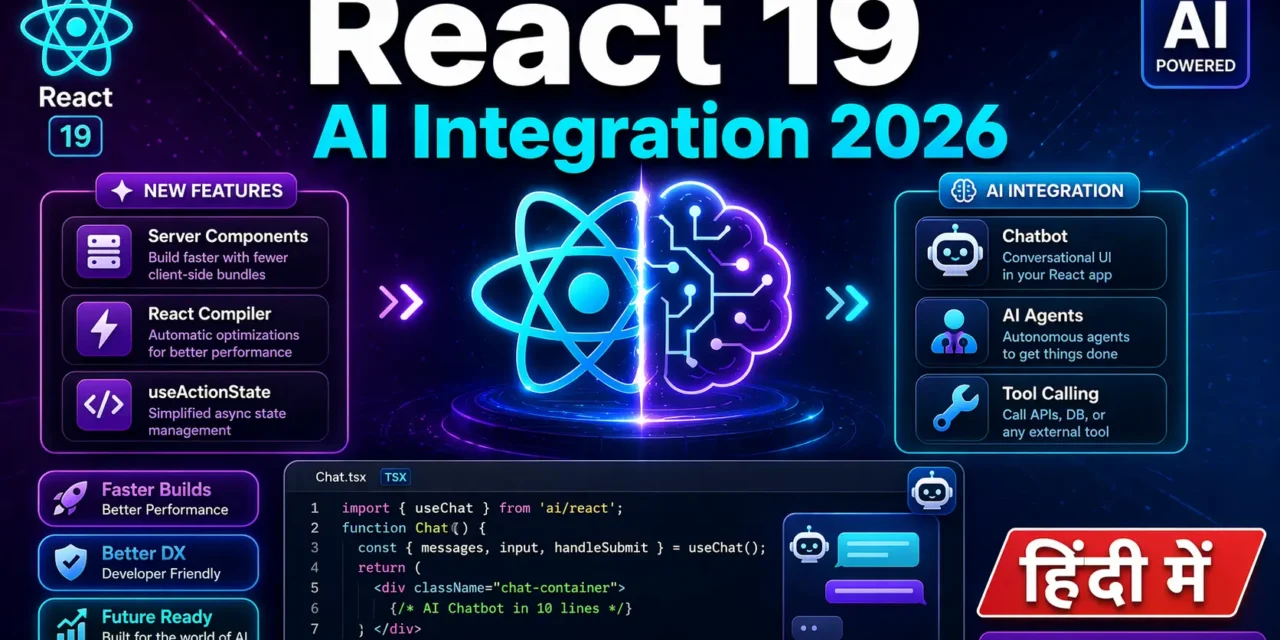
React 19 ने पूरे ecosystem को बदल दिया है :
- Server Components अब stable हैं – experimental nahi
- React Compiler auto-memoization करता है
- AI Integration ab built-in jaisa feel hota hai
- TypeScript ab default hai – 70%+ projects mein
React 19 new features AI integration Hindi में समझना बहुत जरूरी है क्योंकि:
- Job market ab React 19 mangta hai interviews mein
- AI features ab har production app mein lag rahe hain
- Performance boost – build time 50% faster
- 90% teams AI coding assistants use kar rahi hain
Aaj kya seekhoge?
| Topic | Kya Seekhega? |
|---|---|
| React 19 Core Features | Server Components, Actions, Compiler |
| New Hooks | useActionState, useOptimistic, use() |
| React Compiler | Auto-memoization ka magic |
| Vercel AI SDK | AI chatbots in 10 lines of code |
| AI Agents | Tool calling + Human-in-the-loop |
| Modern Stack 2026 | Next.js 16 + shadcn/ui + Tailwind |
Kya tumhe pata hai?
React 19 mein forwardRef deprecated ho gaya hai – ab ref ek normal prop ki tarah pass ho sakta hai!
तो चलिए शुरू करते हैं – React 19 new features AI integration Hindi सीखने का सफर! 🚀
Table of Contents
1. React 19 New Features – Introduction
React 19 new features AI integration Hindi mein hum 2026 ke React ecosystem ko samjhenge.
React 19 Timeline:
Why React 19 Matters:
// React 18 (Old way)
import { forwardRef } from 'react';

const Button = forwardRef((props, ref) => (
  <button ref={ref} {...props} />
));

// React 19 (New way) – ref as normal prop!
function Button({ ref, children, ...props }: { ref?: React.Ref<HTMLButtonElement> }) {
  return <button ref={ref} {...props}>{children}</button>;
}
React 19 new features AI integration Hindi mein hum inhi changes ko detail mein dekhenge .
2. React Server Components (RSC) – Game Changer
Server Components React 19 ka biggest feature hai – components jo server par run hote hain aur client par zero JavaScript bhejte hain .
Zero JavaScript Ka Matlab
- Traditional components client par poora JS bundle bhejte hain (hydration ke liye)
- Server Components ka zero JS matlab hai sirf static HTML/CSS bhejte hain
- Initial load 2-3x faster hota hai kyunki bundle size dramatically kam ho jata hai
Server Component vs Client Component:
// ✅ Server Component (default – no "use client")
// Ye component client par JavaScript nahi bhejta!
async function ProductList() {
  // Direct database access!
  const products = await db.product.findMany();

  return (
    <div>
      {products.map(product => (
        <ProductCard key={product.id} product={product} />
      ))}
    </div>
  );
}

// ✅ Client Component ("use client" directive)
// Interactivity ke liye
'use client';

function AddToCartButton({ productId }: { productId: string }) {
  const [isAdded, setIsAdded] = useState(false);

  return (
    <button onClick={() => setIsAdded(true)}>
      {isAdded ? 'Added!' : 'Add to Cart'}
    </button>
  );
}
RSC Benefits:
Performance Impact (Real Data):
- Bundle size: 218KB+ reduction for content-heavy apps
- TTI (Time to Interactive): 4.2s → 2.5s
- Cold starts: 5ms on edge functions
3. React 19 New Hooks – useActionState, useOptimistic, use()
React 19 ne 3 new hooks introduce kiye hain jo development ko easier banate hain .
3.1 useActionState – Form State Management
useActionState useFormState ka replacement hai – ab pending state bhi expose karta hai.
'use client';

import { useActionState } from 'react';

// Server Action
async function updateProfile(prevState: any, formData: FormData) {
  const name = formData.get('name');

  try {
    await db.user.update({ name });
    return { success: true, message: 'Profile updated!' };
  } catch (error) {
    return { success: false, message: 'Something went wrong' };
  }
}

function ProfileForm() {
  const [state, formAction, isPending] = useActionState(updateProfile, null);

  return (
    <form action={formAction}>
      <input name="name" type="text" />
      <button type="submit" disabled={isPending}>
        {isPending ? 'Saving...' : 'Update Profile'}
      </button>
      {state?.message && <p>{state.message}</p>}
    </form>
  );
}
3.2 useOptimistic – Optimistic UI Updates
useOptimistic immediate UI feedback ke liye – API response ka wait nahi karna padta.
'use client';

import { useOptimistic } from 'react';

function TodoList({ todos }: { todos: Todo[] }) {
  const [optimisticTodos, addOptimisticTodo] = useOptimistic(
    todos,
    (state, newTodo: Todo) => [...state, newTodo]
  );

  async function addTodo(formData: FormData) {
    const newTodo = { id: Date.now(), text: formData.get('todo'), completed: false };

    // UI immediately updates
    addOptimisticTodo(newTodo);

    // Background API call
    await fetch('/api/todos', { method: 'POST', body: formData });
  }

  return (
    <form action={addTodo}>
      <input name="todo" />
      <button type="submit">Add</button>
      <ul>
        {optimisticTodos.map(todo => <li key={todo.id}>{todo.text}</li>)}
      </ul>
    </form>
  );
}
3.3 use() Hook – Promise Resolution
use() hook promises ko directly components mein resolve karne deta hai – Suspense ke saath perfect.
// Without use() – need useEffect
function UserProfile({ userId }: { userId: string }) {
  const [user, setUser] = useState(null);

  useEffect(() => {
    fetchUser(userId).then(setUser);
  }, [userId]);

  if (!user) return <div>Loading...</div>;
  return <div>{user.name}</div>;
}

// With use() – cleaner!
function UserProfile({ userPromise }: { userPromise: Promise<User> }) {
  const user = use(userPromise); // Suspense will handle loading

  return <div>{user.name}</div>;
}

// Parent component
function App() {
  const userPromise = fetchUser('123');

  return (
    <Suspense fallback={<div>Loading user...</div>}>
      <UserProfile userPromise={userPromise} />
    </Suspense>
  );
}
4. React Compiler – Auto-Memoization
React Compiler automatically useMemo aur useCallback ko automatically handle karta hai – manually likhne ki zaroorat nahi .
Before React Compiler (Manual):
// ❌ Manual memoization – error-prone
function ProductList({ products, filter }) {
  const filteredProducts = useMemo(() => {
    return products.filter(p => p.category === filter);
  }, [products, filter]);

  const handleClick = useCallback((id: string) => {
    console.log('Clicked:', id);
  }, []);

  return <div>{/* ... */}</div>;
}
After React Compiler (Automatic):
// ✅ React Compiler – auto-memoized!
function ProductList({ products, filter }) {
  // Compiler automatically memoizes this!
  const filteredProducts = products.filter(p => p.category === filter);

  // Compiler automatically memoizes this!
  const handleClick = (id: string) => {
    console.log('Clicked:', id);
  };

  return <div>{/* ... */}</div>;
}
Enabling React Compiler:
// next.config.js (Next.js 16)
module.exports = {
  reactCompiler: true, // Enable React Compiler
};

// Or with Vite
// vite.config.ts
import react from '@vitejs/plugin-react';

export default {
  plugins: [react({ reactCompiler: true })],
};
Performance Impact:
- 25-40% fewer re-renders in complex apps
- No manual memoization – less code, fewer bugs
- Stable as of React 19.2
5. React 19 Breaking Changes – forwardRef Deprecated
forwardRef No Longer Needed:
// ❌ React 18 – need forwardRef
import { forwardRef } from 'react';

const Button = forwardRef<HTMLButtonElement, ButtonProps>(
  ({ children, ...props }, ref) => (
    <button ref={ref} {...props}>{children}</button>
  )
);

// ✅ React 19 – ref as normal prop!
function Button({ children, ref, ...props }: ButtonProps & { ref?: React.Ref<HTMLButtonElement> }) {
  return <button ref={ref} {...props}>{children}</button>;
}
Other Breaking Changes:
| Old (React 18) | New (React 19) |
|---|---|
useFormState | useActionState |
react-dom/client | react-dom |
Default fetch caching | Explicit 'use cache' |
6. AI Integration with React – Vercel AI SDK
React 19 new features AI integration Hindi mein sabse exciting part – AI SDK 6 jo AI features ko super easy banata hai .
Installation:
npm install ai @ai-sdk/openaiBasic AI Chat Component:
// app/chat/page.tsx
'use client';

import { useChat } from 'ai/react';

export default function ChatPage() {
  const { messages, input, handleInputChange, handleSubmit, isLoading } = useChat({
    api: '/api/chat',
  });

  return (
    <div className="flex flex-col h-screen max-w-2xl mx-auto p-4">
      <div className="flex-1 overflow-y-auto space-y-4">
        {messages.map((message) => (
          <div
            key={message.id}
            className={`p-3 rounded-lg ${
              message.role === 'user' ? 'bg-blue-100 ml-8' : 'bg-gray-100 mr-8'
            }`}
          >
            <p className="text-sm font-semibold capitalize">{message.role}</p>
            <p className="mt-1">{message.content}</p>
          </div>
        ))}
      </div>

      <form onSubmit={handleSubmit} className="flex gap-2 mt-4">
        <input
          value={input}
          onChange={handleInputChange}
          placeholder="Ask anything..."
          className="flex-1 border rounded-lg px-3 py-2"
        />
        <button
          type="submit"
          disabled={isLoading}
          className="bg-blue-500 text-white px-4 py-2 rounded-lg disabled:opacity-50"
        >
          {isLoading ? 'Thinking...' : 'Send'}
        </button>
      </form>
    </div>
  );
}
API Route (Server-side):
// app/api/chat/route.ts
import { streamText } from 'ai';
import { openai } from '@ai-sdk/openai';

export async function POST(req: Request) {
  const { messages } = await req.json();

  const result = streamText({
    model: openai('gpt-4o'),
    messages,
    maxTokens: 1000,
  });

  return result.toDataStreamResponse();
}
That’s it! 10 lines of code aur tumhara AI chatbot ready hai !
7. Building AI Chatbot – Step by Step
Step 1: Setup Next.js 16 Project
npx create-next-app@latest my-ai-app --typescript --tailwind --app
cd my-ai-app
npm install ai @ai-sdk/openai
Step 2: Environment Variables
# .env.local
OPENAI_API_KEY=your_api_key_here
Step 3: Create Chat Component
// app/components/Chat.tsx
'use client';

import { useChat } from 'ai/react';
import { useRef, useEffect } from 'react';

export function Chat() {
  const { messages, input, handleInputChange, handleSubmit, isLoading } = useChat();
  const messagesEndRef = useRef<HTMLDivElement>(null);

  // Auto-scroll to bottom
  useEffect(() => {
    messagesEndRef.current?.scrollIntoView({ behavior: 'smooth' });
  }, [messages]);

  return (
    <div className="flex flex-col h-screen max-w-3xl mx-auto p-4">
      <h1 className="text-2xl font-bold text-center mb-4">AI Assistant</h1>

      <div className="flex-1 overflow-y-auto space-y-4 mb-4">
        {messages.length === 0 && (
          <div className="text-center text-gray-500 mt-10">
            Ask me anything! I'm here to help.
          </div>
        )}

        {messages.map((message) => (
          <div
            key={message.id}
            className={`flex ${message.role === 'user' ? 'justify-end' : 'justify-start'}`}
          >
            <div
              className={`max-w-[80%] p-3 rounded-lg ${
                message.role === 'user'
                  ? 'bg-blue-500 text-white'
                  : 'bg-gray-200 text-gray-800'
              }`}
            >
              <p className="text-sm font-semibold mb-1 capitalize">
                {message.role === 'user' ? 'You' : 'AI'}
              </p>
              <p className="whitespace-pre-wrap">{message.content}</p>
            </div>
          </div>
        ))}

        {isLoading && (
          <div className="flex justify-start">
            <div className="bg-gray-200 p-3 rounded-lg">
              <div className="flex gap-1">
                <span className="w-2 h-2 bg-gray-500 rounded-full animate-bounce" />
                <span className="w-2 h-2 bg-gray-500 rounded-full animate-bounce delay-100" />
                <span className="w-2 h-2 bg-gray-500 rounded-full animate-bounce delay-200" />
              </div>
            </div>
          </div>
        )}

        <div ref={messagesEndRef} />
      </div>

      <form onSubmit={handleSubmit} className="flex gap-2">
        <input
          value={input}
          onChange={handleInputChange}
          placeholder="Type your message..."
          className="flex-1 border rounded-lg px-4 py-2 focus:outline-none focus:ring-2 focus:ring-blue-500"
          disabled={isLoading}
        />
        <button
          type="submit"
          disabled={isLoading}
          className="bg-blue-500 text-white px-6 py-2 rounded-lg hover:bg-blue-600 disabled:opacity-50 transition"
        >
          Send
        </button>
      </form>
    </div>
  );
}
Step 4: API Route
// app/api/chat/route.ts
import { streamText } from 'ai';
import { openai } from '@ai-sdk/openai';

export async function POST(req: Request) {
  const { messages } = await req.json();

  const result = streamText({
    model: openai('gpt-4o-mini'),
    system: "You are a helpful AI assistant. Answer questions clearly and concisely.",
    messages,
    temperature: 0.7,
    maxTokens: 1000,
  });

  return result.toDataStreamResponse();
}
Step 5: Use in App
// app/page.tsx
import { Chat } from './components/Chat';

export default function Home() {
  return <Chat />;
}
8. AI Agents and Tool Calling
AI SDK 6 introduced first-class agent abstraction with tool calling .
Defining Tools:
// app/api/chat/route.ts
import { streamText, tool } from 'ai';
import { openai } from '@ai-sdk/openai';
import { z } from 'zod';

const tools = {
  getWeather: tool({
    description: 'Get the current weather for a location',
    parameters: z.object({
      location: z.string().describe('The city and state/country'),
    }),
    execute: async ({ location }) => {
      const weather = await fetchWeather(location);
      return { temperature: weather.temp, condition: weather.condition };
    },
  }),

  searchDatabase: tool({
    description: 'Search products in the database',
    parameters: z.object({
      query: z.string(),
      category: z.string().optional(),
    }),
    execute: async ({ query, category }) => {
      return await db.product.findMany({
        where: { name: { contains: query }, category },
      });
    },
  }),
};

export async function POST(req: Request) {
  const { messages } = await req.json();

  const result = streamText({
    model: openai('gpt-4o'),
    messages,
    tools,
  });

  return result.toDataStreamResponse();
}
Tool Approval (Human-in-the-loop):
// Tool with approval required
const deleteProduct = tool({
  description: 'Delete a product (requires admin approval)',
  parameters: z.object({ productId: z.string() }),
  needsApproval: true, // Agent will pause and wait for approval
  execute: async ({ productId }) => {
    await db.product.delete({ where: { id: productId } });
    return { success: true };
  },
});
9. Modern React Stack 2026 – What to Use
2026 ka recommended stack kuch aisa dikhta hai :
Why This Stack:
// This is the stack in action
import { useChat } from 'ai/react'; // AI SDK
import { Card, CardContent } from '@/components/ui/card'; // shadcn/ui

export default function ChatPage() {
  const { messages, input, handleSubmit, handleInputChange } = useChat();

  return (
    <Card className="max-w-2xl mx-auto">
      <CardContent className="p-4">
        {/* Tailwind CSS v4 for styling */}
        <div className="flex flex-col gap-4">
          {/* ... */}
        </div>
      </CardContent>
    </Card>
  );
}
10. Real-world Project – AI-Powered Support Chat
Complete Project Structure:
my-support-app/
├── app/
│   ├── api/
│   │   └── chat/
│   │       └── route.ts          # AI API route
│   ├── components/
│   │   ├── Chat.tsx              # Chat component
│   │   ├── Message.tsx           # Message bubble
│   │   └── Suggestions.tsx       # Suggested questions
│   ├── layout.tsx
│   └── page.tsx
├── lib/
│   ├── db.ts                     # Database connection
│   └── ai-config.ts              # AI model configuration
└── types/
    └── chat.ts                   # TypeScript types
AI Configuration:
// lib/ai-config.ts
import { openai } from '@ai-sdk/openai';

export const model = openai('gpt-4o-mini');

export const systemPrompt = `You are a customer support AI for "TechStore".
You help customers with:
- Product inquiries
- Order tracking
- Returns and refunds
- Technical support

Be friendly, helpful, and concise. If you don't know something, suggest contacting human support.

Current date: ${new Date().toLocaleDateString()}`;
Enhanced Chat with Suggestions:
// app/components/Suggestions.tsx
'use client';

const suggestions = [
  "How do I track my order?",
  "What's your return policy?",
  "Tell me about shipping",
  "I need help with a defective product",
];

export function Suggestions({ onSelect }: { onSelect: (text: string) => void }) {
  return (
    <div className="flex flex-wrap gap-2 mt-4">
      {suggestions.map((suggestion) => (
        <button
          key={suggestion}
          onClick={() => onSelect(suggestion)}
          className="px-3 py-1 text-sm bg-gray-100 hover:bg-gray-200 rounded-full transition"
        >
          {suggestion}
        </button>
      ))}
    </div>
  );
}
11. Common Mistakes + Solutions
Mistake 1: Server Component mein Client Hook use karna
// ❌ Error – Server Component can't use useState
async function ProductPage() {
  const [count, setCount] = useState(0); // ERROR!
  return <div>{count}</div>;
}

// ✅ Solution – Add 'use client'
'use client';

function ProductPage() {
  const [count, setCount] = useState(0);
  return <div>{count}</div>;
}
Mistake 2: AI SDK version mismatch
# ❌ Wrong – version mismatch
npm install ai@5.x @ai-sdk/openai@6.x

# ✅ Correct – use compatible versions
npm install ai@latest @ai-sdk/openai@latest
Mistake 3: Missing API key
// ❌ Error – OPENAI_API_KEY not set
const result = streamText({ model: openai('gpt-4o'), messages });

// ✅ Solution – Check env variables
if (!process.env.OPENAI_API_KEY) {
  throw new Error('OPENAI_API_KEY is not set');
}
12. Quick Cheat Sheet
13. FAQ
Q1: React 19 new features AI integration Hindi में सबसे important kya hai?
Server Components + AI SDK combo – production-ready AI apps banane का easiest tarika.
Q2: Kya React 19 production-ready hai?
Haan! Dec 2024 se stable hai. React 19.2 (2025) mein React Compiler bhi stable ho gaya .
Q3: React Server Components kyun use karein?
Bundle size 200KB+ kam hota hai, SEO better hota hai, aur database direct access milta hai .
Q4: React Compiler kya karta hai?
Automatically useMemo aur useCallback apply karta hai – 25-40% fewer re-renders .
Q5: Vercel AI SDK 6 kyun use karein?
Streaming, tool calling, agents, aur human-in-the-loop – sab built-in .
Q6: Kya React 19 mein TypeScript compulsory hai?
Nahi, but 70%+ projects TypeScript use kar rahe hain. Highly recommended .
Q7: Next.js 15 vs 16 – kya change hai?
Turbopack stable default, 'use cache' explicit caching model .
Q8: AI integration ke liye kya chahiye?
Vercel AI SDK + OpenAI/Anthropic API key. 10 lines of code mein chatbot ready .
Q9: Kya React 19 old codebases mein migrate kar sakte hain?
Haan, but breaking changes check karo – forwardRef removal, useActionState migration .
Q10: 2026 mein React seekhna worth it hai?
Bilkul! React abhi bhi #1 frontend library hai aur AI integration ke saath aur powerful ho gaya hai .
14. Conclusion
बहुत बढ़िया दोस्तों! आज हमने React 19 new features AI integration Hindi को पूरी detail में समझा।
Quick Recap:
| Feature | Key Takeaway |
|---|---|
| Server Components | Zero client JS, direct DB access |
| React Compiler | Auto-memoization, 25-40% fewer re-renders |
| New Hooks | useActionState, useOptimistic, use() |
| AI SDK 6 | Chatbots, agents, tool calling in minutes |
| Modern Stack | Next.js 16 + Tailwind + shadcn/ui |
Mera personal experience:
React 19 ne meri development speed 2x kar di hai. Server Components se bundle size 40% kam ho gayi, AI SDK se chatbot 30 minutes mein ban jata hai. React Compiler se ab useMemo likhna bhool gaya hoon!
Tum bhi ye steps follow karo:
- ✅ Next.js 16 + React 19 project create karo
- ✅ Server Components vs Client Components samjho
- ✅ AI SDK se ek simple chatbot banao
- ✅ React Compiler enable karo
- ✅ Modern stack adopt karo
अब तुम्हारी बारी है!
नीचे comment में बताओ:
- तुम्हें Server Components samajh aaye?
- क्या तुम AI integration try karoge?
- अगला topic क्या चाहिए? (React Native? Remix? Astro?)
The Easy Master पर बने रहो। Happy Coding with React 19! ⚛️🚀🤖
Resources
Additional Resources
- Master ES6: A Complete Feature Guide with Examples
- Top 10 React Libraries and Tools Every Developer Must Know in 2025
- Top 10 Free APIs for Practice in 2026
- JavaScript Deep Dive 2026: Closures, Promises & Event Loop
- TypeScript Modules Export Import Best Practices – समझे आसान भाषा में 2026
- React.js Kya Hai? JSX aur Components Samjhe – Beginner Guide 2026
- React Props and State Data Flow Hindi – समझे आसान भाषा में 2026
- React Router v6 – Multi-Page App Banaye (Routing Guide) 2026
- Advanced React Hooks – useContext and useReducer Samjhe 2026
- Redux Toolkit Simplified – State Management Aasaan Tarika 2026
- React API Integration Made Easy with Fetch and Axios
- React Performance Optimization – App Ko Fast कैसे बनाएं 2026