नमस्ते दोस्तों! 🙏
स्वागत है The Easy Master पर!
क्या तुमने कभी सोचा है – Functional components mein state aur lifecycle methods kaise use karein?
Pehle React mein Class components mein hi state aur lifecycle methods use ho sakte the. Functional components stateless the – sirf props receive karte the, UI show karte the.
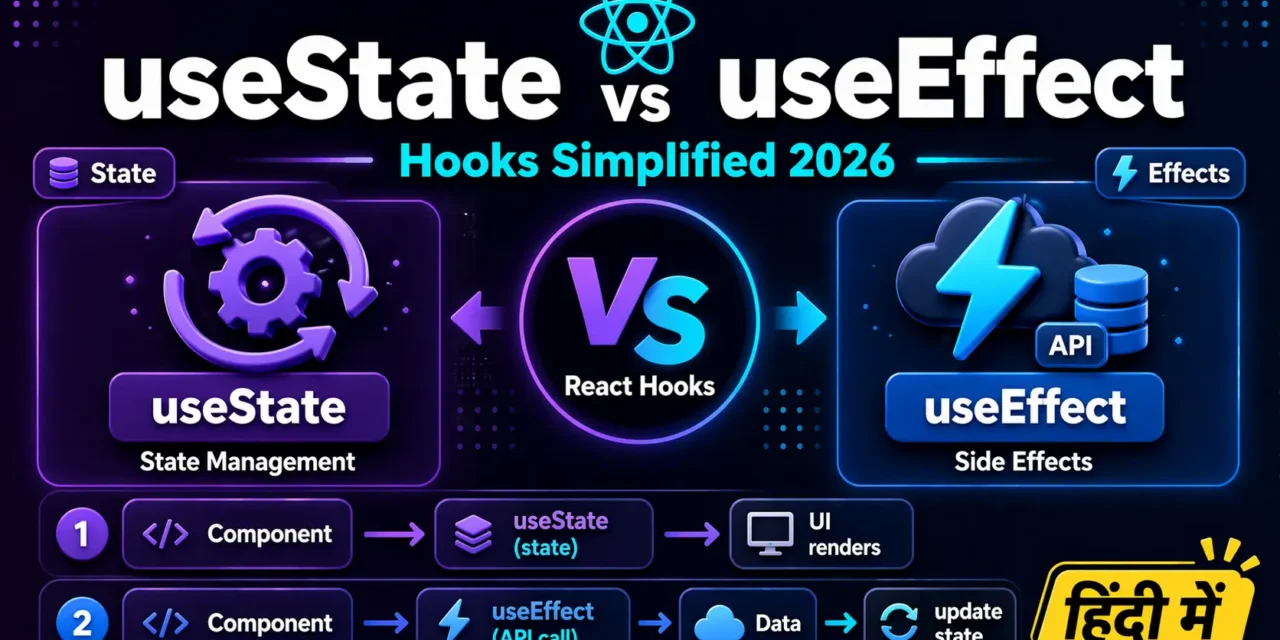
React Hooks Simplified – useState aur useEffect Hindi में समझना बहुत जरूरी है क्योंकि:
- Hooks ne React ko completely change kar diya – ab functional components sab kuch kar sakte hain
- 90% React apps functional components + hooks use karte hain
- Interview में 100% hooks related questions पूछे जाते हैं
- Code 50% shorter aur easier to understand हो जाता है
Aaj kya seekhoge?
| Hook | Kya Karta Hai? |
|---|---|
| useState | Component mein state add karna |
| useEffect | Side effects handle karna (API calls, DOM updates, timers) |
| Rules of Hooks | Hooks use karne ke golden rules |
| Real Projects | Todo App, Weather App, Timer App |
Kya tumhe pata hai?
React Hooks 2019 mein React 16.8 ke saath aaye the. Isse pehle functional components ko dumb components (sirf UI show karne wale) kehte the – ab functional components smart components ban gaye hain!
तो चलिए शुरू करते हैं – React Hooks useState useEffect Hindi सीखने का सफर! 🚀
Table of Contents
1. React Hooks Simplified – Introduction
Hooks special functions hain jo functional components ko state aur lifecycle features dete hain।
React Hooks useState and useEffect Hindi mein hum 2 most important hooks cover karenge:
Class Components (Old Way – Before Hooks):
// ❌ Old Way – Class Component (Ab recommend nahi)
import React from 'react';

class Counter extends React.Component {
  constructor(props) {
    super(props);
    this.state = { count: 0 };
  }

  componentDidMount() {
    console.log('Component mounted');
  }

  componentDidUpdate() {
    console.log('Component updated');
  }

  render() {
    return (
      <button onClick={() => this.setState({ count: this.state.count + 1 })}>
        Count: {this.state.count}
      </button>
    );
  }
}
Functional Components with Hooks (New Way – 2026):
// ✅ New Way – Functional Component with Hooks (Recommended)
import { useState, useEffect } from 'react';

function Counter() {
  const [count, setCount] = useState(0);

  useEffect(() => {
    console.log('Component mounted or updated');
  });

  return (
    <button onClick={() => setCount(count + 1)}>
      Count: {count}
    </button>
  );
}
React Hooks useState useEffect Hindi mein dekhte hain – code kitna clean, short, aur easy ho gaya!
2. Hooks Kya Hain? (Class vs Functional Comparison)
Class Components ke Problems:
| Problem | Explanation |
|---|---|
this binding | this.handleClick = this.handleClick.bind(this) – confusing |
| Code duplication | Lifecycle methods mein same logic baar-baar |
| Complex components | componentDidMount, componentDidUpdate, componentWillUnmount – alag-alag |
| Hard to reuse | Higher Order Components (HOC) aur Render Props – messy |
Hooks ke Solutions:
| Hook | Solves |
|---|---|
| useState | State management (no more this.state and this.setState) |
| useEffect | Lifecycle methods ek jagah (mount, update, unmount) |
| Custom Hooks | Logic reuse easy |
Visual Comparison:
// CLASS COMPONENT (50+ lines)
class UserProfile extends React.Component {
  constructor(props) {
    super(props);
    this.state = { user: null, loading: true };
  }

  componentDidMount() {
    this.fetchUser();
  }

  componentDidUpdate(prevProps) {
    if (prevProps.userId !== this.props.userId) {
      this.fetchUser();
    }
  }

  fetchUser() {
    fetch(`/api/users/${this.props.userId}`)
      .then(res => res.json())
      .then(user => this.setState({ user, loading: false }));
  }

  render() {
    if (this.state.loading) return <div>Loading...</div>;
    return <div>{this.state.user?.name}</div>;
  }
}

// FUNCTIONAL COMPONENT WITH HOOKS (15 lines)
function UserProfile({ userId }) {
  const [user, setUser] = useState(null);
  const [loading, setLoading] = useState(true);

  useEffect(() => {
    fetch(`/api/users/${userId}`)
      .then(res => res.json())
      .then(user => {
        setUser(user);
        setLoading(false);
      });
  }, [userId]); // Re-run when userId changes

  if (loading) return <div>Loading...</div>;
  return <div>{user?.name}</div>;
}
React Hooks useState and useEffect Hindi mein aaj hum yahi seekhenge – kaise chhote code mein powerful components banayein!
3. Rules of Hooks (Golden Rules)
React Hooks useState and useEffect Hindi mein 2 golden rules hamesha yaad rakho:
Rule 1: Hooks ko sirf Top Level par call karo
// ❌ WRONG – Hook inside condition
function Component({ shouldUseHook }) {
  if (shouldUseHook) {
    const [count, setCount] = useState(0); // ❌ NO!
  }
}

// ❌ WRONG – Hook inside loop
function Component() {
  for (let i = 0; i < 10; i++) {
    const [count, setCount] = useState(0); // ❌ NO!
  }
}

// ❌ WRONG – Hook inside nested function
function Component() {
  function handleClick() {
    const [count, setCount] = useState(0); // ❌ NO!
  }
}

// ✅ CORRECT – Top level
function Component() {
  const [count, setCount] = useState(0); // ✅ YES!

  if (condition) {
    // Use count here, don't declare hook
  }
}
Rule 2: Hooks ko sirf React Functions mein call karo
// ✅ CORRECT – React functional component
function MyComponent() {
  const [count, setCount] = useState(0); // ✅
}

// ✅ CORRECT – Custom Hook (name starts with 'use')
function useCustomHook() {
  const [data, setData] = useState(null); // ✅
}

// ❌ WRONG – Regular JavaScript function
function regularFunction() {
  const [count, setCount] = useState(0); // ❌ NO!
}

// ❌ WRONG – Class component
class MyClass extends React.Component {
  render() {
    const [count, setCount] = useState(0); // ❌ NO!
  }
}
ESLint Plugin – Automatic Checking:
npm install eslint-plugin-react-hooks// .eslintrc.json
{
"plugins": ["react-hooks"],
"rules": {
"react-hooks/rules-of-hooks": "error",
"react-hooks/exhaustive-deps": "warn"
}
}4. useState – State Management Hook
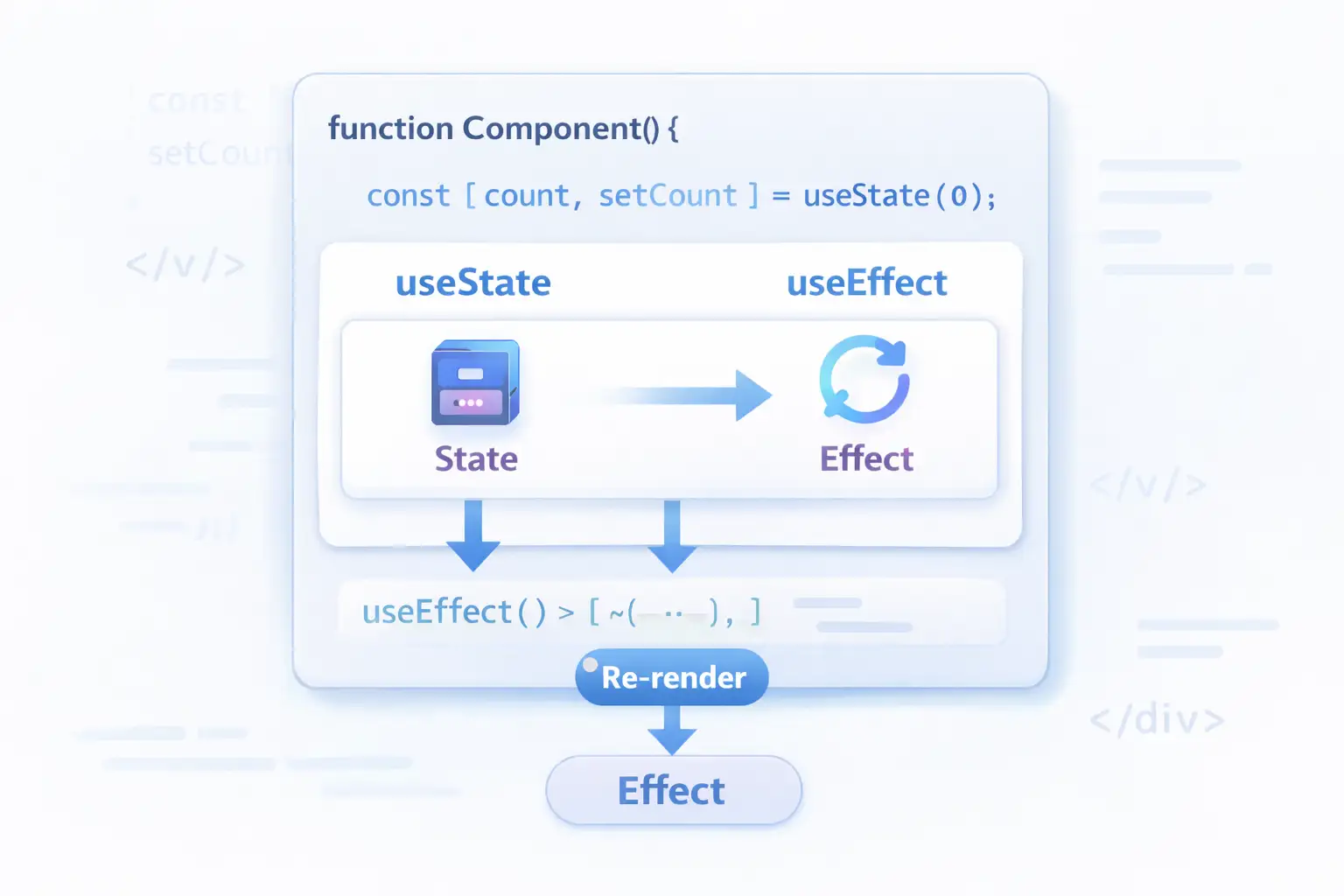
useState functional component mein state add karne ka hook hai।
Basic Syntax:
import { useState } from 'react';

function Component() {
  // Syntax: const [stateVariable, setterFunction] = useState(initialValue);
  const [count, setCount] = useState(0);
  const [name, setName] = useState("");
  const [user, setUser] = useState(null);

  return (
    <div>
      <p>Count: {count}</p>
      <button onClick={() => setCount(count + 1)}>Increment</button>
    </div>
  );
}
All Data Types with useState:
function AllStatesExample() {
  // 1. Number
  const [age, setAge] = useState(25);

  // 2. String
  const [name, setName] = useState("Rahul");

  // 3. Boolean
  const [isLoggedIn, setIsLoggedIn] = useState(false);

  // 4. Array
  const [items, setItems] = useState([]);

  // 5. Object
  const [form, setForm] = useState({ email: "", password: "" });

  // 6. Null (for async data)
  const [data, setData] = useState(null);

  // Updating array
  const addItem = (item) => {
    setItems([...items, item]); // Spread operator
  };

  // Updating object
  const updateForm = (field, value) => {
    setForm({ ...form, [field]: value });
  };

  return (
    <div>
      <p>Name: {name}</p>
      <p>Age: {age}</p>
      <button onClick={() => setAge(age + 1)}>Birthday!</button>
    </div>
  );
}
Functional Update (When New Value Depends on Previous):
function Counter() {
  const [count, setCount] = useState(0);

  // ❌ Problem: Multiple updates in same function
  const handleClickWrong = () => {
    setCount(count + 1); // count = 0, sets to 1
    setCount(count + 1); // count still 0, sets to 1 again
    setCount(count + 1); // sets to 1 again
    // Result: 1, not 3!
  };

  // ✅ Solution: Functional update
  const handleClickCorrect = () => {
    setCount(prev => prev + 1); // prev = 0 → 1
    setCount(prev => prev + 1); // prev = 1 → 2
    setCount(prev => prev + 1); // prev = 2 → 3
    // Result: 3! ✅
  };

  return (
    <div>
      <p>Count: {count}</p>
      <button onClick={handleClickCorrect}>+3</button>
    </div>
  );
}
Lazy Initialization (Expensive Calculations):
// ❌ Bad – runs every render
function ExpensiveComponent() {
  const [state, setState] = useState(expensiveCalculation()); // Runs every time!
}

// ✅ Good – runs only once
function ExpensiveComponent() {
  const [state, setState] = useState(() => expensiveCalculation()); // Runs once
}

function expensiveCalculation() {
  console.log("Expensive calculation running...");
  let result = 0;
  for (let i = 0; i < 100000000; i++) {
    result += i;
  }
  return result;
}
5. useEffect – Side Effects Hook
useEffect functional component mein side effects handle karne ka hook hai।
Side Effects Kya Hain?
- API calls (fetching data)
- DOM updates (changing title, focusing input)
- Timers (setTimeout, setInterval)
- Subscriptions (WebSockets, event listeners)
- LocalStorage operations
Basic Syntax:
import { useEffect } from 'react';

function Component() {
  useEffect(() => {
    // Side effect code here
    console.log("Effect runs!");

    // Optional: Cleanup function
    return () => {
      console.log("Cleanup runs!");
    };
  }, [dependencies]); // Dependency array
useEffect ke 4 Patterns:
// PATTERN 1: No dependency array – runs on EVERY render
useEffect(() => {
  console.log("Runs every time component renders");
});

// PATTERN 2: Empty array [] – runs ONCE (component mount)
useEffect(() => {
  console.log("Runs only once when component mounts");
  fetchData();
}, []);

// PATTERN 3: With dependencies – runs when dependencies change
useEffect(() => {
  console.log(`Count changed to: ${count}`);
}, [count]); // Runs when 'count' changes

// PATTERN 4: With cleanup – runs on unmount or before next effect
useEffect(() => {
  const timer = setInterval(() => {
    console.log("Tick");
  }, 1000);

  return () => {
    clearInterval(timer); // Cleanup on unmount
    console.log("Timer cleaned up");
  };
}, []);
Real Examples:
// Example 1: Page Title Update
function ProductPage({ product }) {
  useEffect(() => {
    document.title = `${product.name} | My Store`;
  }, [product.name]); // Update when product name changes

  return <div>{product.name}</div>;
}

// Example 2: API Call on Mount
function UserList() {
  const [users, setUsers] = useState([]);
  const [loading, setLoading] = useState(true);

  useEffect(() => {
    fetch('https://jsonplaceholder.typicode.com/users')
      .then(res => res.json())
      .then(data => {
        setUsers(data);
        setLoading(false);
      });
  }, []); // Empty array = run once

  if (loading) return <div>Loading users...</div>;
  return <ul>{users.map(user => <li key={user.id}>{user.name}</li>)}</ul>;
}

// Example 3: Search with Debounce
function SearchComponent() {
  const [searchTerm, setSearchTerm] = useState("");
  const [results, setResults] = useState([]);

  useEffect(() => {
    if (searchTerm.length < 2) return;

    const timer = setTimeout(() => {
      fetch(`/api/search?q=${searchTerm}`)
        .then(res => res.json())
        .then(setResults);
    }, 500); // Wait 500ms after user stops typing

    return () => clearTimeout(timer); // Cleanup on next searchTerm change
  }, [searchTerm]);

  return (
    <div>
      <input
        value={searchTerm}
        onChange={(e) => setSearchTerm(e.target.value)}
        placeholder="Search..."
      />
      {results.map(result => <div key={result.id}>{result.name}</div>)}
    </div>
  );
}
6. useEffect Cleanup Function
Cleanup function component unmount hone par ya next effect se pehle run hoti है।
Why Cleanup?
| Scenario | Without Cleanup | With Cleanup |
|---|---|---|
| Timer | Runs forever, memory leak | Cleared properly |
| Event listener | Multiple listeners, bugs | Removed properly |
| API call (fast changes) | Set state on unmounted component (error) | Cancelled |
| Subscription | Memory leak | Unsubscribed |
Cleanup Examples:
// Example 1: Timer Cleanup
function Timer() {
  const [seconds, setSeconds] = useState(0);

  useEffect(() => {
    const interval = setInterval(() => {
      setSeconds(prev => prev + 1);
    }, 1000);

    // ✅ Cleanup: Clear interval on unmount
    return () => {
      clearInterval(interval);
      console.log("Timer cleaned up");
    };
  }, []);

  return <div>Seconds: {seconds}</div>;
}

// Example 2: Event Listener Cleanup
function WindowSize() {
  const [width, setWidth] = useState(window.innerWidth);

  useEffect(() => {
    const handleResize = () => setWidth(window.innerWidth);

    window.addEventListener('resize', handleResize);

    // ✅ Cleanup: Remove event listener
    return () => {
      window.removeEventListener('resize', handleResize);
    };
  }, []);

  return <div>Window width: {width}</div>;
}

// Example 3: API Call Abort (Avoid Memory Leak)
function UserProfile({ userId }) {
  const [user, setUser] = useState(null);

  useEffect(() => {
    const abortController = new AbortController();

    fetch(`/api/users/${userId}`, { signal: abortController.signal })
      .then(res => res.json())
      .then(setUser)
      .catch(err => {
        if (err.name !== 'AbortError') {
          console.error(err);
        }
      });

    // ✅ Cleanup: Abort fetch if component unmounts or userId changes
    return () => {
      abortController.abort();
    };
  }, [userId]);

  return <div>{user?.name}</div>;
}

// Example 4: WebSocket Cleanup
function ChatRoom({ roomId }) {
  const [messages, setMessages] = useState([]);

  useEffect(() => {
    const socket = new WebSocket(`wss://chat.com/room/${roomId}`);

    socket.onmessage = (event) => {
      setMessages(prev => [...prev, event.data]);
    };

    // ✅ Cleanup: Close socket
    return () => {
      socket.close();
    };
  }, [roomId]);

  return <div>{messages.length} messages</div>;
}
7. Common useEffect Use Cases
Use Case 1: Fetch Data on Mount
function Products() {
  const [products, setProducts] = useState([]);
  const [loading, setLoading] = useState(true);
  const [error, setError] = useState(null);

  useEffect(() => {
    fetch('https://fakestoreapi.com/products')
      .then(res => {
        if (!res.ok) throw new Error('Failed to fetch');
        return res.json();
      })
      .then(data => {
        setProducts(data);
        setLoading(false);
      })
      .catch(err => {
        setError(err.message);
        setLoading(false);
      });
  }, []);

  if (loading) return <div>Loading products...</div>;
  if (error) return <div>Error: {error}</div>;

  return (
    <div>
      {products.map(product => (
        <div key={product.id}>
          <h3>{product.title}</h3>
          <p>${product.price}</p>
        </div>
      ))}
    </div>
  );
}
Use Case 2: Re-fetch when Dependency Changes
function UserPosts({ userId }) {
  const [posts, setPosts] = useState([]);
  const [loading, setLoading] = useState(false);

  useEffect(() => {
    if (!userId) return;

    setLoading(true);
    fetch(`/api/users/${userId}/posts`)
      .then(res => res.json())
      .then(data => {
        setPosts(data);
        setLoading(false);
      });
  }, [userId]); // Re-fetch when userId changes

  if (loading) return <div>Loading posts...</div>;
  return <div>{posts.length} posts</div>;
}
Use Case 3: Form Validation
function SignupForm() {
  const [email, setEmail] = useState("");
  const [password, setPassword] = useState("");
  const [errors, setErrors] = useState({});

  useEffect(() => {
    const newErrors = {};

    if (email && !email.includes('@')) {
      newErrors.email = 'Invalid email';
    }

    if (password && password.length < 6) {
      newErrors.password = 'Password must be at least 6 characters';
    }

    setErrors(newErrors);
  }, [email, password]); // Validate on every change

  return (
    <form>
      <input
        value={email}
        onChange={(e) => setEmail(e.target.value)}
        placeholder="Email"
      />
      {errors.email && <span style={{color: 'red'}}>{errors.email}</span>}

      <input
        type="password"
        value={password}
        onChange={(e) => setPassword(e.target.value)}
        placeholder="Password"
      />
      {errors.password && <span style={{color: 'red'}}>{errors.password}</span>}
    </form>
  );
}
Use Case 4: Local Storage Sync
function ThemeSwitcher() {
  const [theme, setTheme] = useState(() => {
    return localStorage.getItem('theme') || 'light';
  });

  useEffect(() => {
    localStorage.setItem('theme', theme);
    document.body.className = theme;
  }, [theme]); // Save to localStorage whenever theme changes

  return (
    <button onClick={() => setTheme(theme === 'light' ? 'dark' : 'light')}>
      Current theme: {theme}
    </button>
  );
}
8. Real-world Project Examples
Project 1: Todo App with Local Storage
import { useState, useEffect } from 'react';

function TodoApp() {
  const [todos, setTodos] = useState([]);
  const [input, setInput] = useState("");
  const [filter, setFilter] = useState("all");

  // Load todos from localStorage on mount
  useEffect(() => {
    const savedTodos = localStorage.getItem('todos');
    if (savedTodos) {
      setTodos(JSON.parse(savedTodos));
    }
  }, []);

  // Save todos to localStorage whenever they change
  useEffect(() => {
    localStorage.setItem('todos', JSON.stringify(todos));
  }, [todos]);

  const addTodo = () => {
    if (input.trim()) {
      setTodos([...todos, { id: Date.now(), text: input, completed: false }]);
      setInput("");
    }
  };

  const toggleTodo = (id) => {
    setTodos(todos.map(todo =>
      todo.id === id ? { ...todo, completed: !todo.completed } : todo
    ));
  };

  const deleteTodo = (id) => {
    setTodos(todos.filter(todo => todo.id !== id));
  };

  const filteredTodos = todos.filter(todo => {
    if (filter === 'active') return !todo.completed;
    if (filter === 'completed') return todo.completed;
    return true;
  });

  return (
    <div>
      <h1>Todo App</h1>

      <div>
        <input
          value={input}
          onChange={(e) => setInput(e.target.value)}
          onKeyPress={(e) => e.key === 'Enter' && addTodo()}
          placeholder="Add a task..."
        />
        <button onClick={addTodo}>Add</button>
      </div>

      <div>
        <button onClick={() => setFilter('all')}>All</button>
        <button onClick={() => setFilter('active')}>Active</button>
        <button onClick={() => setFilter('completed')}>Completed</button>
      </div>

      <ul>
        {filteredTodos.map(todo => (
          <li key={todo.id}>
            <input
              type="checkbox"
              checked={todo.completed}
              onChange={() => toggleTodo(todo.id)}
            />
            <span style={{ textDecoration: todo.completed ? 'line-through' : 'none' }}>
              {todo.text}
            </span>
            <button onClick={() => deleteTodo(todo.id)}>❌</button>
          </li>
        ))}
      </ul>

      <p>Total: {todos.length} | Completed: {todos.filter(t => t.completed).length}</p>
    </div>
  );
}

export default TodoApp;
Project 2: Weather App with API
import { useState, useEffect } from 'react';
function WeatherApp() {
const [city, setCity] = useState("Mumbai");
const [weather, setWeather] = useState(null);
const [loading, setLoading] = useState(false);
const [error, setError] = useState(null);
useEffect(() => {
if (!city) return;
const fetchWeather = async () => {
setLoading(true);
setError(null);
try {
// Using free weather API (Open-Meteo)
const response = await fetch(
`https://api.open-meteo.com/v1/forecast?latitude=19.0760&longitude=72.8777¤t_weather=true`
);
if (!response.ok) throw new Error('Weather data not found');
const data = await response.json();
setWeather(data.current_weather);
} catch (err) {
setError(err.message);
} finally {
setLoading(false);
}
};
fetchWeather();
}, [city]);
return (
<div>
<h1>Weather App</h1>
<input
value={city}
onChange={(e) => setCity(e.target.value)}
placeholder="Enter city name"
/>
{loading && <div>Loading weather...</div>}
{error && <div style={{color: 'red'}}>Error: {error}</div>}
{weather && (
<div>
<h2>Weather in {city}</h2>
<p>Temperature: {weather.temperature}°C</p>
<p>Wind Speed: {weather.windspeed} km/h</p>
</div>
)}
</div>
);
}Project 3: Custom Timer Hook
// Custom Hook
function useTimer(initialSeconds = 0) {
  const [seconds, setSeconds] = useState(initialSeconds);
  const [isRunning, setIsRunning] = useState(false);

  useEffect(() => {
    let interval;

    if (isRunning && seconds > 0) {
      interval = setInterval(() => {
        setSeconds(prev => prev - 1);
      }, 1000);
    } else if (seconds === 0) {
      setIsRunning(false);
    }

    return () => clearInterval(interval);
  }, [isRunning, seconds]);

  const start = () => setIsRunning(true);
  const pause = () => setIsRunning(false);
  const reset = () => {
    setIsRunning(false);
    setSeconds(initialSeconds);
  };

  return { seconds, isRunning, start, pause, reset };
}

// Using the custom hook
function TimerApp() {
  const { seconds, isRunning, start, pause, reset } = useTimer(60);

  const formatTime = (secs) => {
    const mins = Math.floor(secs / 60);
    const remainingSecs = secs % 60;
    return `${mins}:${remainingSecs.toString().padStart(2, '0')}`;
  };

  return (
    <div>
      <h1>Timer: {formatTime(seconds)}</h1>
      <div>
        {!isRunning && seconds > 0 && <button onClick={start}>Start</button>}
        {isRunning && <button onClick={pause}>Pause</button>}
        <button onClick={reset}>Reset</button>
      </div>
    </div>
  );
}
9. Common Mistakes + Solutions
Mistake 1: Infinite Loop in useEffect
// ❌ INFINITE LOOP – no dependency array + state update
function BadComponent() {
  const [count, setCount] = useState(0);

  useEffect(() => {
    setCount(count + 1); // Updates state → re-render → effect runs again → infinite loop
  }); // No dependency array!

  return <div>{count}</div>;
}

// ✅ Solution – add dependency array
function GoodComponent() {
  const [count, setCount] = useState(0);

  useEffect(() => {
    setCount(count + 1);
  }, []); // Runs once

  return <div>{count}</div>;
}
Mistake 2: Missing Dependencies
// ❌ Missing dependency – uses 'count' but not in array
function BadComponent() {
  const [count, setCount] = useState(0);

  useEffect(() => {
    console.log(`Count is: ${count}`); // Uses count
  }, []); // Missing count dependency – stale closure!

  return <button onClick={() => setCount(count + 1)}>Count: {count}</button>;
}

// ✅ Add all dependencies
function GoodComponent() {
  const [count, setCount] = useState(0);

  useEffect(() => {
    console.log(`Count is: ${count}`);
  }, [count]); // ✅ count in dependency array

  return <button onClick={() => setCount(count + 1)}>Count: {count}</button>;
}
Mistake 3: Object/Array as Dependency (Reference Equality)
// ❌ Problem – object changes reference every render
function BadComponent() {
  const [data, setData] = useState({ name: "Rahul" });

  useEffect(() => {
    console.log("Effect runs every time!");
  }, [data]); // New object reference every render!

  return <button onClick={() => setData({ ...data })}>Update</button>;
}

// ✅ Solution 1 – use primitive values
function GoodComponent1() {
  const [name, setName] = useState("Rahul");

  useEffect(() => {
    console.log("Effect runs only when name changes");
  }, [name]); // String – stable reference

  return <button onClick={() => setName("Priya")}>Update</button>;
}

// ✅ Solution 2 – use useMemo
function GoodComponent2() {
  const [name, setName] = useState("Rahul");
  const data = useMemo(() => ({ name }), [name]);

  useEffect(() => {
    console.log("Effect runs only when name changes");
  }, [data]);
}
Mistake 4: No Cleanup for Subscriptions
// ❌ Memory leak – event listener never removed
function BadComponent() {
  useEffect(() => {
    window.addEventListener('resize', () => {
      console.log(window.innerWidth);
    });
  }, []); // No cleanup!

  return <div>Resize me</div>;
}

// ✅ Cleanup
function GoodComponent() {
  useEffect(() => {
    const handleResize = () => console.log(window.innerWidth);

    window.addEventListener('resize', handleResize);

    return () => {
      window.removeEventListener('resize', handleResize); // Cleanup!
    };
  }, []);

  return <div>Resize me</div>;
}
Mistake 5: Setting State on Unmounted Component
// ❌ Error – setting state after component unmounted
function BadComponent({ userId }) {
  const [user, setUser] = useState(null);

  useEffect(() => {
    fetch(`/api/users/${userId}`)
      .then(res => res.json())
      .then(data => {
        setUser(data); // If component unmounts before fetch completes – error!
      });
  }, [userId]);
}

// ✅ Solution – use abort controller
function GoodComponent({ userId }) {
  const [user, setUser] = useState(null);

  useEffect(() => {
    const abortController = new AbortController();

    fetch(`/api/users/${userId}`, { signal: abortController.signal })
      .then(res => res.json())
      .then(setUser)
      .catch(err => {
        if (err.name !== 'AbortError') {
          console.error(err);
        }
      });

    return () => abortController.abort();
  }, [userId]);

  return <div>{user?.name}</div>;
}
10. Quick Cheat Sheet
| Hook | Syntax | Example |
|---|---|---|
| useState | const [val, setVal] = useState(init) | const [count, setCount] = useState(0) |
| useEffect (mount) | useEffect(() => {}, []) | useEffect(() => { fetchData() }, []) |
| useEffect (update) | useEffect(() => {}, [dep]) | useEffect(() => { save(data) }, [data]) |
| useEffect (every render) | useEffect(() => {}) | useEffect(() => { console.log("render") }) |
| useEffect (cleanup) | useEffect(() => { return () => {} }, []) | useEffect(() => { const t = setInterval(); return () => clearInterval(t) }, []) |
| Functional update | setVal(prev => prev + 1) | setCount(c => c + 1) |
| Lazy initialization | useState(() => expensive()) | useState(() => getFromLocalStorage()) |
11. FAQ
Q1: React Hooks useState useEffect Hindi में सबसे important rule क्या है?
Hooks को हमेशा top level par call करो – conditions, loops, ya nested functions mein nahi।
Q2: useEffect kyun use karte hain?
Side effects handle karne ke liye – API calls, DOM updates, timers, event listeners, localStorage।
Q3: Empty dependency array [] का क्या मतलब है?
Effect सिर्फ एक बार चलेगा – component mount hone par।
Q4: Dependency array nahi diya toh kya hoga?
Effect har render par चलेगा – infinite loop ka risk।
Q5: Cleanup function kyun chahiye?
Memory leaks avoid karne के लिए – timers clear karo, event listeners remove karo, API calls abort karo।
Q6: useState mein functional update kyun use karein?
Jab new value previous value par depend kare – multiple updates safely handle karne के लिए।
Q7: Kya ek component mein multiple useState ho sakte hain?
Haan! Jitne chahiye utne use kar sakte ho – React unhe call order se track karta है।
Q8: useEffect mein async function directly use kar sakte hain?
Nahi – async function return promise karta है, cleanup function nahi। Andar ek async function define karo aur call karo।
useEffect(() => {
  async function fetchData() {
    const data = await apiCall();
    setData(data);
  }
  fetchData();
}, []);
Q9: Custom Hook kya hota hai?
Ek function जो दूसरे hooks use karta है – logic reuse करने के लिए। Name use se start hona chahiye।
Q10: React 19 mein hooks mein kya naya aaya hai?
React 19 में use hook aaya hai (promises और contexts के लिए), और useOptimistic, useFormState jaise new hooks aaye hain।
12. Conclusion
बहुत बढ़िया दोस्तों! आज हमने React Hooks useState useEffect Hindi को पूरी detail में समझा।
Quick Recap:
| Hook | Key Takeaway |
|---|---|
| useState | Functional components में state add करना |
| useEffect | Side effects handle करना (API, timers, DOM) |
| Cleanup | Memory leaks से बचना |
| Rules | Top level + React functions only |
Mera personal experience:
जब मैंने पहली बार hooks सीखे, तो मुझे useEffect का dependency array समझना थोड़ा मुश्किल लगा। Infinite loops बन गए, stale closures आए। लेकिन 2-3 projects के बाद sab clear हो गया।
ESLint plugin eslint-plugin-react-hooks use करो – ye automatically dependencies suggest karega aur mistakes catch karega।
Tum bhi ye projects zaroor karo:
- ✅ Todo App with Local Storage
- ✅ Weather App with API
- ✅ Timer App with Custom Hook
- ✅ Search with Debounce
अब तुम्हारी बारी है!
नीचे comment में बताओ:
- तुम्हें useState easy laga ya useEffect?
- क्या तुमने कभी infinite loop banaya hai useEffect mein?
The Easy Master पर बने रहो। Happy Coding! ⚛️🚀
Resources
- React Official Docs – useState
- React Official Docs – useEffect
- React Hooks Rules – ESLint Plugin
- useEffect Guide by Dan Abramov
- JSONPlaceholder – Free API for Testing
Additional Resources
- Master ES6: A Complete Feature Guide with Examples
- Top 10 React Libraries and Tools Every Developer Must Know in 2025
- Top 10 Free APIs for Practice in 2026
- JavaScript Deep Dive 2026: Closures, Promises & Event Loop
- TypeScript Modules Export Import Best Practices – समझे आसान भाषा में 2026
- React.js Kya Hai? JSX aur Components Samjhe – Beginner Guide 2026
- React Props and State Data Flow Hindi – समझे आसान भाषा में 2026