नमस्ते दोस्तों! 🙏
स्वागत है The Easy Master पर!
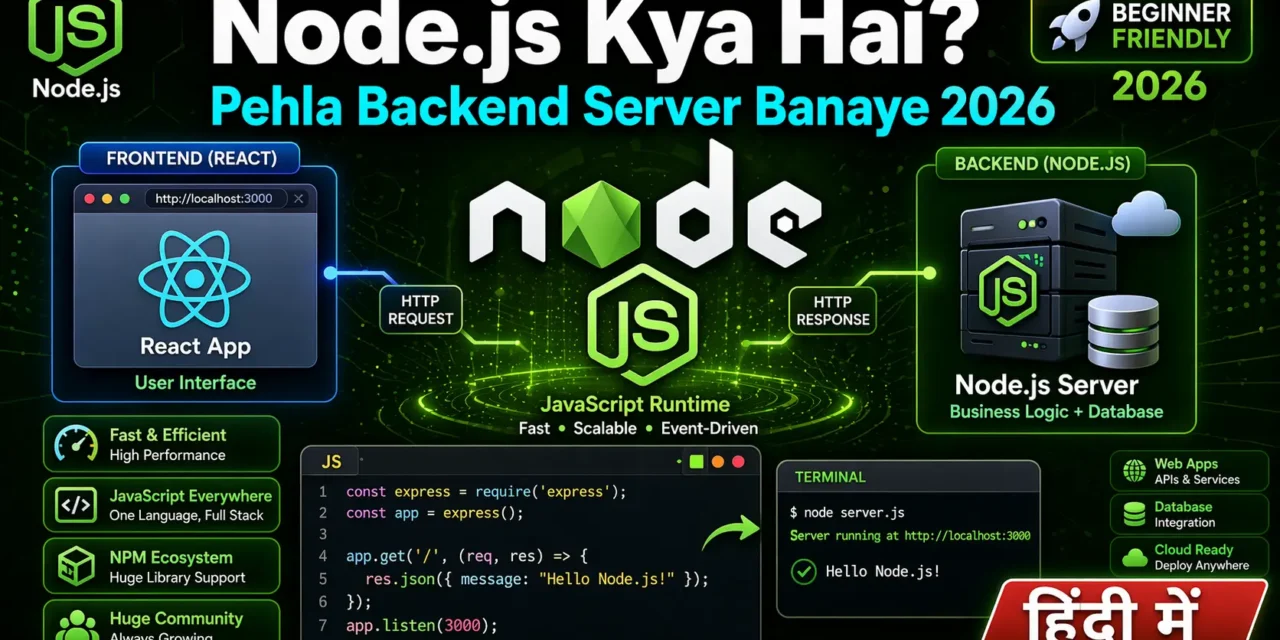
क्या तुमने कभी सोचा है – React frontend to bana liya, backend kaise banayein?
Frontend mein jo data dikhta hai (users, products, posts) – wo kahin se aata hai। Wo “kahin” hai backend server – jo database se data laata hai, APIs banata hai, aur frontend ko data bhejta hai।
Node.js Kya Hai? 2026 Mein Pehla Backend Server Banaye में समझना बहुत जरूरी है क्योंकि:
- JavaScript backend – ek hi language (JS) frontend + backend dono mein
- Fast aur Scalable – Non-blocking I/O, millions of users handle kar sakta hai
- NPM ecosystem – 2M+ packages available
- Job market – 80%+ companies Node.js use karti hain
Aaj kya seekhoge?
| Topic | Kya Seekhega? |
|---|---|
| Node.js Kya Hai? | Introduction, history, architecture |
| Why Node.js? | Benefits, use cases, companies using |
| Installation | Node.js + npm install |
| Pehla Server | HTTP module se basic server |
| Express.js | Popular framework for APIs |
| REST API | GET, POST, PUT, DELETE endpoints |
| Deployment | Server deploy kaise karein |
Kya tumhe pata hai?
Node.js non-blocking architecture use karta hai – ek thread millions of connections handle kar sakta hai। Traditional servers (PHP, Ruby) har connection ke liye alag thread banate hain!
तो चलिए शुरू करते हैं – Node.js backend server Hindi सीखने का सफर! 🚀
Table of Contents
1. Node.js क्या है? – Introduction
Node.js क्या है? simple words mein:
Node.js ek runtime environment hai jo JavaScript ko server-side run karne deta hai।
Pehle JavaScript sirf browser mein chalti thi (frontend ke liye)। Node.js ne JavaScript ko bahar laaya – ab tum JavaScript se backend, desktop apps, mobile apps, CLI tools, sab kuch bana sakte ho!
Node.js History:
| Year | Event |
|---|---|
| 2009 | Ryan Dahl ne Node.js banaya |
| 2011 | npm (Node Package Manager) launched |
| 2015 | Node.js Foundation formed |
| 2018 | Node.js 10 (LTS) |
| 2022 | Node.js 18 (fetch API, test runner) |
| 2024 | Node.js 22 (native WebSocket, watch mode) |
| 2026 | Node.js 24 (current LTS) |
Who Uses Node.js?
| Company | Use Case |
|---|---|
| Netflix | Fast streaming, 70% faster startup |
| PayPal | Frontend + backend same language |
| Mobile backend (20x faster) | |
| Uber | Real-time ride tracking |
| NASA | Database access for EVA suits |
Node.js backend server Hindi mein aaj hum inhi concepts ko detail mein samjhenge।
2. Why Node.js? – Benefits and Use Cases
Node.js ke 5 Big Benefits:
1. JavaScript Everywhere
// Frontend (React) – same language
function Button() {
  const [count, setCount] = useState(0);
  return <button onClick={() => setCount(count+1)}>{count}</button>;
}

// Backend (Node.js) – same language!
app.get('/api/count', (req, res) => {
  let count = 0;
  res.json({ count });
});
2. Non-blocking & Async
// Node.js – doesn't wait!
app.get('/api/users', async (req, res) => {
  const users = await db.users.findMany(); // Non-blocking
  res.json(users); // Other requests can be processed while waiting
});
3. Fast Execution (V8 Engine)
- Chrome V8 engine compiles JS to machine code
- 2-3x faster than Python, Ruby
4. NPM Ecosystem
npm install express mongoose dotenv jsonwebtoken bcrypt
# 2M+ packages – kuch bhi install karo!
5. Great for Real-time Apps
- Chat apps, gaming, live tracking
- WebSocket support
When to Use Node.js:
| Best For | Avoid For |
|---|---|
| REST APIs | CPU-intensive tasks (image processing) |
| Real-time apps (chat, gaming) | Heavy machine learning |
| Microservices | Complex computation |
| Serverless functions | (Use Python/Go for those) |
| MERN/MEAN stack |
3. How Node.js Works – Architecture (Event Loop)
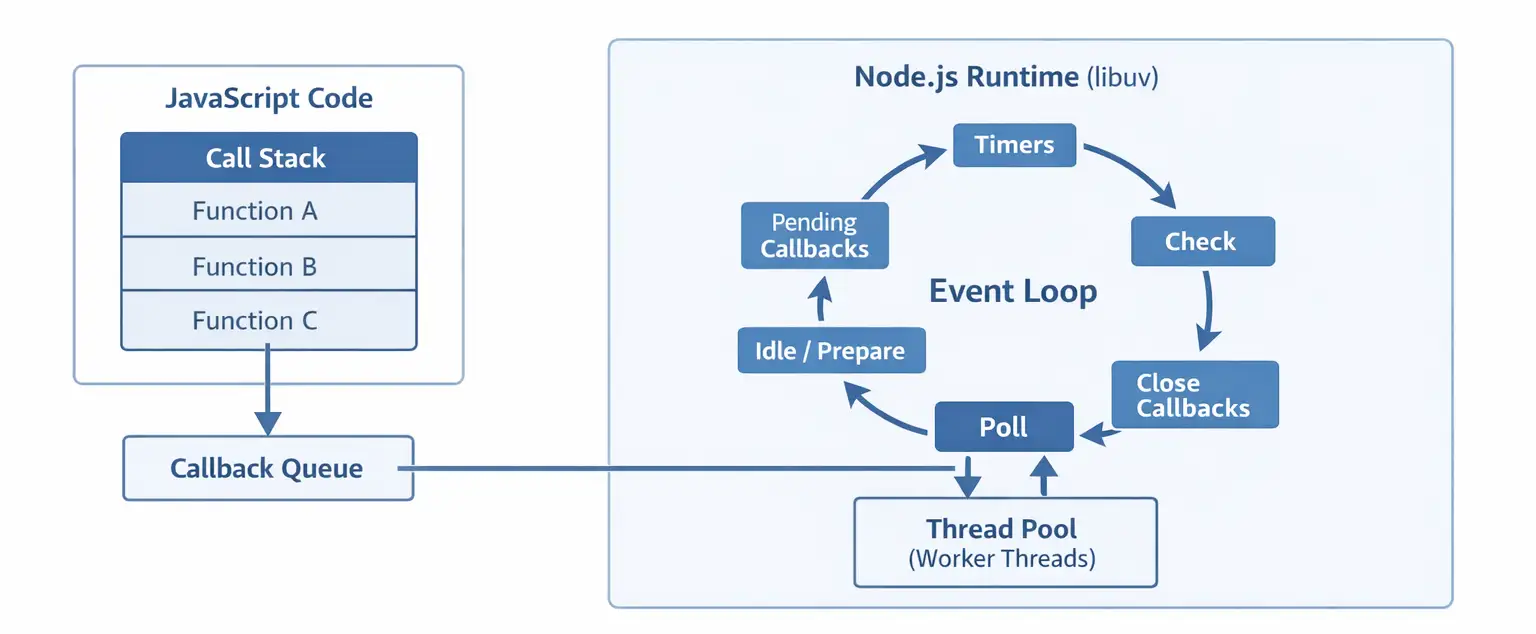
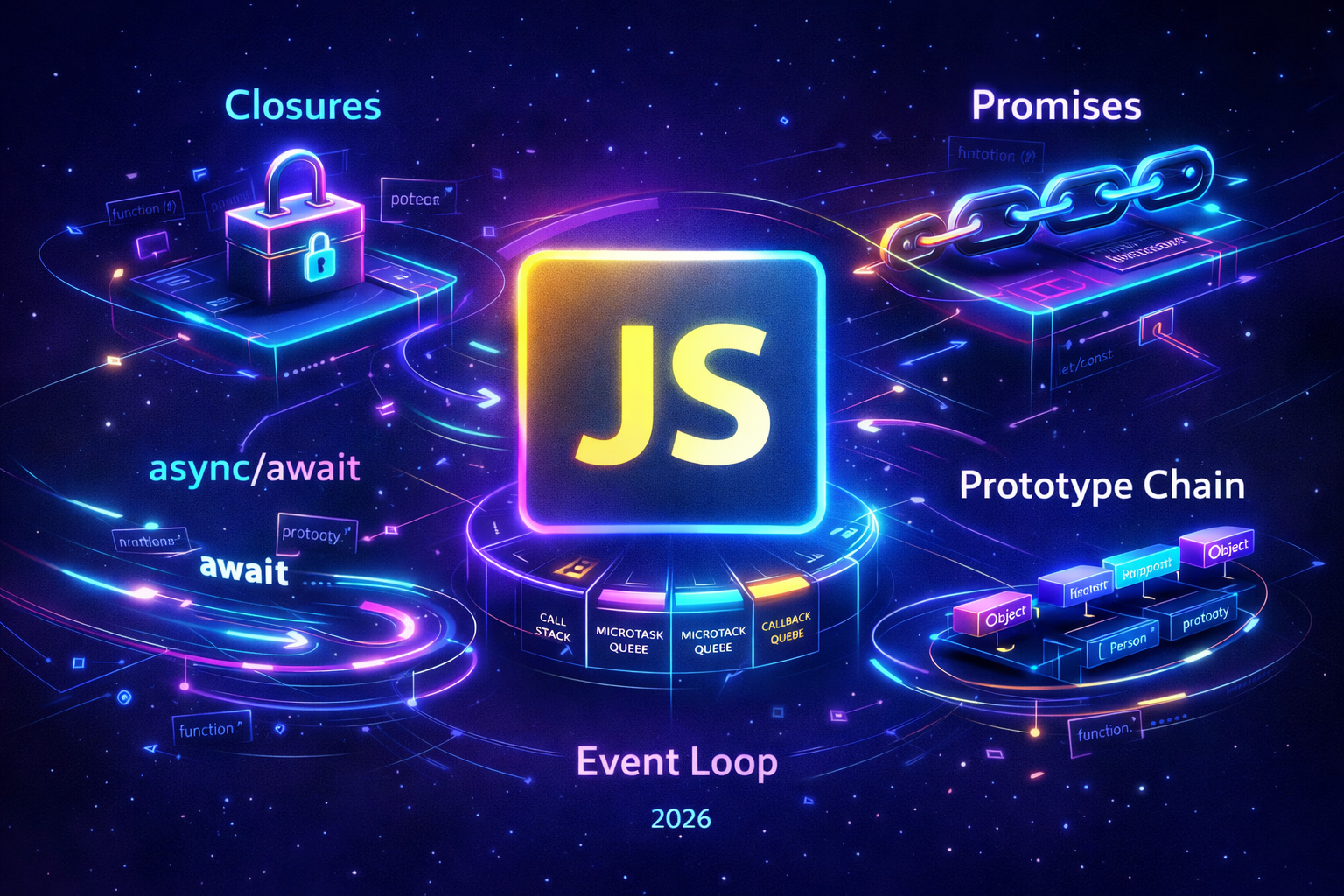
Node.js single-threaded hai lekin non-blocking।
Traditional Server (PHP, Ruby):
Request 1 → [Thread 1] → Wait for DB → Response
Request 2 → [Thread 2] → Wait for DB → Response
Request 3 → [Thread 3] → Wait for DB → Response

Har request ke liye naya thread! (Memory heavy)
Node.js Server:
Request 1 → Event Loop → DB Request (non-blocking)
Request 2 → Event Loop → DB Request (non-blocking)
Request 3 → Event Loop → DB Request (non-blocking)

DB Response → Event Loop → Response

Ek thread, millions of connections!
Event Loop Visualization:
   ┌───────────────────────────┐
┌─>│           timers          │
│  └─────────────┬─────────────┘
│  ┌─────────────┴─────────────┐
│  │     pending callbacks     │
│  └─────────────┬─────────────┘
│  ┌─────────────┴─────────────┐
│  │       idle, prepare       │
│  └─────────────┬─────────────┘
│  ┌─────────────┴─────────────┐
│  │           poll            │ ← I/O operations
│  └─────────────┬─────────────┘
│  ┌─────────────┴─────────────┐
│  │           check           │
│  └─────────────┬─────────────┘
│  ┌─────────────┴─────────────┐
└──┤      close callbacks      │
   └───────────────────────────┘
4. Installation – Node.js and npm Setup
Step 1: Download Node.js
- Go to nodejs.org
- Download LTS version (Long Term Support) – Node.js 24 in 2026
- Windows:
.msiinstaller - macOS:
.pkginstaller - Linux: Package manager
Step 2: Verify Installation
# Check Node.js version
node --version
# Output: v24.0.0 (or similar)

# Check npm version
npm --version
# Output: 10.x.x
Step 3: Pehla Node.js Program
# Create project folder
mkdir my-first-node-app
cd my-first-node-app

# Create file
touch app.js
# or
echo "console.log('Hello Node.js!');" > app.js

# Run
node app.js
# Output: Hello Node.js!
5. Pehla Node.js Program – Hello World
Basic JavaScript in Node.js:
// app.js

// Variables
const name = "Rahul";
let age = 25;

// Functions
function greet() {
  console.log(`Hello, ${name}! You are ${age} years old.`);
}

greet();

// Arrays
const fruits = ["apple", "banana", "mango"];
fruits.forEach(fruit => console.log(fruit));

// Objects
const user = {
  id: 1,
  name: "Rahul",
  email: "vivek@example.com"
};

console.log(user.name);

// Async example
setTimeout(() => {
  console.log("This runs after 2 seconds!");
}, 2000);

console.log("This runs immediately!");
Run:
node app.js6. HTTP Module – Basic Server बनाएँ
Node.js built-in HTTP module se server bana sakte ho (bina kisi package ke)।
Basic HTTP Server:
// server.js
const http = require('http');

// Create server
const server = http.createServer((req, res) => {
  console.log(`Request received: ${req.method} ${req.url}`);

  // Set response headers
  res.writeHead(200, { 'Content-Type': 'text/html' });

  // Send response
  res.end(`
    <!DOCTYPE html>
    <html>
      <head>
        <title>My Node.js Server</title>
      </head>
      <body>
        <h1>Hello from Node.js!</h1>
        <p>Your first backend server is running! 🚀</p>
      </body>
    </html>
  `);
});

// Start server
const PORT = 3000;
server.listen(PORT, () => {
  console.log(`Server running at http://localhost:${PORT}/`);
});
Handle Different Routes:
// server-with-routes.js
const http = require('http');

const server = http.createServer((req, res) => {
  res.setHeader('Content-Type', 'application/json');

  // Handle different URLs
  if (req.url === '/') {
    res.writeHead(200);
    res.end(JSON.stringify({ message: 'Welcome to Home Page!' }));

  } else if (req.url === '/api/users') {
    const users = [
      { id: 1, name: 'Rahul' },
      { id: 2, name: 'Priya' },
      { id: 3, name: 'Amit' }
    ];
    res.writeHead(200);
    res.end(JSON.stringify(users));

  } else if (req.url === '/api/products') {
    const products = [
      { id: 1, name: 'Laptop', price: 50000 },
      { id: 2, name: 'Mouse', price: 500 }
    ];
    res.writeHead(200);
    res.end(JSON.stringify(products));

  } else {
    res.writeHead(404);
    res.end(JSON.stringify({ error: 'Route not found' }));
  }
});

server.listen(3000, () => {
  console.log('Server running on http://localhost:3000');
});
Problem with HTTP Module:
- Manual route handling – boring
- No middleware support
- No body parsing
- Complex for real apps
Solution: Express.js!
7. NPM – Packages Manage Karna
NPM (Node Package Manager) – packages install aur manage karne ka tool।
Basic NPM Commands:
# Initialize project (creates package.json)
npm init -y

# Install a package
npm install express

# Install dev dependency
npm install -D nodemon

# Install globally
npm install -g npm-check-updates

# Uninstall package
npm uninstall express

# Update packages
npm update

# Install all dependencies (from package.json)
npm install
package.json Structure:
{
  "name": "my-node-app",
  "version": "1.0.0",
  "description": "My first Node.js app",
  "main": "server.js",
  "scripts": {
    "start": "node server.js",
    "dev": "nodemon server.js"
  },
  "dependencies": {
    "express": "^4.18.2"
  },
  "devDependencies": {
    "nodemon": "^3.0.0"
  },
  "keywords": ["nodejs", "express", "api"],
  "author": "Rahul",
  "license": "ISC"
}
8. Express.js – Professional Server बनाएँ
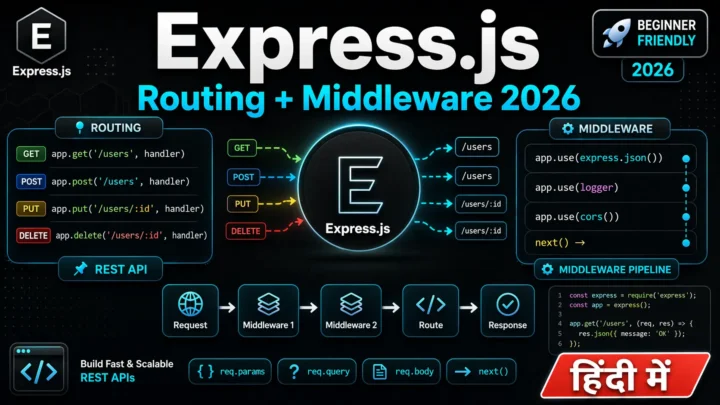
Express.js Node.js ka most popular framework – APIs banane ke liye।
Installation:
mkdir my-express-app
cd my-express-app
npm init -y
npm install express
npm install -D nodemon
Basic Express Server:
// server.js
const express = require('express');

const app = express();
const PORT = 3000;

// Middleware to parse JSON
app.use(express.json());

// Routes
app.get('/', (req, res) => {
  res.json({ message: 'Welcome to Express.js Server!' });
});

app.get('/api/users', (req, res) => {
  const users = [
    { id: 1, name: 'Rahul', email: 'rahul@example.com' },
    { id: 2, name: 'Priya', email: 'priya@example.com' }
  ];
  res.json(users);
});

app.post('/api/users', (req, res) => {
  const newUser = req.body;
  console.log('New user:', newUser);
  res.status(201).json({ message: 'User created!', user: newUser });
});

app.get('/api/users/:id', (req, res) => {
  const userId = req.params.id;
  res.json({ message: `Get user with ID: ${userId}` });
});

app.put('/api/users/:id', (req, res) => {
  const userId = req.params.id;
  const updatedData = req.body;
  res.json({ message: `User ${userId} updated!`, data: updatedData });
});

app.delete('/api/users/:id', (req, res) => {
  const userId = req.params.id;
  res.json({ message: `User ${userId} deleted!` });
});

// Start server
app.listen(PORT, () => {
  console.log(`Server running on http://localhost:${PORT}`);
});
package.json scripts:
{
  "scripts": {
    "start": "node server.js",
    "dev": "nodemon server.js"
  }
}
Run:
npm run dev9. REST API – CRUD Operations
Complete REST API with in-memory storage:
// server.js
const express = require('express');

const app = express();
app.use(express.json());

const PORT = 3000;

// In-memory database
let products = [
  { id: 1, name: 'Laptop', price: 50000, inStock: true },
  { id: 2, name: 'Mouse', price: 500, inStock: true },
  { id: 3, name: 'Keyboard', price: 1500, inStock: false }
];

let nextId = 4;

// GET all products
app.get('/api/products', (req, res) => {
  res.json({
    success: true,
    count: products.length,
    data: products
  });
});

// GET single product
app.get('/api/products/:id', (req, res) => {
  const id = parseInt(req.params.id);
  const product = products.find(p => p.id === id);

  if (!product) {
    return res.status(404).json({
      success: false,
      message: 'Product not found'
    });
  }

  res.json({
    success: true,
    data: product
  });
});

// POST create product
app.post('/api/products', (req, res) => {
  const { name, price, inStock } = req.body;

  // Validation
  if (!name || !price) {
    return res.status(400).json({
      success: false,
      message: 'Name and price are required'
    });
  }

  const newProduct = {
    id: nextId++,
    name,
    price,
    inStock: inStock !== undefined ? inStock : true
  };

  products.push(newProduct);

  res.status(201).json({
    success: true,
    data: newProduct
  });
});

// PUT update product
app.put('/api/products/:id', (req, res) => {
  const id = parseInt(req.params.id);
  const { name, price, inStock } = req.body;

  const productIndex = products.findIndex(p => p.id === id);

  if (productIndex === -1) {
    return res.status(404).json({
      success: false,
      message: 'Product not found'
    });
  }

  products[productIndex] = {
    ...products[productIndex],
    name: name || products[productIndex].name,
    price: price || products[productIndex].price,
    inStock: inStock !== undefined ? inStock : products[productIndex].inStock
  };

  res.json({
    success: true,
    data: products[productIndex]
  });
});

// DELETE product
app.delete('/api/products/:id', (req, res) => {
  const id = parseInt(req.params.id);
  const productIndex = products.findIndex(p => p.id === id);

  if (productIndex === -1) {
    return res.status(404).json({
      success: false,
      message: 'Product not found'
    });
  }

  products.splice(productIndex, 1);

  res.json({
    success: true,
    message: 'Product deleted successfully'
  });
});

// Start server
app.listen(PORT, () => {
  console.log(`🚀 Server running on http://localhost:${PORT}`);
  console.log(`📦 Products API: http://localhost:${PORT}/api/products`);
});
Testing API with curl:
# GET all products
curl http://localhost:3000/api/products

# GET single product
curl http://localhost:3000/api/products/1

# POST create product
curl -X POST http://localhost:3000/api/products \
  -H "Content-Type: application/json" \
  -d '{"name":"Monitor","price":10000,"inStock":true}'

# PUT update product
curl -X PUT http://localhost:3000/api/products/1 \
  -H "Content-Type: application/json" \
  -d '{"price":45000}'

# DELETE product
curl -X DELETE http://localhost:3000/api/products/3
10. Environment Variables – .env File
Environment variables sensitive data (API keys, database URLs) store karne ke liye।
Installation:
npm install dotenvCreate .env file:
# .env
PORT=5000
NODE_ENV=development
DB_URL=mongodb://localhost:27017/mydb
JWT_SECRET=my_super_secret_key_2026
API_KEY=abc123xyz
Use in server.js:
// server.js
require('dotenv').config(); // Load environment variables

const express = require('express');

const app = express();
const PORT = process.env.PORT || 3000;
const NODE_ENV = process.env.NODE_ENV;

console.log(`Running in ${NODE_ENV} mode`);

app.get('/api/config', (req, res) => {
  res.json({
    nodeEnv: NODE_ENV,
    dbUrl: process.env.DB_URL,
    // Don't send secrets to client!
  });
});

app.listen(PORT, () => {
  console.log(`Server running on port ${PORT}`);
});
.gitignore (don’t commit .env):
# .gitignore
node_modules/
.env
.DS_Store
11. Deployment – Server Live कैसे करे
Option 1: Render (Free, Easy)
- Sign up at render.com
- Connect GitHub repository
- Create Web Service
- Set:
- Build Command:
npm install - Start Command:
npm start
- Build Command:
- Deploy!
Option 2: Vercel (Best for Node.js APIs)
npm install -g vercel
vercel
Option 3: Railway (Simple)
- Sign up at railway.app
- Click “Deploy from GitHub”
- Select repository
- Done!
Option 4: DigitalOcean (VPS – Advanced)
# SSH into server
ssh root@your-server-ip

# Install Node.js
curl -fsSL https://deb.nodesource.com/setup_20.x | sudo -E bash -
sudo apt-get install -y nodejs

# Clone and run
git clone your-repo
cd your-repo
npm install
npm start

# Use PM2 for process management
npm install -g pm2
pm2 start server.js
pm2 save
pm2 startup
12. Common Mistakes + Solutions
Mistake 1: Blocking the Event Loop
// ❌ Bad – blocks the event loop
app.get('/api/slow', (req, res) => {
  const start = Date.now()
  while (Date.now() - start < 5000) {
    // Busy‑wait for ~5 seconds
  }
  res.json({ message: 'Done' })
})

// ✅ Good – use async operations
app.get('/api/fast', async (req, res) => {
  await someAsyncOperation();
  res.json({ message: 'Done' });
});
Mistake 2: Forgetting express.json() middleware
// ❌ req.body will be undefined
app.post('/api/users', (req, res) => {
  console.log(req.body); // undefined!
});

// ✅ Add middleware
app.use(express.json());
Mistake 3: Not handling 404
// ❌ No 404 handler – server hangs
app.get('/api/users', handler);

// ✅ Add 404 handler at the end
app.use((req, res) => {
  res.status(404).json({ error: 'Route not found' });
});
Mistake 4: Hardcoding port
// ❌ Hardcoded port – can't deploy on different ports
app.listen(3000);

// ✅ Use environment variable
const PORT = process.env.PORT || 3000;
app.listen(PORT);
13. Quick Cheat Sheet
| Concept | Syntax |
|---|---|
| Create server | const app = express() |
| GET route | app.get('/path', handler) |
| POST route | app.post('/path', handler) |
| PUT route | app.put('/path/:id', handler) |
| DELETE route | app.delete('/path/:id', handler) |
| URL params | req.params.id |
| Query params | req.query.page |
| Request body | req.body (needs middleware) |
| Response JSON | res.json(data) |
| Response status | res.status(201).json(data) |
| Middleware | app.use(express.json()) |
| Port | const PORT = process.env.PORT || 3000 |
14. FAQ
Q1: Node.js Kya Hai – simple words mein batao?
Node.js ek runtime hai jo JavaScript ko server-side run karne deta hai। Pehle JS sirf browser mein chalti thi।
Q2: Node.js single-threaded hai – ye performance issue nahi hai?
Nahi! Non-blocking I/O aur event loop ki wajah se ek thread millions of connections handle kar sakta hai।
Q3: Express.js kyun use karein?
HTTP module manual hai – routes handle karna, middleware, body parsing – sab khud likhna padta hai। Express sab kuch built-in deta hai।
Q4: npm kya hai?
Node Package Manager – packages install/manage karne ka tool। 2M+ free packages available।
Q5: nodemon kyun use karein?
Code change par server automatically restart karta है – development time save hota hai।
Q6: Environment variables (.env) kyun use karein?
Sensitive data (API keys, DB passwords) code mein hardcode nahi karna chahiye। .env file use karo aur gitignore mein daalo।
Q7: Kya Node.js CPU-intensive tasks ke liye accha hai?
Nahi – image processing, video encoding, ML ke liye Python/Go better hai। Node.js I/O-heavy apps (APIs, real-time) ke liye best hai।
Q8: Production mein server kaise run karein?
PM2 (process manager) use karo – auto-restart, clustering, logging।
Q9: Node.js version kaunsa use karein 2026 mein?
LTS version – Node.js 24। Stable, security updates milte hain।
Q10: Node.js vs Python – backend ke liye kya better hai?
APIs, real-time, microservices – Node.js। Data science, ML, compute-heavy – Python। Dono use kar sakte ho (microservices architecture)!
15. Conclusion
बहुत बढ़िया दोस्तों! आज हमने Node.js backend server Hindi को पूरी detail में समझा।
Quick Recap:
| Concept | Key Takeaway |
|---|---|
| Node.js | JavaScript runtime for backend |
| Event Loop | Non-blocking, single-threaded architecture |
| Express.js | Most popular framework for APIs |
| NPM | Package manager with 2M+ packages |
| REST API | GET, POST, PUT, DELETE endpoints |
Mera personal experience:
जब मैंने पहली बार Node.js सीखा, तो मुझे event loop samajhna thoda mushkil laga। Lekin ek baar async/await samajh aaya toh backend development bohot easy lagne laga। Express.js se toh API banane mein minutes lagte hain!
Tum bhi ye steps follow karo:
- ✅ Node.js install karo
- ✅ Pehla HTTP server banao
- ✅ Express.js se REST API banao
- ✅ .env file setup karo
- ✅ Render.com pe deploy karo
अब तुम्हारी बारी है!
नीचे comment में बताओ:
- तुम्हें Node.js easy laga ya complex?
- क्या तुमने Express.js try kiya?
- अगला topic क्या चाहिए? (Express.js Deep Dive? MongoDB? JWT Authentication?)
The Easy Master पर बने रहो। Happy Backend Coding! 🚀💻
Resources
- Node.js Official Website
- Express.js Official Documentation
- NPM Official Website
- Render – Free Node.js Hosting
- Node.js Event Loop Guide
Additional Resources
- Master ES6: A Complete Feature Guide with Examples
- Top 10 React Libraries and Tools Every Developer Must Know in 2025
- Top 10 Free APIs for Practice in 2026
- JavaScript Deep Dive 2026: Closures, Promises & Event Loop
- TypeScript Modules Export Import Best Practices – समझे आसान भाषा में 2026
- React.js Kya Hai? JSX aur Components Samjhe – Beginner Guide 2026
- React Props and State Data Flow Hindi – समझे आसान भाषा में 2026
- React Router v6 – Multi-Page App Banaye (Routing Guide) 2026
- Advanced React Hooks – useContext and useReducer Samjhe 2026
- Redux Toolkit Simplified – State Management Aasaan Tarika 2026
- React API Integration Made Easy with Fetch and Axios
- React Performance Optimization – App Ko Fast कैसे बनाएं 2026
- React 19 New Features – AI Integration with React (2026)