नमस्ते दोस्तों! 🙏
स्वागत है The Easy Master पर!
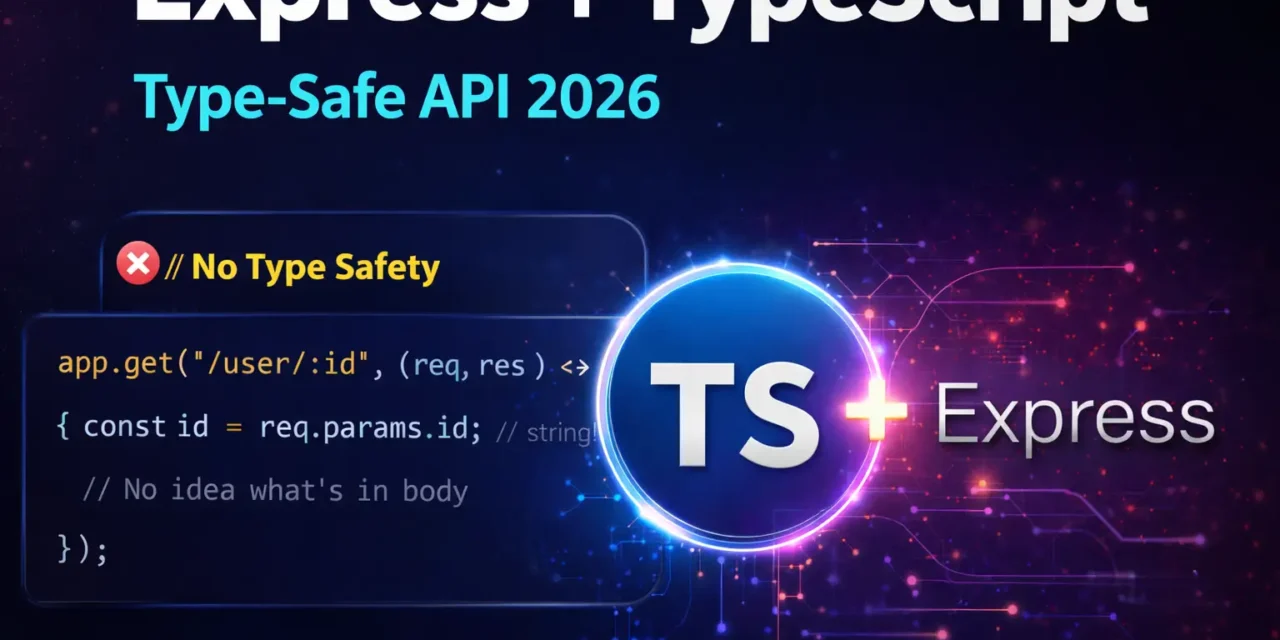
क्या तुमने कभी सोचा है – Express.js API TypeScript ke saath type-safe kaise banayein? Runtime errors se bachna है, autocomplete चाहिए, production mein bugs kam चाहिए।
TypeScript Express.js ko type-safe बनाता है – req, res, next – सबके types define कर सकते हो।
Express TypeScript type-safe API Hindi में समझना बहुत जरूरी है क्योंकि:
- Type safety – runtime errors 70% kam
- Better autocomplete – IDE suggestions
- Self-documenting – code hi documentation
- Refactoring – safe code changes
- Interview mein pakka TypeScript + Express questions puche jayenge
Aaj kya seekhoge?
| Topic | Kya Seekhega? |
|---|---|
| Setup | TypeScript + Express project |
| Types | Request, Response, NextFunction |
| Custom Types | Interfaces for req.body, req.query |
| Middleware Types | Typed middleware |
| Error Handling | Typed error handler |
| Controllers | Class-based with types |
| DTOs | Data transfer objects |
| Real Project | Complete type-safe API |
Kya tumhe pata hai?
TypeScript ts-node-dev se run करो – auto-restart + type checking – development super fast!
तो चलिए शुरू करते हैं – Express TypeScript type-safe API Hindi सीखने का सफर! 🚀
Table of Contents
1. Why TypeScript with Express? – Benefits
JavaScript vs TypeScript:
// ❌ JavaScript – No type safety
app.get('/api/users/:id', (req, res) => {
  const id = req.params.id;
  // id is string, but we need number!
  // No idea what's in req.body
  // No autocomplete!
  res.json({ id });
});// ✅ TypeScript – Type safe!
interface User {
id: number;
name: string;
email: string;
}
app.get('/api/users/:id', (req: Request, res: Response) => {
const id = parseInt(req.params.id); // TypeScript knows it's string
// Full autocomplete for req, res
// IDE shows all available methods
res.json({ id } as User);
});Benefits Summary:
| Benefit | Explanation |
|---|---|
| Type Safety | Wrong types = compile error |
| Autocomplete | IDE suggestions |
| Refactoring | Safe code changes |
| Self-documenting | Code as documentation |
| Early Error Detection | Catch errors before runtime |
| Better Team Collaboration | Clear interfaces |
Express TypeScript type-safe API Hindi में हम production-ready setup बनाएंगे।
2. Project Setup – Installation
Step 1: Create Project
mkdir express-ts-api
cd express-ts-api
npm init -y
Step 2: Install Dependencies
# Production dependencies
npm install express

# TypeScript dependencies
npm install -D typescript @types/node @types/express

# Development tools
npm install -D ts-node nodemon ts-node-dev
Step 3: Create Source Folder
mkdir src
touch src/index.ts
Step 4: package.json Scripts
{
  "scripts": {
    "build": "tsc",
    "start": "node dist/index.js",
    "dev": "ts-node-dev --respawn --transpile-only src/index.ts",
    "dev:watch": "nodemon --exec ts-node src/index.ts",
    "type-check": "tsc --noEmit"
  }
}
3. TypeScript Configuration – tsconfig.json
tsconfig.json:
{
  "compilerOptions": {
    // Language and Environment
    "target": "ES2022",
    "lib": ["ES2022"],
    "experimentalDecorators": true,
    "emitDecoratorMetadata": true,

    // Modules
    "module": "commonjs",
    "moduleResolution": "node",
    "rootDir": "./src",
    "outDir": "./dist",
    "resolveJsonModule": true,

    // Emit
    "sourceMap": true,
    "removeComments": true,
    "noEmitOnError": true,

    // Interop Constraints
    "esModuleInterop": true,
    "forceConsistentCasingInFileNames": true,
    "allowSyntheticDefaultImports": true,

    // Type Checking
    "strict": true,
    "noUnusedLocals": true,
    "noUnusedParameters": true,
    "noImplicitReturns": true,
    "noFallthroughCasesInSwitch": true,
    "skipLibCheck": true
  },
  "include": ["src/**/*"],
  "exclude": ["node_modules", "dist"]
}
4. Basic Server – Types with Express
Basic Express Server with Types:
// src/index.ts
import express, { Express, Request, Response, NextFunction } from 'express';

const app: Express = express();
const PORT: number = parseInt(process.env.PORT || '3000', 10);

// Middleware
app.use(express.json());
app.use(express.urlencoded({ extended: true }));

// Routes
app.get('/', (req: Request, res: Response) => {
  res.json({
    message: 'Welcome to TypeScript Express API!',
    timestamp: new Date().toISOString()
  });
});

app.get('/health', (req: Request, res: Response) => {
  res.status(200).json({
    status: 'OK',
    uptime: process.uptime(),
    timestamp: new Date().toISOString()
  });
});

// 404 handler
app.use('*', (req: Request, res: Response) => {
  res.status(404).json({
    error: `Cannot ${req.method} ${req.originalUrl}`
  });
});

// Global error handler
app.use((err: Error, req: Request, res: Response, next: NextFunction) => {
  console.error(err.stack);
  res.status(500).json({
    error: process.env.NODE_ENV === 'production'
      ? 'Internal server error'
      : err.message
  });
});

// Start server
app.listen(PORT, () => {
  console.log(`🚀 Server running on http://localhost:${PORT}`);
  console.log(`📝 Environment: ${process.env.NODE_ENV || 'development'}`);
});
5. Request Types – Params, Query, Body
Defining Custom Request Types:
// src/types/user.types.ts
export interface UserParams {
  id: string;
}

export interface UserQuery {
  page?: string;
  limit?: string;
  search?: string;
  sortBy?: string;
  order?: 'asc' | 'desc';
}

export interface CreateUserBody {
  name: string;
  email: string;
  password: string;
  age?: number;
}

export interface UpdateUserBody {
  name?: string;
  email?: string;
  age?: number;
}

export interface UserResponse {
  id: number;
  name: string;
  email: string;
  age?: number;
  createdAt: Date;
  updatedAt: Date;
}
Using Request Types:
// src/routes/users.ts
import { Router, Request, Response } from 'express';
import {
  UserParams,
  UserQuery,
  CreateUserBody,
  UpdateUserBody,
  UserResponse
} from '../types/user.types';

const router = Router();

// In-memory database
let users: UserResponse[] = [];
let nextId = 1;

// GET /api/users - with query params
router.get('/', (req: Request<{}, {}, {}, UserQuery>, res: Response) => {
  const { page = '1', limit = '10', search, sortBy = 'id', order = 'asc' } = req.query;

  let filteredUsers = [...users];

  if (search) {
    filteredUsers = filteredUsers.filter(u =>
      u.name.toLowerCase().includes(search.toLowerCase()) ||
      u.email.toLowerCase().includes(search.toLowerCase())
    );
  }

  // Sort
  filteredUsers.sort((a, b) => {
    const aVal = a[sortBy as keyof UserResponse];
    const bVal = b[sortBy as keyof UserResponse];
    if (order === 'asc') {
      return aVal > bVal ? 1 : -1;
    } else {
      return aVal < bVal ? 1 : -1;
    }
  });

  // Pagination
  const pageNum = parseInt(page);
  const limitNum = parseInt(limit);
  const start = (pageNum - 1) * limitNum;
  const paginatedUsers = filteredUsers.slice(start, start + limitNum);

  res.json({
    success: true,
    data: paginatedUsers,
    pagination: {
      page: pageNum,
      limit: limitNum,
      total: filteredUsers.length,
      totalPages: Math.ceil(filteredUsers.length / limitNum)
    }
  });
});

// GET /api/users/:id
router.get('/:id', (req: Request<UserParams>, res: Response) => {
  const id = parseInt(req.params.id);
  const user = users.find(u => u.id === id);

  if (!user) {
    return res.status(404).json({ error: 'User not found' });
  }

  res.json({ success: true, data: user });
});

// POST /api/users
router.post('/', (req: Request<{}, {}, CreateUserBody>, res: Response) => {
  const { name, email, password, age } = req.body;

  // Validation
  if (!name || !email || !password) {
    return res.status(400).json({ error: 'Name, email, and password are required' });
  }

  // Check duplicate email
  const existingUser = users.find(u => u.email === email);
  if (existingUser) {
    return res.status(409).json({ error: 'Email already exists' });
  }

  const newUser: UserResponse = {
    id: nextId++,
    name,
    email,
    age,
    createdAt: new Date(),
    updatedAt: new Date()
  };

  users.push(newUser);

  // Don't return password
  res.status(201).json({ success: true, data: newUser });
});

// PUT /api/users/:id
router.put('/:id', (req: Request<UserParams, {}, UpdateUserBody>, res: Response) => {
  const id = parseInt(req.params.id);
  const { name, email, age } = req.body;

  const userIndex = users.findIndex(u => u.id === id);

  if (userIndex === -1) {
    return res.status(404).json({ error: 'User not found' });
  }

  users[userIndex] = {
    ...users[userIndex],
    name: name || users[userIndex].name,
    email: email || users[userIndex].email,
    age: age !== undefined ? age : users[userIndex].age,
    updatedAt: new Date()
  };

  res.json({ success: true, data: users[userIndex] });
});

// DELETE /api/users/:id
router.delete('/:id', (req: Request<UserParams>, res: Response) => {
  const id = parseInt(req.params.id);
  const userIndex = users.findIndex(u => u.id === id);

  if (userIndex === -1) {
    return res.status(404).json({ error: 'User not found' });
  }

  users.splice(userIndex, 1);
  res.status(204).send();
});

export default router;
6. Response Types – Typed Responses
Response Type Helpers:
// src/types/response.types.ts
export interface ApiResponse<T = any> {
  success: boolean;
  message?: string;
  data?: T;
  error?: {
    code: string;
    message: string;
    details?: any;
  };
  timestamp: string;
}

export interface PaginatedResponse<T> {
  success: boolean;
  data: T[];
  pagination: {
    page: number;
    limit: number;
    total: number;
    totalPages: number;
    hasNext: boolean;
    hasPrev: boolean;
  };
  timestamp: string;
}

// src/utils/response.ts
import { Response } from 'express';
import { ApiResponse, PaginatedResponse } from '../types/response.types';

export class ResponseHandler {
  static success<T>(res: Response, data: T, message?: string, statusCode: number = 200): Response {
    const response: ApiResponse<T> = {
      success: true,
      message,
      data,
      timestamp: new Date().toISOString()
    };
    return res.status(statusCode).json(response);
  }

  static created<T>(res: Response, data: T, message: string = 'Resource created successfully'): Response {
    return this.success(res, data, message, 201);
  }

  static noContent(res: Response): Response {
    return res.status(204).send();
  }

  static error(res: Response, message: string, statusCode: number = 500, code?: string, details?: any): Response {
    const response: ApiResponse = {
      success: false,
      error: {
        code: code || 'INTERNAL_ERROR',
        message,
        details
      },
      timestamp: new Date().toISOString()
    };
    return res.status(statusCode).json(response);
  }

  static badRequest(res: Response, message: string, details?: any): Response {
    return this.error(res, message, 400, 'BAD_REQUEST', details);
  }

  static unauthorized(res: Response, message: string = 'Unauthorized'): Response {
    return this.error(res, message, 401, 'UNAUTHORIZED');
  }

  static forbidden(res: Response, message: string = 'Forbidden'): Response {
    return this.error(res, message, 403, 'FORBIDDEN');
  }

  static notFound(res: Response, message: string = 'Resource not found'): Response {
    return this.error(res, message, 404, 'NOT_FOUND');
  }

  static conflict(res: Response, message: string, details?: any): Response {
    return this.error(res, message, 409, 'CONFLICT', details);
  }

  static paginated<T>(
    res: Response,
    data: T[],
    page: number,
    limit: number,
    total: number
  ): Response {
    const totalPages = Math.ceil(total / limit);
    const response: PaginatedResponse<T> = {
      success: true,
      data,
      pagination: {
        page,
        limit,
        total,
        totalPages,
        hasNext: page < totalPages,
        hasPrev: page > 1
      },
      timestamp: new Date().toISOString()
    };
    return res.json(response);
  }
}
Using Response Handler:
// src/routes/users.ts (updated)
import { Router, Request } from 'express';
import { ResponseHandler } from '../utils/response';
import { UserParams, CreateUserBody, UserResponse } from '../types/user.types';

const router = Router();

router.get('/', (req: Request, res) => {
  const users: UserResponse[] = getUsers();
  ResponseHandler.success(res, users, 'Users fetched successfully');
});

router.get('/:id', (req: Request<UserParams>, res) => {
  const user = users.find(u => u.id === parseInt(req.params.id));

  if (!user) {
    return ResponseHandler.notFound(res, 'User not found');
  }

  ResponseHandler.success(res, user);
});

router.post('/', (req: Request<{}, {}, CreateUserBody>, res) => {
  const { name, email, password } = req.body;

  if (!name || !email || !password) {
    return ResponseHandler.badRequest(res, 'Name, email, and password are required');
  }

  const existingUser = users.find(u => u.email === email);
  if (existingUser) {
    return ResponseHandler.conflict(res, 'Email already exists');
  }

  const newUser = createUser(req.body);
  ResponseHandler.created(res, newUser);
});
7. Middleware Types – Typed Middleware
Typed Middleware Examples:
// src/middleware/auth.ts
import { Request, Response, NextFunction } from 'express';
import jwt from 'jsonwebtoken';
import { ResponseHandler } from '../utils/response';

export interface AuthRequest extends Request {
  user?: {
    id: number;
    email: string;
    role: string;
  };
}

export const authenticate = (
  req: AuthRequest,
  res: Response,
  next: NextFunction
): void => {
  const authHeader = req.headers.authorization;

  if (!authHeader || !authHeader.startsWith('Bearer ')) {
    ResponseHandler.unauthorized(res, 'No token provided');
    return;
  }

  const token = authHeader.split(' ')[1];

  try {
    const decoded = jwt.verify(token, process.env.JWT_SECRET!) as {
      id: number;
      email: string;
      role: string;
    };
    req.user = decoded;
    next();
  } catch (error) {
    ResponseHandler.unauthorized(res, 'Invalid or expired token');
  }
};

export const authorize = (...roles: string[]) => {
  return (req: AuthRequest, res: Response, next: NextFunction): void => {
    if (!req.user) {
      ResponseHandler.unauthorized(res, 'Authentication required');
      return;
    }

    if (!roles.includes(req.user.role)) {
      ResponseHandler.forbidden(res, 'Insufficient permissions');
      return;
    }

    next();
  };
};// src/middleware/validation.ts
import { Request, Response, NextFunction } from 'express';
import { validationResult, ValidationChain } from 'express-validator';
import { ResponseHandler } from '../utils/response';
export const validate = (validations: ValidationChain[]) => {
return async (req: Request, res: Response, next: NextFunction): Promise<void> => {
await Promise.all(validations.map(validation => validation.run(req)));
const errors = validationResult(req);
if (errors.isEmpty()) {
return next();
}
const formattedErrors = errors.array().map(err => ({
field: err.param,
message: err.msg
}));
ResponseHandler.badRequest(res, 'Validation failed', formattedErrors);
};
};
// src/middleware/logger.ts
import { Request, Response, NextFunction } from 'express';
export const logger = (req: Request, res: Response, next: NextFunction): void => {
const start = Date.now();
console.log(`[${new Date().toISOString()}] ${req.method} ${req.url}`);
res.on('finish', () => {
const duration = Date.now() - start;
console.log(`[${req.method}] ${req.url} - ${res.statusCode} - ${duration}ms`);
});
next();
};Using Typed Middleware:
// src/routes/protected.ts
import { Router } from 'express';
import { authenticate, authorize, AuthRequest } from '../middleware/auth';
import { ResponseHandler } from '../utils/response';

const router = Router();

// All routes need authentication
router.use(authenticate);

router.get('/profile', (req: AuthRequest, res) => {
  ResponseHandler.success(res, req.user, 'Profile fetched');
});

router.get('/admin',
  authorize('admin'),
  (req: AuthRequest, res) => {
    ResponseHandler.success(res, { message: 'Admin access granted' });
  }
);

router.get('/moderator',
  authorize('admin', 'moderator'),
  (req: AuthRequest, res) => {
    ResponseHandler.success(res, { message: 'Moderator access granted' });
  }
);
8. Custom Types – Interfaces & Types
Complete Type Definitions:
// src/types/index.ts
export * from './user.types';
export * from './product.types';
export * from './order.types';
export * from './response.types';// src/types/product.types.ts
export interface Product {
id: number;
name: string;
description: string;
price: number;
category: string;
inStock: boolean;
createdAt: Date;
updatedAt: Date;
}
export interface CreateProductBody {
name: string;
description: string;
price: number;
category: string;
inStock?: boolean;
}
export interface UpdateProductBody {
name?: string;
description?: string;
price?: number;
category?: string;
inStock?: boolean;
}
export interface ProductQuery {
category?: string;
minPrice?: string;
maxPrice?: string;
inStock?: string;
search?: string;
page?: string;
limit?: string;
sortBy?: keyof Product;
order?: 'asc' | 'desc';
}// src/types/env.types.ts
export interface EnvConfig {
PORT: number;
NODE_ENV: 'development' | 'production' | 'staging' | 'test';
DATABASE_URL: string;
JWT_SECRET: string;
JWT_EXPIRES_IN: string;
CORS_ORIGIN: string;
RATE_LIMIT_WINDOW_MS: number;
RATE_LIMIT_MAX: number;
}
export const getEnv = (): EnvConfig => ({
PORT: parseInt(process.env.PORT || '3000', 10),
NODE_ENV: (process.env.NODE_ENV as EnvConfig['NODE_ENV']) || 'development',
DATABASE_URL: process.env.DATABASE_URL!,
JWT_SECRET: process.env.JWT_SECRET!,
JWT_EXPIRES_IN: process.env.JWT_EXPIRES_IN || '7d',
CORS_ORIGIN: process.env.CORS_ORIGIN || '*',
RATE_LIMIT_WINDOW_MS: parseInt(process.env.RATE_LIMIT_WINDOW_MS || '900000', 10),
RATE_LIMIT_MAX: parseInt(process.env.RATE_LIMIT_MAX || '100', 10)
});9. Error Handling – Typed Error Handler
Custom Error Classes:
// src/utils/errors.ts
export class AppError extends Error {
  public readonly statusCode: number;
  public readonly isOperational: boolean;
  public readonly code?: string;
  public readonly details?: any;

  constructor(
    message: string,
    statusCode: number = 500,
    code?: string,
    details?: any
  ) {
    super(message);
    this.statusCode = statusCode;
    this.isOperational = true;
    this.code = code;
    this.details = details;

    Error.captureStackTrace(this, this.constructor);
  }
}

export class BadRequestError extends AppError {
  constructor(message: string = 'Bad request', details?: any) {
    super(message, 400, 'BAD_REQUEST', details);
  }
}

export class UnauthorizedError extends AppError {
  constructor(message: string = 'Unauthorized') {
    super(message, 401, 'UNAUTHORIZED');
  }
}

export class ForbiddenError extends AppError {
  constructor(message: string = 'Forbidden') {
    super(message, 403, 'FORBIDDEN');
  }
}

export class NotFoundError extends AppError {
  constructor(resource: string = 'Resource') {
    super(`${resource} not found`, 404, 'NOT_FOUND');
  }
}

export class ConflictError extends AppError {
  constructor(message: string = 'Conflict', details?: any) {
    super(message, 409, 'CONFLICT', details);
  }
}

export class ValidationError extends AppError {
  constructor(details: any) {
    super('Validation failed', 400, 'VALIDATION_ERROR', details);
  }
}
Typed Error Handler:
// src/middleware/errorHandler.ts
import { Request, Response, NextFunction } from 'express';
import { AppError } from '../utils/errors';
import { ResponseHandler } from '../utils/response';
import { getEnv } from '../types/env.types';

const env = getEnv();

export const errorHandler = (
  err: Error | AppError,
  req: Request,
  res: Response,
  next: NextFunction
): void => {
  // Log error
  console.error('Error:', {
    name: err.name,
    message: err.message,
    stack: env.NODE_ENV === 'development' ? err.stack : undefined,
    path: req.path,
    method: req.method,
    ip: req.ip
  });

  // Handle known operational errors
  if (err instanceof AppError) {
    ResponseHandler.error(
      res,
      err.message,
      err.statusCode,
      err.code,
      env.NODE_ENV === 'development' ? err.details : undefined
    );
    return;
  }

  // Handle JWT errors
  if (err.name === 'JsonWebTokenError') {
    ResponseHandler.unauthorized(res, 'Invalid token');
    return;
  }

  if (err.name === 'TokenExpiredError') {
    ResponseHandler.unauthorized(res, 'Token expired');
    return;
  }

  // Handle validation errors
  if (err.name === 'ValidationError') {
    ResponseHandler.badRequest(res, err.message);
    return;
  }

  // Handle unknown errors
  ResponseHandler.error(
    res,
    env.NODE_ENV === 'production' ? 'Internal server error' : err.message,
    500,
    'INTERNAL_ERROR'
  );
};
10. Controllers – Class-based with Types
Base Controller:
// src/controllers/base.controller.ts
import { Request, Response } from 'express';
import { ResponseHandler } from '../utils/response';
import { AppError } from '../utils/errors';

export abstract class BaseController {
  protected sendSuccess<T>(res: Response, data: T, message?: string, statusCode?: number): Response {
    return ResponseHandler.success(res, data, message, statusCode);
  }

  protected sendCreated<T>(res: Response, data: T, message?: string): Response {
    return ResponseHandler.created(res, data, message);
  }

  protected sendNoContent(res: Response): Response {
    return ResponseHandler.noContent(res);
  }

  protected sendError(res: Response, error: Error | AppError): Response {
    if (error instanceof AppError) {
      return ResponseHandler.error(res, error.message, error.statusCode, error.code, error.details);
    }
    return ResponseHandler.error(res, error.message);
  }

  protected handleAsync(fn: Function) {
    return (req: Request, res: Response, next: any) => {
      Promise.resolve(fn(req, res, next)).catch(next);
    };
  }
}
User Controller:
// src/controllers/user.controller.ts
import { Request, Response } from 'express';
import { BaseController } from './base.controller';
import { UserService } from '../services/user.service';
import { CreateUserBody, UpdateUserBody, UserQuery } from '../types/user.types';
import { NotFoundError, BadRequestError } from '../utils/errors';

export class UserController extends BaseController {
  constructor(private userService: UserService) {
    super();
  }

  getAllUsers = this.handleAsync(async (req: Request<{}, {}, {}, UserQuery>, res: Response) => {
    const { page, limit, search, sortBy, order } = req.query;
    const result = await this.userService.findAll({
      page: page ? parseInt(page) : 1,
      limit: limit ? parseInt(limit) : 10,
      search,
      sortBy,
      order
    });
    this.sendSuccess(res, result.data, 'Users fetched successfully', 200);
  });

  getUserById = this.handleAsync(async (req: Request<{ id: string }>, res: Response) => {
    const id = parseInt(req.params.id);
    const user = await this.userService.findById(id);

    if (!user) {
      throw new NotFoundError('User');
    }

    this.sendSuccess(res, user);
  });

  createUser = this.handleAsync(async (req: Request<{}, {}, CreateUserBody>, res: Response) => {
    const user = await this.userService.create(req.body);
    this.sendCreated(res, user, 'User created successfully');
  });

  updateUser = this.handleAsync(async (req: Request<{ id: string }, {}, UpdateUserBody>, res: Response) => {
    const id = parseInt(req.params.id);
    const user = await this.userService.update(id, req.body);

    if (!user) {
      throw new NotFoundError('User');
    }

    this.sendSuccess(res, user, 'User updated successfully');
  });

  deleteUser = this.handleAsync(async (req: Request<{ id: string }>, res: Response) => {
    const id = parseInt(req.params.id);
    const deleted = await this.userService.delete(id);

    if (!deleted) {
      throw new NotFoundError('User');
    }

    this.sendNoContent(res);
  });
}
User Service:
// src/services/user.service.ts
import { UserRepository } from '../repositories/user.repository';
import { CreateUserBody, UpdateUserBody, UserResponse } from '../types/user.types';
import { ConflictError } from '../utils/errors';
import bcrypt from 'bcrypt';

export class UserService {
  constructor(private userRepository: UserRepository) {}

  async findAll(options: {
    page: number;
    limit: number;
    search?: string;
    sortBy?: string;
    order?: 'asc' | 'desc';
  }): Promise<{ data: UserResponse[]; total: number }> {
    return this.userRepository.findAll(options);
  }

  async findById(id: number): Promise<UserResponse | null> {
    return this.userRepository.findById(id);
  }

  async create(data: CreateUserBody): Promise<UserResponse> {
    const existingUser = await this.userRepository.findByEmail(data.email);
    if (existingUser) {
      throw new ConflictError('Email already exists');
    }

    const hashedPassword = await bcrypt.hash(data.password, 10);
    return this.userRepository.create({ ...data, password: hashedPassword });
  }

  async update(id: number, data: UpdateUserBody): Promise<UserResponse | null> {
    return this.userRepository.update(id, data);
  }

  async delete(id: number): Promise<boolean> {
    return this.userRepository.delete(id);
  }
}
11. DTOs – Data Transfer Objects
DTOs for Data Transformation:
// src/dtos/user.dto.ts
import { UserResponse, CreateUserBody } from '../types/user.types';

export class UserDTO {
  static toResponse(user: any): UserResponse {
    return {
      id: user.id,
      name: user.name,
      email: user.email,
      age: user.age,
      createdAt: user.createdAt,
      updatedAt: user.updatedAt
    };
  }

  static toResponseList(users: any[]): UserResponse[] {
    return users.map(user => this.toResponse(user));
  }

  static toCreate(data: CreateUserBody): any {
    return {
      name: data.name,
      email: data.email,
      password: data.password,
      age: data.age,
      createdAt: new Date(),
      updatedAt: new Date()
    };
  }

  static toUpdate(data: Partial<CreateUserBody>): any {
    return {
      ...data,
      updatedAt: new Date()
    };
  }
}
12. Real-world Project – Complete API
Project Structure:
express-ts-api/
├── src/
│   ├── config/
│   │   └── database.ts
│   ├── controllers/
│   │   ├── base.controller.ts
│   │   ├── user.controller.ts
│   │   └── product.controller.ts
│   ├── dtos/
│   │   ├── user.dto.ts
│   │   └── product.dto.ts
│   ├── middleware/
│   │   ├── auth.ts
│   │   ├── errorHandler.ts
│   │   ├── logger.ts
│   │   └── validation.ts
│   ├── models/
│   │   ├── User.ts
│   │   └── Product.ts
│   ├── repositories/
│   │   ├── user.repository.ts
│   │   └── product.repository.ts
│   ├── routes/
│   │   ├── index.ts
│   │   ├── users.ts
│   │   └── products.ts
│   ├── services/
│   │   ├── user.service.ts
│   │   └── product.service.ts
│   ├── types/
│   │   ├── index.ts
│   │   ├── user.types.ts
│   │   ├── product.types.ts
│   │   ├── response.types.ts
│   │   └── env.types.ts
│   ├── utils/
│   │   ├── errors.ts
│   │   ├── response.ts
│   │   └── logger.ts
│   └── index.ts
├── .env
├── .gitignore
├── package.json
├── tsconfig.json
└── README.md
Main Server File (src/index.ts):
import express, { Express } from 'express';
import cors from 'cors';
import helmet from 'helmet';
import morgan from 'morgan';
import compression from 'compression';
import rateLimit from 'express-rate-limit';
import { errorHandler } from './middleware/errorHandler';
import { logger } from './middleware/logger';
import { getEnv } from './types/env.types';
import routes from './routes';

const env = getEnv();
const app: Express = express();

// Security middleware
app.use(helmet());
app.use(cors({ origin: env.CORS_ORIGIN, credentials: true }));
app.use(compression());

// Rate limiting
const limiter = rateLimit({
  windowMs: env.RATE_LIMIT_WINDOW_MS,
  max: env.RATE_LIMIT_MAX,
  message: 'Too many requests, please try again later.'
});
app.use('/api', limiter);

// Logging
app.use(morgan('dev'));
app.use(logger);

// Body parsing
app.use(express.json({ limit: '10mb' }));
app.use(express.urlencoded({ extended: true, limit: '10mb' }));

// Routes
app.use('/api', routes);

// Health check
app.get('/health', (req, res) => {
  res.status(200).json({
    status: 'OK',
    timestamp: new Date().toISOString(),
    uptime: process.uptime(),
    environment: env.NODE_ENV
  });
});

// 404 handler
app.use('*', (req, res) => {
  res.status(404).json({
    success: false,
    error: {
      code: 'NOT_FOUND',
      message: `Cannot ${req.method} ${req.originalUrl}`
    },
    timestamp: new Date().toISOString()
  });
});

// Global error handler
app.use(errorHandler);

// Start server
app.listen(env.PORT, () => {
  console.log(`🚀 Server running on http://localhost:${env.PORT}`);
  console.log(`📝 Environment: ${env.NODE_ENV}`);
  console.log(`🔒 CORS Origin: ${env.CORS_ORIGIN}`);
});

export default app;
13. Common Mistakes + Solutions
Mistake 1: Not installing @types packages
# ❌ Missing types
npm install express

# ✅ Install types too
npm install express @types/express
Mistake 2: Using any type everywhere
// ❌ Defeats TypeScript purpose
app.get('/api/users', (req: any, res: any) => {
  res.json({});
});

// ✅ Proper types
app.get('/api/users', (req: Request, res: Response) => {
  res.json({});
});
Mistake 3: Not handling async errors
// ❌ Async errors not caught
app.get('/api/users', async (req: Request, res: Response) => {
  const users = await db.find(); // If error, crashes!
  res.json(users);
});

// ✅ Use async handler
const asyncHandler = (fn: Function) => (req: Request, res: Response, next: NextFunction) => {
  Promise.resolve(fn(req, res, next)).catch(next);
};

app.get('/api/users', asyncHandler(async (req: Request, res: Response) => {
  const users = await db.find();
  res.json(users);
}));
Mistake 4: Not configuring strict mode
// ❌ Loose type checking
{
  "compilerOptions": {
    "strict": false
  }
}

// ✅ Strict mode
{
  "compilerOptions": {
    "strict": true
  }
}
14. Quick Cheat Sheet
Installation:
npm init -y
npm install express
npm install -D typescript @types/node @types/express ts-node ts-node-dev
npx tsc --init
Basic Types:
import { Request, Response, NextFunction } from 'express';

// Request with params
router.get('/:id', (req: Request<{ id: string }>, res: Response) => {});

// Request with query
router.get('/', (req: Request<{}, {}, {}, { page: string }>, res: Response) => {});

// Request with body
router.post('/', (req: Request<{}, {}, CreateUserBody>, res: Response) => {});
Custom Response Type:
interface ApiResponse<T = any> {
  success: boolean;
  data?: T;
  error?: string;
}
tsconfig.json Essentials:
{
  "compilerOptions": {
    "target": "ES2022",
    "module": "commonjs",
    "strict": true,
    "esModuleInterop": true,
    "outDir": "./dist",
    "rootDir": "./src"
  }
}
15. FAQ
Q1: Express TypeScript type-safe API Hindi में सबसे important kya hai?strict: true in tsconfig.json – ye full type safety enable करता है।
Q2: @types/express kyun chahiye?
Express pure JavaScript में लिखा है – types package TypeScript को Express ke types बताता है।
Q3: req.params का type kaise define karein?Request<{ id: string }> – generic में params type pass करो।
Q4: req.query का type kaise define karein?Request<{}, {}, {}, { page: string }> – 4th generic query के लिए है।
Q5: req.body का type kaise define karein?Request<{}, {}, CreateUserBody> – 3rd generic body के लिए है।
Q6: Custom middleware mein types kaise use karein?AuthRequest extends Request बनाओ – user property add करो।
Q7: Async errors TypeScript में कैसे handle karein?asyncHandler wrapper function बनाओ – Promise.resolve().catch(next)
Q8: any type kab use karein?
Almost never! unknown use करो – या proper type define करो।
Q9: TypeScript production mein compile kaise karein?npm run build (tsc) – dist folder mein compiled JS आएगा।
Q10: ts-node-dev vs nodemon – kya use karein?ts-node-dev – faster restart + type checking। nodemon – slower but more configurable।
16. Conclusion
बहुत बढ़िया दोस्तों! आज हमने Express TypeScript type-safe API Hindi को पूरी detail में समझा।
Quick Recap:
| Concept | Key Takeaway |
|---|---|
| Setup | TypeScript + Express + @types |
| Request Types | Params, Query, Body generics |
| Response Types | Typed response handler |
| Middleware | AuthRequest extends Request |
| Error Handling | Custom AppError class |
| Controllers | Class-based with types |
Mera personal experience:
TypeScript + Express use करने के बाद production bugs 70% kam ho gaye। Autocomplete से development speed 2x हो गई। Ab bina TypeScript के Express API नहीं बनाता।
Tum bhi ye steps follow karo:
- ✅ TypeScript + Express project setup करो
- ✅ tsconfig.json में
strict: trueset करो - ✅ Request/Response types define करो
- ✅ Custom error handler बनाओ
- ✅ Async handler wrapper use करो
अब तुम्हारी बारी है!
नीचे comment में बताओ:
- क्या तुम TypeScript use karoge Express के साथ?
- तुम्हें कौन सा type sabse useful laga?
- अगला topic क्या चाहिए? (GraphQL with TypeScript? TypeORM? Prisma with TypeScript?)
The Easy Master पर बने रहो। Happy Type-Safe Coding! 🚀💻
Resources
Additional Resources
- React.js Kya Hai? JSX aur Components Samjhe – Beginner Guide 2026
- React Props and State Data Flow Hindi – समझे आसान भाषा में 2026
- React Router v6 – Multi-Page App Banaye (Routing Guide) 2026
- Advanced React Hooks – useContext and useReducer Samjhe 2026
- Redux Toolkit Simplified – State Management Aasaan Tarika 2026
- React API Integration Made Easy with Fetch and Axios
- React Performance Optimization – App Ko Fast कैसे बनाएं 2026
- React 19 New Features – AI Integration with React (2026)
- Node.js क्या है? 2026 में अपना पहला Backend Server बनाएँ
- NPM Packages कैसे इंस्टॉल करें? Modules (ESM vs CommonJS) 2026
- Express.js Tutorial – REST API Routing और Middleware समझे 2026
- Prisma ORM MongoDB से Database Connect कैसे करें – Easy Tutorial Hindi
- JWT Authentication Node.js – Secure Login System बनाए 2026
- WebSockets Node.js – Live Chat App कैसे बनाएं (Socket.io)
- Async Await vs Promises – Node.js में Async Code कैसे सीखें?
- Microservices Architecture node.js आसान हिंदी Explanation 2026
- Docker से Node.js App Production Ready Deploy करें 2026
- Express.js Setup – पहला Server कैसे बनाएं (Step-by-Step) 2026
- Express.js Routing – GET POST PUT DELETE Complete Guide
- Express Middleware समझे – Application, Router, Error Middleware
- Express req and res Objects – Query, Params, Body, Headers Explained
- Express Static Files और Templating – EJS से Dynamic HTML Banaye
- Express Router – API Routes को Organize करें (Modular Code)
- Express.js में Environment Variables – .env File कैसे Use करें
- Express File Upload Multer Tutorial | Image PDF Hindi 2026
- Express Security – Helmet, CORS, Rate Limiting, Validation (2026)