नमस्ते दोस्तों!
स्वागत है The Easy Master पर!
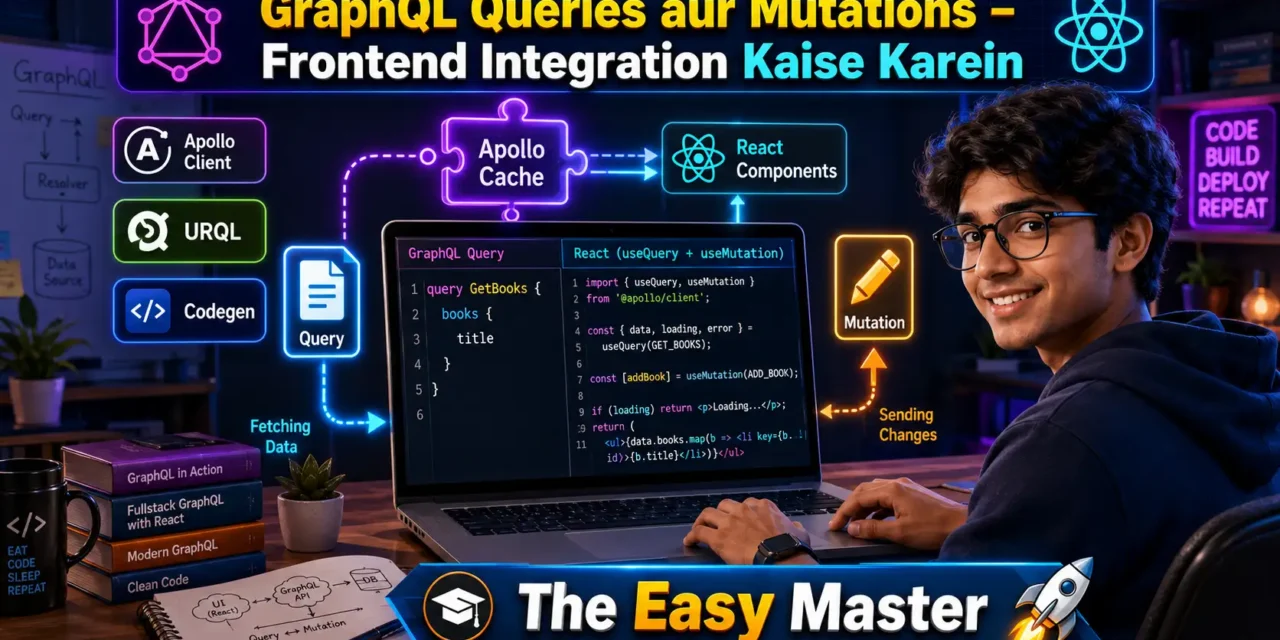
आपने GraphQL schema design सीख लिया – types, queries, mutations, sab samajh aa gaya. Ab aap soch rahe honge: “Ye schema frontend mein kaise use karein? React/Vue app mein actual queries aur mutations kaise likhein? Data fetch kaise karein aur UI update kaise karein? “
Bilkul sahi sawaal hai. Backend mein schema banana sirf aadha kaam hai. Asli maza tab aata hai jab aap frontend mein queries likhkar real data fetch karte ho aur mutations se data modify karte ho.
Jab maine pehli baar GraphQL ko React app mein integrate kiya, toh mujhe laga ki fetch hi kaafi hai. Lekin jaise jaise app complex hota gaya, caching, optimistic updates, error handling – sab manually handle karna mushkil ho gaya. Tab maine Apollo Client discover kiya – aur life easy ho gayi.
Is GraphQL queries mutations Hindi article mein main aapko frontend integration sikhata hoon:
✅ GraphQL Client kyun zaroori hai – Apollo Client vs URQL vs plain fetch
✅ Apollo Client setup – React/Vue mein configuration
✅ useQuery hook – data fetch karna, loading/error states handle karna
✅ useMutation hook – data create/update/delete karna, UI update karna
✅ Variables aur Fragments – reusable aur dynamic queries
✅ GraphQL Code Generator – TypeScript types autogenerate karna
✅ Optimistic Updates – mutation response se pehle UI update
✅ Cache Management – refetchQueries aur cache update patterns
✅ Error Handling – GraphQL errors handle karna, user-friendly messages
✅ Real project example – Todo app with queries + mutations
Chaliye frontend mein GraphQL magic implement karte hain! 🚀🎨
Table of Contents
1. GraphQL Client – क्यों ज़रूरी है?
GraphQL API ko frontend mein use karne ke liye aap technically fetch ya axios bhi use kar sakte ho. Lekin GraphQL ke liye specialised clients ka use karne ke kuch strong reasons hain:
| Feature | Plain Fetch | GraphQL Client (Apollo/URQL) |
|---|---|---|
| Request batching | Manual | Automatic |
| Caching | Manual | Built-in (normalized cache) |
| Loading/error states | Manual | Built-in hooks |
| Optimistic updates | ❌ Difficult | ✅ Built-in support |
| Type safety | Manual | With codegen |
| Pagination helpers | Manual | Built-in |
A GraphQL client is a library that handles query execution, caching, error management, and state updates automatically. Popular options:
- Apollo Client – Most popular, full-featured, excellent React/Vue support
- URQL – Lightweight, highly customizable, excellent for small to medium apps
- Relay – Facebook’s client, extremely optimized, steep learning curve
Apollo client provides an intelligent cache, optimistic UI updates, subscriptions, and error handling out of the box.
Is article mein hum Apollo Client use karenge – sabse popular aur beginner-friendly.
2. Apollo Client Setup – React/Vue Mein Configuration
Step 1: Install dependencies
npm install @apollo/client graphqlStep 2: Create Apollo Client instance
ApolloClient setup (apollo.js):
import { ApolloClient, InMemoryCache, gql } from '@apollo/client';

const client = new ApolloClient({
  uri: 'http://localhost:4000/graphql',  // Your GraphQL endpoint
  cache: new InMemoryCache(),
});
Apollo Client stores query results in a normalized in-memory cache, so the same data is referenced in your UI without extra work.
Step 3: Wrap React app with ApolloProvider
index.js (React):
import React from 'react';
import ReactDOM from 'react-dom/client';
import { ApolloProvider } from '@apollo/client';
import { client } from './apollo';
import App from './App';

const root = ReactDOM.createRoot(document.getElementById('root'));
root.render(
  <ApolloProvider client={client}>
    <App />
  </ApolloProvider>
);
Step 4: (For Vue) Install Vue Apollo
npm install @vue/apollo-composableSetup similar – provide client at app level.
Apollo Client handles data fetching, caching, and state management for GraphQL queries.
3. Apollo Client vs URQL vs Plain Fetch – Kaunsa Choose Karein?
| Client | Best for | Pros | Cons |
|---|---|---|---|
| Apollo Client | Large apps, full-featured | Normalized cache, devtools, subscriptions, React/Vue/Angular support | Larger bundle size |
| URQL | Small to medium apps | Lightweight (23KB), highly extensible, excellent docs | Fewer built-in features |
| Plain fetch | Simple scripts, no caching needed | No extra dependencies | Manual everything |
| Relay | Very large apps with strict patterns | Extremely optimized, Facebook-grade | Steep learning curve |
URQL is highly customizable and versatile, allowing you to add features like normalized caching as you grow. It’s built to be easy for beginners and extensible for complex needs.
urql provides a unified way across React, Vue, Svelte, and Solid.
Recommendation for beginners: Start with Apollo Client – sabse zyada tutorials aur community support available hai.
4. Queries – Data Fetch Karne Ka Sahi Tarika
Query GraphQL mein read operation hai – data fetch karne ke liye.
4.1 useQuery Hook Samjhein
Example Query:
graphql
query GetBooks {
  books {
    id
    title
    author
  }
}
React component with useQuery:
import { useQuery, gql } from '@apollo/client';

const GET_BOOKS = gql`
  query GetBooks {
    books {
      id
      title
      author
    }
  }
`;

function BookList() {
  const { loading, error, data } = useQuery(GET_BOOKS);

  if (loading) return <p>Loading books...</p>;
  if (error) return <p>Error: {error.message}</p>;

  return (
    <ul>
      {data.books.map(book => (
        <li key={book.id}>{book.title} by {book.author}</li>
      ))}
    </ul>
  );
}
Apollo’s useQuery hook automatically handles loading and error states, and updates your UI when data arrives.
4.2 Variables ke Saath Queries
Dynamic queries with variables:
graphql
query GetBook($id: ID!) {
  book(id: $id) {
    id
    title
    author
  }
}
useQuery with variables:
const GET_BOOK = gql`
  query GetBook($id: ID!) {
    book(id: $id) {
      id
      title
      author
    }
  }
`;

function BookDetail({ bookId }) {
  const { loading, error, data } = useQuery(GET_BOOK, {
    variables: { id: bookId },
  });

  // ... render data
}
Variables let you parameterize values, making queries reusable and maintainable.
When testing queries, use variables instead of inline arguments – this ensures your GraphQL documents can be copy-pasted directly from GraphiQL to your frontend.
5. Mutations – Data Modify Karne Ka Tarika
Mutations GraphQL mein write operations hain – data create, update, delete karne ke liye.
5.1 useMutation Hook Samjhein
Example Mutation:
graphql
mutation AddBook($title: String!, $author: String!) {
  addBook(title: $title, author: $author) {
    id
    title
    author
  }
}
React component with useMutation:
import { useMutation, gql } from '@apollo/client';

const ADD_BOOK = gql`
  mutation AddBook($title: String!, $author: String!) {
    addBook(title: $title, author: $author) {
      id
      title
      author
    }
  }
`;

function AddBookForm() {
  let inputTitle, inputAuthor;
  const [addBook, { loading, error }] = useMutation(ADD_BOOK);

  return (
    <form
      onSubmit={e => {
        e.preventDefault();
        addBook({ variables: { title: inputTitle.value, author: inputAuthor.value } });
        inputTitle.value = '';
        inputAuthor.value = '';
      }}
    >
      <input ref={node => { inputTitle = node; }} placeholder="Title" />
      <input ref={node => { inputAuthor = node; }} placeholder="Author" />
      <button type="submit" disabled={loading}>Add Book</button>
      {error && <p>Error: {error.message}</p>}
    </form>
  );
}
The mutation response should select data that you want to be returned so it can update the local client state. A good practice is to use fragments to ensure queries and mutations return the same data shape.
5.2 UI Update – refetchQueries aur cache.updateQuery
Mutation ke baad UI update karne ke do common tarike hain:
Method 1: refetchQueries – Simple but extra network call
const [addBook] = useMutation(ADD_BOOK, {
  refetchQueries: [{ query: GET_BOOKS }],
});
Mutation complete hone ke baad specified queries refetch hoti hain aur UI update ho jata hai.
Method 2: cache.updateQuery – Manual cache update (no extra network call)
const [addBook] = useMutation(ADD_BOOK, {
  update(cache, { data: { addBook } }) {
    const { books } = cache.readQuery({ query: GET_BOOKS });
    cache.writeQuery({
      query: GET_BOOKS,
      data: { books: [...books, addBook] },
    });
  },
});
This approach updates the cache directly without an extra network request – better performance but more code.
6. GraphQL Fragments – Reusable Components
Fragments are reusable sets of fields that you can define once and include in multiple queries. This is like creating a component for your GraphQL selections.
Fragment Definition:
graphql
fragment BookFields on Book {
  id
  title
  author
  publishedYear
}
Fragment ka Use:
graphql
query GetBooks {
  books {
    ...BookFields
  }
}

mutation AddBook($title: String!, $author: String!) {
  addBook(title: $title, author: $author) {
    ...BookFields
  }
}

${BookFields.fragment}
Fragment Collocation Pattern:
A best practice is fragment collocation – define GraphQL fragments directly alongside the UI components that consume them.
// BookCard.js
export const BOOK_CARD_FRAGMENT = gql`
  fragment BookCard on Book {
    id
    title
    author
  }
`;

function BookCard({ book }) {
  return <div><h3>{book.title}</h3><p>{book.author}</p></div>;
}
Fragments allow you to define a set of fields once and reuse it across multiple queries. Instead of copying fields everywhere, you describe the data shape in one place and include it wherever needed.
7. GraphQL Code Generator – TypeScript Types Autogenerate
GraphQL Code Generator is a tool that reads your GraphQL schema and operations and generates TypeScript types, typed hooks, and even full SDK clients automatically at build time.
Installation:
npm install -D @graphql-codegen/cli @graphql-codegen/typescript @graphql-codegen/typescript-operations @graphql-codegen/typescript-react-apolloSetup codegen.ts:
import type { CodegenConfig } from '@graphql-codegen/cli';

const config: CodegenConfig = {
  schema: 'http://localhost:4000/graphql',
  documents: ['src/**/*.graphql', 'src/**/*.tsx'],
  generates: {
    './src/generated/graphql.ts': {
      plugins: [
        'typescript',
        'typescript-operations',
        'typescript-react-apollo',
      ],
    },
  },
};

export default config;
Run codegen:
npm run codegenGenerated types ka use:
import { useGetBooksQuery, useAddBookMutation } from '../generated/graphql';

function BookList() {
  const { data, loading, error } = useGetBooksQuery();
  const [addBook] = useAddBookMutation();
  // ... Fully typed!
}
GraphQL Code Generator provides a unified way to get TypeScript types from GraphQL operations for most modern GraphQL clients. GraphQL Code Generator reads your schema and your .graphql operation files, then generates TypeScript code that matches your exact queries.
8. Optimistic Updates – Pehle UI Change, Phir Server Update
Optimistic UI एक pattern hai jisme aap mutation ke response se pehle hi UI update kar dete ho, assuming ki server mutation succeed ho jayegi. Isse app bohot responsive lagta hai.
Apollo Client mein Optimistic Update:
const [addTodo] = useMutation(ADD_TODO, {
  optimisticResponse: {
    addTodo: {
      __typename: 'Todo',
      id: 'temp-id',
      title: inputValue,
      completed: false,
    },
  },
  update(cache, { data: { addTodo } }) {
    // Update cache with real data when response arrives
  },
});
Apollo Client’s cache can roll back optimistic updates if the mutation fails. As soon as the mutation is in flight, the cache updates once with the optimisticResponse, then if the mutation resolves, it updates again with the real data, and if the mutation rejects, it rolls the optimistic update back automatically.
Optimistic UI is a pattern to simulate mutation results and update the UI even before receiving a response from the server. This creates an instant, responsive user experience.
9. Cache Management – Apollo Cache Policies
Apollo Client’s normalized cache is one of its killer features. It stores results by type + ID, so the same data is referenced in your UI without extra work.
Apollo Client 4.x handles data fetching, caching, and state management. The normalized in-memory cache means results are stored by type + ID and referenced in your UI automatically.
Common fetch policies:
| Policy | Behavior |
|---|---|
cache-first | Default – check cache first, then network |
network-only | Always fetch from network, update cache |
cache-and-network | Return cached data first, then fetch from network |
no-cache | Never cache results |
Usage:
const { data } = useQuery(GET_BOOKS, {
  fetchPolicy: 'cache-and-network',
});
Apollo Client 4.1 introduced significant updates to incremental delivery, fragment watching capabilities, and cache improvements.
Automatic persisted queries (APQ) help improve GraphQL network performance by sending smaller GraphQL HTTP requests.
10. Error Handling – GraphQL Errors Ko Handle Karna
GraphQL errors can be categorized into two types: GraphQL errors (in the errors array, with data possibly partial) and network errors (server unreachable, HTTP 500, etc.). The convention is clear: 400 for bad input, 403 for authorization errors, 500 for server errors.
Apollo Client mein Error Handling:
function BookList() {
  const { loading, error, data } = useQuery(GET_BOOKS);

  if (loading) return <Spinner />;
  if (error) {
    // networkError ya GraphQL error dono handle
    console.error(error.networkError);
    console.error(error.graphQLErrors);
    return <ErrorMessage error={error} />;
  }

  return <BookList data={data.books} />;
}
Mutation error handling:
const [addBook, { error: mutationError }] = useMutation(ADD_BOOK);

// Or with .catch:
addBook({ variables: { title, author } }).catch(error => {
  // handle error
});
Best practices for error handling:
- Use
try/catcharound mutation calls - Show user-friendly messages, not raw GraphQL errors
- Log errors to monitoring service (Sentry, etc.)
- For better type safety, define a
UserErrorinterface that all user-facing errors implement
GraphQL errors are masked by default and logged on the server, but you can control masking behavior for development. All of the features of GraphQL operations that apply to queries also apply to mutations.
11. Real Project – Todo App with Apollo Client
Chaliye sab concepts ko combine karte hain – ek complete Todo App banate hain with queries, mutations, optimistic updates, aur cache management.
Schema (Backend)
graphql
type Todo {
  id: ID!
  title: String!
  completed: Boolean!
}

type Query {
  todos: [Todo!]!
}

type Mutation {
  addTodo(title: String!): Todo!
  toggleTodo(id: ID!): Todo!
  deleteTodo(id: ID!): ID!
}
Frontend React Code
queries.js:
import { gql } from '@apollo/client';

export const GET_TODOS = gql`
  query GetTodos {
    todos {
      id
      title
      completed
    }
  }
`;

export const ADD_TODO = gql`
  mutation AddTodo($title: String!) {
    addTodo(title: $title) {
      id
      title
     completed
    }
  }
`;

export const TOGGLE_TODO = gql`
  mutation ToggleTodo($id: ID!) {
    toggleTodo(id: $id) {
      id
      completed
    }
  }
`;

export const DELETE_TODO = gql`
  mutation DeleteTodo($id: ID!) {
    deleteTodo(id: $id)
  }
`;TodoApp.js:
import { useQuery, useMutation } from '@apollo/client';
import { GET_TODOS, ADD_TODO, TOGGLE_TODO, DELETE_TODO } from './queries';

function TodoApp() {
  const { loading, error, data } = useQuery(GET_TODOS);
  const [addTodo] = useMutation(ADD_TODO, {
    update(cache, { data: { addTodo } }) {
      const { todos } = cache.readQuery({ query: GET_TODOS });
      cache.writeQuery({
        query: GET_TODOS,
        data: { todos: [...todos, addTodo] },
      });
    },
    optimisticResponse: (variables) => ({
      addTodo: {
        id: `temp-${Date.now()}`,
        title: variables.title,
        completed: false,
        __typename: 'Todo',
      },
    }),
  });
  const [toggleTodo] = useMutation(TOGGLE_TODO);
  const [deleteTodo] = useMutation(DELETE_TODO, {
    update(cache, { data: { deleteTodo } }) {
      const { todos } = cache.readQuery({ query: GET_TODOS });
      cache.writeQuery({
        query: GET_TODOS,
        data: { todos: todos.filter(todo => todo.id !== deleteTodo) },
      });
    },
  });

  if (loading) return <p>Loading todos...</p>;
  if (error) return <p>Error: {error.message}</p>;

  return (
    <div>
      <h1>📝 My Todos</h1>
      <form onSubmit={e => {
        e.preventDefault();
        const input = e.target.title;
        addTodo({ variables: { title: input.value } });
        input.value = '';
      }}>
        <input name="title" placeholder="New todo..." />
        <button type="submit">Add</button>
      </form>
      <ul>
        {data.todos.map(todo => (
          <li key={todo.id}>
            <input
              type="checkbox"
              checked={todo.completed}
              onChange={() => toggleTodo({ variables: { id: todo.id } })}
            />
            <span style={{ textDecoration: todo.completed ? 'line-through' : 'none' }}>
              {todo.title}
            </span>
            <button onClick={() => deleteTodo({ variables: { id: todo.id } })}>✖</button>
          </li>
        ))}
      </ul>
    </div>
  );
}
Ye example dikhata hai kaise:
useQueryse todos fetch karte hainuseMutationse add/toggle/delete karte hain- Cache update krte hain mutation ke baad
- Optimistic response se instant UI update hota hai
12. Best Practices – Production-Level Tips
✅ Use a GraphQL client (Apollo/URQL) – Don’t use plain fetch for anything beyond trivial scripts
✅ Use fragments for field consistency – Reuse same fragment in queries and mutations to ensure returned data shapes match
✅ Use variables, not inline arguments – Makes queries reusable and testable
✅ Name your operations – Use query GetBooks, mutation AddBook. Makes debugging network requests easier
✅ Use GraphQL Code Generator – Generate TypeScript types and hooks automatically – catches errors at compile time
✅ Use fetch policy cache-and-network for frequently updated data – Shows cached data first, updates in background
✅ Implement optimistic updates – Provides instant feedback to users
✅ Handle errors gracefully – Show user-friendly messages, log to monitoring service
✅ Use fragment collocation – Define fragments alongside the components that use them
✅ Batch queries when possible – Reduces network requests
✅ Use persisted queries (APQ) in production – Reduces request size, improves performance
💡 Personal Experience: Jab maine pehli baar Apollo Client use kiya tha, maine
refetchQuerieshar jagah use kiya – jisse extra network calls hote the. Baad meinupdatefunction auroptimisticResponseuse karke maine network calls 50% kam kar diye aur UI instantly responsive ban gaya. Optimistic updates is a game-changer for UX!
13. Resources – Cheat Sheet & Practice Prompts
Apollo Client Commands Cheat Sheet
| Task | Command |
|---|---|
| Install Apollo Client | npm install @apollo/client graphql |
| Setup client | new ApolloClient({ uri, cache }) |
| Wrap app | <ApolloProvider client={client}> |
| Query | const { data, loading, error } = useQuery(GET_DATA) |
| Mutation | const [mutate] = useMutation(ADD_DATA) |
| Mutation with update | useMutation(ADD_DATA, { update, optimisticResponse }) |
| Fragment definition | fragment BookFields on Book { id title } |
| Codegen install | npm install -D @graphql-codegen/cli |
| Run codegen | npm run codegen |
GraphQL Query/Mutation Skeleton
graphql
# Query with variables
query GetItems($limit: Int) {
  items(limit: $limit) {
    id
    name
  }
}

# Mutation with input type
mutation CreateItem($input: CreateItemInput!) {
  createItem(input: $input) {
    id
    name
  }
}

# Fragment
fragment ItemFields on Item {
  id
  name
}
Practice Prompts
Beginner:
- Apollo Client setup karo React app mein. Simple
GET_BOOKSquery likho aur books list display karo with loading/error states. ADD_BOOKmutation likho with form. Mutation ke baadrefetchQueriesuse karke book list update karo.
Intermediate:
- Fragment define karo
BookCardcomponent ke liye. Use that fragment in both query and mutation. - GraphQL Code Generator setup karo aur TypeScript types generate karo. Generated hooks use karke components rewrite karo.
Advanced:
- Optimistic updates implement karo for
ADD_BOOKmutation – user should see new book instantly without waiting for server. - Cache update for
DELETE_BOOKmutation usingcache.updateQuery. Compare network tab with refetch approach.
14. FAQ
Q1: GraphQL queries aur mutations mein kya antar hai?
Queries data fetch karne ke liye hain (read operations) – idempotent hoti hain. Mutations data modify karne ke liye hain (create, update, delete). Mutations can also query data that will be returned after the operation.
Q2: Apollo Client vs plain fetch – kyun use karein?
Apollo Client provides normalized caching, optimistic updates, loading/error states, request batching, and automatic UI updates – sab kuch out of the box. Plain fetch mein sab kuch manually karna padta hai.
Q3: Mutation ke baad UI kaise update karein?
Three ways: (1) refetchQueries – simple but extra network call, (2) cache.updateQuery – manual cache update, no extra call, (3) Return updated object from mutation and let Apollo automatically update cache for normalized types.
Q4: Fragments kyun use karein?
Fragments field selection ko reusable banate hain. Agar same fields multiple queries mein use ho rahe hain, to fragment define karna maintainability improve karta hai. Fragment collocation pattern se component aur uske data dependencies saath rehte hain.
Q5: Optimistic Updates kya hai aur kab use karein?
Optimistic updates UI instantly update kar dete hain mutation response se pehle, assuming server succeed ho jayega. Use for mutations where success is likely (e.g., adding a todo, liking a post). Don’t use for critical financial transactions.
Q6: GraphQL errors ko kaise handle karein?
Apollo Client useQuery aur useMutation dono mein error object provide karta hai – isme networkError aur graphQLErrors arrays hote hain. Show user-friendly messages based on error type. For better UX, create an ErrorBoundary component.
15. Conclusion – Ab Aapki Baari!
Bahut badhiya! Aapne aaj seekh liya:
✅ GraphQL queries mutations Hindi – frontend integration complete guide
✅ Apollo Client setup – React mein configuration
✅ useQuery – data fetch, loading/error states, variables
✅ useMutation – data modify, update cache, UI sync
✅ Fragments – reusable field selections
✅ GraphQL Code Generator – TypeScript types autogenerate
✅ Optimistic updates – instant UI updates
✅ Cache management – refetchQueries vs manual update
✅ Error handling – user-friendly messages
✅ Todo app example – all concepts combined
GraphQL frontend integration ab aapko easy lagna chahiye. Apollo Client queries aur mutations ko bohot smooth banata hai – caching, optimistic updates, error handling – sab built-in.
Aapki challenge: Upar diye Todo app example implement karo. Pehle simple version banao, then optimistic updates and cache update implement karo. TypeScript + GraphQL Code Generator add karo. Apna experience comment mein share karo!
Next topic kya chahiye?
- GraphQL Subscriptions – Real-time data with WebSockets?
- GraphQL Federation – Multiple GraphQL services ek saath?
- GraphQL Security (persisted queries, depth limiting)?
Comment mein batao!
The Easy Master ke saath GraphQL frontend integration seekhte raho। Happy coding! 🚀🎨
Resources
- Apollo Client Documentation
- GraphQL Code Generator – React Guide
- URQL – Lightweight GraphQL Client
- Relay – Facebook’s GraphQL Client
- Apollo Client React Hooks API Reference
Additional Resources
- MongoDB Setup – CRUD Operations समझे (Beginner Guide) 2026
- MongoDB Compass से GUI Database Manage करने का आसान तरीका | Beginner Tutorial 2026
- Node.js MongoDB Connection – Mongoose Setup समझे 2026
- MongoDB Data Modeling – Embedded Documents vs References 2026
- MongoDB Indexing – Query Speed बढ़ने करने का आसान तरीका
- MongoDB Aggregation Pipeline – Stages समझे | Practical Examples
- Express MongoDB CRUD – Complete REST API Example
- Mongoose ODM – Schema, Model, and Validation समझे 2026
- MongoDB Atlas – Cloud Database Free में Deploy करें 2026
- JWT Authentication MongoDB – User Login System कैसे बनाएं 2026
- Next.js App Router – Pages Router से क्या बदला? Complete Guide 2026
- Next.js Server Components – ‘use client’ कब और कहां Use करें
- Next.js Routing – Layouts, Dynamic Routes and Nested Routes 2026
- Next.js 16 New Features – Turbopack, Cache Components and proxy.ts
- Next.js Partial Prerendering – Static and Dynamic Content साथ में
- Next.js Authentication – JWT Session Management (App Router) 2026
- Next.js SEO – Metadata API and Image Optimization समझे 2026
- Next.js TypeScript – Full-Stack Type-Safe App कैसे बनाएं
- FastAPI Kya Hai? FastAPI Python Setup Aur Pehla API Hindi 2026
- FastAPI Path Parameters Hindi – शून्य से हीरो तक गाइड 2026
- Pydantic v2 Tutorial Hindi – Data Validation Master 2026
- FastAPI dependency injection Hindi – Code Reuse Ka Magic
- FastAPI Async Await Hindi – Non-Blocking Code 2026
- FastAPI PostgreSQL SQLModel Hindi – Async Guide 2026
- FastAPI JWT Authentication Hindi – Secure API Login
- FastAPI OpenAI Integration Hindi – AI Chatbot API 2026
- FastAPI Multi-Agent AI Hindi – LangGraph Zero to Hero
- FastAPI Deployment Hindi – Railway Zero to Hero 2026
- Docker Introduction in Hindi? Containers vs Virtual Machines
- Docker Images and Containers Hindi – Pehla Container
- Docker Compose Tutorial Hindi – Node.js + MongoDB
- Docker Volumes Networking Hindi – Data Persist कैसे करें
- Kubernetes Architecture Hindi – Pods, Nodes, Cluster
- Minikube Tutorial Hindi – Local Cluster कैसे बनाए
- Kubernetes Deployments Services Hindi – App Expose Karein
- K8s Ingress Tutorial Hindi – Domain se App Access
- Helm Kya Hai? – Kubernetes Charts Se App Deploy
- GraphQL Introduction in Hindi – REST vs GraphQL Comparison
- GraphQL Schema Tutorial Hindi – Types Queries Resolvers
Views: 329