नमस्ते दोस्तों!
स्वागत है The Easy Master पर!
आपने REST API ya GraphQL API बना ली। FastAPI हो, ya Node.js Express – sab kuch चल रहा है। Lekin ek sawaal हमेशा रहता है – “Kya meri API production mein jaane se pehle sahi kaam karegi?”
Jab maine pehli baar ek feature add kiya, maine manually check kiya ki sab sahi hai। Sab green tha। Par us feature ने kisi aur endpoint ko tod diya – aur mujhe pata bhi nahi chala। Jab users ko problem aayi, tab jaake pata chala।
Tab maine seekha – API testing is not just a good practice; it’s a safety net। Tests aapka time बचाते हैं, confidence देते हैं, aur production bugs को early catch करते हैं।
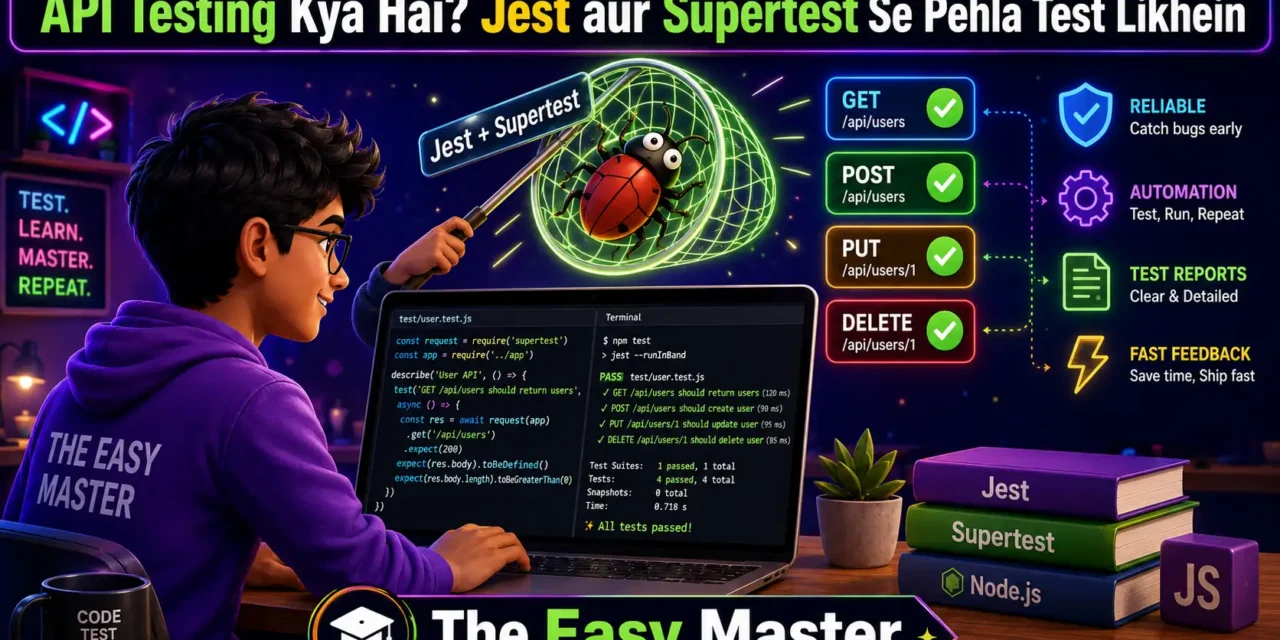
Is API testing Jest aur Supertest Hindi guide mein main aapko sikhata hoon:
✅ API Testing kya hota hai – manual vs automated, unit vs integration
✅ Jest & Supertest kyun – comparison with Mocha, Chai, Pytest
✅ Jest & Supertest setup – Node.js/TypeScript project में
✅ Pehla test likhein – GET request, status code, JSON response
✅ POST request test – body validate karein, status code check
✅ Async testing – async/await use karein
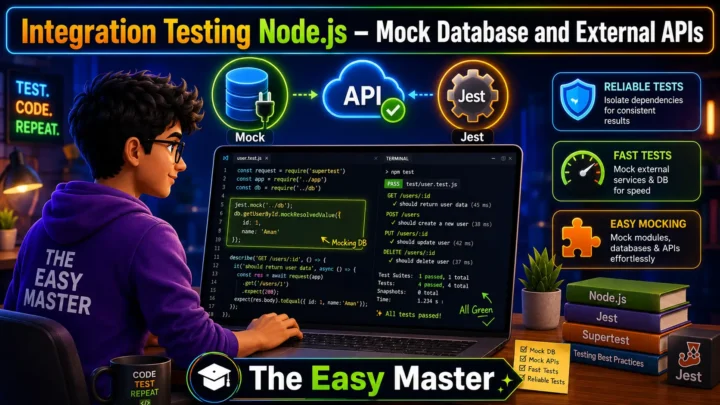
✅ Mocking dependencies – database, external API calls
✅ Auth testing – JWT token mock karein
✅ Best practices – production-level tips
✅ Common mistakes – aur unka solution
Ye article beginners ke liye hai – agar aapko thodi si JavaScript ya TypeScript aati hai, to aap easily follow kar sakte ho। Chaliye API testing की दुनिया mein step rakhte hain! 🚀
Table of Contents
1. API Testing Kya Hai? – क्यों जरूरी है?
API testing automated tests likhne ki process hai jo check karti hai ki aapki API sahi tarah se kaam kar rahi hai ya nahi – status codes, response body, headers, error messages, performance – sab kuch।
Manual testing ki problems:
| Problem | Example |
|---|---|
| Time-consuming | Har feature change ke baad saare endpoints manually check karna |
| Error-prone | Aadha testing reh jaata hai ya kuch miss ho jaata hai |
| Not scalable | 50 endpoints ho to manually test karna impossible hai |
Automated testing ke benefits:
- Fast execution – secondon mein saare tests चल जाते हैं
- Early bug detection – feature add karte hi test fail ho jaata hai agar kuch toota hai
- Confidence – changes karne se pehle pata hota hai ki sab sahi hai ya nahi
- Documentation – tests yahan bataate hain ki API kaise behave karni chahiye
💡 Personal Experience: Maine ek baar ek feature add kiya – sab manual test kiya, sab sahi lag raha tha। Deploy kiya। Phir users ne complaint kiya ki login nahi ho raha। Pata chala ki mere change ne authentication middleware tod diya tha। Us din maine decide kiya – ab se tests mandatory honge।
2. Jest vs Mocha vs Pytest – कौनसा Choose करें?
Testing frameworks ke beech choose karna mushkil ho sakta hai। Let’s compare:
| Aspect | Jest | Mocha + Chai | Pytest (Python) |
|---|---|---|---|
| Setup | Zero-config, out-of-the-box | Manual configuration required | Easy, pip install |
| Ecosystem | React, Node.js, TypeScript | Node.js, flexible | Python (FastAPI, Django, Flask) |
| Assertions | Built-in (expect) | Separate library (Chai) | Built-in (assert) |
| Mocking | Built-in (jest.mock) | Separate library (Sinon) | Built-in (unittest.mock) |
| Parallel execution | Yes (default) | Manual configuration | Yes (pytest-xdist) |
| Snapshot testing | Built-in | Third-party | No |
| Best for | JavaScript/TypeScript apps | Node.js apps needing flexibility | Python/FastAPI apps |
Yeh article mein Jest kyun? – Kyonki hum Node.js/TypeScript use kar rahe hain, Jest integrated hai, setup easy hai, aur Supertest ke saath perfect combination बनाता है। Agar aap FastAPI use kar rahe ho, to pytest better choice hai। But concepts same hain।
Supertest ek library hai jo HTTP requests ko simulate karti hai – Express app ke saath direct kaam karti hai bina server start kiye। Isse tests fast और reliable बनते हैं。Supertest simply lets you fire HTTP requests directly at your Express app without starting a server on a real port。
Kapde ki boli: Supertest woh dost hai jo actual request bhejta hai aur response laata hai। Jest woh judge hai jo check karta hai ki response sahi hai ya nahi।
3. Jest & Supertest Setup – Node.js + TypeScript Project
Chaliye practical start karte hain। Setup step-by-step:
3.1 Project Initialization
mkdir api-testing-demo
cd api-testing-demo
npm init -y
3.2 Install Dependencies
# Express app dependencies
npm install express

# Testing dependencies
npm install --save-dev jest supertest @types/jest @types/supertest typescript ts-jest @types/node
Har package kya karta hai:
| Package | Purpose |
|---|---|
jest | Testing framework (assertions, mocks) |
supertest | HTTP request simulation |
@types/jest | TypeScript types for Jest |
@types/supertest | TypeScript types for Supertest |
typescript | TypeScript compiler |
ts-jest | Jest ke liye TypeScript preprocessor |
@types/node | Node.js TypeScript types |
3.3 Configure Jest
jest.config.js file banayein:
module.exports = {
  preset: 'ts-jest',
  testEnvironment: 'node',
  testMatch: ['**/*.test.ts'],
  collectCoverageFrom: ['src/**/*.ts', '!src/server.ts'],
  coverageDirectory: 'coverage',
};
Package.json mein scripts add karein:
"scripts": {
  "test": "jest",
  "test:watch": "jest --watch",
  "test:coverage": "jest --coverage"
}
3.4 Create Express App
Critical point: app aur server ko separate rakhna। Agar listen() app mein rahega to test files import karte time real port bind hoga aur conflicts honge।
src/app.ts:
import express from 'express';

const app = express();
app.use(express.json());

// Health check endpoint
app.get('/health', (req, res) => {
  res.status(200).json({ status: 'ok', timestamp: Date.now() });
});

// GET /users
app.get('/users', (req, res) => {
  res.json({ users: [] });
});

// POST /users
app.post('/users', (req, res) => {
  const { name, email } = req.body;
  if (!name || !email) {
    return res.status(400).json({ error: 'Name and email are required' });
  }
  res.status(201).json({ id: Date.now(), name, email });
});

export default app;src/server.ts:
import app from './app';

const PORT = process.env.PORT || 3000;

const server = app.listen(PORT, () => {
  console.log(`Server running on port ${PORT}`);
});

export default server;
Folder structure:
text
api-testing-demo/
├── src/
│   ├── app.ts
│   ├── server.ts
│   └── __tests__/
│       └── app.test.ts
├── jest.config.js
├── package.json
├── tsconfig.json
└── node_modules/
4. Pehla Test – GET Endpoint Ko Test Karein
Ab hum apna pehla test likhte hain। File banayein src/__tests__/app.test.ts:
import request from 'supertest';
import app from '../app';

describe('Health Check Endpoint', () => {
  it('GET /health should return 200 and status ok', async () => {
    const response = await request(app)
      .get('/health')
      .expect('Content-Type', /json/)
      .expect(200);

    expect(response.body).toHaveProperty('status', 'ok');
    expect(response.body).toHaveProperty('timestamp');
  });
});

describe('GET /users', () => {
  it('should return empty users array', async () => {
    const response = await request(app)
      .get('/users')
      .expect(200);

    expect(response.body).toHaveProperty('users');
    expect(response.body.users).toEqual([]);
  });
});
Code Explanation
| Code | Meaning |
|---|---|
request(app) | Supertest को Express app instance pass karte hain |
.get('/health') | HTTP GET request bhejte hain |
.expect(200) | Assert karte hain ki status code 200 aana chahiye |
.expect('Content-Type', /json/) | Check karte hain ki response JSON format mein hai |
expect(response.body).toHaveProperty('status', 'ok') | Jest assertion ki response body mein ‘status’ field hai aur uska value ‘ok’ hai |
Run Tests
npm testOutput kuch aisa hoga:
text
 PASS  src/__tests__/app.test.ts
  Health Check Endpoint
    ✓ GET /health should return 200 and status ok
  GET /users
    ✓ should return empty users array

Test Suites: 1 passed, 1 total
Tests:       2 passed, 2 total
🎉 Congratulations! Aapka pehla API test pass ho gaya!
5. POST Request Test – Body Validate Karein
POST endpoints ko test karna thoda interesting hai kyunki request body bhejni hoti hai aur validation check karni hoti hai।
5.1 Test Valid Data
describe('POST /users', () => {
  it('should create a new user with valid data', async () => {
    const newUser = {
      name: 'Rahul Kumar',
      email: 'rahul@example.com'
    };

    const response = await request(app)
      .post('/users')
      .send(newUser)
      .expect('Content-Type', /json/)
      .expect(201);

    expect(response.body).toHaveProperty('id');
    expect(response.body.name).toBe(newUser.name);
    expect(response.body.email).toBe(newUser.email);
  });
});
5.2 Test Invalid Data (Validation)
it('should return 400 when name is missing', async () => {
  const invalidUser = { email: 'test@example.com' };

  const response = await request(app)
    .post('/users')
    .send(invalidUser)
    .expect(400);

  expect(response.body).toHaveProperty('error');
  expect(response.body.error).toContain('Name');
});

it('should return 400 when email is missing', async () => {
  const invalidUser = { name: 'Test User' };

  const response = await request(app)
    .post('/users')
    .send(invalidUser)
    .expect(400);

  expect(response.body.error).toContain('email');
});
5.3 Supertest Chaining Explained
Supertest allows chaining methods for complex requests:
await request(app)
  .post('/users')
  .set('Authorization', 'Bearer token123')  // Header set
  .send({ name: 'John', email: 'john@example.com' })  // Body
  .expect(201)
  .expect('Content-Type', /json/);
6. Async Testing – await aur try/catch ke saath
Jab aap multiple async operations handle kar rahe ho, tab async/await aur try/catch use karna chahiye。
6.1 Basic Async Test
Jab Supertest promises return karta hai, to await use karna best practice hai:
it('should handle async operations correctly', async () => {
  try {
    const response = await request(app).get('/users');
    expect(response.status).toBe(200);
  } catch (error) {
    throw new Error(`Test failed: ${error}`);
  }
});
6.2 Testing Async Error Scenarios
it('should handle 404 for non-existent route', async () => {
  const response = await request(app).get('/non-existent-route');
  expect(response.status).toBe(404);
});
6.3 Testing Database Operations (Mocked)
// Mock database function
jest.mock('../db', () => ({
  getUsers: jest.fn().mockResolvedValue([{ id: 1, name: 'Test' }])
}));

it('should fetch users from database', async () => {
  const response = await request(app).get('/users');
  expect(response.status).toBe(200);
  expect(response.body.users).toHaveLength(1);
});
💡 Pro Tip: Tests ko isolated rakho – ek test doosre test ke result par depend nahi hona chahiye। Use
beforeEachandafterEachhooks to reset state before each test।
6.4 Jest Hooks for Test Setup
beforeEach(() => {
  // Runs before each test – reset database, clear mocks
  jest.clearAllMocks();
});

afterEach(() => {
  // Runs after each test – cleanup
});

beforeAll(() => {
  // Runs once before all tests – connect to test database
});

afterAll(() => {
  // Runs once after all tests – disconnect database
});
7. Mocking Dependencies – Database aur External APIs
Real APIs mein external dependencies hoti hain – database, third-party APIs, file system। Tests mein hum unhe mock karte hain taaki tests fast aur predictable rahein।
7.1 Jest Mocking Basics
// Mock an entire module
jest.mock('../database', () => ({
  createUser: jest.fn(),
  findUser: jest.fn(),
}));

// Mock a function
const mockCreateUser = jest.fn();
mockCreateUser.mockResolvedValue({ id: 1, name: 'Test User' });
7.2 Mocking Database in Integration Tests
// db.ts
export const db = {
  users: [] as any[],
  saveUser: (user: any) => {
    db.users.push(user);
    return { id: Date.now(), ...user };
  }
};

// app.test.ts
import { db } from '../db';

// Mock db before tests
jest.mock('../db', () => ({
  db: {
    users: [],
    saveUser: jest.fn().mockImplementation((user) => ({
      id: 999,
      ...user
    }))
  }
}));
7.3 Mocking External API Calls
Suppose aapka API kisi third-party weather API ko call karta hai – aap usse mock kar sakte ho:
// Mock fetch globally
global.fetch = jest.fn();

beforeEach(() => {
  (global.fetch as jest.Mock).mockClear();
});

it('should return weather data', async () => {
  // Mock successful response
  (global.fetch as jest.Mock).mockResolvedValue({
    ok: true,
    json: async () => ({ temp: 25, condition: 'Sunny' })
  });

  const response = await request(app).get('/weather?city=Mumbai');
  expect(response.body).toHaveProperty('temp', 25);
});
7.4 Mocking Middleware
Middleware ko mock karna important hai jab aap auth layer skip karna chahte ho:
// Mock auth middleware
jest.mock('../middleware/auth', () => ({
  authenticate: (req: any, res: any, next: any) => {
    req.user = { id: '123', role: 'admin' };
    next();
  }
}));
8. Authentication Testing – JWT Token Mock Kaise Karein
APIs often have protected routes requiring authentication or specific middleware behavior। Integration tests allow you to send real HTTP requests into your API and assert against the responses – just like a real client would。
8.1 Mock JWT Verification
// Mock jsonwebtoken module
jest.mock('jsonwebtoken', () => ({
  verify: jest.fn().mockReturnValue({ userId: '123', email: 'test@example.com' }),
  sign: jest.fn().mockReturnValue('mocked-token')
}));

it('should access protected route with valid token', async () => {
  const response = await request(app)
    .get('/protected')
    .set('Authorization', 'Bearer any-token-will-work');

  expect(response.status).toBe(200);
});
8.2 Testing Protected Endpoints
describe('Protected endpoints', () => {
  let authToken: string;

  beforeAll(async () => {
    // First, get a real token via login endpoint
    const loginResponse = await request(app)
      .post('/login')
      .send({ email: 'test@example.com', password: 'password123' });

    authToken = loginResponse.body.token;
  });

  it('should access profile with valid token', async () => {
    const response = await request(app)
      .get('/profile')
      .set('Authorization', `Bearer ${authToken}`);

    expect(response.status).toBe(200);
    expect(response.body).toHaveProperty('email');
  });

  it('should return 401 without token', async () => {
    const response = await request(app).get('/profile');
    expect(response.status).toBe(401);
  });
});
8.3 Bypassing Authentication in Integration Tests
Jab aap sirf business logic test karna chahte ho, tab auth middleware bypass kar sakte ho:
// Create a test version of app without auth
const testApp = express();
testApp.use(express.json());

// Add mock user to request
testApp.use((req, res, next) => {
  (req as any).user = { id: 'test-user-id', role: 'admin' };
  next();
});

// Add your routes
testApp.use('/api', routes);
9. Best Practices – Production-Level Tips
✅ Name your test suites and cases clearly – describe('POST /users') and it('should return 400 when email missing')। Isse failure होने पर pata chal jaata hai kya toota hai।
✅ Use testEnvironment: "node" in Jest config – Jest defaults to jsdom (browser environment), jo Node.js globals ko sahi se handle nahi karta।
✅ Separate app and server files – app.ts exports the Express app, server.ts calls listen()। Agar listen() app mein रहता है to test files import karte time real port bind hoga।
✅ Keep tests isolated – Ek test doosre test ke result par depend nahi hona chahiye। Use beforeEach and afterEach to reset state।
✅ Mock external dependencies – Database, external APIs, file system – sabko mock karo taaki tests fast aur predictable rahein。
✅ Test both happy and unhappy paths – Success cases ke saath validation errors, 404, 401, edge cases bhi test karo।
✅ Use expect.assertions for async tests – Ensure that certain number of assertions are actually called।
✅ Run tests in CI/CD – GitHub Actions, GitLab CI, ya Jenkins mein tests automatically chalao।
✅ Maintain good test coverage (70-80%) – Not 100%, but enough to catch critical bugs।
💡 Personal Experience: 100% coverage chase karna time-wasting ho sakta hai। Focus on critical paths and error cases that actually matter to your users।
10. Resources – Cheat Sheet & Practice Prompts
Jest + Supertest Cheat Sheet
// Basic GET test
await request(app).get('/endpoint').expect(200);

// POST with body
await request(app)
  .post('/endpoint')
  .send({ key: 'value' })
  .expect(201)
  .expect('Content-Type', /json/);

// With headers
await request(app)
  .get('/protected')
  .set('Authorization', 'Bearer token')
  .expect(200);

// Common assertions
expect(response.status).toBe(200);
expect(response.body).toHaveProperty('id');
expect(response.body.users).toHaveLength(3);
expect(response.body.error).toContain('required');

// Mocking
jest.mock('../module');
const mockFn = jest.fn().mockReturnValue('value');
mockFn.mockResolvedValue({ data: 'async' });
Practice Prompts
Beginner:
- Express app banayein jisme
/pingendpoint ho jo{ message: 'pong' }return kare। Uska test likhein jo status 200 aur message check kare। /usersGET endpoint banayein jo array return kare। Test likhein jo empty array check kare।
Intermediate:
- POST
/registerendpoint banayein jousername,email,passwordaccept kare aur validation errors handle kare। Tests likhein for success case, missing fields, aur invalid email format। - Database layer ko mock karein aur tests likhein jo verify karein ki data sahi se save ho raha hai।
Advanced:
- JWT authentication implement karein। Tests likhein for login (success/failure), protected routes (with/without token), token expiration scenarios।
- Third-party API call ko mock karein (e.g., weather API)। Tests likhein for API success, API failure, and timeout scenarios।
11. FAQ
Q1: Unit test aur integration test mein kya antar hai?
Unit test – kisi ek function ya module ko isolate karke test karta hai। Integration test – multiple components (routes, controllers, database) ko saath mein test karta hai। Yeh article integration testing focus karta hai。
Q2: Supertest aur Postman mein kya antar hai?
Postman manual testing tool hai, Supertest automated testing library hai। Supertest tests code mein likhe jaate hain aur CI pipeline mein automated run ho sakte hain। Postman ki tests manual trigger karni padti hain।
Q3: testEnvironment: node kyun set karna zaroori hai?
Jest default jsdom environment use karta hai (browser simulation), jo Node.js globals ko sahi se handle nahi karta। Node.js API testing ke liye node environment set karna zaroori hai।
Q4: Tests slow ho rahe hain – kya karein?
- Mock external dependencies (database, APIs)
- Use
--watchmode for development - Run tests in parallel (Jest does this by default)
- Use in-memory database for tests
Q5: Real database ke saath tests kaise likhein?
Integration tests mein sometimes real database use karna acceptable hai। Use a test database (not development/production database), use transactions to rollback after each test, or use mongodb-memory-server for MongoDB。
Q6: CI/CD pipeline mein tests kaise run karein?
GitHub Actions mein npm test command add karo। Ensure tests don’t rely on external services that aren’t available in CI environment. Mock everything that’s not under your control.
12. Conclusion – Ab Aapki Baari!
Bahut badhiya! Aapne aaj seekh liya:
✅ API testing kya hai – manual vs automated, unit vs integration
✅ Jest vs Mocha vs Pytest – comparison and recommendation
✅ Jest & Supertest setup – Node.js + TypeScript project mein configuration
✅ Pehla test – GET request, status code, JSON validation
✅ POST request test – body validation, error cases
✅ Async testing – async/await and Jest hooks
✅ Mocking dependencies – database, external APIs, middleware
✅ Authentication testing – JWT token mock, protected routes
✅ Best practices – production-level tips
API testing is not optional anymore – it’s a necessity। Jest aur Supertest ke saath aap production-grade tests likh sakte ho jo confidence देते हैं aur bugs को early catch करते हैं।
Aapki challenge: Ek simple Task API banayein (Express + in-memory storage)। Iske liye tests likhein – GET /tasks, POST /tasks, validation errors, aur 404 scenarios। Tests pass karo aur coverage report generate karo। Apna code comment mein share karo!
Next topic kya chahiye?
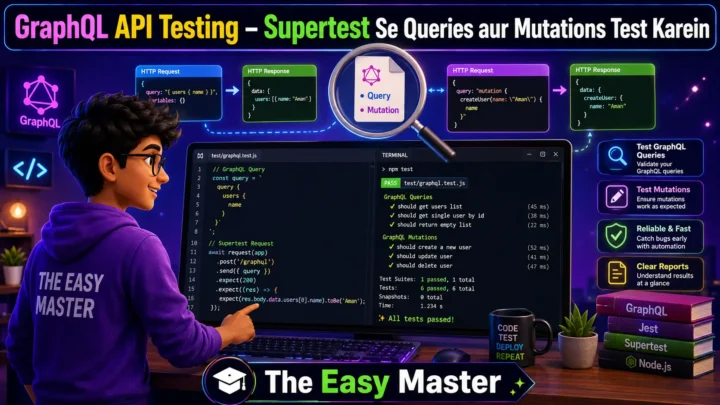
- GraphQL API Testing with Jest?
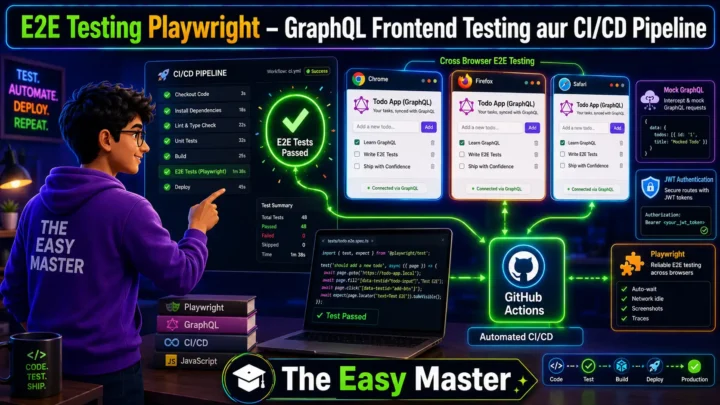
- CI/CD Pipeline with GitHub Actions?
- Performance Testing with k6 or Artillery?
Comment mein batao!
The Easy Master ke saath API testing seekhte raho। Happy testing! 🚀
Resources
- Jest Official Documentation
- Supertest GitHub Repository
- Testing Node.js APIs with Jest (SitePoint)
- Testing Express APIs with Supertest (Dev.to)
Additional Resources
- MongoDB Setup – CRUD Operations समझे (Beginner Guide) 2026
- MongoDB Compass से GUI Database Manage करने का आसान तरीका | Beginner Tutorial 2026
- Node.js MongoDB Connection – Mongoose Setup समझे 2026
- MongoDB Data Modeling – Embedded Documents vs References 2026
- MongoDB Indexing – Query Speed बढ़ने करने का आसान तरीका
- MongoDB Aggregation Pipeline – Stages समझे | Practical Examples
- Express MongoDB CRUD – Complete REST API Example
- Mongoose ODM – Schema, Model, and Validation समझे 2026
- MongoDB Atlas – Cloud Database Free में Deploy करें 2026
- JWT Authentication MongoDB – User Login System कैसे बनाएं 2026
- Next.js App Router – Pages Router से क्या बदला? Complete Guide 2026
- Next.js Server Components – ‘use client’ कब और कहां Use करें
- Next.js Routing – Layouts, Dynamic Routes and Nested Routes 2026
- Next.js 16 New Features – Turbopack, Cache Components and proxy.ts
- Next.js Partial Prerendering – Static and Dynamic Content साथ में
- Next.js Authentication – JWT Session Management (App Router) 2026
- Next.js SEO – Metadata API and Image Optimization समझे 2026
- Next.js TypeScript – Full-Stack Type-Safe App कैसे बनाएं
- FastAPI Kya Hai? FastAPI Python Setup Aur Pehla API Hindi 2026
- FastAPI Path Parameters Hindi – शून्य से हीरो तक गाइड 2026
- Pydantic v2 Tutorial Hindi – Data Validation Master 2026
- FastAPI dependency injection Hindi – Code Reuse Ka Magic
- FastAPI Async Await Hindi – Non-Blocking Code 2026
- FastAPI PostgreSQL SQLModel Hindi – Async Guide 2026
- FastAPI JWT Authentication Hindi – Secure API Login
- FastAPI OpenAI Integration Hindi – AI Chatbot API 2026
- FastAPI Multi-Agent AI Hindi – LangGraph Zero to Hero
- FastAPI Deployment Hindi – Railway Zero to Hero 2026
- Docker Introduction in Hindi? Containers vs Virtual Machines
- Docker Images and Containers Hindi – Pehla Container
- Docker Compose Tutorial Hindi – Node.js + MongoDB
- Docker Volumes Networking Hindi – Data Persist कैसे करें
- Kubernetes Architecture Hindi – Pods, Nodes, Cluster
- Minikube Tutorial Hindi – Local Cluster कैसे बनाए
- Kubernetes Deployments Services Hindi – App Expose Karein
- K8s Ingress Tutorial Hindi – Domain se App Access
- Helm Kya Hai? – Kubernetes Charts Se App Deploy
- GraphQL Introduction in Hindi – REST vs GraphQL Comparison
- GraphQL Schema Tutorial Hindi – Types Queries Resolvers
- GraphQL Queries Mutations Hindi – Frontend Integration
- GraphQL Advanced Features Hindi – Fragments Aliases Variables
- Apollo Server GraphQL Node.js TypeScript Hindi – API Kaise Banaye
- Apollo Client React Hindi – GraphQL Queries Use Kaise Karein
Views: 195