नमस्ते दोस्तों!
स्वागत है The Easy Master पर!
आपने system design ke concepts toh seekh liye – scaling, caching, message queues, consistent hashing, microservices। Lekin ab ek सवाल – “Ye sab seekh kar main architect kaise bano? System design interviews ke liye kaise prepare karun? Kahan se shuru karun?”
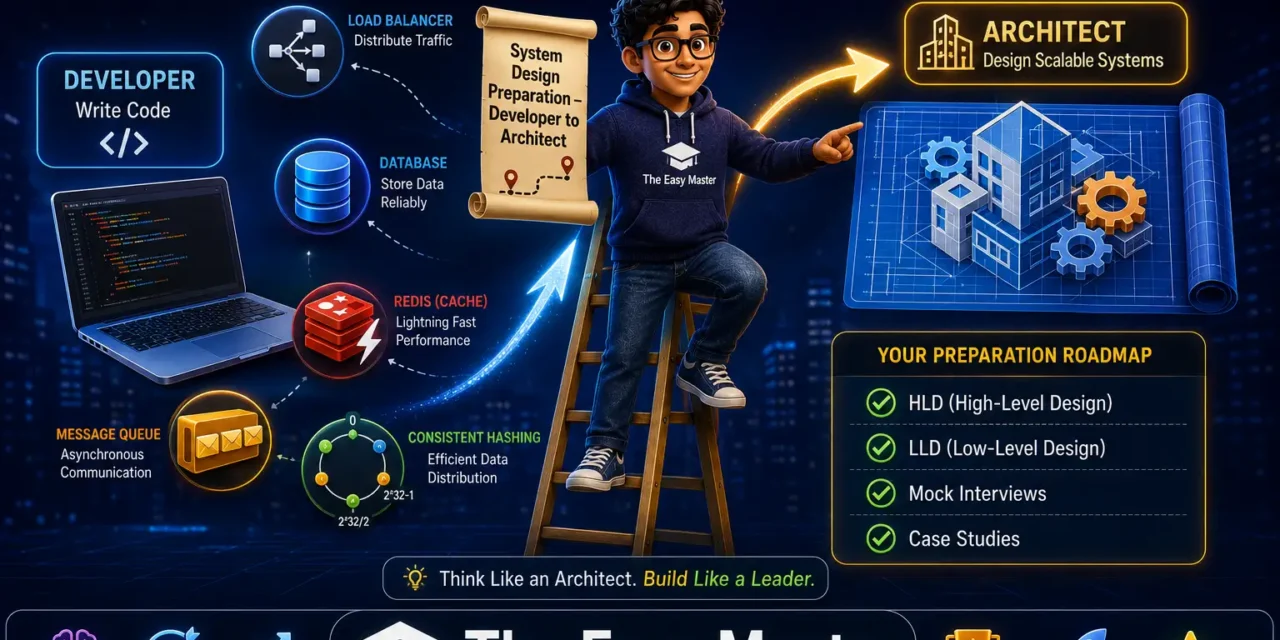
Yeh article unhi ke liye hai – jo developers se architects banna chahte hain।
Jab maine khud yeh transition kiya, mujhe lagta tha ki system design koi born skill hai। Par nahi – ye ek learned skill है। Sahi resources, consistent practice, aur real-world problems solve karne se aap bhi architect ban sakte ho। Is article mein main apna experience share karunga aur aapko ek clear roadmap dunga।
इस System design preparation Hindi article mein main aapko sikhata hoon:
✅ Developer vs Architect – kya change hota hai?
✅ LLD vs HLD – low level aur high level design mein antar
✅ System design interview kya hota hai? – FAANG aur product companies mein pattern
✅ Preparation roadmap – step by step guide
✅ Best resources – books, courses, YouTube channels, GitHub
✅ Practice strategies – case studies, mock interviews, whiteboarding
✅ Common mistakes aur unka solution
✅ How to build a portfolio – design docs, open source, blog
Chaliye developer se architect banne ka safar shuru karte hain! 🚀🏗️
Table of Contents
1. Developer vs Architect – Mindset Shift
Ek developer aur ek architect mein kya farak hota hai?
| Aspect | Developer | Architect |
|---|---|---|
| Focus | Code, features, bugs | Structure, scalability, reliability, trade-offs |
| Scope | Single module / service | Entire system / multiple services |
| Time horizon | Sprint to sprint | Quarters to years |
| Questions asked | “How to implement this?” | “What happens if traffic 100x? How to ensure availability?” |
| Trade-offs | Rarely | Always (consistency vs availability, cost vs performance) |
| Communication | Within team | Across teams, stakeholders |
Personal Experience: Main ek senior developer tha jo apनी feature delivery par focused tha। Phir ek baar system failure hua due to database bottleneck – maine sirf apne module mein optimization kiya tha, par overall system design flawed था। Tab maine system design seekhna shuru kiya। Architect woh hota hai jo components ke interaction aur long-term evolution par dhyan deta hai।
Architect mindset shift:
- Think in trade-offs – Har decision ke pros aur cons।
- Non-functional requirements – Scalability, availability, latency, security, cost।
- Big picture first – Phir details।
- Communication – Diagrams, documents, presentations।
2. LLD vs HLD – Low Level and High Level Design
System design do levels mein hota hai:
| Aspect | HLD (High Level Design) | LLD (Low Level Design) |
|---|---|---|
| Scope | Entire system, components, data flow | Individual component/class/method |
| Output | Architecture diagram, database schema, API contracts | Class diagrams, sequence diagrams, detailed logic |
| Audience | Stakeholders, managers, senior devs | Developers implementing the component |
| Example | Design YouTube: which services, how scaling, CDN | Design video upload service: classes, error handling |
In system design interviews: Usually HLD (40-60 minutes)। Sometimes LLD for specific component (e.g., design parking lot, elevator system)।
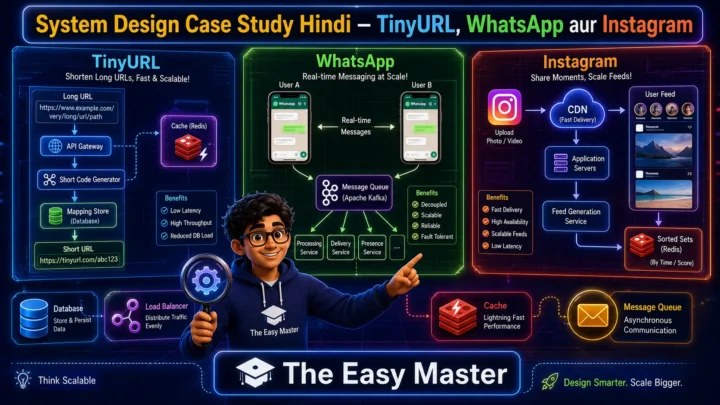
Example HLD topics: Design TinyURL, WhatsApp, Instagram, Uber。
Example LLD topics: Design a chess game, vending machine, task scheduler。
Prep tip: Focus on HLD for most interviews, but practice common LLD problems as well (Object Oriented Design)。
3. System Design Interview Pattern – क्या पूछते हैं?
FAANG aur product companies mein system design round typically hota hai:
Format: 45-60 minutes। Interviewer ek problem deta hai (e.g., “Design Twitter”)। Aapko solution draw karna hota hai whiteboard ya digital tool pe। Interviewer questions puchega aur trade-offs discuss karega।
Evaluation criteria:
- Requirements gathering – Did you ask clarifying questions? Functional vs non-functional?
- Estimation – QPS, storage, bandwidth – do you have sense of scale?
- High-level design – Components, APIs, data model
- Deep dive – Discuss bottlenecks and how to solve (caching, sharding, replication)
- Trade-offs – Why this choice over alternatives?
- Communication – Are you explaining clearly?
Common topics asked:
| Type | Examples |
|---|---|
| URL shortener | TinyURL, bit.ly |
| Chat system | WhatsApp, Messenger |
| Social feed | Instagram, Twitter |
| Video streaming | YouTube, Netflix |
| Ride sharing | Uber, Lyft |
| Cloud storage | Dropbox, Google Drive |
| Web crawler | Google Search |
| Distributed key-value store | DynamoDB, Redis |
Note: Not all interviews ask system design। For junior positions, more coding; for senior, system design round mandatory।
4. Preparation Roadmap – Step by Step
Phase 1: Core Concepts (2-4 weeks)
Master these building blocks:
| Concept | What to learn |
|---|---|
| Load balancing | Algorithms (round robin, least connections, consistent hashing), Layer 4 vs 7 |
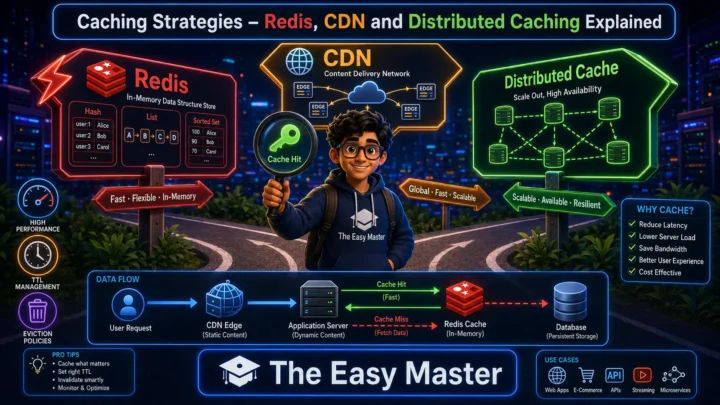
| Caching | Cache-aside, write-through, CDN, Redis, eviction policies (LRU, TTL) |
| Databases | SQL vs NoSQL, sharding, replication, indexing, ACID vs BASE |
| Message queues | RabbitMQ vs Kafka, async processing, event-driven architecture |
| Consistent hashing | Virtual nodes, ring, use in caching & sharding |
| CAP theorem | Consistency, availability, partition tolerance trade-offs |
| Microservices vs monolith | Pros, cons, modular monolith |
| API design | REST vs GraphQL, pagination, versioning |
Action items:
- Read “System Design Introduction” series on The Easy Master。
- Watch YouTube tutorials (see resources below)。
- Practice explaining each concept to a friend।
Phase 2: Practice Case Studies (4-6 weeks)
Take 5-10 common systems and design them:
- TinyURL (URL shortener)
- WhatsApp (chat messaging)
- Instagram (social feed)
- Twitter (tweets + timeline)
- Uber (ride matching)
- Netflix (video streaming)
- Dropbox (file sync)
- Google Drive (cloud storage)
For each:
- Write down requirements (functional + non-functional)
- Draw high-level architecture diagram
- Choose database (SQL/NoSQL) and schema
- Discuss scaling (sharding, caching, CDN)
- Identify bottlenecks
Action items:
- Use a whiteboard or drawing tool (Excalidraw, Draw.io)
- Time yourself (45 mins per design)
- Read existing case studies online
Phase 3: Mock Interviews (2-4 weeks)
Practice with peers or platforms:
- Pramp – free mock interviews
- Interviewing.io – anonymous technical interviews
- Meetup groups – system design practice sessions
- Peer – trade mock interviews with friend
Tips for mock:
- Treat as real interview (camera on, timer, whiteboard)
- Ask clarifying questions
- Don’t jump to solution – think step by step
- After interview, get feedback and iterate
Phase 4: Portfolio & Real Experience (ongoing)
- Open source contributions – Contribute to large systems (e.g., Apache projects)
- Blog about designs – Write case studies, share on LinkedIn / Medium
- Side projects – Build a scalable app (use Docker, Kubernetes, cloud)
- Design docs – Document your design decisions for projects
Personal Experience: Maine pahle 2-3 designs notebook par likhe, phir 5 mock interviews kiye। Initially I struggled with time management. After 10 practices, I could finish within 45 mins। Consistency is key।
5. Best Resources – Books, Courses, YouTube, GitHub
Books
| Book | Why |
|---|---|
| Designing Data-Intensive Applications (Martin Kleppmann) | Best for deep concepts (storage, replication, consistency) |
| System Design Interview – Vol 1 & 2 (Alex Xu) | Practical case studies, diagrams, step-by-step |
| Software Architecture: The Hard Parts | Trade-offs, decision making |
| Building Microservices (Sam Newman) | Microservices patterns |
Online Courses
| Course | Platform | Best for |
|---|---|---|
| Grokking the System Design Interview | DesignGurus | Interview-focused |
| System Design for FAANG | Udemy (by Punit) | Beginners |
| Software Architecture & Design | Coursera (University of Alberta) | Academic |
YouTube Channels
| Channel | Focus |
|---|---|
| Gaurav Sen | Indian creator, excellent case studies (in Hinglish) |
| System Design Interview | Short, focused videos |
| Tech Dummies | Detailed explanations |
| Hussein Nasser | Backend engineering |
GitHub Repositories
- donnemartin/system-design-primer – Best one-stop resource
- shashank88/system_design – Large collection of solutions
- checkcheckzz/system-design-interview – Quick reference
Tip: Start with Alex Xu’s book + system-design-primer। Then practice case studies।
6. Practice Strategies – How to Practice Effectively
Active recall method:
- Without looking at solutions, try to design a system from scratch
- Write down components, data flow, database schema
- Then compare with standard solutions – learn gaps
Spaced repetition:
- Revisit systems after 1 week, 1 month
- Time yourself – aim to finish quicker
Whiteboarding:
- Use tablet + stylus or laptop touchpad
- Practice drawing diagrams (even simple boxes + arrows)
Mock interview partner:
- Use Slack/Discord communities to find partners
- Take turns being interviewer
Common mistakes to avoid in practice:
- Starting with database design first – start with requirements
- Forgetting non-functional aspects (scalability, availability)
- Not discussing trade-offs – interviewer wants to see that you know alternatives
7. Common Mistakes (aur Unka Solution!)
| Mistake | Why it’s wrong | Solution |
|---|---|---|
| Jumping to solution without requirements | You may solve wrong problem | Ask clarifying questions first (functional, non-functional constraints) |
| Ignoring scale estimation | Hard to design for 1M users vs 1B | Always estimate QPS, storage, bandwidth – shows you think at scale |
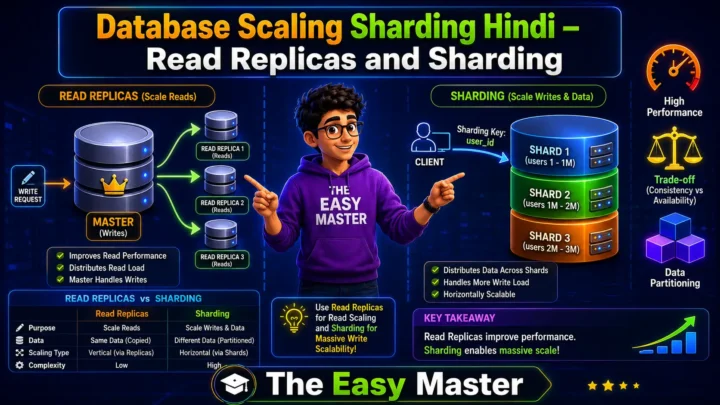
| Single database for everything | Not scalable | Discuss sharding, read replicas, caching |
| Not discussing trade-offs | Interviewer thinks you’re not aware | Say “Option A has benefit X, but downside Y; I’ll choose A because…” |
| Over-engineering | Too complex for given scale | Start simple, add components as needed |
| Forgetting about availability & redundancy | Single point of failure | Add load balancers, replicas, failover |
| Not handling edge cases | Failure scenarios not considered | Discuss what happens when a service fails |
| Weak diagram skills | Communication suffers | Practice drawing clean diagrams |
8. How to Build a System Design Portfolio
Architect roles require proof of thinking beyond code:
Portfolio elements:
| Item | How to create |
|---|---|
| Design docs | Document a real project’s architecture (open source or work, anonymized) |
| Case study blog posts | Write “How I would design Instagram” with diagrams |
| GitHub repo | Create a repo with design docs (Markdown + diagrams) |
| Contribute to OSS | Join projects that need architectural improvements (Apache, CNCF) |
| Present at meetups | Speak about scaling challenges |
Sample design doc structure:
- Title and overview
- Requirements (functional, non-functional)
- Assumptions and constraints
- Data model
- High-level architecture (diagram)
- Component details
- Scalability, availability, consistency trade-offs
- Future improvements
Pro Tip: Share your design docs on LinkedIn with hashtags #SystemDesign #Architecture – recruiters notice।
9. Resources – Cheat Sheet & Practice Prompts
System Design Interview Checklist
□ Clarify requirements (functional + non-functional)
□ Estimate scale (QPS, storage, bandwidth)
□ Define data model (choose SQL or NoSQL, schema)
□ High-level design (draw boxes: client → LB → API → services → DB)
□ Deep dive (caching, sharding, replication, message queues)
□ Identify bottlenecks and trade-offs
□ Discuss failure handling, monitoring
Quick Reference – When to use what?
| Scenario | Solution |
|---|---|
| High read traffic | Cache (Redis), CDN, read replicas |
| High write traffic | Sharding, message queue |
| Real-time updates | WebSockets, long polling |
| Global users | CDN, multi-region DB replication |
| Complex queries | Elasticsearch, NoSQL |
| Strong consistency | Single leader + sync replication |
| High availability | Active-active replicas, eventual consistency |
Practice Prompts
Beginner:
- Design a URL shortener। Start with requirements (shorten, redirect, analytics?)。 Draw architecture, database schema, and explain how you scale to 1 million redirects per second।
Intermediate:
- Design a real-time chat system (WhatsApp-like)। Discuss WebSocket, message queue, offline storage, presence service। How do you handle group chats with 1000 members?
Advanced:
- Design YouTube / Netflix। Discuss video upload (async processing), streaming (CDN), recommendations (ML service). How do you transcode videos into multiple resolutions efficiently?
10. FAQ
Q1: System design seekhne ke liye time kitna lagta hai?
Depends on starting level। If you know basics of web development, 2-3 months consistent practice (10 hours/week) sufficient for interview preparation।
Q2: Kya system design ke liye coding chahiye?
Not for HLD interviews – focus on diagrams and trade-offs। LLD may require some coding (pseudocode)। But understanding code helps。
Q3: Freshers ke liye system design round hota hai?
Usually for experienced (3+ years)। But freshers may get simpler design problems (e.g., design a library management system) – more LLD than HLD।
Q4: System design mein blank screen se kaise start karein?
Start with requirements gathering। Ask: “What are the features? How many users? Read/write ratio?” Then draw boxes: client, load balancer, application servers, database. Iterate।
Q5: Best way to practice without a partner?
Self-practice: Open a problem, set timer, draw on paper/writing tool, record yourself explaining। Then compare with standard solutions।
Q6: Kya Hindi mein system design interview de sakte hain?
In most Indian product companies, you can mix Hindi-English। FAANG interviews are English-only। Practice in English as well।
Q7: Architect banne ke liye sirf system design kaafi hai?
Nahi – you also need experience, leadership, communication, domain knowledge। System design is one pillar।
11. Conclusion – Ab Aapki Baari!
Bahut badhiya! Aapne aaj seekh liya:
✅ System design preparation Hindi – complete roadmap developer se architect tak
✅ Developer vs architect mindset shift
✅ LLD vs HLD difference
✅ Interview pattern and what is expected
✅ Step-by-step roadmap (core concepts → case studies → mocks → portfolio)
✅ Best resources – books, courses, YouTube, GitHub
✅ Practice strategies – active recall, spaced repetition, whiteboarding
✅ Common mistakes aur unka solution
✅ How to build a portfolio (design docs, blogs, OSS)
System design ek journey hai। Consistent practice, real-world reading, aur mock interviews se aap skilled architect ban sakte ho।
Aapki challenge: Aaj se ek design journal shuru karo। Roz 30 minutes ek case study padho ya design karo। Pehle TinyURL complete karo (with diagrams) aur share in comments।
Next topic kya chahiye?
- System Design Interview Mock Walkthrough (live)?
- Advanced CAP Theorem – PACELC?
- Low Level Design (LLD) – OOP, Design Patterns?
Comment mein batao!
The Easy Master ke saath system design preparation seekhte raho। Happy architecting! 🚀🏗️
Resources
- System Design Primer – GitHub
- Gaurav Sen – System Design YouTube
- Alex Xu – System Design Interview Blog
- Pramp – Free Mock Interviews
- LeetCode System Design Section
Additional Resources
- Next.js App Router – Pages Router से क्या बदला? Complete Guide 2026
- Next.js Server Components – ‘use client’ कब और कहां Use करें
- Next.js Routing – Layouts, Dynamic Routes and Nested Routes 2026
- Next.js 16 New Features – Turbopack, Cache Components and proxy.ts
- Next.js Partial Prerendering – Static and Dynamic Content साथ में
- Next.js Authentication – JWT Session Management (App Router) 2026
- Next.js SEO – Metadata API and Image Optimization समझे 2026
- Next.js TypeScript – Full-Stack Type-Safe App कैसे बनाएं
- FastAPI Kya Hai? FastAPI Python Setup Aur Pehla API Hindi 2026
- FastAPI Path Parameters Hindi – शून्य से हीरो तक गाइड 2026
- Pydantic v2 Tutorial Hindi – Data Validation Master 2026
- FastAPI dependency injection Hindi – Code Reuse Ka Magic
- FastAPI Async Await Hindi – Non-Blocking Code 2026
- FastAPI PostgreSQL SQLModel Hindi – Async Guide 2026
- FastAPI JWT Authentication Hindi – Secure API Login
- FastAPI OpenAI Integration Hindi – AI Chatbot API 2026
- FastAPI Multi-Agent AI Hindi – LangGraph Zero to Hero
- FastAPI Deployment Hindi – Railway Zero to Hero 2026
- Docker Introduction in Hindi? Containers vs Virtual Machines
- Docker Images and Containers Hindi – Pehla Container
- Docker Compose Tutorial Hindi – Node.js + MongoDB
- Docker Volumes Networking Hindi – Data Persist कैसे करें
- Kubernetes Architecture Hindi – Pods, Nodes, Cluster
- Minikube Tutorial Hindi – Local Cluster कैसे बनाए
- Kubernetes Deployments Services Hindi – App Expose Karein
- K8s Ingress Tutorial Hindi – Domain se App Access
- Helm Kya Hai? – Kubernetes Charts Se App Deploy
- GraphQL Introduction in Hindi – REST vs GraphQL Comparison
- GraphQL Schema Tutorial Hindi – Types Queries Resolvers
- GraphQL Queries Mutations Hindi – Frontend Integration
- GraphQL Advanced Features Hindi – Fragments Aliases Variables
- Apollo Server GraphQL Node.js TypeScript Hindi – API Kaise Banaye
- Apollo Client React Hindi – GraphQL Queries Use Kaise Karein
- GraphQL Testing Supertest Hindi – Queries Mutations Test
- Integration Testing Node.js – Mock DB aur APIs Hindi
- E2E Testing Playwright – GraphQL Frontend Testing & CI/CD Hindi
- System Design Kya Hai? System Design Introduction in Hindi
- Vertical Horizontal Scaling Hindi – कब क्या Use करें
- Load Balancing Tutorial Hindi: Round Robin and Hashing
- Microservices vs Monolith Hindi – Modular Monolith se Safar
- Message Queues (RabbitMQ, Kafka) – EDA Samjhe Hindi
- Consistent Hashing Hindi – Distributed Caching & Sharding
- System Design Case Study Hindi – TinyURL WhatsApp Instagram
Views: 354